
LEKATO MIDI Cable MIDI to USB C
4.5Editor score
Plug and play setup
Low latency performance
Universal compatibility
Discover the top MIDI Interface for Mac options for 2026. We compare features, compatibility, and performance to help you find the perfect gear for your studio.
Selecting the right MIDI Interface for Mac is essential for musicians and producers who demand reliable connectivity and low latency. The market offers various options ranging from simple cables to complex routing devices that streamline your workflow significantly.
We evaluated ten top-rated products based on compatibility, build quality, and real-world performance metrics. Each option was analyzed for its ability to handle multiple channels and integrate seamlessly with popular macOS music production software environments.
Every pick highlights specific strengths like standalone routing or USB-C convenience to match different studio needs. Please note that product availability and pricing fluctuate frequently so checking current listings ensures you get the best deal available today.
4.5Editor score

4.6Editor score

4.5Editor score
This side-by-side comparison evaluates all ten selected MIDI Interface for Mac solutions to highlight their unique specifications and ideal use cases for various musicians.




The CME U6MIDI Pro stands out as a top MIDI Interface for Mac offering robust connectivity options for modern producers. Its rating reflects strong performance in handling complex MIDI messages without jitter or signal loss during recording.
We may earn a commission when you buy through this link, at no additional cost to you.
This device offers a 3-in-3-out configuration that allows for intricate routing setups directly from the interface. The software tool enables users to configure filters and merges ensuring your Mac sees exactly what you need for your workflow.
While it requires initial software configuration for advanced features the trade-off is worth the flexibility it provides. Users report that once set up the stability is exceptional making it reliable for live performances and studio sessions.
Anyone needing a versatile standalone or computer connected interface should consider this model highly. It bridges the gap between modern USB-C convenience and traditional MIDI hardware requirements efficiently.
The included software allows for deep MIDI message filtering and merging which is rare at this price point.
You can use the unit without a computer to route MIDI between hardware synthesizers and drum machines directly.
We may earn a commission when you buy through this link, at no additional cost to you.
For budget conscious users this cable acts as an effective entry level MIDI Interface for Mac solution. It simplifies the connection between your keyboard and computer without needing additional boxes or complex drivers to work.
We may earn a commission when you buy through this link, at no additional cost to you.
The built-in driver ensures immediate recognition by macOS which saves time during setup sessions. The LED indicators provide visual confirmation of signal flow helping you troubleshoot connection issues quickly if they arise.
While it lacks advanced routing features the reliable data transmission is sufficient for most home recording needs. The copper material ensures signal integrity which is crucial for maintaining accurate note data over the cable length.
This is the ideal choice for beginners or those who need a simple reliable link for their instruments. It keeps costs low while maintaining the performance standards required for professional production environments.
The direct USB-C connection means you can plug and play with no extra software or installation steps required.
Red and Blue lights show power and signal status making it easy to confirm your device is connected correctly.
We may earn a commission when you buy through this link, at no additional cost to you.
The Focusrite Scarlett 2i2 4th Gen is a powerhouse that combines audio and MIDI capabilities in one unit. It is often the go to MIDI Interface for Mac for serious artists seeking industry standard recording quality and reliability.
We may earn a commission when you buy through this link, at no additional cost to you.
Its new generation preamps and converters deliver crystal clear sound with a massive dynamic range. The Auto Gain feature helps prevent clipping ensuring your MIDI and audio tracks remain pristine even during aggressive playing styles.
The included software bundle adds significant value by providing a complete toolkit for mixing and mastering your music. While the investment is higher the resulting audio quality and reliability justify the cost for professional applications.
Musicians looking for an all-in-one solution should prioritize this interface for its comprehensive feature set. It supports complex production needs while maintaining the ease of use that Focusrite is known for globally.
The converters match those found in major studios ensuring your recordings capture every detail with precision and clarity.
Auto Gain and Clip Safe features automatically adjust levels to prevent distortion so you can focus on performance.
We may earn a commission when you buy through this link, at no additional cost to you.
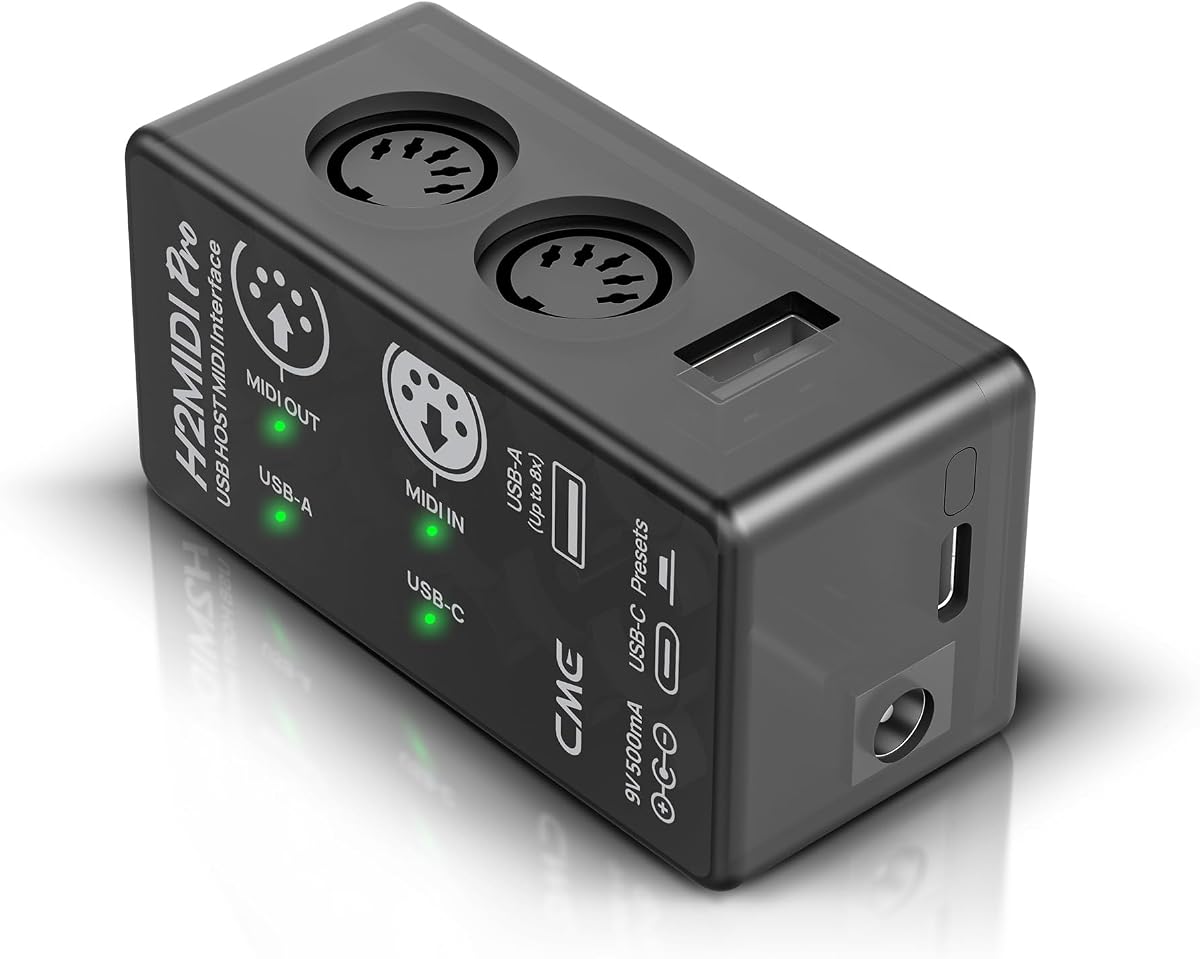
The CME H2MIDI Pro offers a unique ability to connect USB MIDI devices directly without needing a computer. This makes it a distinct MIDI Interface for Mac option for those who want flexibility between hardware setups and digital workflows.
We may earn a commission when you buy through this link, at no additional cost to you.
It acts as a USB host allowing you to plug in keyboards and drum machines directly to the unit. You can route this data to traditional 5-pin DIN outputs using the software for precise MIDI manipulation.
Saving presets allows quick switching between different configurations during live sets or different song setups. The 32-bit processor ensures high precision even with complex MIDI messages like clock and system exclusive data.
This device is perfect for hybrid setups where both modern USB gear and legacy equipment coexist. It provides the bridge needed to integrate them smoothly without requiring a permanent computer connection.
You can connect USB compliant MIDI devices directly to the interface eliminating the need for a laptop or PC.
The software allows you to filter out unwanted MIDI messages ensuring clean data transfer to your destination.
We may earn a commission when you buy through this link, at no additional cost to you.
This unit provides a straightforward solution for connecting your keyboard to your Mac without extra accessories. It serves as a reliable MIDI Interface for Mac that supports a wide range of production software effectively.
We may earn a commission when you buy through this link, at no additional cost to you.
The built-in driver ensures compatibility with systems like GarageBand and Cubase right out of the box. The LED indicators show connection status clearly so you know your device is communicating with the computer.
It is bus powered which means you do not need an external power adapter for operation. The multi-layer protection on the cable ensures durability against interference during transport and use.
Ideal for mobile producers or students this interface offers essential functionality at a low cost. It keeps the setup simple allowing you to focus on creating music rather than managing cables.
It works seamlessly with major software platforms including FL Studio and Cubase ensuring smooth integration.
The lightweight design and integrated cable make it easy to carry to gigs or rehearsal spaces.
We may earn a commission when you buy through this link, at no additional cost to you.
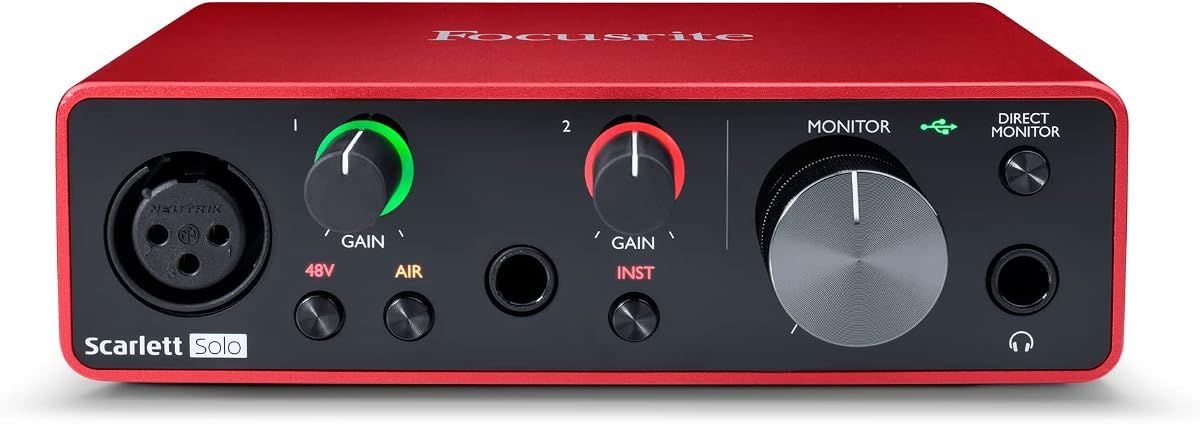
The Scarlett Solo 3rd Gen is a proven track record for audio quality and MIDI connectivity on Mac. It remains a popular choice for singers and songwriters who need a solid entry point into recording.
We may earn a commission when you buy through this link, at no additional cost to you.
Its converters support recording at high resolutions ensuring your tracks capture all the nuances of performance. The Air mode adds brightness to vocals which helps them cut through the mix in any production project.
Gain Halos provide visual feedback on input levels helping you avoid distortion during recording sessions. The included software package gives you a complete start to finish workflow for your tracks.
Even with newer models available this unit offers excellent performance for the price. It is a dependable workhorse for those needing reliable connectivity and sound quality in a compact package.
The support for 24-bit/192kHz allows for professional quality audio that retains details in loud and quiet parts.
Visual Gain Halos guide your input settings so you can dial in the perfect level without guessing.
We may earn a commission when you buy through this link, at no additional cost to you.
This model provides a direct link between your keyboard and Mac with minimal configuration needed. It is a practical MIDI Interface for Mac that works well for basic recording tasks and practice sessions.
We may earn a commission when you buy through this link, at no additional cost to you.
The built-in driver ensures your computer recognizes the device immediately after plugging it in. LED indicators show power and signal status so you can confirm your connection at a glance.
It supports a wide range of DAWs making it versatile for different production environments. The cable design includes protection against interference which helps maintain signal integrity over time.
Perfect for students or casual users this interface delivers essential functionality without complexity. It allows you to start making music right away with your existing software and instruments.
The integrated driver means no extra installation steps are needed to start using your MIDI keyboard.
Multi-layer protection on the cable ensures your data remains safe from external electrical interference.
We may earn a commission when you buy through this link, at no additional cost to you.
This interface offers a balanced set of features for recording vocals and instruments with MIDI on Mac. It stands out with loopback functionality which is useful for streamers or podcasters using MIDI controllers.
We may earn a commission when you buy through this link, at no additional cost to you.
The combo jacks allow you to connect microphones and instruments directly without extra cables. Zero latency monitoring ensures you hear your performance in real time while recording with your DAW.
The LED rings on the gain knobs provide visibility in dark studio environments while adding a professional look. High resolution conversion ensures your audio quality meets professional standards for release.
A great choice for creators who need audio and MIDI in one box it simplifies your signal chain. It provides the necessary connectivity and control for a wide range of recording scenarios.
Loopback allows you to route system audio back into your DAW which is perfect for streaming or podcasts.
The illuminated gain knobs help you see your settings clearly even in low light studio conditions.
We may earn a commission when you buy through this link, at no additional cost to you.
As a refined version of the classic interface this unit offers smarter features for recording. It is a strong MIDI Interface for Mac that simplifies the recording process for artists of all skill levels.
We may earn a commission when you buy through this link, at no additional cost to you.
The Auto Gain and Clip Safe features prevent human error from ruining a perfect take. This is especially helpful when recording quickly or when you are alone in the studio without an engineer.
The included software provides everything needed to produce a release quality track right away. Air mode enhances your sound by adding harmonic drive which makes your vocals and guitars shine in the mix.
Ideal for professionals and serious hobbyists this interface balances performance with ease of use. It ensures your signal path is clean and optimized for the best possible results in your projects.
Auto Gain sets the perfect level for your instrument automatically saving you time and effort during setup.
Clip Safe technology monitors your signal to ensure it never exceeds safe levels during intense performances.
We may earn a commission when you buy through this link, at no additional cost to you.
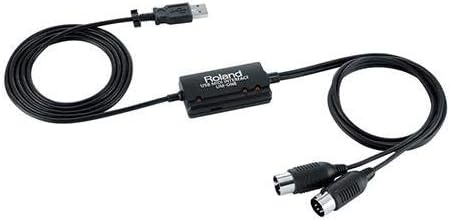
Roland is a pioneer in MIDI technology and this interface reflects their commitment to reliability. It serves as a solid MIDI Interface for Mac for users who need a dependable connection for their synths.
We may earn a commission when you buy through this link, at no additional cost to you.
The FPT processing ensures low latency and tight clock timing which is crucial for keeping your MIDI data in sync. This precision makes it suitable for complex setups where timing accuracy is paramount.
The integrated cable design reduces clutter on your desk by keeping the USB and MIDI connections together. Visual indicators on the unit give you immediate feedback on data flow so you can troubleshoot quickly.
Although it uses a standard USB connection it remains a trusted choice for those who value stability. It provides a simple direct link between your computer and your MIDI hardware without extra steps.
The FPT processing chip ensures that clock signals and data packets stay synchronized during performance.
LED data indicators for input and output help you monitor signal flow instantly during setup.
We may earn a commission when you buy through this link, at no additional cost to you.
Selecting the right interface depends on your specific workflow and the hardware you already own. This guide breaks down the key factors to consider before making your final decision.
Ensure the interface supports macOS natively or via driver. Many modern USB-C models are plug and play but older hardware may need specific drivers to function correctly on your system. Always verify the manufacturer lists your Mac model on their compatibility page.
Check for macOS version compatibility to avoid connection issues or software instability on your computer.
Decide how many inputs and outputs you need. A simple 1-in-1-out interface is enough for one keyboard but multi device setups benefit from 2-in-2-out or more. Some interfaces offer additional routing capabilities that act as a hub for your gear.
Choose a port configuration that matches your current gear count and allows room for future expansion.
Most modern interfaces are bus powered meaning they draw power directly from your Mac via USB. This reduces cable clutter and increases portability making it easier to record on the go. Always verify the device supports bus power if you want to avoid carrying extra bricks.
Bus power ensures you can use your interface anywhere without needing an electrical outlet nearby.
Low latency is critical for feeling natural while playing. Good interfaces provide near zero latency monitoring which lets you hear your instrument sound instantly through your software. Look for terms like low latency or real-time monitoring in the product description.
Prioritize low latency to maintain a natural playing experience during live performance or recording.
Interfaces often get transported to studios or gigs so durability matters. Look for sturdy housings and reinforced jacks that can withstand daily use. High quality cables and connectors prevent signal loss and ensure long term reliability for your setup.
Invest in a solid build to prevent hardware failures that could disrupt your creative workflow or performances.
Some brands include recording software or plugins with the hardware which adds significant value. This bundle might include DAWs effects or instruments that help you start producing music immediately. Check what is included in the box to see if it meets your needs.
A good software bundle saves you time and money by providing essential tools right out of the box.
Newer Macs use USB-C so ensure the interface matches this standard for best compatibility. While adapters exist direct connections are more stable and faster. If you have older Macs consider a model with USB-A or confirm adapter support is available.
Select the correct cable type to avoid adapter issues and ensure a stable connection with your computer.
Budget varies widely from affordable cables to high-end units. Determine your spending limit but remember that higher quality often means better sound and reliability. Avoid buying the absolute cheapest option as it may lack critical features or durability.
Find a balance between cost and features that fits your budget while meeting your essential needs.
Start by connecting the interface directly to a USB port on your Mac without using hubs if possible. This reduces potential points of failure and ensures stable power delivery for the device to function correctly.
Install any necessary drivers or software tools provided by the manufacturer to enable full functionality. Configure your DAW to recognize the new interface in its audio or MIDI settings to start sending and receiving data.
Keep your cables organized and avoid placing heavy objects on them to prevent internal wire damage. Periodically check connections for dust or debris and clean gently to maintain a clear signal path between devices.
Many modern USB-C interfaces are class compliant and work plug and play on macOS. However older models or specific brands might require you to download drivers for full functionality. Always check the product description for driver details before purchasing.
Audio interfaces convert sound waves into digital signals for recording instruments and vocals. MIDI interfaces transmit performance data like note on and controller changes but do not carry actual audio sounds. Some units combine both features for versatility.
Yes most interfaces support low latency operation making them suitable for live shows. Just ensure your Mac has enough processing power to handle the real-time data stream without delay or glitching during the set.
You can use a MIDI merger device or an interface with multiple input ports. Alternatively some interfaces come with software that allows you to map multiple devices to a single virtual input for easier management.
Modern Macs use USB-C so a USB-C to USB-C cable is recommended for most new interfaces. Older devices might need a USB-A adapter or a standard USB cable depending on the manufacturer ports provided.
Check that the cable is securely plugged in and try a different port. Verify that you have selected the correct device in your DAW settings. If drivers are needed ensure they are installed correctly before restarting your computer.
We reviewed ten excellent options for connecting MIDI gear to Mac ranging from simple cables to complex audio hybrids. Each pick offers a different balance of features to suit everything from home studios to professional stages.
Prioritize compatibility and port count to ensure the interface fits your current gear and future needs. If you record vocals also consider an interface that combines audio capabilities to simplify your signal chain.
Prices and availability change often so verify current details on Amazon before making your final choice. This guide provides a reliable overview to help you find the perfect tool for your musical workflow.