
Magic-Style Keyboard Case for iPad mini
4.6Editor score
Ultra-lightweight design
Multi-finger gestures
Breathing mode backlight
Finding the right accessory for your tablet can transform how you work and play. A good case provides protection while a keyboard turns your device into a productivity machine. We look at options for the latest models to find the best fit for your needs.
We compared ten highly rated products based on build quality, typing experience, and extra features like trackpads. Our team analyzed user feedback and technical specifications to ensure each recommendation offers real value. This list covers a wide range of prices and styles for every user.
Each pick highlights key strengths and potential trade-offs to help you decide quickly. You will see detailed reviews and a comparison table to make side-by-side checks easy. Please note that prices and availability change frequently so check current listings before buying.
4.6Editor score

4.3Editor score
4.2Editor score
As an Amazon Associate we earn from qualifying purchases.
This table provides a side-by-side overview of all ten models reviewed in this guide. You can quickly compare key specs like trackpad support, backlight options, and compatibility to narrow down your choice based on your specific requirements and budget constraints.


The Dexnor keyboard case stands out as our top recommendation for those who want a laptop-like experience on their iPad Mini. With a rating of 4.3 stars from users, it delivers a robust mix of functionality and protection. The inclusion of a high-precision multi-touch trackpad elevates navigation significantly compared to models that rely solely on touch.
We may earn a commission when you buy through this link, at no additional cost to you.
Key strengths include the durable aluminum alloy hinge that supports a floating cantilever stand. This design allows for customizable angles tailored for typing, reading, and immersive viewing. The backlit rechargeable keyboard offers 150 hours of working time which is exceptional for travel. The built-in magnetic holder keeps your Apple Pencil secure and prevents loss.
While the compact 1.3cm keys may feel tight for some users preferring full-size spacing, the scissor-switch mechanism ensures quiet and uninterrupted typing. The shortcuts row provides instant control over media and volume which boosts productivity. These trade-offs are acceptable given the comprehensive feature set and build quality provided at this price point.
This case is ideal for students and professionals who need reliable navigation and typing without carrying extra peripherals. If you value a trackpad and long battery life, the Dexnor case is the perfect companion. We recommend checking the model compatibility before purchase to ensure it fits your specific generation of iPad Mini.
The high-precision multi-touch trackpad supports gestures like pinch and swipe for faster task management.
The rechargeable battery provides up to 150 hours of working time reducing the need for frequent charging.
We may earn a commission when you buy through this link, at no additional cost to you.
The Magic-Style Keyboard Case earns its place as the Best Premium pick with an impressive 4.6-star rating from users. This model focuses on elegance and extreme lightness, weighing only 70 grams for the detachable case. It offers full mouse-like functionality through its smart trackpad which supports multi-finger gestures for seamless control.
We may earn a commission when you buy through this link, at no additional cost to you.
Its standout feature is the breathing mode backlight which adjusts speed to suit any environment. The widened hinge ensures stability and prevents the keyboard from tipping backward during use. The transparent acrylic design combines durability with style allowing you to see the tablet color. It supports both elevated screen and portrait modes for flexibility.
The price is higher than budget options but the quality of materials justifies the cost. The lightweight design means you can carry it without adding bulk to your bag. While it lacks the heavy-duty protection of leather cases the acrylic is sturdy and resists scratches well for daily use.
Choose this if you prioritize weight and style alongside functionality. It is perfect for users who value a clean look and need a portable setup for frequent travel. The smart sleep and wake function also helps extend battery life making it a great choice for long days out.
The premium transparent acrylic design combines durability with style and practicality for a modern look.
Breathing mode backlight provides a comfortable soft-glow typing experience in the dark environments.
We may earn a commission when you buy through this link, at no additional cost to you.
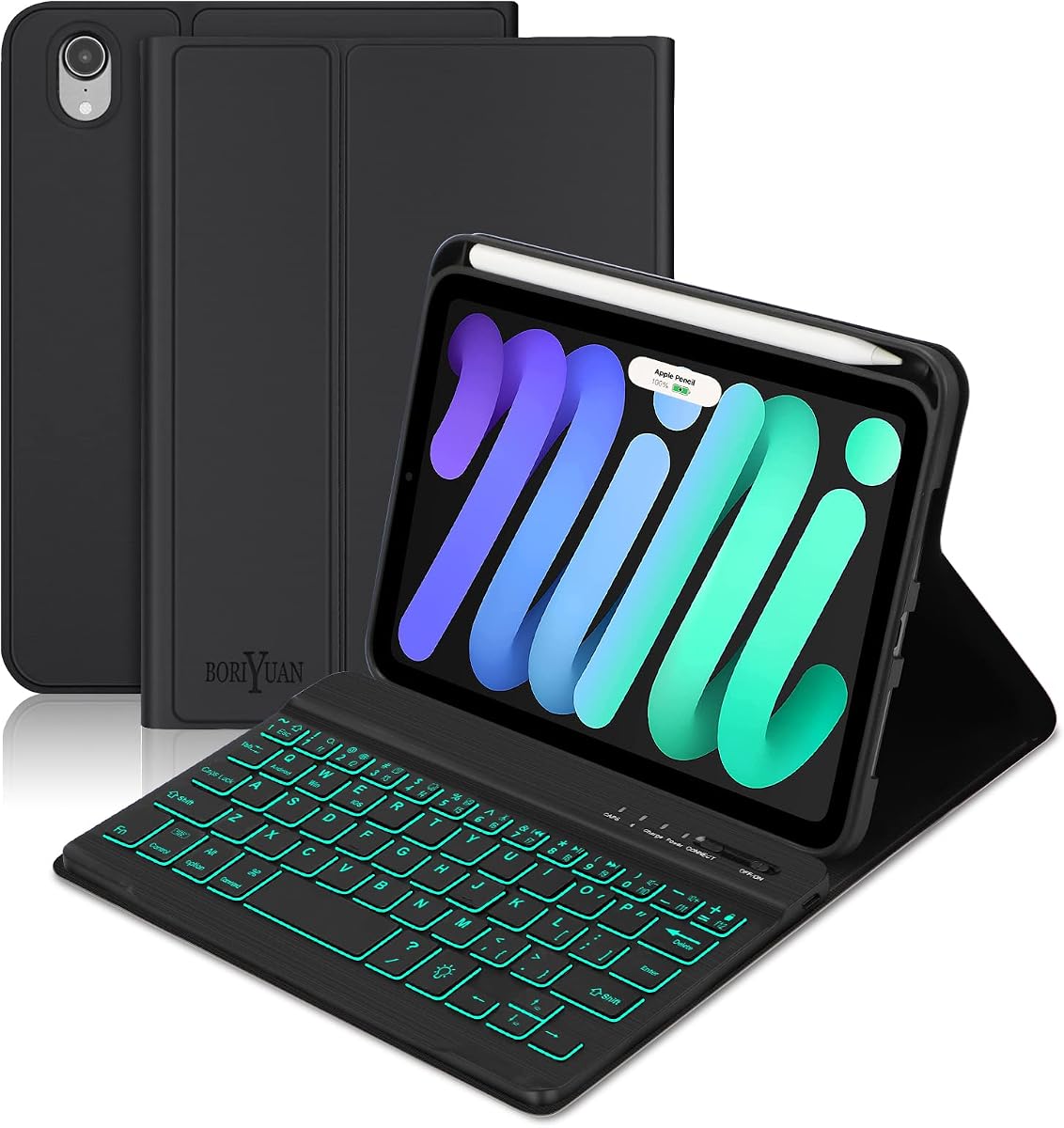
The Boriyuan case offers an excellent entry point for those seeking a keyboard case without breaking the bank. With a 4.2 rating it provides solid protection and versatility at a lower cost. The detachable wireless keyboard allows you to use the tablet freely without being tethered to the keyboard during reading.
We may earn a commission when you buy through this link, at no additional cost to you.
Its battery life is impressive with a 420mAh capacity that ensures at least 230 hours of use. The PU leather material is durable and comes with a silicone soft shell inside for shock protection. The auto sleep and wake function saves power effectively when you fold or unfold the cover.
Users should note that it includes a Micro USB cable which is slightly outdated compared to Type-C. The viewing angles are fixed at three positions rather than adjustable. However for the price the build quality and battery performance exceed expectations making it a smart choice for students or casual users.
This option is best for those who want basic functionality and style without premium extras. If you need a reliable companion for school or home work this case delivers great value. Check the compatibility list carefully to ensure it matches your iPad model before ordering.
Designed uniquely for school home work and travel offering a stylish laptop turn at a low cost.
High capacity battery ensures you can use at least 230 hours with low consumption.
We may earn a commission when you buy through this link, at no additional cost to you.
The HOU Keyboard Case focuses on simplicity and stability for everyday use. It weighs only 240g and features a folding double-sided thickness of 8mm which makes it easy to carry. The gravity-sensing technology locks the keyboard automatically in reading modes to prevent accidental touches.
We may earn a commission when you buy through this link, at no additional cost to you.
Its infinitely adjustable shaft provides stable support for any desk or lap scenario. The 30 high-strength magnets ensure the case attaches securely to your iPad without slipping. While it lacks a trackpad the keyboard layout is straightforward and functional for basic typing needs.
The lower rating suggests some users may find the key feel less responsive than premium models. However for those who want a no-fuss option with reliable magnetic hold it is a strong contender. The slim profile ensures it does not add too much bulk to your device.
This case is suitable for users who prefer a clean design and essential features. It works well for light typing and reading tasks where a trackpad is not necessary. Ensure you check your model number carefully as it only fits specific iPad Mini generations.
Gravity-sensing technology automatically locks the keyboard in reading modes to prevent accidental touches.
Equipped with 30 high-strength magnets for stable adsorption and secure attachment.
We may earn a commission when you buy through this link, at no additional cost to you.
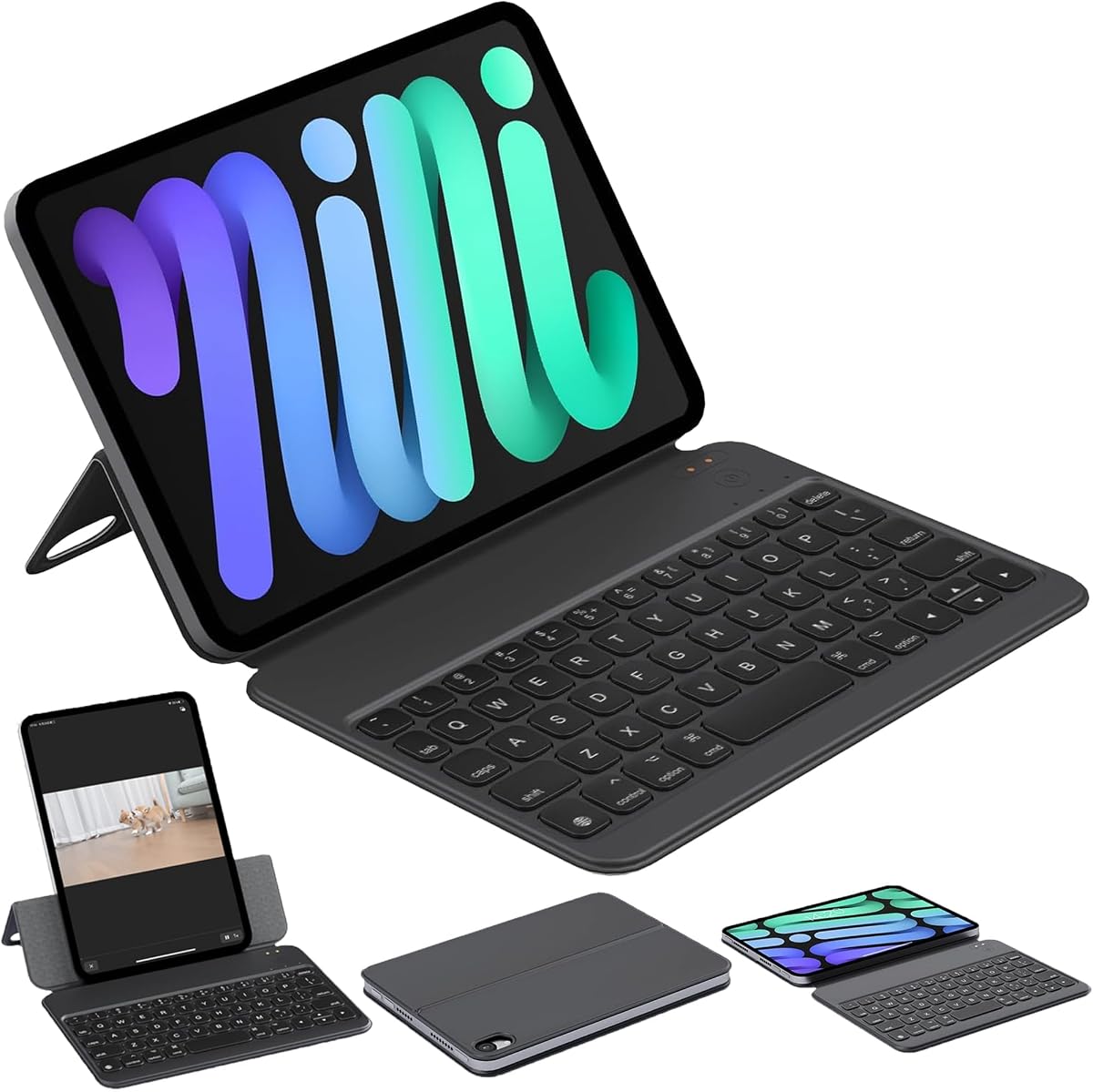
ZAGG offers a reliable option with its Slim Book mini which emphasizes versatility. The detachable Bluetooth keyboard lets you use the case alone or place the keyboard separately for typing at a distance. The magnetic hinge securely holds your iPad mini at multiple viewing angles for comfort.
We may earn a commission when you buy through this link, at no additional cost to you.
The keys provide a responsive and comfortable typing experience ideal for productivity. The case itself is ultra-compact and slips easily into bags making it perfect for mobile professionals. It shields your iPad from bumps and scratches while maintaining a clean professional look.
Without a trackpad navigation requires touch gestures which might slow some workflows. The price reflects the brand reputation and build quality but you may find cheaper alternatives with more features. It is a solid choice if you value ZAGG durability and detachable flexibility.
This model fits users who need a reliable case for daily commutes and work sessions. The laptop-style functionality helps transform your tablet for serious work. Check the compatibility for your specific generation before purchasing to ensure a perfect fit.
Use the protective case alone or place the Bluetooth keyboard separately for distance typing.
Responsive comfortable keys provide a premium typing experience ideal for productivity notes and emails.
We may earn a commission when you buy through this link, at no additional cost to you.
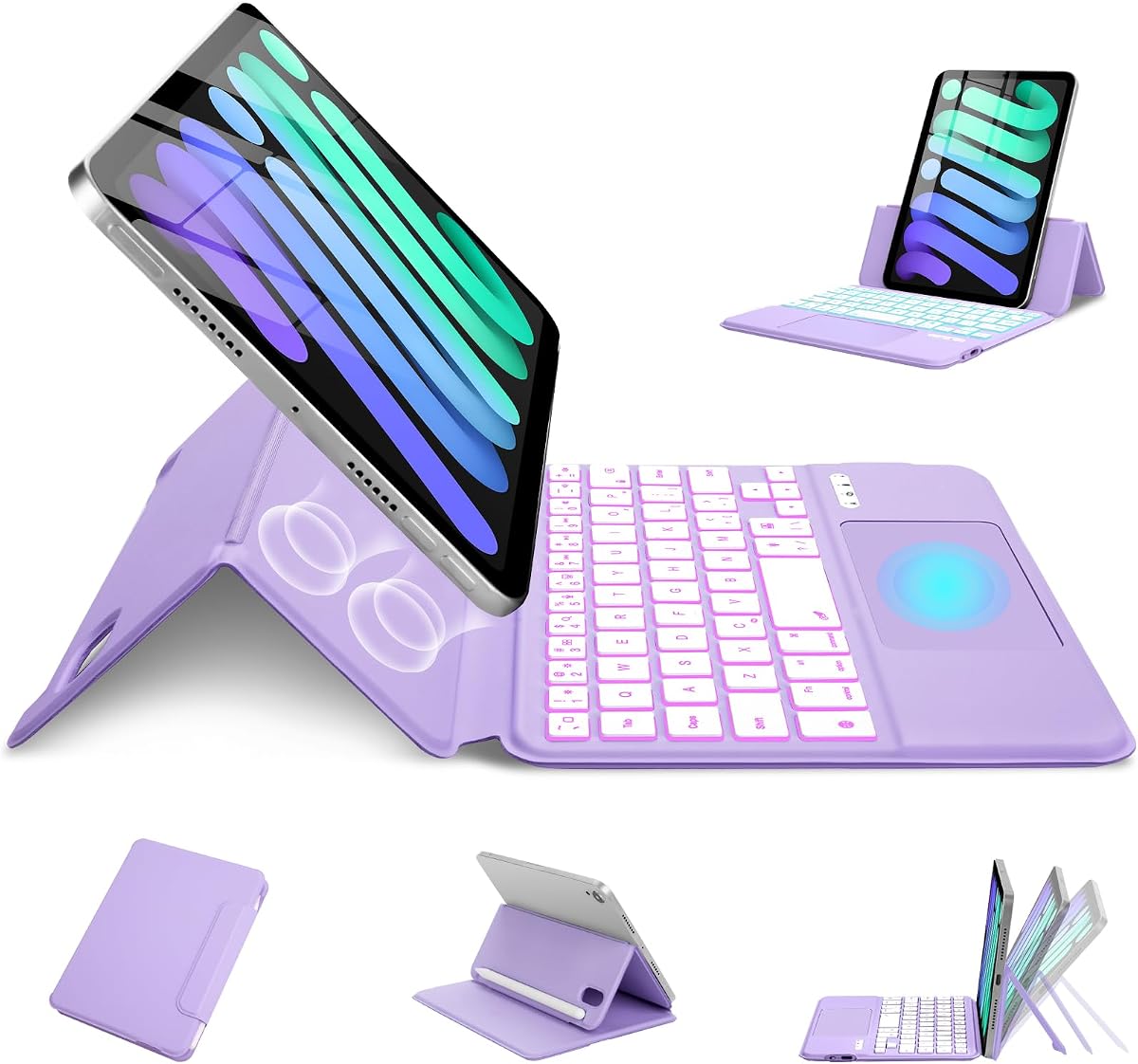
The typecase Keyboard Case is built for work study and travel with a unique rotating design. It allows switching between 7 modes including typing and reading for maximum flexibility. The multi-touch trackpad supports scrolling and cursor control for smoother navigation.
We may earn a commission when you buy through this link, at no additional cost to you.
Its 11-color backlight options let you choose from various hues for mood or visibility. The sturdy swivel hinge is tested for 20000 cycles ensuring reliability. Durable cover helps guard against bumps while the Pencil holder keeps your stylus ready for notes.
Some users might find the rotating hinge adds slight bulk compared to simple cases. However the ability to use it in different orientations makes up for it. The warranty and lifetime technical support add confidence to the purchase for long-term use.
This case is great for students who need to switch between drawing and typing often. The trackpad and backlight options make it a powerful tool for creativity and work. Always check the model number compatibility before ordering to avoid mismatches.
Switch between 7 modes for typing reading watching and browsing with flexible viewing.
Includes 12-month warranty and lifetime technical support for peace of mind.
We may earn a commission when you buy through this link, at no additional cost to you.
The GreenLaw 360° Rotating Keyboard Case brings notebook-like control to your iPad. It features a smart touchpad that allows you to control navigation precisely and edit documents quickly. The keyboard adopts a Type-C interface for modern charging convenience.
We may earn a commission when you buy through this link, at no additional cost to you.
Its 360° free rotation hinge gives maximum freedom to use the device in any position. The 7-color backlight options provide visual enjoyment and comfortable typing in dim light. Automatic sleep function helps save power when the keyboard is not in use for long periods.
Note that the Type-C charging cable is not included so you must use your iPad cable. The rotation mechanism adds slight weight but improves usability. For those who want color customization and trackpad control this is a strong option.
Ideal for users who want to maximize productivity and versatility on the go. The trackpad and rotation features make it suitable for both work and leisure. Check the compatibility list for your model number to ensure it fits correctly.
Equipped with a smart touchpad that can accurately control and navigate for high productivity.
Designed with a 360° free rotation hinge for maximum freedom when using it.
We may earn a commission when you buy through this link, at no additional cost to you.
The Ultra Magic Keyboard Case is engineered specifically for the latest Mini models with a focus on durability. Its anti-yellowing fabric repels dirt and stains keeping the keyboard clean with minimal effort. The improved hinge shifts the center of gravity forward to prevent tipping.
We may earn a commission when you buy through this link, at no additional cost to you.
It features a responsive touchpad for seamless navigation and cursor control. The 11 adjustable backlight colors help you match your mood or style. The compact 60-key keyboard includes a separate row of shortcuts for quick access to essential functions.
The rating is slightly lower which may indicate some variability in manufacturing quality. However the design improvements on stability and material make it a decent option for users who value aesthetics. The shortcuts row is helpful for media control during work.
Choose this if you need a stylish and durable solution for daily tasks. The stability design and fabric protection add value for long-term use. Always verify your model number before purchase to avoid compatibility issues.
Made with high-quality anti-yellowing fabric that repels dirt stains and daily wear.
Improved hinge shifts the center of gravity forward preventing the keyboard from tipping.
We may earn a commission when you buy through this link, at no additional cost to you.
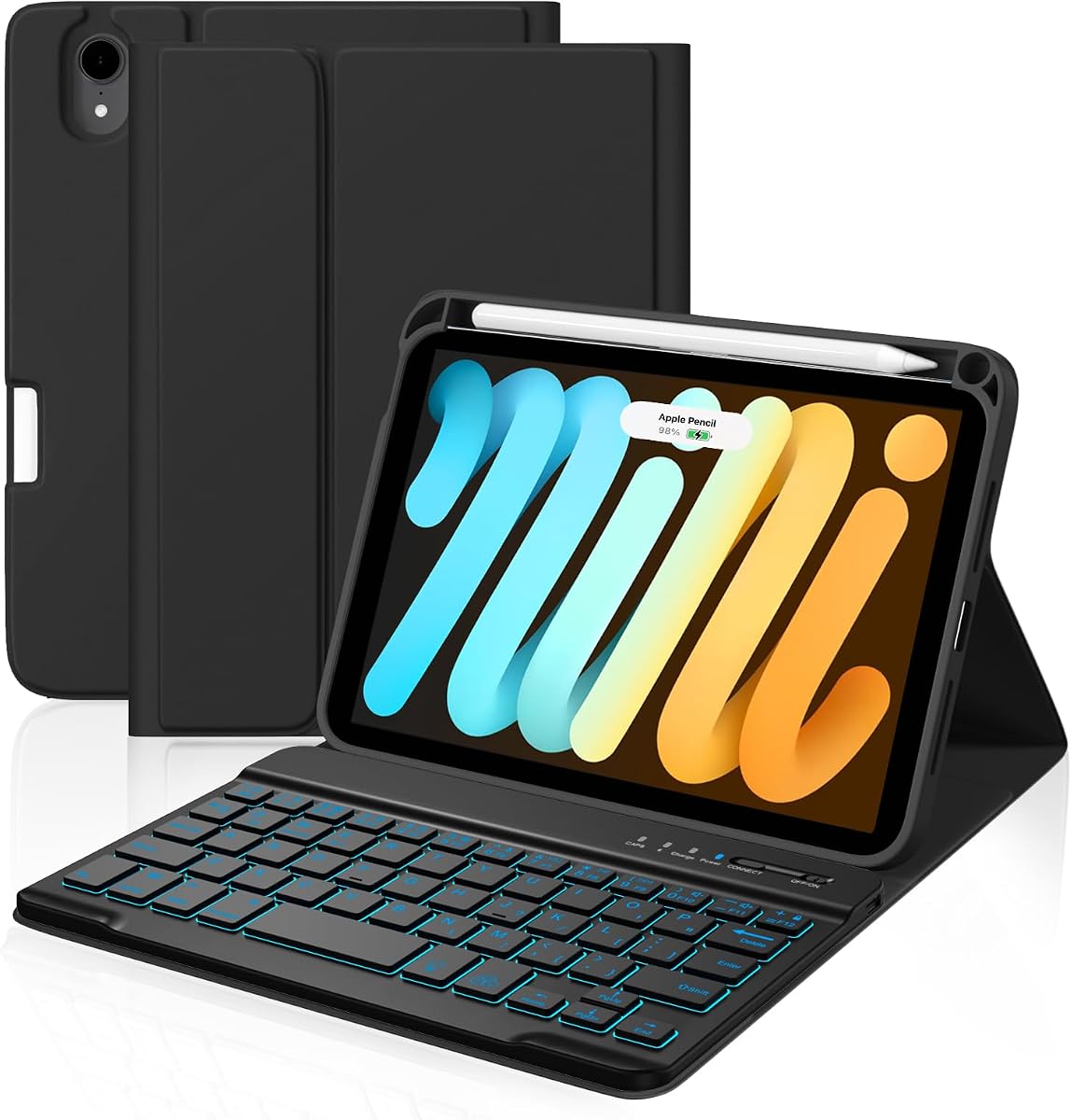
The Gen 6 Case is designed to be a reliable companion for work and play. It features a high-capacity rechargeable battery providing 40 to 80 hours of continuous use. The stain-resistant material helps keep the case safe from spills and dirt.
We may earn a commission when you buy through this link, at no additional cost to you.
Its detachable 7-color backlit keyboard enhances typing and in low light. The built-in pencil holder keeps your pen secure and within reach for quick access. It is compatible with Pencil 2nd and Pencil Pro models for added utility.
While it lacks advanced trackpad features the battery performance and durability stand out. The slim design ensures full functionality while safeguarding your device from daily wear. This is a solid choice for those who prioritize longevity and practicality over luxury extras.
This model is best for users who need a dependable tool for daily tasks. The long battery life and stain resistance make it practical for various environments. Check the compatibility list carefully to ensure it matches your iPad generation.
Equipped with a high-capacity rechargeable battery providing 40-80 hours of continuous use.
Durable stain-resistant material helps keep it safe from scratches spills and dirt.
We may earn a commission when you buy through this link, at no additional cost to you.
The MePadKey Magic Touchpad Keyboard Case offers a slim and lightweight option. It features a built-in smart touchpad supporting 1 to 3-finger multi-touch gestures. The keyboard has 7 backlight colors and 3 brightness levels adjustable for visibility.
We may earn a commission when you buy through this link, at no additional cost to you.
Its Type-C charging port is convenient for quick power-ups. The scissor mechanism ensures smooth and responsive typing. It can be folded like a book and will not take up much space in your bag.
Users need to enable Tap to Click in settings which requires a few steps initially. The strong magnetic suction stabilizes the tablet horizontally or vertically on the keyboard case. For those who value thinness and basic navigation this is a good companion.
This case is ideal for casual users who want a light accessory for typing. The touchpad and light features make it functional for daily tasks. Check the compatibility list and settings before use to ensure proper setup.
This Magic Style keyboard has a built-in smart touchpad that supports 1 to 3-finger multi-touch gestures.
Designed to be ultra-thin and light making it a good companion for travel.
We may earn a commission when you buy through this link, at no additional cost to you.
Choosing the right case involves balancing protection, typing experience, and extra features. We analyze the most important factors to help you decide.
Always check your iPad model number before buying. Most cases fit the 6th and 7th Gen but some differ slightly. Ensure the product details list your specific model code for a perfect fit.
Verify the model numbers in Settings to avoid mismatches.
Look for keys that feel comfortable for your hand size. Some have compact keys while others offer full size spacing. Scissor switches are preferred for quiet and responsive typing.
Test or check reviews for key feel before purchase.
A smart trackpad transforms your tablet into a laptop. Look for multi-touch gesture support for scrolling and app switching. This makes navigation faster and reduces strain on your fingers.
Ensure the trackpad supports common gestures like pinch and swipe.
Backlight helps you type in low light environments. Some offer single colors while others offer multiple colors or breathing modes. Adjustable brightness adds flexibility for different lighting conditions.
Check the number of color levels and brightness modes.
Look for long battery life to avoid frequent charging. Some models offer over 100 hours of use on a single charge. Type-C charging is preferred for modern convenience.
Verify the battery capacity and charging port type in specs.
Check the hinge strength and magnetic hold to ensure the iPad does not tip. Some designs have wider hinges or anti-tipping features. Stability is crucial for typing on soft surfaces like beds or laps.
Ensure the hinge supports stable use on multiple surfaces.
If you travel often weight and thickness matter. Slim cases with detachable keyboards reduce bulk significantly. Lightweight materials like fabric or plastic are easier to carry daily.
Consider the total weight when folded for transport.
The case should offer shock resistance for daily wear. Look for materials like PU leather or durable plastic that resist scratches. Pencil holders add utility by keeping your stylus secure.
Check for shock absorbing features like soft shells or reinforced corners.
To start, align your iPad with the magnetic connection points so it snaps securely into place. Ensure the case is fully closed to allow the device to enter sleep mode automatically.
For typing, adjust the hinge to a comfortable angle and test the keyboard connection in your settings. If the trackpad is available, enable multi-touch gestures to swipe between apps easily.
Clean the surface with a soft dry cloth to avoid scratching. Avoid using harsh chemicals and store the case in a dry place when not in use.
Most models in this guide include a built-in holder to keep your pencil secure. Some also allow wireless charging through the case but check the specific details. Always verify compatibility with your pencil model.
Many options feature detachable keyboards that can connect via Bluetooth independently. This allows you to use the case for protection and the keyboard at a distance. It offers great flexibility for different workflows.
Most keyboards use a Type-C port which is standard for modern devices. The case typically includes a cable but sometimes it is not provided. Ensure you have the right cable ready for quick charging.
No, this guide focuses on cases for the 6th and 7th Generation models. The physical dimensions differ so older cases will not fit correctly. Check the model number in Settings to confirm your generation.
The higher end models support multi-touch gestures for scrolling and navigation. This makes using the iPad feel more like a laptop. Check the product specs to confirm gesture support before buying.
Yes most models allow you to change colors and brightness levels. This helps you find a setting that suits your environment. Use the function keys to cycle through options easily.
We reviewed ten top cases to help you find the perfect match for your iPad Mini. The Dexnor and Magic-Style models lead with trackpads and premium build quality. Budget options like the Boriyuan offer great value for basic needs.
Prioritize features that matter to your workflow. If you type often look for comfortable keys and good battery life. For navigation, a trackpad case is a game changer for productivity on the go.
Always verify your model number and check current pricing before buying. Accessories change and discounts appear frequently. Take your time to compare options so you invest in a case that lasts.