
OBDLink EX FORScan OBD Adapter
4.7Editor score
Electronic CAN bus switching
Recommended by FORScan team
Up to twenty times faster throughput
This comprehensive guide compares the top Forscan USB OBD2 Adapter options available in October 2026 to help you choose the right diagnostic tool for your
Finding the right Forscan USB OBD2 Adapter is crucial for anyone looking to unlock hidden vehicle features or perform advanced diagnostics without expensive dealership visits. These adapters bridge the gap between your computer and your car's onboard computer system, enabling deep access to proprietary data streams that standard code readers simply cannot reach. Whether you own a Ford, Lincoln, Mazda, or Mercury, having the correct hardware ensures you can safely and effectively modify settings, clear codes, and monitor real-time sensor data.
To compile this list, we evaluated ten top-rated adapters based on connection stability, data transfer speeds, software compatibility, and overall build quality. We prioritized devices that support both HS-CAN and MS-CAN protocols automatically, as manual switching can be cumbersome and prone to error during complex programming tasks. Our analysis also considered user feedback regarding reliability during extended sessions, such as ECU programming or live data streaming, ensuring that the recommended tools can handle professional-grade demands without dropping packets or failing mid-task.
Each pick in this guide highlights specific strengths, from budget-friendly options suitable for basic code reading to premium models designed for advanced vehicle configuration and firmware updates. We detail the unique features, compatibility lists, and potential limitations of every adapter so you can make an informed decision based on your specific vehicle model and technical requirements. Please note that product availability and pricing may fluctuate frequently, so always verify the current details on the retailer site before making your final purchase decision.
4.7Editor score

4.7Editor score

4.4Editor score
This side-by-side comparison examines the key specifications and capabilities of the ten leading Forscan USB OBD2 adapters currently available on the market. By looking at factors like protocol support, transmission speed, cable length, and software compatibility, you can quickly identify which device aligns best with your diagnostic needs and vehicle architecture without getting lost in technical jargon.




The Vgate vLinker FS OBD2 USB Adapter stands out as a top choice for users seeking a reliable bridge between their computer and vehicle diagnostics. With a strong rating from verified buyers, it consistently delivers stable connections that are essential for complex tasks like firmware updates. Its primary strength lies in its optimization for FORScan software, ensuring that communication errors are minimized during critical operations.
We may earn a commission when you buy through this link, at no additional cost to you.
This adapter features automatic intelligent CAN bus access, which means it identifies and connects to supported HS-CAN and MS-CAN networks without user intervention. This capability significantly reduces the risk of errors that can occur with manual toggle switches. Furthermore, the device supports high-speed data transfer up to 3 Mbps, allowing for large data packets and seamless live data streaming that keeps you informed of real-time vehicle parameters.
While the performance is exceptional, there are a few trade-offs to consider. The adapter is designed primarily for Windows-based systems, which limits its utility for macOS users unless they run a virtual machine. Additionally, while the price point is competitive, it is slightly higher than basic generic ELM327 adapters, though the added stability and features justify the cost for serious enthusiasts.
This tool is ideal for DIY mechanics and vehicle owners who frequently need to access deep diagnostic data or program modules on Ford, Lincoln, Mazda, or Mercury vehicles. If you value reliability and speed over saving a few dollars, the Vgate vLinker FS is the recommended choice for your setup. It offers a professional-grade experience that aligns well with the demands of modern automotive diagnostics.
The adapter is specifically tuned to work seamlessly with FORScan, delivering reliable performance during extended diagnostics and programming tasks without lag or crashes.
Supporting transfer rates up to 3 Mbps and full packet sizes, this device enables complete DTC retrieval and stable live data streaming without truncation.
We may earn a commission when you buy through this link, at no additional cost to you.
The OBDLink EX FORScan OBD Adapter represents the high-end tier of diagnostic tools, offering features that are often reserved for professional equipment. Its robust build quality and specialized design for FORScan make it a favorite among power users who demand the absolute best performance. The device is explicitly recommended by the FORScan team, signaling its superior compatibility and reliability in complex automotive networks.
We may earn a commission when you buy through this link, at no additional cost to you.
What sets this adapter apart is its electronic switch technology, which allows FORScan to access all CAN buses simultaneously. This eliminates the need for manual switching and enables advanced functions that are impossible with standard toggle switch adapters. Combined with a throughput that can be up to 20 times faster than traditional adapters, it ensures that data collection and programming tasks are completed with maximum efficiency.
Despite its premium capabilities, the cost is significantly higher than other options on this list. This investment might be difficult to justify for users who only need basic code reading or occasional diagnostics. However, for those who perform frequent ECU programming or need reliable access to dealership-level features, the value provided by the speed and stability is substantial.
This adapter is best suited for professionals or enthusiasts who run extensive diagnostic sessions and require the highest level of data integrity. If you want a tool that minimizes downtime and maximizes speed during vehicle modifications, the OBDLink EX is the clear leader. It is the go-to choice for those who refuse to compromise on performance and reliability.
Supports all Ford protocols and advanced features, providing access to dealership-level diagnostics that standard adapters cannot reach effectively.
The unique electronic switch enables simultaneous CAN bus access, allowing for advanced functions and faster data throughput without manual toggling.
We may earn a commission when you buy through this link, at no additional cost to you.
For users on a tight budget who still need functional diagnostic capabilities, the ELM327 USB Adapter OBD2 Scanner provides a solid entry point. While it lacks the advanced features of premium models, it effectively handles basic code reading and module configuration tasks when paired with the right software. Its V1.5 hardware version is widely supported by a range of diagnostic applications, making it a versatile tool for older vehicle models.
We may earn a commission when you buy through this link, at no additional cost to you.
The adapter includes manual toggle switches for MS-CAN and HS-CAN, allowing you to switch between networks as needed. While this adds a step to the process compared to automatic switching, it keeps the cost down and provides direct control over the communication protocol. Additionally, it supports a wide variety of OBD2 protocols, ensuring compatibility with many different vehicle makes and models beyond just Ford or Mazda.
The main drawback is the requirement for driver installation before use, which can be a hurdle for less technical users. Furthermore, the manual switching can slow down workflows if you need to frequently alternate between buses for different modules. However, for those willing to spend a little time on setup, the value offered by this low-cost tool is hard to beat.
This scanner is perfect for hobbyists or occasional users who want to clear check engine lights or read basic codes without spending a lot of money. If your vehicle is not extremely new and you are comfortable installing drivers and toggling switches, this adapter delivers excellent value. It is a practical solution for maintaining vehicle health on a budget.
Priced significantly lower than premium options, this adapter allows casual users to access diagnostic features without a large financial investment.
Compatible with multiple OBD2 protocols including J1850PWM and various CAN standards, broadening its usability across different vehicle makes and years.
We may earn a commission when you buy through this link, at no additional cost to you.
The OHP FORScan ELM327 OBD2 to USB Diagnostic Scan Tool is a classic choice for users who need dependable performance without paying premium prices. It utilizes an FTDI chip which is known for providing a stable connection and reliable data transmission. This makes it a good option for users who may have older computers running older Windows versions like XP or Vista, as it maintains compatibility across a wide range of operating systems.
We may earn a commission when you buy through this link, at no additional cost to you.
This tool is specifically tailored for Ford and Mazda vehicles, offering detailed fault descriptions that help users identify root causes of issues. The connection speed supports up to 500 kbit/s which is sufficient for most diagnostic tasks and basic programming. However, like many budget tools, it requires manual switching between MS-CAN and HS-CAN buses which can be slightly tedious but manageable with practice.
One limitation is its exclusive compatibility with Windows environments, meaning macOS or mobile users will find it unusable without virtualization. Additionally, for very new models, software limitations may restrict certain advanced programming features. Despite these constraints, the tool provides a solid foundation for DIY diagnostics and maintenance, empowering vehicle owners to troubleshoot with confidence.
If you have an older vehicle and are comfortable with basic computer setup, this adapter serves its purpose well. It strikes a balance between cost and functionality that appeals to many in the DIY community. For those seeking a reliable way to read codes and clear warnings without complex software setups, this tool offers a straightforward solution.
Supports operating systems from Windows XP to 10, ensuring usability on a broad range of older and newer computers without additional virtualization tools.
Each diagnostic trouble code includes a description to help identify the root cause of issues, enabling confident troubleshooting and basic maintenance.
We may earn a commission when you buy through this link, at no additional cost to you.
The VGATE vLinker FS USB FORScan OBD2 Adapter offers a refined user experience with its automatic switching and battery protection technologies. Designed specifically for Ford, Lincoln, Mazda, and Mercury vehicles, it provides a seamless connection that avoids the headaches of manual configuration. Its 3 Mbps transmission rate ensures that graphics and real-time meters are smooth and responsive, enhancing the overall diagnostic workflow.
We may earn a commission when you buy through this link, at no additional cost to you.
One of the standout features is the battery saver technology which automatically puts the device to sleep when idle, protecting your car battery from unnecessary drain. This is a crucial feature for those who leave adapters plugged in for extended periods or forget to unplug after use. The large serial buffer ensures that data is handled efficiently, preventing packet loss during busy diagnostic sessions.
While the device is highly capable, it requires users to download separate third-party software, which can be a slight inconvenience for immediate use. Additionally, it is strictly limited to Windows PCs which may not suit all users. However, considering the advanced features like automatic switching and battery protection, it remains a strong contender for those seeking a user-friendly solution.
This adapter is a great choice for users who want to avoid the complexity of manual toggling and ensure their vehicle battery stays safe. It balances performance with convenience making it a reliable tool for daily maintenance and occasional deep diagnostics. If you value ease of use and long-term reliability, this option deserves serious consideration.
Auto sleep and wake up modes protect your vehicle battery from drain, allowing the device to be left plugged in without causing damage.
Switches seamlessly between HS-CAN and MS-CAN networks allowing FORScan to access all CAN buses simultaneously without manual intervention.
We may earn a commission when you buy through this link, at no additional cost to you.
This Elm327 USB adapter provides a functional and affordable solution for owners of Ford F150 and F250 trucks who need basic diagnostic access. It supports both HS-CAN and MS-CAN switches which are necessary for accessing various vehicle modules. The tool works well with standard OBD2 protocols and allows users to unlock hidden features such as global window control and reverse tilt mirror settings with the right software.
We may earn a commission when you buy through this link, at no additional cost to you.
However, users should note that it is not supported for newer Mazda models like the 2019+ Mazda 3 and CX-30. This limitation can be a deal breaker for owners of those specific vehicles. Additionally, successful use requires installing specific drivers and software before connecting to the vehicle which adds a step to the setup process.
The value proposition here is strictly tied to the budget and the vehicle type. For Ford owners looking to perform basic mods or clear codes, it serves the purpose adequately. But if you require broad compatibility across different brands or years, you may need to invest in a more versatile adapter that supports a wider range of protocols.
In summary, this is a solid tool for specific use cases but falls short on universal appeal. It offers essential features at a low cost which is great for hobbyists. Just ensure your vehicle model is compatible and you are ready to handle the driver installation before purchasing.
Allows access to features like Bambi Mode and tire size correction providing customization options that are not accessible through standard dashboards.
Optimized for Ford F150 and F250 models ensuring reliable performance for these specific trucks without issues common in generic adapters.
We may earn a commission when you buy through this link, at no additional cost to you.
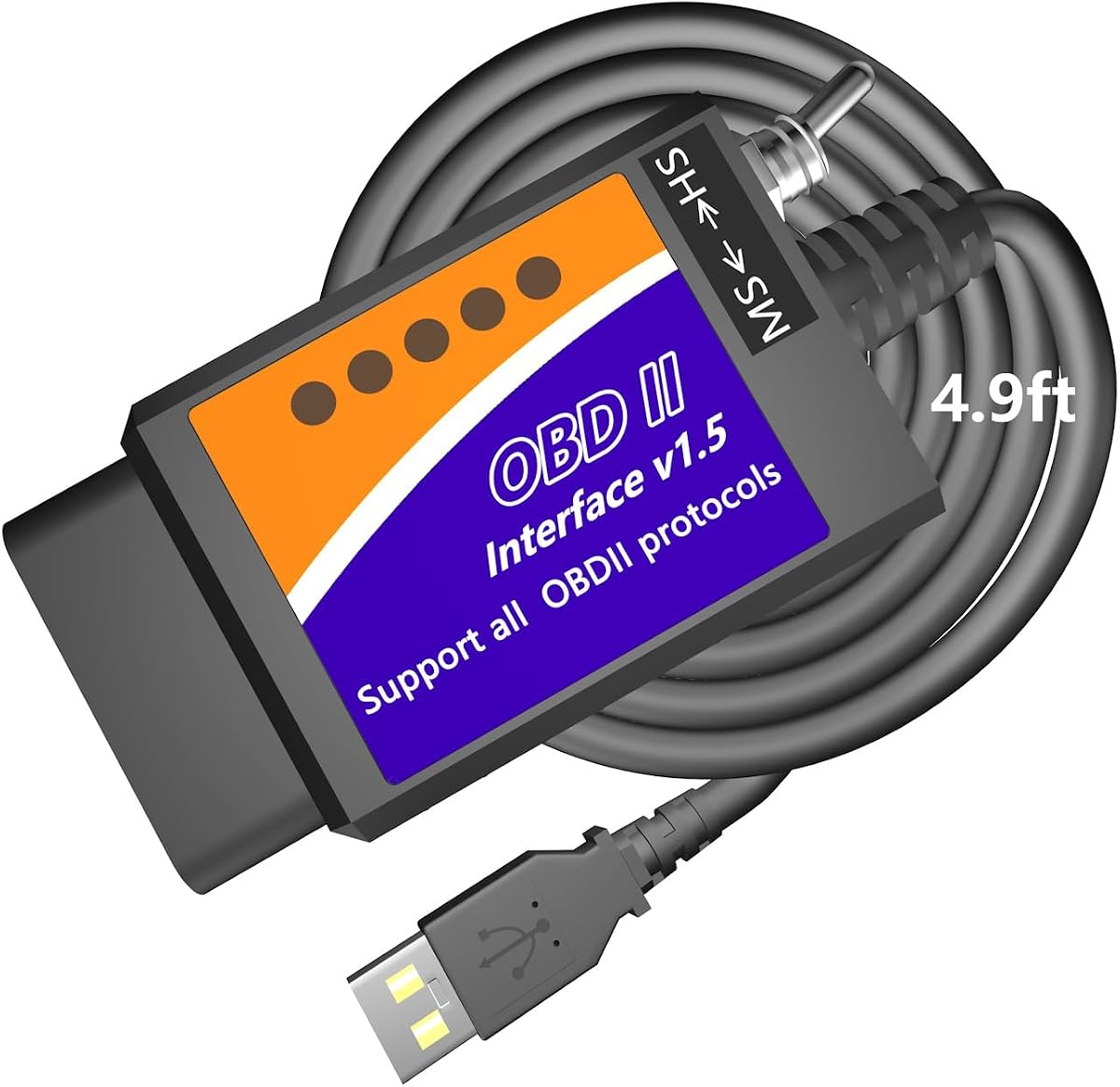
The MOCATEC USB OBD Adapter distinguishes itself with an extra-long 4.9ft cable that provides significant flexibility when working in tight spaces. This design choice addresses a common pain point where short cables restrict movement and make it hard to reach the passenger seat. With the longer cable, you can rest your laptop on your knees or monitor data from different angles without straining the port or your body.
We may earn a commission when you buy through this link, at no additional cost to you.
Functionally, it supports a wide range of hidden features including speedometer customization and trailer brake programming. The built-in HS-CAN and MS-CAN toggle switch bridges the connection between your computer and the vehicle modules efficiently. However, like many in this category, it relies on Windows systems and may not support the very newest model years due to changing proprietary protocols.
While it performs well for standard diagnostics and coding, the limited support for the newest models like 2025 or 2026 could be a concern for early adopters. Additionally, macOS users will need to run a Windows emulator which adds complexity to the setup process. For those with compatible vehicles and computers, however, the usability benefits are clear.
This adapter is a practical choice for owners of older to mid-range models who value physical comfort during diagnosis. The long cable is a thoughtful feature that improves the user experience significantly. If you want a reliable tool that keeps your workspace comfortable, this is a strong option to consider.
The 4.9ft cable is significantly longer than standard 3ft options allowing for more comfortable laptop placement and easier access to the OBD port.
Unlocks factory configurations like sync menu modification and traffic sign recognition enabling personalization of everyday driving options.
We may earn a commission when you buy through this link, at no additional cost to you.
The AntiBreak elm 327 FORS-CAN USB Switch OBD adapter is built to withstand regular use with a focus on connection stability. By using an FTDI chip, it avoids common issues like dropped packets and data corruption that plague cheaper alternatives. This ensures that your diagnostics run smoothly and that you get accurate results from your vehicle systems every time you plug it in.
We may earn a commission when you buy through this link, at no additional cost to you.
The device features an improved toggle switch design which allows for faster and smoother access to existing modules. This enhancement makes the manual switching process less frustrating compared to older versions of similar adapters. It supports standard OBD2 protocols and is compatible with most Windows versions making it a versatile tool for a variety of setups.
Despite its strengths, the need for manual switching remains a limitation for those seeking a fully automated experience. It is also not designed for mobile devices which restricts usage scenarios to computer-based diagnostics. For those who prefer working on a laptop and don't mind a little manual effort, this adapter delivers strong performance for the price.
This tool is best suited for budget-conscious users who still prioritize connection reliability. It bridges the gap between basic code readers and professional tools effectively. If you are looking for a stable and affordable way to run diagnostics on a PC, this option offers a balanced set of features to meet your needs.
The enhanced switch allows for faster operation at up to 500 kbit/s ensuring efficient communication during fault light programming and coding tasks.
Reliable USB cable connection minimizes data loss and corruption providing a stable environment for professional-grade diagnostics and coding.
We may earn a commission when you buy through this link, at no additional cost to you.
This Vgate vLinker FS adapter is highly rated by users who value speed and reliability in their diagnostic tools. It offers automatic electronic switching which is a major convenience factor for users who want to avoid manual errors. The device supports high-speed transmission at 3Mbps which ensures that real-time data and graphics are smooth and responsive during intensive diagnostic sessions.
We may earn a commission when you buy through this link, at no additional cost to you.
One of the key capabilities is the support for 18V programming voltage output which is necessary for certain ECU programming tasks on specific vehicles. This feature adds significant value for users who need to perform deep modifications beyond basic code reading. The rock-solid connection ensures that you won't experience interruptions during critical updates or diagnostics.
While the performance is top notch, it is important to note that the software required to use the adapter must be downloaded separately. This adds a small step to the setup process but is standard for this type of professional tool. Additionally, it works best with Windows systems limiting flexibility for those using other operating systems.
For enthusiasts who need fast and reliable access to vehicle data, this adapter delivers on its promises. It is an excellent choice for those who want to perform advanced programming without worrying about connection drops. If you value speed and stability in your workflow, this tool is a smart investment.
Allows FORScan to access all CAN buses simultaneously improving workflow efficiency and enabling advanced functions that require dual bus access.
Reaches 3Mbps transmission rates for smoother graphics and real-time meters enhancing the user experience during live data monitoring.
We may earn a commission when you buy through this link, at no additional cost to you.
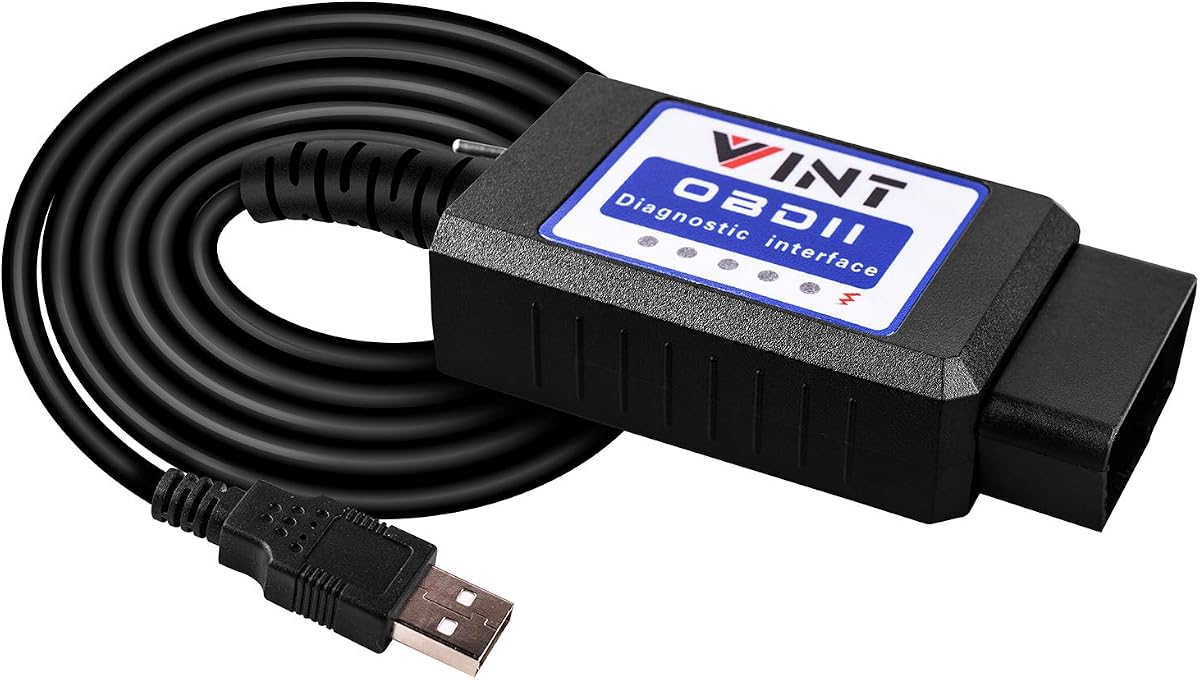
The OBD2 Adapter FORSCans VINT-TT55502 ELMconfig is a straightforward tool designed for simplicity and effectiveness. It runs at a constant speed of 500kbit/s ensuring stable data transmission during diagnostics. This reliability makes it a good option for users who want to avoid dropped connections and ensure that their data retrieval processes smoothly without unexpected errors.
We may earn a commission when you buy through this link, at no additional cost to you.
It includes a toggle switch to help users conveniently access both MS-CAN and HS-CAN buses. This design supports common modifications like global window features and reversing mirrors for F150 and F250 models. While it is effective for standard tasks, it may not support the most advanced programming features found in more specialized tools.
As with many adapters in this segment, it is limited to Windows systems which may not suit all users. However, for Ford owners looking for a reliable and simple way to clear codes or make basic modifications, it performs well. The setup process is easy and once configured it works seamlessly with most ELM327 based software.
This adapter is a great choice for those who prioritize ease of use and reliability over advanced features. It is a practical tool for daily maintenance and basic customization. If you need a simple and effective way to communicate with your vehicle's computer on a budget this option is worth considering.
Running at a constant 500kbit/s speed ensures stable data transfer and minimizes the risk of dropped packets during diagnostics.
Retrieves generic and manufacturer specific Diagnostic Trouble Codes helping you overcome troubleshooting issues with ease and accuracy.
We may earn a commission when you buy through this link, at no additional cost to you.
Choosing the right adapter requires understanding your specific vehicle model the software you plan to use and your budget constraints.
The most critical factor is whether the adapter supports both HS-CAN and MS-CAN protocols. These are the two main communication buses used by Ford and Mazda vehicles. Some adapters offer automatic electronic switching which eliminates the need for you to manually toggle between networks. This feature is highly recommended for users who perform complex tasks as it reduces the risk of errors and speeds up the process significantly.
If you opt for a manual switch, ensure it is easy to access and durable enough for repeated use. Automatic switching is often found in more premium models and is worth the extra cost for convenience and reliability.
Data transfer speed impacts how quickly your software can retrieve information from the vehicle. Faster adapters allow for smoother live data streaming and quicker programming tasks. Look for devices that support speeds up to 3Mbps or higher if you plan on streaming live sensor data. Stability is also key; a stable connection prevents dropped packets which can corrupt data or interrupt critical firmware updates.
Stable connection are often achieved through better chips like FTDI or specialized proprietary chips. Avoid cheap no-name adapters that do not specify their chipset as they may fail during important tasks.
Most diagnostic software like FORScan runs on Windows operating systems. Therefore it is essential to ensure the adapter works seamlessly with your OS. Some adapters may have drivers that only work on Windows which can be a problem if you use a Mac or Chromebook. Check the product specifications carefully to see if it supports your version of Windows or if virtualization is required for other systems.
If you use a Mac you may need to run a Windows environment via Boot Camp or virtualization software. Ensure the adapter driver is available for that specific environment before purchasing to avoid compatibility issues.
The adapter is only as good as the software it works with. FORScan requires a license for certain advanced features and updates. Some adapters may come with limited software support while others are optimized for specific applications. Verify that the adapter is compatible with the software you intend to use before purchasing. Also consider if you are willing to pay for software licenses or if free trials are sufficient for your needs.
Understanding the software ecosystem is crucial because some tools rely on extended licenses to unlock full programming capabilities. Make sure you are aware of these costs before committing to a hardware purchase.
The physical design of the adapter matters when working in tight spaces. A longer cable can make it easier to position your laptop comfortably without straining the OBD port. Look for durable housing that protects the internal electronics from damage during daily use. A robust build ensures longevity even if the device is frequently plugged and unplugged.
Consider where you plan to use the adapter. If you work in tight engine bays or under seats a flexible long cable can be a huge advantage. Short cables can restrict movement and make it difficult to access the OBD port comfortably.
Prices for these adapters vary significantly from basic budget models to premium units. Determine what features are essential for your needs. If you only need basic code reading a budget adapter may suffice. However for advanced programming and stability invest in a higher quality adapter that offers better support and reliability.
Remember that a cheap adapter that fails during a critical update could cost you more in the long run. Balancing cost with necessary features will help you find the best value for your specific situation.
Not all adapters work equally well with all vehicle makes and years. Some are optimized specifically for Ford Lincoln Mazda and Mercury while others may have limited support for other brands. Check the compatibility list to ensure your specific model is supported. Newer models may require updated software or specific hardware to access all features.
If you own a rare or older model check community forums to see which adapters have worked for others. This real-world feedback can save you from buying a device that does not communicate with your specific vehicle properly.
Technical support can be a lifesaver when you encounter setup issues. Look for brands that offer clear documentation and responsive customer service. A warranty provides peace of mind in case the device fails prematurely. Read reviews to see if other users have had positive experiences with support teams.
Good support helps you troubleshoot connection issues and software setup problems quickly. Choosing a reputable brand with a history of supporting their products ensures you have a resource to turn to if things go wrong.
First ensure your vehicle battery is fully charged before starting any diagnostic or programming sessions. A loss of power during an update can brick your vehicle modules. Connect the adapter to the OBD2 port and then plug the USB end into your computer. Turn the ignition to the accessory or on position but do not start the engine unless your software specifically instructs you to do so.
Install the necessary drivers for your adapter. For most Windows systems this means using the manufacturer provided driver or a universal FTDI driver. Open your diagnostic software and select the correct COM port corresponding to the adapter. Verify the connection by checking the signal indicator within the software to ensure it recognizes the vehicle.
After use unplug the adapter from the vehicle and computer carefully to avoid damaging the USB port. Store it in a dry place away from extreme temperatures. Regularly update your software and drivers to ensure compatibility with the latest vehicle models. Avoid leaving the adapter plugged in for long periods to prevent battery drain.
Most dedicated Forscan adapters are designed specifically for Ford Mazda Lincoln and Mercury vehicles. They support the specific CAN protocols required for these brands. However always check the product compatibility list to ensure your specific model year is supported before purchasing.
You can download and use FORScan for free for basic diagnostics and reading codes. However to access certain advanced programming features like flashing modules an Extended License is required. You can purchase this directly from the Forscan website to unlock full functionality.
Forscan runs primarily on Windows so you will need a Windows environment to use it with a Mac. You can run Windows via Boot Camp or virtualization software. Ensure your adapter drivers are available for the virtualized Windows environment to work correctly.
HS-CAN and MS-CAN are different communication speeds used for different vehicle systems. HS-CAN handles high speed data like the engine while MS-CAN handles lower speed features like body controls. Most adapters need to support both to access all vehicle modules effectively.
Disconnecting can be caused by poor USB ports loose connections or driver issues. Try using a different USB port or a powered USB hub to ensure stable power. Reinstalling the drivers may also resolve compatibility issues with your operating system.
Most Forscan adapters are USB based and require a computer to run the desktop software. Mobile apps usually require Bluetooth or Wi-Fi adapters. While some may support mobile via OTG adapters it is recommended to use a computer for stability and full feature access.
Choosing the best Forscan USB OBD2 adapter depends heavily on your specific needs and vehicle type. For those seeking top performance the OBDLink EX offers unmatched speed and stability while the Vgate vLinker FS provides excellent balance and features for most users.
Budget conscious buyers will appreciate affordable options like the ELM327 USB Adapter which still deliver reliable results for basic tasks. Regardless of your choice ensure that the adapter supports both HS and MS CAN protocols to maximize compatibility with your vehicle systems.
Remember to always check the current availability and pricing before making your purchase. Prices change frequently and models may be updated with newer features. By selecting the right tool you can unlock your vehicle potential and perform maintenance with confidence.