
MINISFORUM DEG1 Docking Station
4.5Editor score
Compact Portable Design
OCuLink 4i Interface
Force Power On Feature
This guide compares the top ten Egpu Docks available in October 2026, evaluating bandwidth, compatibility, and design to help you find the perfect external
Modern laptops often lack the raw graphical power needed for heavy gaming or professional rendering. An Egpu Dock solves this by connecting a powerful desktop GPU to your portable device, turning it into a workstation powerhouse without sacrificing portability.
We have carefully evaluated the leading options on the market today. Our comparison focuses on connection bandwidth, power supply flexibility, and overall build quality to ensure you get the most out of your external graphics setup.
Each pick below highlights specific strengths like OCuLink speed or Thunderbolt convenience. Please note that product availability and pricing can shift frequently, so checking the latest details before purchasing is always recommended for the best deal.
4.5Editor score

4.4Editor score
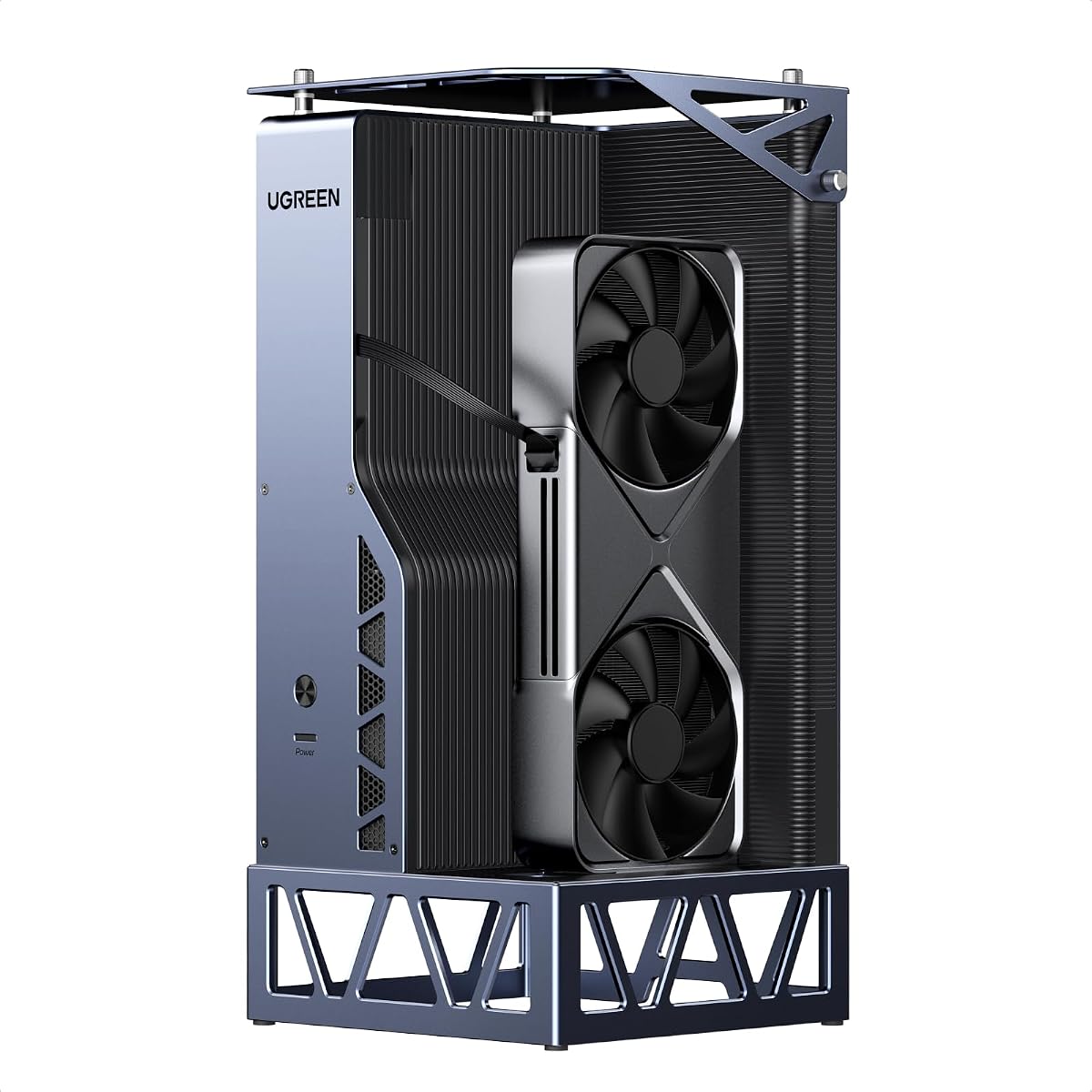
4.8Editor score
The following table provides a side-by-side comparison of all ten top-rated Egpu Docks. We have highlighted their key specifications to help you quickly identify which model fits your specific hardware needs and performance requirements.


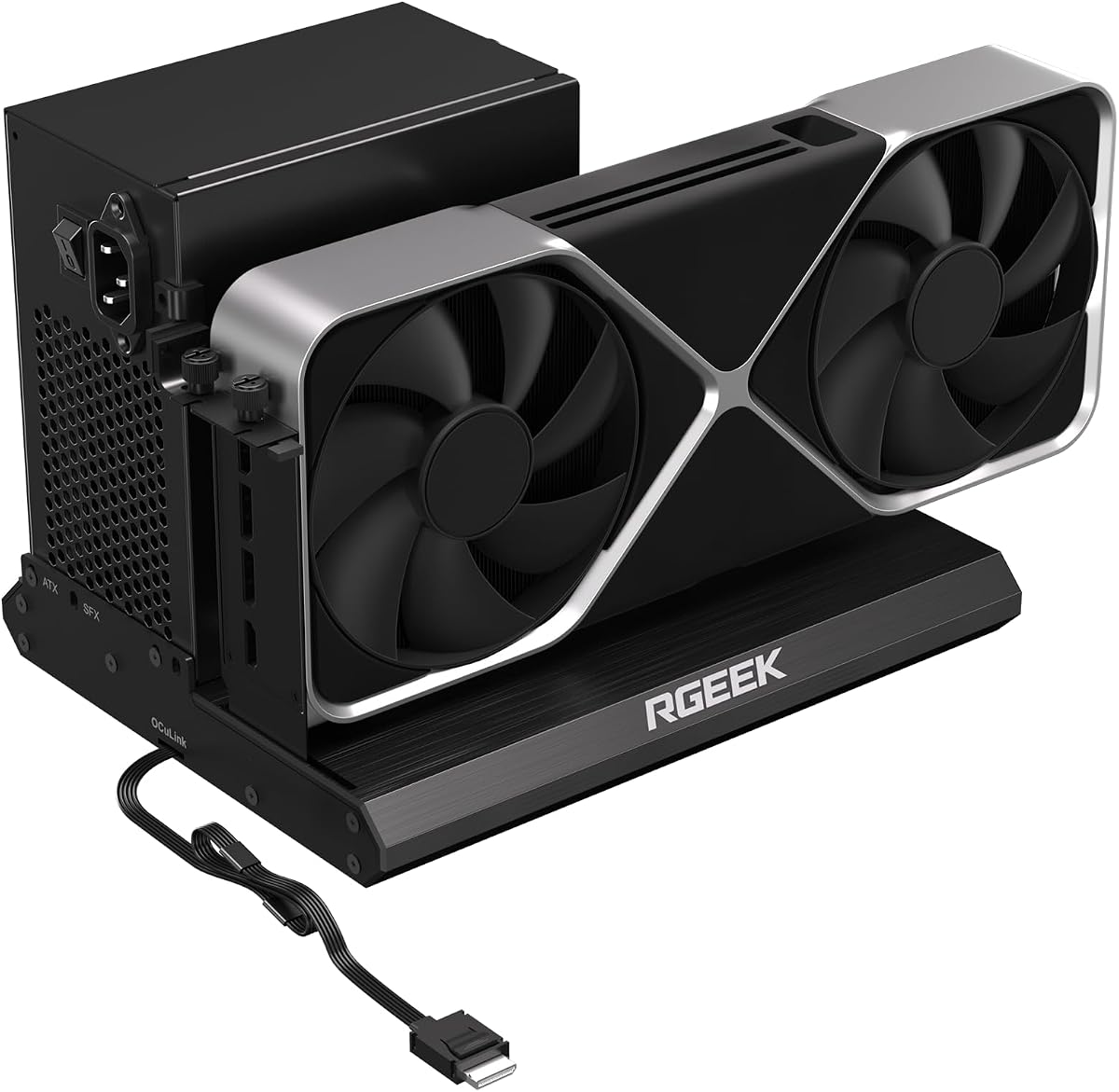
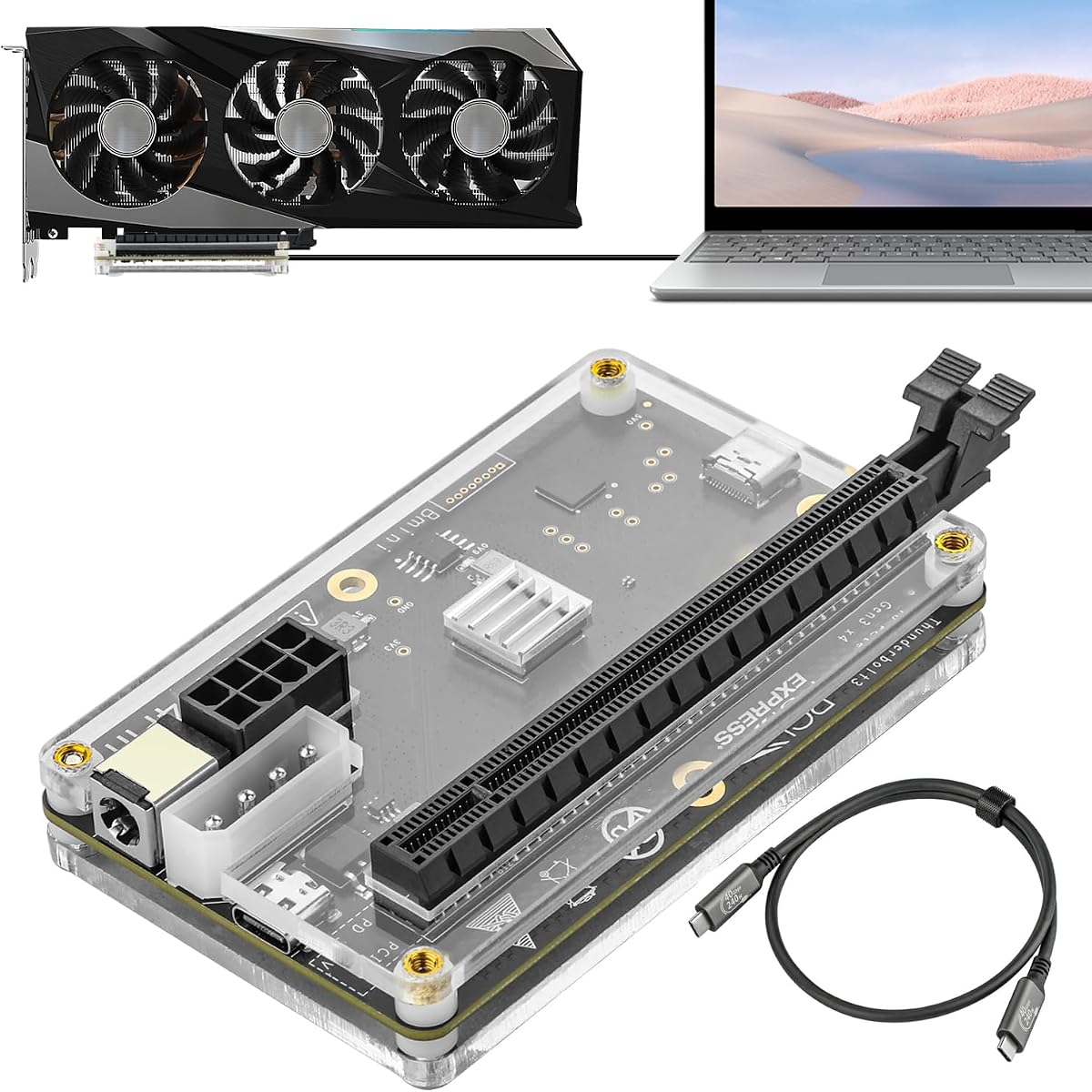


The MINISFORUM DEG2 stands out as a top choice for users seeking flexibility. With a strong rating, it offers a dual-link interface that supports both USB4 V2 and OCuLink standards for maximum performance.
We may earn a commission when you buy through this link, at no additional cost to you.
Its standout quality is the integrated M.2 NVMe slot which allows you to store large project files directly on the dock. This feature minimizes transfer times when switching between different host devices and keeps your workspace synchronized.
While it supports universal power supplies, users must purchase the PSU separately. This modular approach offers great flexibility but adds to the initial setup complexity for those who want a plug-and-play solution.
Anyone needing a versatile external GPU solution should consider this model. It bridges the gap between Thunderbolt convenience and raw OCuLink speed effectively.
You can instantly switch between high-speed modes using a hardware toggle without needing to swap cables or tweak software settings.
The built-in M.2 slot lets you host AI models and project files directly on the dock for faster access.
We may earn a commission when you buy through this link, at no additional cost to you.
This docking station impresses with a perfect user rating thanks to its streamlined design. It handles dual interfaces with ease and includes useful ports like a 2.5G LAN for network tasks.
We may earn a commission when you buy through this link, at no additional cost to you.
The physical toggle switch makes changing between Thunderbolt 5 and OCuLink modes incredibly simple. You do not need to reboot or reinstall drivers to get the best connection for your specific device.
It does not work with certain mini PCs, which is a specific limitation to check before buying. However, for most users, the flexible power support covers standard requirements well.
Budget conscious shoppers looking for high performance will find this model compelling. It offers premium features at a competitive price point.
Heavy GPU tasks run on the desktop card while the ultrabook handles display, reducing file transfers and smoothing workflow.
Multiple ports including LAN and USB allow you to connect peripherals directly to the dock for a clean desk setup.
We may earn a commission when you buy through this link, at no additional cost to you.
The Razer Core X V2 delivers next-generation performance with Thunderbolt 5 support. Its robust build and active cooling system make it ideal for sustained heavy loads without thermal throttling.
We may earn a commission when you buy through this link, at no additional cost to you.
It fits wide graphics cards easily, which is rare for many enclosures. The included cable simplifies setup significantly, allowing you to get a graphical boost quickly when you need it.
Mac users with M1 chips should avoid this model as it is not supported. Also, the price is higher than basic options, reflecting its premium build and advanced connectivity features.
Creative professionals who need reliable performance on Windows will appreciate this enclosure. It transforms compatible devices into powerful workstations instantly.
Swap out the GPU or PSU with ease using tool-free installation and included thumbscrews for easy upgrades.
A built-in 120mm fan automatically ramps up during heavy loads to sustain maximum performance.
We may earn a commission when you buy through this link, at no additional cost to you.
This compact dock is designed for users who need to upgrade their laptop performance on the go. Its small size allows it to fit easily into a backpack for travel anywhere.
We may earn a commission when you buy through this link, at no additional cost to you.
The OCuLink interface ensures smooth graphics processing with high data transfer rates. It includes a smart startup function that simplifies the process of powering on the device automatically.
It does not support hot plugging so you must turn off the computer before unplugging. This limitation ensures stability but requires a bit more care during usage.
Laptop users who want a portable upgrade should consider this model. It offers a great balance of size and performance for daily tasks.
At only 14cm long, it can be easily put into a backpack to upgrade your laptop performance anytime anywhere.
High quality signal amplifier chips ensure stable transmission and the connector has a locking mechanism to prevent damage.
We may earn a commission when you buy through this link, at no additional cost to you.
This enclosure focuses on durability and reliable connectivity. The gold plated contacts reduce oxidation which helps prevent system crashes during long gaming or rendering sessions.
We may earn a commission when you buy through this link, at no additional cost to you.
The detachable design improves portability and storage for the dock itself. Flat cables are used to minimize interference and prevent port damage during connection.
LED indicators provide clear visual feedback for real-time device monitoring. This is helpful for troubleshooting connection issues without needing software tools.
Users who need a straightforward and reliable enclosure will find this useful. It is a solid choice for standard ATX power setups.
PCB board with 10 micron gold plated contacts ensure superior conductivity and reduce oxidation related resistance.
Ultra-thin flat cables eliminate port damage risks from rigid traditional OCuLink cables and minimize interference.
We may earn a commission when you buy through this link, at no additional cost to you.
This dock supports PCIe 5.0 speeds for up to 128Gbps bandwidth which is a significant upgrade over older standards. It uses factory soldered cables to avoid extra adapters and signal loss.
We may earn a commission when you buy through this link, at no additional cost to you.
The full aluminum material provides great heat dissipation and sturdy durability. The uniform I/O layout keeps your desktop wiring neat and installation is hassle free.
To reach full PCIe 5.0 speed you need an M.2 slot or a specific adapter. This adds a layer of setup complexity for users who want the absolute maximum bandwidth.
Gamers and professionals looking for future proof speeds should look at this option. It is ideal for those with compatible hardware.
Full aluminum material provides great heat dissipation and sturdy durability while avoiding extra adapters with negligible signal loss.
Installation is hassle free with a uniform I/O port layout that keeps your desktop wiring neat.
We may earn a commission when you buy through this link, at no additional cost to you.
This dock transforms laptops into desktop powerhouses with stable desktop-grade power. It features two high-speed lanes for OCuLink and USB4 to suit different needs.
We may earn a commission when you buy through this link, at no additional cost to you.
The signal booster ensures stable transmission for 4K gaming and intensive AI tasks. Single cable connectivity also delivers PD charging to your laptop for a clean desk.
It is designed for enthusiasts with a removable top cover for oversized GPUs. The cooling system is quiet which adds to the overall quality of the user experience.
Users seeking maximum freedom and future proofing will find this versatile. It works across multiple systems including Windows and Linux.
Delivers up to 30% better performance for AAA gaming and AI workloads without crashing or throttling.
The semi-open all aluminum chassis and large fan deliver efficient cooling and true library-quiet operation.
We may earn a commission when you buy through this link, at no additional cost to you.
This dock offers flexible power input options to suit different environments. It supports a wide range of GPUs from top-end to older models for broad compatibility.
We may earn a commission when you buy through this link, at no additional cost to you.
It works with most Windows laptops and consoles including the Legion Go. The controller delivers stable speeds suitable for graphics work and video editing tasks.
Transfer speeds are lower compared to OCuLink models. This is a trade-off for the wider range of power and connection options available.
Users who need a versatile dock for various devices might find this useful. It supports Thunderbolt 3 and 4 interfaces well.
Choose one of four power inputs including CPU, Molex, PD or DC5521 to match your available resources.
Compatible devices include most Windows based laptops, desktops or consoles with a Thunderbolt port.
We may earn a commission when you buy through this link, at no additional cost to you.
This docking station supports dual modes for flexibility in connection types. It includes an internal M.2 slot to store files directly on the dock for faster access.
We may earn a commission when you buy through this link, at no additional cost to you.
Signal optimization ensures seamless interoperability across different devices. The auto power on feature syncs with your host device for a desktop-like experience.
Some users may experience lower reliability ratings with this model. Specific incompatibilities with certain workstations should be checked before purchase.
For those who need specific features like LAN and M.2 support it offers value. It transforms your workspace into a plug-and-play ecosystem.
Stores models assets project files on its internal M.2 2280 for faster GPU access.
Leveraging USB4 V2 reverse power and full dock expansion via a single USB4 V2 connection.
We may earn a commission when you buy through this link, at no additional cost to you.
This dock uses a certified controller module for high performance gaming and AI training. It supports local deployment of specific models which is useful for developers.
We may earn a commission when you buy through this link, at no additional cost to you.
It works with a wide range of devices and GPUs. The port also acts as a hub to attach other external devices as needed.
There is a specific caution about cable insertion to avoid power-off protection. Users should follow the instructions carefully to ensure safe operation.
Users needing a compact Thunderbolt dock for AI or gaming will find this functional. It offers 85W charging for most laptops.
With officially certified JHL7440 controller module showing high-performance on gaming, AI training and inference tasks.
Built with a 40Gbps & 85W PD Charging TB4 port, a USB A port, and a daisy chain port.
We may earn a commission when you buy through this link, at no additional cost to you.
Choosing the right Egpu Dock involves understanding several key factors that affect performance and compatibility. This section breaks down the most important considerations for your setup.
Bandwidth determines how much data can pass between your laptop and the GPU. OCuLink and Thunderbolt 5 offer higher speeds which result in better frame rates and faster rendering times. Look for docks that support at least 40Gbps for optimal performance.
Prioritize high bandwidth ports to ensure your external GPU runs at its full potential without bottlenecks.
Most docks do not include a power supply so you need to check which standards are supported. ATX and SFX units are common options but sizes vary. Ensuring the dock fits your chosen PSU is critical for a stable build.
Select a dock that accommodates standard ATX or SFX power supplies for easy future upgrades.
The enclosure must fit the physical size of your graphics card. Check the maximum GPU length and slot width supported by the dock. Oversized cards may not fit in smaller chassis without adapters.
Verify the physical clearance to ensure your specific GPU fits inside the enclosure.
Check if the dock works with your specific laptop model and operating system. Some docks may not support certain Mac chips or require specific BIOS updates. Reading the manufacturer notes helps avoid return hassles.
Confirm compatibility with your host device and OS before purchasing to ensure seamless operation.
Additional ports like USB or LAN can save space on your laptop. Some docks include M.2 slots for storage expansion which is a bonus feature. Consider what peripherals you need to connect directly.
Look for docks with useful additional ports like USB or LAN to reduce cable clutter.
Good cooling is essential for preventing thermal throttling during long sessions. Active fans or semi-open designs help dissipate heat from the GPU. Quieter fans are also important for a comfortable workspace.
Ensure the dock has an efficient cooling system to maintain performance during heavy loads.
Models with auto power on features simplify the user experience significantly. Hot plug support allows you to disconnect the dock without shutting down your computer. This convenience is highly valued for daily workflows.
Prioritize models with easy setup features like auto power on or hot plug support if available.
Materials like aluminum provide durability and better heat dissipation. Steel chassis offer robust protection but might be heavier. A sturdy build ensures the dock lasts longer under regular use.
Choose a dock made from quality materials like aluminum for durability and better cooling.
Always connect the external GPU dock before powering on your laptop to ensure proper hardware detection. Install the latest graphics drivers from the manufacturer to guarantee stability and optimal performance.
Regularly check the connections to ensure no cables are bent or loose. Keep the vents free of dust to maintain effective cooling and prevent overheating during extended use sessions.
When disconnecting the dock, use the safe eject option if supported or power down the host computer first. This prevents data corruption or hardware errors that can occur from abrupt disconnections.
Most Egpu Docks do not include a power supply so you will need to purchase one separately. Ensure the dock supports your chosen power supply standard such as ATX or SFX before buying. This allows you to upgrade your PSU as needed in the future.
You can use most standard desktop graphics cards as long as they fit physically within the enclosure. Check the maximum length and width specifications of the dock to ensure compatibility. Some docks may also have limitations on slot width.
Generally, OCuLink offers faster data transfer speeds than Thunderbolt 3 or 4. Thunderbolt 5 is catching up but OCuLink often provides lower latency for gaming. Your choice depends on the ports available on your host device.
Apple M series chips have different drivers and firmware for external GPUs. While newer models offer better support, many docks are optimized for Windows systems. Always check the manufacturer list for specific Mac compatibility before purchasing.
Yes most Egpu Docks allow you to connect multiple monitors directly to the graphics card. The number of supported displays depends on your GPU and the cable types used. This helps create a productive desktop workspace on a laptop.
Yes installing the latest graphics drivers is essential for proper functionality. Windows may install generic drivers but official drivers from the GPU manufacturer provide better performance. Keep these drivers updated for the best experience.
We have reviewed ten excellent Egpu Docks that offer a range of features from budget-friendly options to premium solutions. The MINISFORUM DEG2 and Razer Core X V2 stand out for their versatility and build quality respectively.
When making your decision prioritize bandwidth and physical compatibility above all else. A dock that fits your GPU and offers sufficient speed will deliver the best performance for your specific needs.
Remember to check current availability and pricing before buying as these details can change frequently. We hope this guide helps you select the perfect external graphics solution for your laptop.