
MINISFORUM MS-S1 MAX Mini AI Workstation PC
4.5Editor score
128GB unified LPDDR5x memory
126 TOPS total system output
Dual unit cluster configuration support
This guide compares the top Dual GPU AI Setup options for local model inference and training across workstation, server, and mini PC configurations.
Building a powerful Dual GPU AI Setup is essential for researchers and developers who need to run large language models locally. These systems combine two graphics processing units to deliver massive memory capacity and computational power required for modern generative artificial intelligence tasks.
We evaluated ten distinct configurations ranging from compact mini workstations to enterprise-grade server racks. Each product was analyzed based on its architecture, memory bandwidth, cooling efficiency, and software compatibility to ensure it meets the rigorous demands of AI workloads in 2026.
Every pick in this list highlights unique strengths for specific use cases like fine-tuning, inference, or rendering. Please note that availability and specifications can change frequently as manufacturers update their product lines to support the latest neural network requirements.
4.5Editor score

4.8Editor score

4.9Editor score
The following table provides a side-by-side overview of the ten most compelling dual GPU configurations available today for artificial intelligence development and deployment.


The WEELIAO MAXSUN Intel Arc Pro B60 Turbo Workstation Graphics Card stands out as a revolutionary entry in the local AI space. It uniquely combines two Arc Pro B60 GPUs onto a single card to provide a massive 48GB of VRAM. This design allows users to run large quantized models like DeepSeek-R1:70B without needing expensive multi-card configurations or cloud services.
We may earn a commission when you buy through this link, at no additional cost to you.
Each GPU operates at 2400 MHz with 20 Xe cores delivering a combined total of 394 TOPS. This architecture is purpose-built for high-concurrency inference and complex AI workloads. The PCIe 5.0 x8 interface ensures full bandwidth on standard consumer platforms when paired with a motherboard that supports lane bifurcation. This significantly lowers the total system cost for local LLM deployment compared to enterprise solutions.
While the cooling system uses a blower fan which can be noisier than typical desktop solutions, it ensures efficient heat dissipation in server airflow environments. The native support for PyTorch and IPEX-LLM makes integration straightforward for developers. However, potential buyers should verify motherboard compatibility for x16 bifurcation before purchasing.
This card is ideal for researchers and developers who need substantial VRAM for model inference but cannot justify the cost of enterprise dual GPU servers. Its consumer-friendly configuration and broad software support make it a top recommendation for building a cost-effective and powerful local AI setup.
The innovative dual-GPU design combines two Arc Pro B60 GPUs to provide 48GB of GDDR6 memory. This allows you to run 70B-class quantized models entirely on a single card.
With each GPU delivering 197 TOPS and a combined total of 394 TOPS, this card is purpose-built for high-concurrency inference and multi-turn dialogues.
We may earn a commission when you buy through this link, at no additional cost to you.
The APC MES2X Dual GPU AI Workstation delivers enterprise-grade performance in a preconfigured package. Powered by the AMD Ryzen 9-9950X processor and dual RTX PRO 6000 Blackwell GPUs this system offers immense computational power. With 256GB of DDR5 RAM and 8TB of NVMe storage it is built to handle the most demanding AI training tasks.
We may earn a commission when you buy through this link, at no additional cost to you.
This workstation is designed for professionals who need a turnkey solution without the hassle of component selection and assembly. The liquid cooling system ensures that the CPU and GPU stay within safe thermal limits during prolonged workloads. Windows 11 Pro is preloaded with the latest drivers so the system is ready to use immediately upon arrival.
While the system is custom built and fully tested in willoughby Ohio the price reflects its premium components and professional assembly. The inclusion of a 1600W power supply ensures there is plenty of headroom for future upgrades. However the sheer cost may make it prohibitive for smaller teams or individual developers.
This workstation is best suited for organizations that require a reliable high-performance AI environment right out of the box. Its robust specifications and professional build quality make it a top contender for those who prioritize performance and convenience over budget constraints.
The system features dual RTX PRO 6000 Blackwell GPUs which provide 96GB of VRAM each. This setup ensures high performance for complex AI workloads and data science tasks.
With 256GB of DDR5 RAM and 8TB of NVMe SSD in RAID the system can handle large datasets and multiple applications simultaneously without bottlenecks.
We may earn a commission when you buy through this link, at no additional cost to you.
The APC ES620 Dual GPU AI Workstation leverages the power of the NVIDIA GeForce RTX 5090 GPUs to deliver exceptional AI performance. Each GPU comes with 64GB of GDDR7 memory providing massive VRAM for local model fine-tuning. The system is built around the AMD Ryzen 9-9950X processor ensuring that the CPU does not bottleneck the GPU performance.
We may earn a commission when you buy through this link, at no additional cost to you.
Designed for high-performance computing tasks this workstation includes a 360mm liquid cooler for the processor and a 1600W power supply. The connectivity options are extensive with 5Gb Ethernet and Wi-Fi 7 included. The custom built nature of the system ensures that cable management is clean and airflow is optimized for the demanding thermal requirements.
While the RTX 5090 is a consumer card it offers performance that rivals enterprise GPUs in many AI workloads. The system comes with a 1-year parts and labor warranty which provides peace of mind for buyers. However the high power consumption requires a robust electrical setup and adequate cooling in the room.
This workstation is ideal for AI researchers and content creators who need the latest consumer GPU technology without building the system themselves. The combination of dual RTX 5090s and ample RAM makes it a powerful tool for local AI development and inference tasks.
Featuring dual NVIDIA GeForce RTX 5090 GPUs with 64GB of GDDR7 memory each this system provides 128GB total VRAM for heavy AI workloads.
The system includes 5Gb Ethernet and Wi-Fi 7 for fast data transfer. Storage is handled by 8TB of NVMe SSD in a RAID configuration for maximum speed.
We may earn a commission when you buy through this link, at no additional cost to you.
The NVIDIA DGX Spark 2 Pack brings supercomputer performance directly to your desk in a compact and energy-efficient design. Utilizing the powerful Grace Blackwell architecture this system delivers up to 1 petaFLOP of AI performance. This makes it ideal for local model fine-tuning inference and analytics without relying on cloud resources.
We may earn a commission when you buy through this link, at no additional cost to you.
This personal AI desktop supercomputer is designed from the ground up to build and run AI applications. It offers seamless integration of the full NVIDIA AI software stack allowing you to develop locally and deploy anywhere. The 256GB of unified memory enables you to experiment with large models up to 200 billion parameters at FP4 directly on your desktop.
While the system is powerful and efficient it comes with a significant price tag that reflects its enterprise capabilities. The design allows you to augment laptop and desktop and cloud resources providing exceptional ROI for increased productivity. It is a tool for rapid testing and validation that accelerates your time-to-solution.
This setup is perfect for enterprises and research labs that need a secure high-performance setting to unlock new ideas. The ability to prototype and test faster on a local machine makes it a valuable asset for teams focused on innovation in artificial intelligence.
Delivers enterprise-scale AI and high-performance computing right where you need it with up to 1 petaFLOP of AI performance for local tasks.
With 128GB per unit of unified memory you can experiment with large models up to 200 billion parameters directly on your desktop.
We may earn a commission when you buy through this link, at no additional cost to you.
The ASUS Dual EPYC HPC Server is designed for high-density computing clusters and demanding AI workloads. Equipped with two AMD EPYC 9965 processors featuring up to 192 Zen 5c cores this server provides unmatched multi-threaded processing power. It is capable of housing up to eight GPUs making it a true powerhouse for enterprise-scale AI deployment.
We may earn a commission when you buy through this link, at no additional cost to you.
Superior networking connectivity is a key feature with support for up to 15 total NICs including high-bandwidth 200GbE options. The vast storage expansion capability supports up to 10 total PCIe 5.0 x4 NVMe SSDs with ZFS RAID function. This ensures that data bottlenecks are eliminated during large-scale data analytics pipelines.
Maintenance is streamlined with the ASUS-exclusive toolless design and advanced management software. The hardware-level Root-of-Trust solution enhances security and control for mission-critical environments. However the sheer scale of this server requires a professional datacenter setup with appropriate cooling and power infrastructure.
This server is best for organizations that need a turnkey enterprise server infrastructure for AI clusters. Its robust configuration and reliability make it a top choice for those who require maximum performance and expandability in a secure environment.
The system uses 2 AMD EPYC 9005 processors with up to 192 cores total ensuring unmatched multi-threaded processing for complex neural networks.
Supporting up to 10 high-bandwidth 200GbE NICs this server provides superior networking connectivity for distributed clusters and data transfer.
We may earn a commission when you buy through this link, at no additional cost to you.
The Cloud Ninjas Iron Bull AI Workstation is specifically designed for demanding applications like PIX4Dsurvey and complex CAD modeling. It features the Ryzen Threadripper 9970X processor which offers 32 cores and a high base clock. Combined with the RTX 5090 32GB GPU this system provides excellent performance for visualization and data processing tasks.
We may earn a commission when you buy through this link, at no additional cost to you.
ECC Registered DDR5 memory ensures data integrity which is critical for engineering and surveying workflows. The 1600W power supply guarantees that the system remains stable under heavy loads. Networking is robust with onboard AQtion AQC113C 10GbE LAN for fast file transfers and remote access.
While this workstation is powerful it focuses more on single GPU performance than dual GPU setups. The case fans are upgraded to PWM kits for better control over acoustics and cooling. This makes it a reliable choice for professionals who need a quiet yet powerful desktop for their daily work.
This workstation is ideal for engineers and surveyors who need a system optimized for their specific software tools. The combination of high memory and strong single-core performance makes it a top choice for mapping and CAD workflows.
Designed specifically for PIX4Dsurvey this workstation offers powerful parallel computing capabilities for demanding AI workflows and mapping tasks.
Includes a 360mm AIO CPU Liquid Cooler and 1600W power supply to ensure stable operation under continuous loads and heavy rendering tasks.
We may earn a commission when you buy through this link, at no additional cost to you.
The AMD EPYC 9965 AI Workstation PC delivers unmatched multi-threaded processing power driven by a 192-core processor. With three NVIDIA RTX PRO 6000 GPUs this system offers 288GB of VRAM for multi-million polygon assemblies. It is designed to train massive local LLMs and run deep learning models without cloud latency.
We may earn a commission when you buy through this link, at no additional cost to you.
Equipped with 768GB of ECC RDIMM memory this server workstation offers a massive memory pool with error-correcting security. The storage is handled by 2x4TB Gen5 NVMe SSDs which eliminate bottlenecks allowing you to ingest and manipulate massive datasets in real-time. The chassis is spacious and custom built to handle the heat load of such powerful components.
This system is turnkey ready with Windows 11 Pro pre-installed and includes a keyboard and mouse. The 3-Year Limited Hardware Warranty and lifetime technical support provide peace of mind for organizations. The toolless design of the chassis makes maintenance easy and efficient for IT teams.
This workstation is perfect for research and engineering firms that need a definitive tool for generative design and complex physics simulations. Its robust configuration and reliability make it a top choice for those who require maximum performance and expandability.
Driven by the groundbreaking 192-core AMD EPYC 9965 this powerhouse delivers raw compute power needed to train massive local LLMs.
Equipped with 768GB DDR5 memory and Gen5 NVMe SSDs this server eliminates bottlenecks allowing you to parse massive datasets in real-time.
We may earn a commission when you buy through this link, at no additional cost to you.
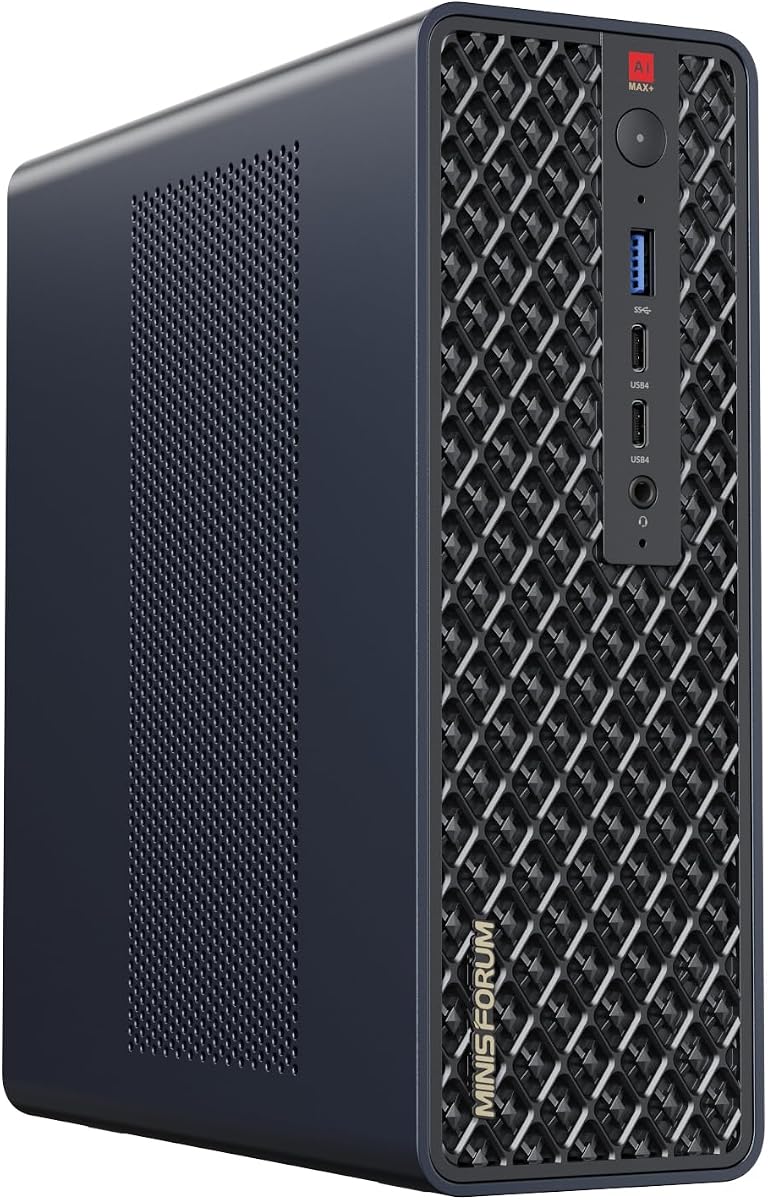
The MINISFORUM MS-S1 MAX Mini AI Workstation PC combines high-performance APU capabilities with a compact design. It integrates the AMD Ryzen AI Max+ 395 APU providing a total system output of 126 TOPS. The 128GB of LPDDR5x memory enables CPU and GPU to access a shared high-bandwidth memory pool with extremely low latency.
We may earn a commission when you buy through this link, at no additional cost to you.
This mini PC is ideal for running local LLMs and multimodal models in small footprints. It features flexible expansion options including dual M.2 slots and a PCIe x16 slot. The high-efficiency cooling system utilizes aerospace-grade aluminum alloy and six heat pipes to maintain stable performance even under continuous load.
Two MS-S1 MAX units can be configured as a dual-unit cluster to run large models locally achieving an output speed of 10.87 tok/s. This cluster design supports 2U rack deployment and allows multiple units to be cascaded into a distributed cluster. Built-in dual DMIC microphones support mainstream AI models for voice command capture.
This mini workstation is perfect for developers who need powerful AI capabilities without a large desktop footprint. Its cluster capability and flexible expansion make it a versatile choice for personal studios and enterprise rack deployments.
Features an AMD Ryzen AI Max+ 395 APU with a total system output of 126 TOPS providing powerful parallel computing for demanding AI workflows.
Two MS-S1 MAX units can be configured as a dual-unit cluster to run a large 235B Q4 model locally with high output speeds.
We may earn a commission when you buy through this link, at no additional cost to you.
The NVIDIA RTX PRO 6000 Blackwell max-Q Workstation Edition packs a massive 96GB of next-gen GDDR7 ECC memory into a dual-slot design. This is engineered for agentic workflows and advanced data science allowing teams to scale intelligence rapidly without cloud latency. The 512-bit bus width eliminates VRAM bottlenecks and hosts heavy open-source LLMs locally.
We may earn a commission when you buy through this link, at no additional cost to you.
This efficient Max-Q Edition delivers up to 3511 TOPS of AI performance while capping maximum power consumption at a modest 300 Watts. It features 24064 CUDA cores and 188 4th-generation Ray Tracing cores for transformative raw data into cinematic reality. The bandwidth is blisteringly fast at 1792 GB/s ensuring zero-lag multi-stream editing.
While the packaging is OEM/Bulk the quality is guaranteed with a 3YR Manufacturer Warranty. This card offers unmatched thermal management making multi-GPU desktop scaling perfectly viable for demanding research labs. It bridges the gap between intense calculation and breathtaking visual output for independent developers and studios.
This GPU is best for professional creators and AI developers who need maximum VRAM for local generative AI pipelines. Its efficiency and reliability make it a top component for building high-performance workstation setups.
Packs a massive 96GB of next-gen GDDR7 ECC memory to eliminate VRAM bottlenecks and host heavy open-source LLMs locally.
Delivers up to 3511 TOPS of AI performance while capping maximum power consumption at a modest 300 Watts for efficient operation.
We may earn a commission when you buy through this link, at no additional cost to you.
The MINISFORUM MS-S1 Max Mini Workstation offers leading AI capabilities in a compact mini PC form factor. Powered by the AMD Ryzen AI Max+ 395 processor it has 16 Cores and 32 Threads with a boost clock up to 5.1GHz. The overall processor performance reaches up to 126 TOPS enabling advanced collaboration and productivity improvements.
We may earn a commission when you buy through this link, at no additional cost to you.
This mini PC is equipped with five video outputs allowing multiple monitors to be displayed simultaneously. It includes two 10G LAN ports for wired connection and Wi-Fi 7 for wireless connectivity. The storage is robust with 128GB LPDDR5 and 2TB M.2 SSD plus an extra slot for up to 8TB total.
Heat dissipation is managed through a large-area pure copper substrate and six heat pipes. The 3D fan shroud glacier cooling system ensures stable operation even at peak power of 160W. This makes the system suitable for digital signage and securities trading as well as animation production.
This workstation is ideal for users who need high-performance computing and graphics processing in a small footprint. Its comprehensive connectivity and reliable cooling make it a top choice for digital signage and creative workflows.
Comes with five video outputs including HDMI and USB4 allowing multiple monitors display at the same time to improve work efficiency.
Includes Two 10G Lan Ports for wired connection and 128GB LPDDR5 plus 2TB M.2 SSD slots compatible with RAID0 and RAID1.
We may earn a commission when you buy through this link, at no additional cost to you.
Choosing the right dual GPU AI setup requires balancing hardware capabilities with specific workflow demands. Here are the key factors to consider.
The most critical factor for AI workloads is VRAM capacity. Models with billions of parameters require massive amounts of memory to fit entirely on the card. Look for setups that offer at least 48GB combined VRAM to run 70B class models locally. Bandwidth is equally important as it determines how fast data moves between the GPU and memory. Higher bandwidth ensures faster inference speeds and smoother training loops.
Prioritize GPUs with large memory pools like the RTX PRO 6000 or integrated solutions like the MINISFORUM MS-S1 MAX that utilize unified memory to maximize capacity and minimize bottlenecks.
While the GPU does the heavy lifting for AI tasks the CPU must keep up to avoid bottlenecks. Look for systems with high-core count processors like Ryzen Threadripper or EPYC for parallel data processing. System RAM should be at least as large as your GPU VRAM to allow for smooth swapping and caching. DDR5 memory is essential for modern setups to ensure sufficient bandwidth for data pipelines.
Ensure your system has at least 256GB of system RAM when pairing with high-end GPUs to support large datasets and complex multi-tasking environments.
Dual GPU setups consume significant power and generate substantial heat. You will need a high-wattage power supply like 1600W or more to ensure stability under load. Cooling solutions must be robust to prevent throttling. Look for systems with liquid cooling or high-efficiency blower fans designed for server environments. Proper airflow in the chassis is crucial for sustained performance during long inference tasks.
Choose a system with adequate cooling capacity and power headroom to maintain consistent performance during extended training or inference sessions without overheating.
Fast storage is vital for loading large datasets and model weights quickly. NVMe SSDs in RAID configurations offer the best speed and redundancy. Aim for at least 4TB of storage to hold multiple large models and datasets. Gen5 NVMe drives provide higher read speeds than Gen4 which reduces data bottlenecks. Ensure your motherboard has enough M.2 slots or U.2 connectors for your needs.
Invest in high-speed NVMe storage with sufficient capacity to hold your working set of models and datasets without running out of space quickly.
The software stack is just as important as the hardware. Ensure the GPU drivers support your preferred AI frameworks like PyTorch and TensorFlow. Look for native support for optimization libraries like IPEX-LLM or vLLM if you plan to run local LLMs. Some systems come with pre-installed OS configurations that save time on setup. Verify that virtualization features like SR-IOV are available if you need to allocate resources flexibly.
Verify that the GPU architecture supports your required software stack and frameworks to ensure seamless integration and optimal performance for your specific AI tasks.
AI technology evolves rapidly so having a system that can be upgraded is beneficial. Look for chassis with room for additional GPUs or storage drives. Systems with standard PCIe x16 slots allow for component swaps as new cards are released. A robust motherboard with multiple PCIe lanes ensures that adding more hardware does not reduce bandwidth. Consider the physical size of your workspace when choosing between desktop towers and rackmount servers.
Choose a system with standard expansion slots and chassis space that allows you to upgrade components as your needs grow without replacing the entire machine.
To get the most out of your dual GPU setup ensure you install the latest drivers and BIOS updates immediately after setup. This guarantees maximum performance and stability for AI frameworks. Configure your operating system to prioritize GPU usage by enabling hardware acceleration settings. Regularly check your GPU temperatures during load to ensure cooling systems are functioning effectively.
Proper cable management is essential for airflow especially in high-density GPU setups. Avoid blocking intake and exhaust vents to maintain optimal thermal conditions. For systems with liquid cooling check coolant levels and pump status periodically. Dust accumulation can significantly reduce cooling efficiency so keep the system clean.
Back up your important models and datasets regularly to external drives or secure cloud storage. While local setups offer speed they can be vulnerable to hardware failure. Use redundancy like RAID for your local storage to protect data. If you plan to run the system for long periods ensure it is in a well-ventilated room to prevent overheating.
VRAM capacity determines how large a model you can run without relying on cloud services. Models with billions of parameters require significant memory to fit entirely on the GPU. Insufficient VRAM leads to slow performance or the inability to load the model at all.
You can run smaller models with a single GPU but large models like 70B parameters often require combined VRAM. Dual GPU setups offer the necessary capacity to handle these workloads locally. This reduces reliance on cloud infrastructure and improves privacy.
For optimal bandwidth you need a motherboard that supports PCIe lane bifurcation. This allows both GPUs to run at full speed. Many consumer boards can support this with specific BIOS settings or specific configurations.
Liquid cooling provides superior thermal management for high-performance CPUs. It prevents throttling during long training sessions. However standard blower fans are often preferred for GPUs in tight spaces to direct hot air out of the case.
Open-source frameworks like PyTorch and TensorFlow run well on these setups. Optimization libraries like IPEX-LLM and vLLM improve performance for local LLMs. Ensure you check compatibility with your specific GPU architecture.
Many workstation setups allow for upgrades if the chassis has space. Standard PCIe slots and extra power connectors make this easier. Consider your power supply capacity when planning future hardware additions.
Selecting the right dual GPU AI setup depends on your specific budget and performance needs. Whether you choose a mini PC for local inference or a massive server for training there is a solution for every use case. The variety of hardware available ensures that you can build a system that fits your workspace and workflow perfectly.
Prioritize components that match your most demanding tasks to avoid bottlenecks. If you focus on large language models ensure you have enough VRAM to handle them comfortably. If you prioritize rendering look for GPUs with high core counts and memory bandwidth.
Always check the current specifications and availability before purchasing to ensure you get the best value. Prices and features can change rapidly in the fast-moving AI hardware market. With careful planning you can build a robust setup that empowers your artificial intelligence projects.