
CORSAIR XC7 RGB Elite LCD CPU Water Block
4.1Editor score
480×480 IPS LCD screen
Hexa-Flow cooling engine
USB-C connectivity for setup
Selecting the right CPU water block is crucial for high-performance liquid cooling systems. A quality block ensures efficient heat transfer from your processor to the coolant, preventing thermal throttling during demanding tasks like gaming or rendering.
We evaluated ten leading models based on thermal efficiency, material quality, compatibility, and aesthetic features. Our analysis considers microfin density, cold plate design, and mounting mechanisms to help you find the perfect fit for your build.
Each pick highlights specific strengths such as LCD screens, premium materials, or budget-friendly options. Please note that availability and pricing fluctuate frequently, so verify current stock before making your final purchasing decision for your system.
4.1Editor score

4.6Editor score
4.6Editor score
As an Amazon Associate we earn from qualifying purchases.
The following table provides a side-by-side comparison of all ten products, highlighting key specifications such as socket compatibility, material construction, and unique features to streamline your selection process.




The EK-Quantum Velocity 3 Water block is a high-performance CPU water block designed for AMD AM5 and Intel LGA 1700/1851 platforms. It holds a solid rating of 4.6 stars and stands out for its optimized internal geometry and precise mounting pressure which ensure maximum heat transfer efficiency.
We may earn a commission when you buy through this link, at no additional cost to you.
Compared to its predecessor the Velocity 2 the Velocity 3 achieves up to 2 degrees C improvement in thermal performance offering top-tier cooling for demanding workloads. Crafted with a nickel-plated copper cold plate for superior thermal conductivity it delivers reliable results under heavy loads. The dimensions of 69 x 69 x 25.1mm fit standard mounting holes with ease.
While the price is higher than budget options the thermal gains justify the investment for enthusiasts. The plexi top may be prone to scratching if not handled carefully during installation but the performance benefits are significant. This block is ideal for users seeking maximum efficiency in their custom loops.
Enthusiasts building high-end systems with Ryzen 7000 or Intel 13th/14th gen CPUs should strongly consider this block. It provides a balance of reliability and performance that justifies its position as a top recommendation for serious cooling setups.
The optimized geometry ensures better coolant flow distribution across the CPU die for lower temperatures.
Nickel plating protects the copper from corrosion while maintaining excellent heat transfer properties.
We may earn a commission when you buy through this link, at no additional cost to you.
The CORSAIR XC7 RGB Elite LCD CPU Water Block features a real-time CPU temperature display on a custom 30 FPS IPS LCD screen with 480×480 resolution. It holds a rating of 4.1 stars and combines stunning aesthetics with functional cooling features using a Hexa-Flow cooling engine.
We may earn a commission when you buy through this link, at no additional cost to you.
The vivid integrated RGB lighting enhances your PC's aesthetics with customizable lighting tailored to your preferences using 31 individually addressable RGB LEDs. Ultra-Fine Copper Cold Plate with over 120 high-efficiency micro-cooling fins keeps your CPU cool for maximum overclocking. USB-C connectivity provides easy installation and automatic iCUE setup without a separate controller.
While the display adds significant value the cost is higher than standard blocks. Reliance on iCUE software may be a drawback for those preferring open-source control. However the visual customization options are unmatched in the market for users wanting to showcase their build.
This block is perfect for users who prioritize visual flair alongside cooling performance. If you want to display team logos or animated GIFs while cooling your system this is the ideal choice for a high-end custom loop.
The IPS screen allows users to display real-time system metrics or custom animated content.
USB-C connectivity simplifies the installation process by removing the need for extra controllers.
We may earn a commission when you buy through this link, at no additional cost to you.
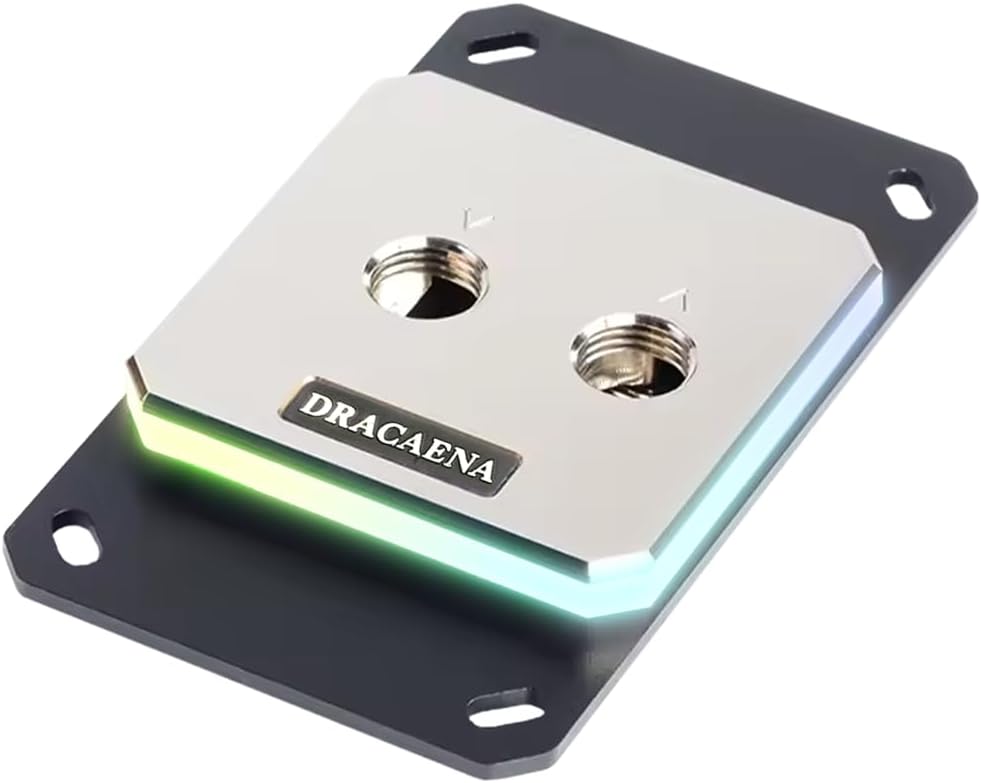
The Dracaena.io CPU Water Block is compatible with AM5 AM4 AM3/AM3+ and AM2/AM2+ platforms offering virtually every AMD platform for the last 15+ years without adapters. It holds a strong 4.6 rating and features a full copper internal water loop for maximum thermal conductivity.
We may earn a commission when you buy through this link, at no additional cost to you.
All-Copper Water Loop ensures pure copper contact from inlet to outlet which is essential for any G1/4 custom water cooling loop. Precision Construction includes an aluminum mounting bracket and crystal-clear acrylic top panel with corrosion-resistant and pressure-tested durability. The 5V ARGB Sync header works with major motherboard RGB systems like Asus Aura Sync and MSI Mystic Light.
Thermal paste is not included so users must apply quality TIM before mounting. While it is a great value option the socket support is limited to AMD only. The compact 63mm x 63mm form factor fits most standard cases with ease.
Budget-conscious AMD builders will appreciate this option for its compatibility and full copper construction. It offers a balance of performance and cost that is hard to beat for those not requiring complex RGB or LCD features.
Supports a wide range of legacy and modern AMD sockets without needing adapters.
Full copper internal channels ensure excellent thermal transfer for demanding workloads.
We may earn a commission when you buy through this link, at no additional cost to you.
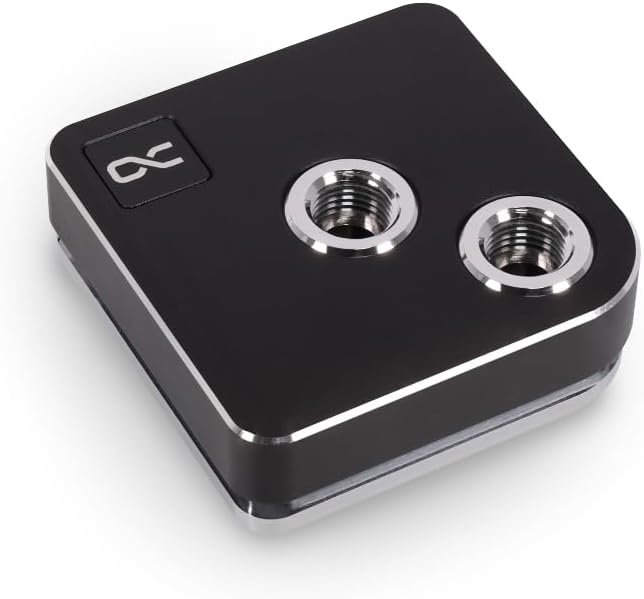
The Alphacool Core 1 CPU Water Block is a straightforward option compatible with Intel LGA 1700 and AMD AM4/AM5. It holds a 4.6 rating and provides solid performance for those who prefer a simple black design without extra lighting or features.
We may earn a commission when you buy through this link, at no additional cost to you.
It features a black color finish that blends well with modern case aesthetics. The dimensions are 72 x 72 x 26.50mm which fits standard mounting holes. This block is part of the Core series which is known for reliability and ease of installation in custom loops.
While it lacks RGB features the thermal performance is sufficient for most workloads. Users looking for a no-frills solution will find this appealing. The standard G1/4 thread ensures compatibility with most tubing and fittings used in PC water cooling.
This block is recommended for users who prioritize function over form. It is a great choice for secondary loops or systems where RGB is not a priority.
The matte black finish offers a professional look without distracting lights.
Compatible with both Intel and AMD sockets for flexible build options.
We may earn a commission when you buy through this link, at no additional cost to you.
This generic CPU Water Cooling Block features a 50mm copper base with inner water channels to carry more heat from the CPU quickly. It holds a 4.2 rating and supports legacy platforms like AMD 940 AM2 AM3 and Intel 775 1155 1156 1366 1150 2011.
We may earn a commission when you buy through this link, at no additional cost to you.
It has two chrome plate Copper faucets with an external diameter of 10 mm. The height of the copper base is 5 mm which provides a good surface area for heat dissipation. It includes one set of accessories with four screws for mounting.
While effective for older hardware the limited socket support restricts its use in modern builds. It is a viable option for retro systems or simple test setups. The copper base ensures decent thermal transfer even without microfin structures.
This block is suitable for users working with legacy hardware on a tight budget. It offers a basic solution for cooling without the complexity of modern threaded fittings.
Provides standard cooling performance for older CPU generations without extra features.
Copper base ensures efficient heat conduction for the CPU core.
We may earn a commission when you buy through this link, at no additional cost to you.
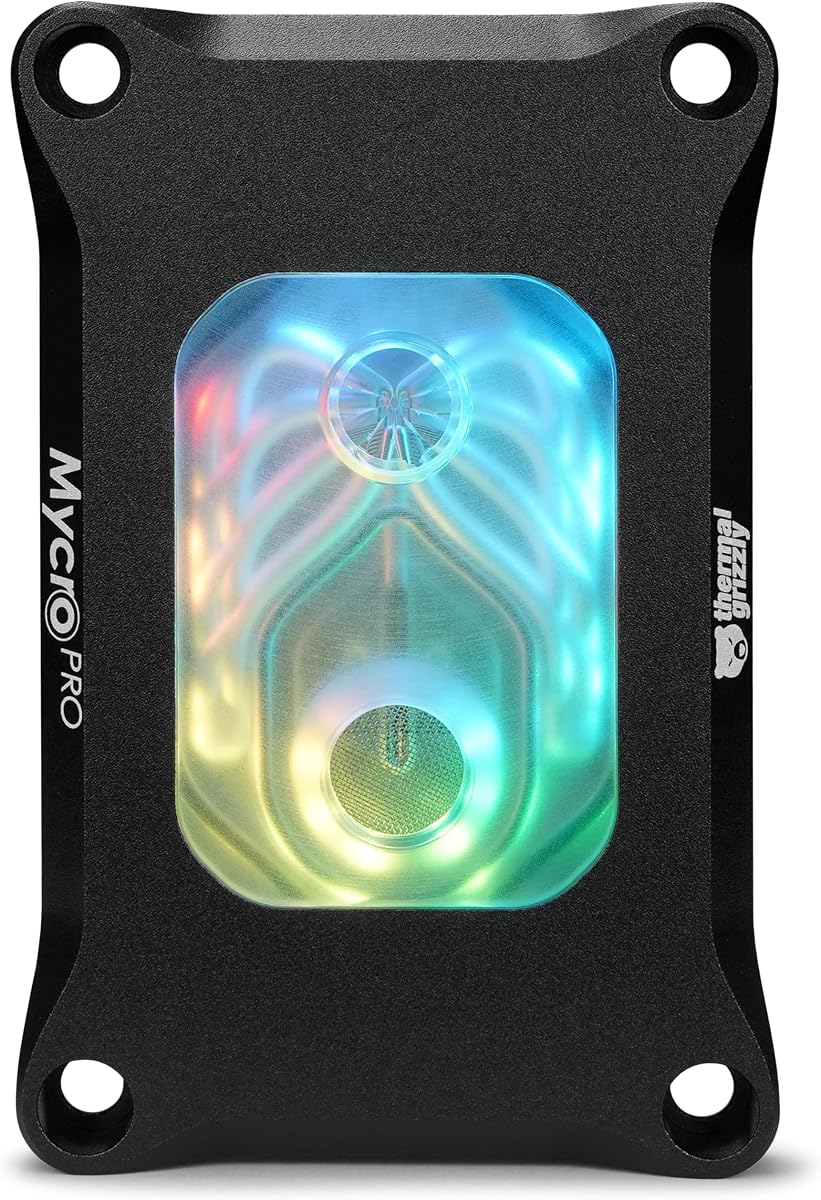
The Thermal Grizzly Mycro Pro RGB is designed for AMD AM5 and compatible with AM4. It holds a 4.6 rating and offers high-performance custom liquid cooling systems requiring efficient heat dissipation. The 68 microfins with 0.2mm structure maximize heat transfer under load.
We may earn a commission when you buy through this link, at no additional cost to you.
An integrated fine mesh filter for clean flow helps trap particles and supports consistent coolant flow through the microfin structure. G1/4 threads ensure easy loop integration while the RGB window adds a clean illuminated look to your build. Premium materials like acrylic aluminum and nickel-plated copper provide durability.
While the filter protects the system users should still flush their loop regularly. The RGB window offers a nice touch without needing full RGB headers. This block is robust enough for daily gaming and rendering workloads.
This block is recommended for those seeking high density microfins for cooling. It is a strong contender for AMD users wanting reliability and decent aesthetics without full LCD screens.
The integrated filter prevents debris from clogging the microfin structure during operation.
High microfin count ensures maximum surface area contact with the coolant.
We may earn a commission when you buy through this link, at no additional cost to you.
The TRYX Panorama WB custom loop CPU water block features a curved 6.67 inch 2K AMOLED screen with 60Hz refresh rate. It holds a 3.6 rating and delivers 372PPI pixel density with vivid color reproduction. GIPHY AVAILABILITY allows native connection for thousands of GIF resources.
We may earn a commission when you buy through this link, at no additional cost to you.
TRYX KANALI software provides intuitive screen adjustment with minimal system resource consumption. It is built on Asetek Gen8 V2 thermal architecture with a 55.5×55.5mm microchannel copper cold plate. A built-in 4-Pin PWM VRM fan delivers targeted airflow to motherboard voltage regulators at just 22dB noise.
While the display is impressive the lower rating indicates potential software or hardware quirks. The cost is high compared to traditional blocks. However the immersive anamorphic visual effects are unique to this product in the market.
This block is for users who want the most advanced visual experience. It is suitable for show PCs where the water block serves as a central display element.
The curved AMOLED screen creates an immersive visual experience on the CPU block.
Included VRM fan helps cool voltage regulators during heavy overclocking sessions.
We may earn a commission when you buy through this link, at no additional cost to you.
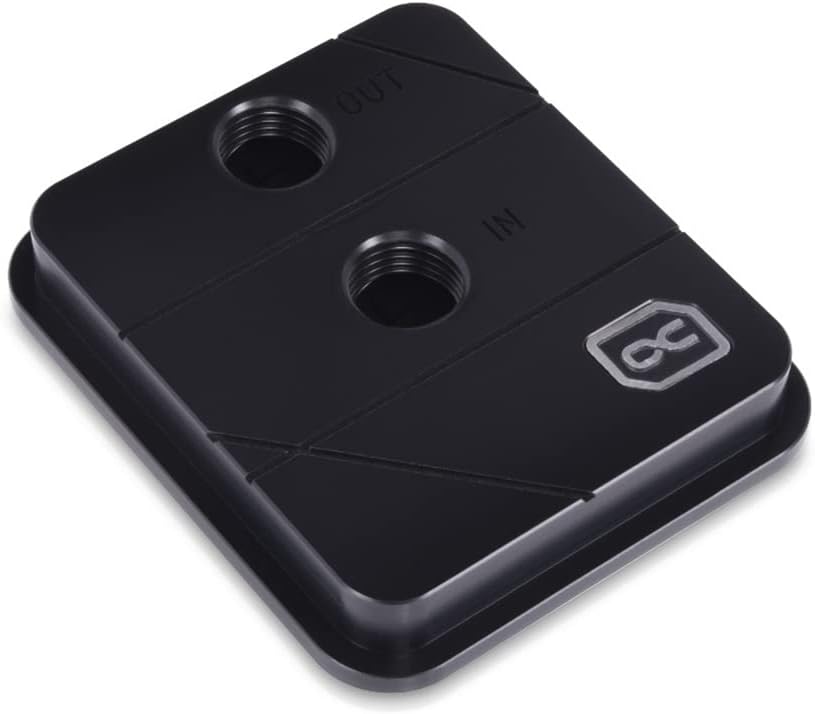
The Alphacool Core XP3 CPU Water Block is compatible with Intel and AMD. It holds a 4.4 rating and features nickel plated copper material. The max working temperature is 60 Degree C and dimensions are 73x63x21mm.
We may earn a commission when you buy through this link, at no additional cost to you.
It uses an Acetal top cover which is durable and resistant to coolant chemicals. Standard G1/4 threads ensure compatibility with most tubing. This block is a simple reliable option for basic loops.
While it lacks modern features like RGB the build quality is solid. The compact height fits well in low-profile cases. Users can rely on Alphacool for long-term durability with this model.
This block is recommended for those seeking a basic reliable loop component. It is a good choice for secondary CPU or GPU cooling.
Acetal material resists corrosion and discoloration over time in loops.
Compact 21mm height allows installation in tight case configurations.
We may earn a commission when you buy through this link, at no additional cost to you.
The CORSAIR iCUE Link XC7 RGB Elite Water Block features a Hexa-Flow cooling engine that mitigates laminar flow and ensures all CPU cores are more evenly cooled. It holds a 4.1 rating and includes a transparent flow chamber to see the coolant.
We may earn a commission when you buy through this link, at no additional cost to you.
Effortless Connectivity uses the patent-pending iCUE LINK ecosystem to daisy-chain components using universal connectors. A built-in cold plate temperature sensor allows precise cooling control. Stunning RGB Lighting with 24 individually addressable LEDs delivers a customizable immersive visual experience.
Users need the iCUE LINK System Hub to use the daisy-chain features. The transparent chamber adds visual appeal during operation. The Hexa-Flow engine ensures even cooling across multi-chip CPUs.
This block is ideal for users within the iCUE ecosystem. It simplifies cable management while delivering solid performance and aesthetic appeal.
Hexa-Flow engine distributes coolant evenly across the CPU die for better cooling.
iCUE Link reduces cable clutter by using universal connectors.
We may earn a commission when you buy through this link, at no additional cost to you.
The Alphacool Core 1 LT CPU Water Block is compatible with Intel LGA 1700 and AMD AM4/AM5. It holds a 4.1 rating and features digital RGB lighting. The color is Acrylic which adds a sleek look to builds.
We may earn a commission when you buy through this link, at no additional cost to you.
Dimensions are 71.80 x 71.80 x 28.05mm. The acrylic material allows for RGB light transmission through the block. It is part of the Core series known for reliable cooling in custom loops.
While Acrylic is durable it requires care to avoid scratches. The RGB lighting is a nice addition to standard blocks. This option provides a balance of style and function for moderate builds.
This block is suitable for users wanting digital RGB without a full LCD. It fits well with standard cases and cooling kits.
The acrylic finish allows light to pass through for an illuminated effect.
Supports major modern sockets for flexible system building.
We may earn a commission when you buy through this link, at no additional cost to you.
Choosing the right CPU water block depends on several critical factors including socket compatibility material construction and desired features. This guide outlines key considerations to help you select the optimal block for your system.
Ensure the water block supports your CPU socket such as AM5 LGA 1700 or legacy sockets. Some blocks are limited to AMD or Intel only while others support both via interchangeable mounting kits. Always check the product specifications before purchasing.
Verify compatibility with your specific processor generation to avoid installation issues or cooling inefficiency.
Nickel-plated copper cold plates offer excellent thermal conductivity and corrosion resistance. Some budget models use pure copper or nickel without plating which may require more maintenance. Avoid blocks with aluminum in the water path as it can react with copper and cause corrosion.
Prioritize nickel-plated copper for durability and efficient heat transfer.
Higher microfin density increases surface area for heat exchange improving thermal performance under load. Look for blocks with detailed fin structures or proprietary cooling engines like Hexa-Flow. These designs help mitigate laminar flow and ensure even cooling across CPU cores.
Select blocks with high fin counts for demanding workloads like rendering or overclocking.
Many modern blocks include RGB lighting LCD or AMOLED screens for system monitoring and aesthetics. Consider if you need features like GIPHY integration or real-time temperature displays. Note that RGB requires a controller and software integration which adds complexity to your build.
Decide if visual features are a priority before investing in premium display blocks.
Integrated inlet filters trap particles to protect the microfin structure from clogging. Ensure the block uses standard G1/4 threads for compatibility with your tubing and fittings. Proper flow integration ensures consistent performance and easier maintenance over time.
Look for built-in filters to reduce maintenance frequency and protect your coolant path.
A complete install kit should include backplates screws and mounting hardware specific to your socket. Some budget blocks exclude thermal paste or mounting tools which can delay your build. Check if the mounting mechanism is pressure-optimized to avoid damaging the CPU package.
Verify that all necessary mounting accessories are included in the box.
Premium materials like acrylic aluminum and EPDM O-rings contribute to long-term reliability. Ensure the block is pressure-tested to prevent leaks during operation. Read reviews regarding material finish and potential issues like discoloration or scratches.
Choose established brands known for quality control and durability.
Balance your budget with performance needs. High-end blocks offer better thermal performance and aesthetics but cost more. Budget options provide reliable cooling for standard workloads without extra features. Determine your cooling targets before selecting a price point.
Select the block that meets your thermal requirements within your financial limit.
Before installing a CPU water block ensure the CPU surface is clean and free of residue. Apply a high-quality thermal paste evenly across the center of the die to facilitate efficient heat transfer to the copper cold plate. Secure the block using the provided mounting hardware according to the manufacturer's instructions.
Maintain proper flow in your liquid cooling loop to ensure consistent cooling performance. Check for air bubbles in the block after filling the system and bleed them out through tilt adjustments. Monitor coolant levels regularly and top up as necessary to prevent pump cavitation or overheating.
Clean the system annually by flushing the coolant and inspecting the block for buildup. If your block has an inlet filter remove it and rinse to prevent clogs. Replace old coolant and clean tubing to ensure long-term reliability and optimal thermal performance.
Most CPU water blocks use standard G1/4 threads which are compatible with typical rigid and flexible tubing used in custom loops. You do not need specialized tubing unless you are using unique proprietary fittings from specific brands.
Using aluminum with copper components can cause galvanic corrosion which damages the block and reduces performance. Always use nickel-plated copper blocks with compatible coolants to prevent chemical reactions and maintain system integrity.
Yes a CPU water block must be part of an active liquid cooling loop with a pump to circulate the coolant. The block alone cannot dissipate heat without moving fluid through its internal channels.
High-performance water blocks are designed to handle the heat loads generated by overclocked CPUs. Look for models with optimized cold plates and high microfin density to ensure stable performance under heavy loads.
It is recommended to replace your coolant every six to twelve months depending on the type and usage. Regular maintenance helps prevent microbial growth and maintains the thermal efficiency of your water block.
LCD blocks are worth the extra cost if you value visual customization and real-time monitoring. For pure cooling performance standard blocks offer similar efficiency at a lower price point.
Most desktop water blocks are not designed for laptop CPU dimensions or mounting mechanisms. Use specialized laptop cooling solutions or external chillers instead of standard PC water blocks.
AM5 and AM4 blocks differ in mounting spacing and pressure design due to CPU package changes. Many modern blocks support both via interchangeable mounting kits but always verify compatibility before purchase.
This guide highlighted the top CPU water blocks including the EKWB Velocity 3 for performance and the CORSAIR XC7 LCD for visual features. Each product offers unique benefits tailored to different system requirements and aesthetic preferences.
Prioritize thermal efficiency and material quality when selecting a block for demanding workloads. Consider your socket compatibility and budget to find a model that balances performance with cost.
Prices and stock fluctuate frequently so always verify current listings before purchasing. Choose the block that best fits your build goals and ensures reliable cooling for your system.