
VAYDEER Volume Control Knob
4.5Editor score
One-click mute function
Driver free operation
Metal shell construction
This guide compares ten top Bluetooth volume control knobs for precise audio management across phones, tablets, and PCs with seamless connectivity and
Finding the right Bluetooth volume control knob can transform how you interact with your digital devices. These sleek accessories offer tactile precision that touchscreens simply cannot match. Whether you are editing video, streaming music, or managing conference calls, a dedicated knob provides instant access to essential audio controls without fumbling through menus.
We evaluated ten leading models based on connectivity options, build quality, and functional versatility. Our analysis covers devices supporting Bluetooth, wired USB-C, and 2.4G wireless protocols. We also examined customization capabilities, battery life, and overall design aesthetics to ensure you find a knob that fits your specific workflow and workspace.
Each pick in this guide highlights unique strengths tailored to different user needs and budgets. From budget-friendly multimedia controllers to premium aluminum dials with macro software, there is an option for everyone. Please note that product availability and pricing fluctuate frequently, so verify current details before making your final purchase decision.
4.5Editor score

4.7Editor score

3.7Editor score
This side-by-side comparison highlights the key specifications and features of all ten models reviewed in this guide to help you make an informed decision quickly.


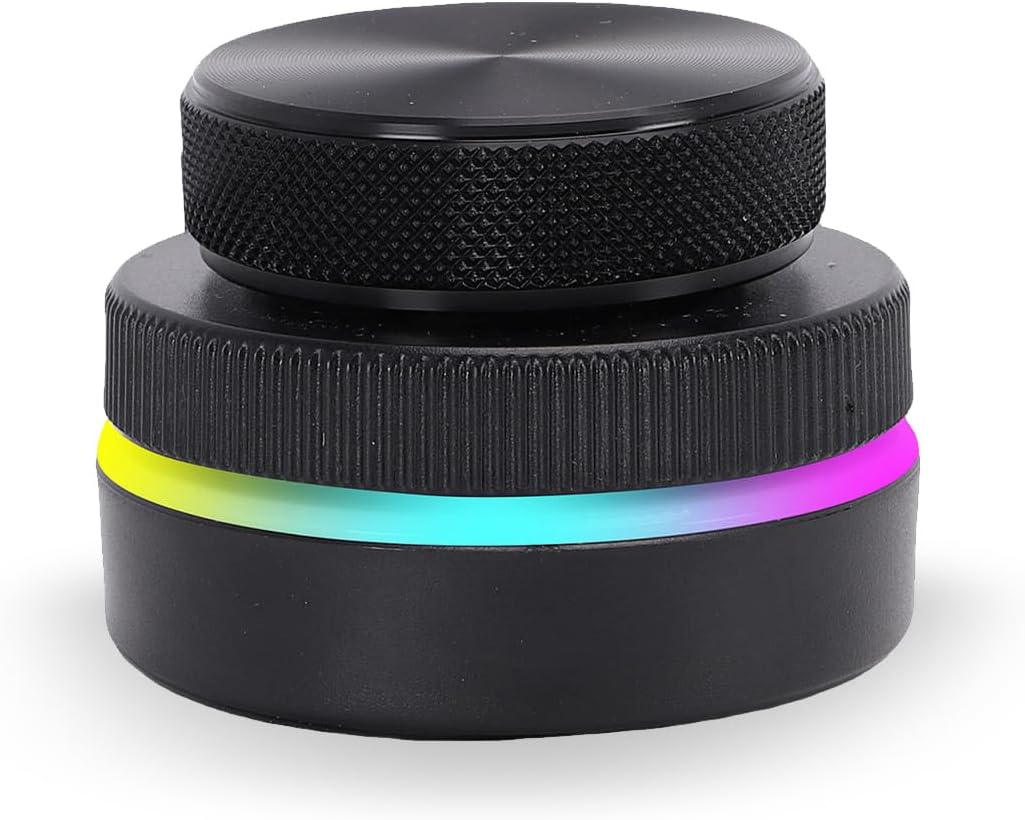
The LICAEVEY Volume Control Knob stands out as a versatile tool for modern workspaces with its impressive connectivity options. It earned a 4.7 rating from users who appreciate its ability to switch between Bluetooth, 2.4G, and USB-C modes effortlessly. This flexibility ensures it works seamlessly across phones, tablets, and desktop computers without needing additional adapters.
We may earn a commission when you buy through this link, at no additional cost to you.
One of its strongest features is the ability to customize standard keyboard functions into one-key shortcuts. This capability transforms simple volume adjustments into powerful workflow accelerators for multitasking professionals. The 360-degree infinite rotation shaft provides smooth tactile feedback that feels robust and durable for long-term daily use.
While the RGB lighting adds a nice visual touch, it may be distracting in professional office environments if not muted. Additionally, users might need some time to configure the shortcuts to their specific workflow needs. These trade-offs are acceptable given the device's powerful feature set and reliable performance across multiple platforms.
This knob is ideal for tech enthusiasts and professionals who want more than basic volume control. If you value flexibility and customization in your audio control setup, the LICAEVEY model offers the best balance of performance and features currently available in the market.
The device supports Bluetooth, 2.4G, and USB-C wired connections simultaneously without conflicts for maximum flexibility.
Customize standard keyboard keys into one-key inputs to streamline complex tasks like page flipping and brightness adjustment.
We may earn a commission when you buy through this link, at no additional cost to you.
The Anticater VK-01 represents a professional approach to desktop audio control with its premium CNC aluminum construction. Users who prioritize build quality appreciate the durable metal housing and precision-engineered textured grip. This knob offers a satisfying tactile feel that justifies its position as a higher-end option for discerning users.
We may earn a commission when you buy through this link, at no additional cost to you.
Its standout feature is the custom macro software that allows deep customization of audio functions. This software integrates seamlessly with Windows and macOS environments to support complex creative workflows. The triple-mode connectivity ensures you can switch between wireless and wired options without losing functionality during critical work sessions.
The device carries a lower rating compared to some competitors which suggests mixed experiences among users. Some may find the price point steep for a simple volume control device. However, for those who need robust metal construction and deep software integration, these drawbacks are often acceptable trade-offs.
This model is perfect for creative professionals and audio engineers who demand precision and durability. If you are willing to invest in a premium device that feels solid and offers software flexibility, the Anticater VK-01 delivers a superior physical experience.
Professional-grade desktop control knob featuring durable metal construction and precision-engineered textured grip for accurate adjustments.
Assign any function using intuitive macro software to tailor the device to your specific creative or office workflows.
We may earn a commission when you buy through this link, at no additional cost to you.
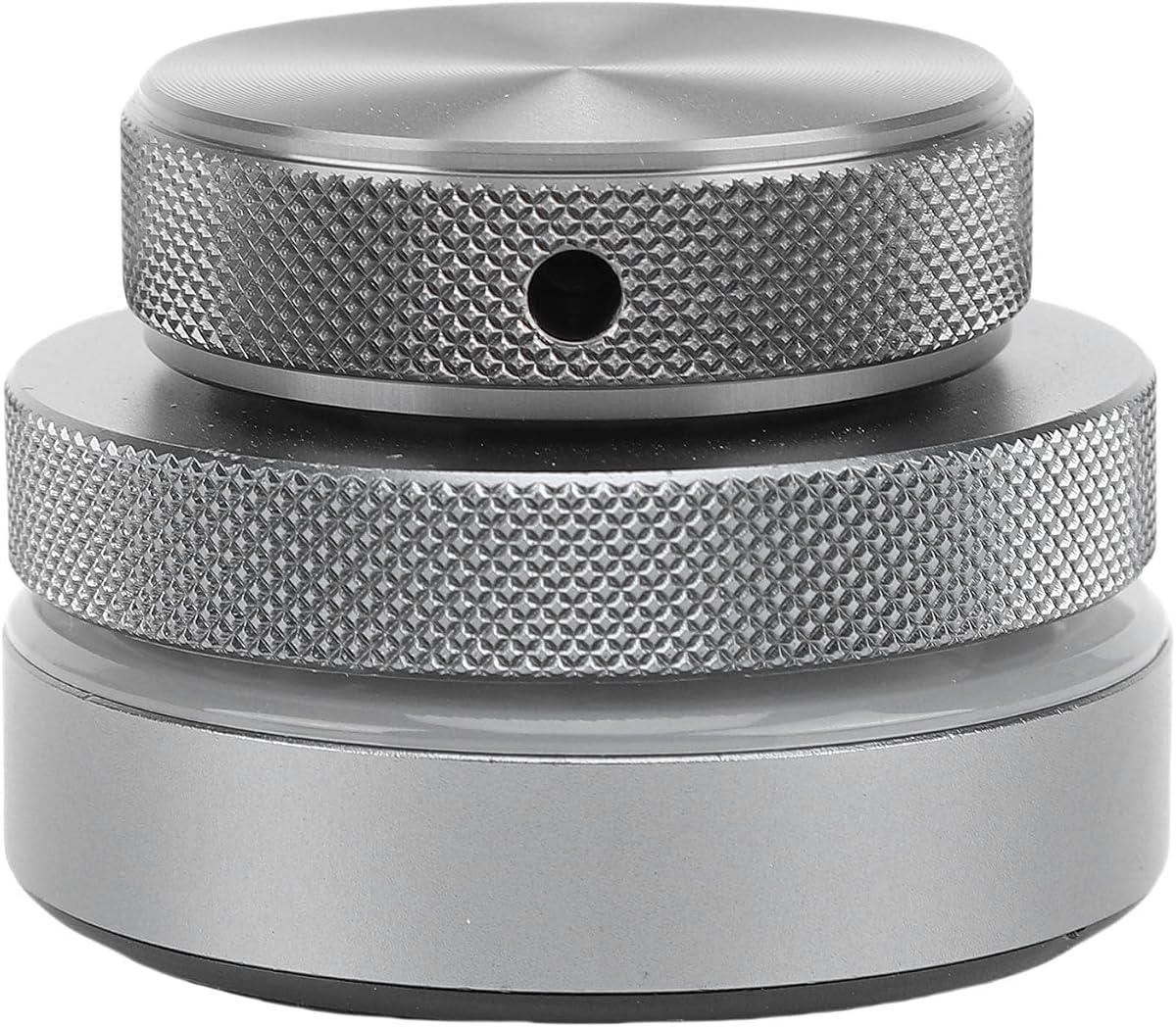
The VAYDEER Volume Control Knob delivers excellent value for users seeking a simple and reliable way to manage audio levels. With a strong 4.5 rating it proves that you do not need expensive features to get a solid experience. Its primary focus is on ease of use with a straightforward plug-and-play design.
We may earn a commission when you buy through this link, at no additional cost to you.
A key strength is the one-click mute function which allows you to instantly silence audio without searching for keyboard shortcuts. This feature is particularly useful during video calls or when unexpected interruptions occur. The sturdy metal shell and solid rotary shaft ensure it withstands daily use without feeling cheap or fragile.
The device supports Windows and macOS systems but lacks wireless connectivity options like Bluetooth. It relies solely on a USB connection which limits portability compared to wireless models. For users who prefer a clean wired setup and prioritize simplicity over advanced features, this limitation is rarely an issue.
This is the ideal choice for budget-conscious buyers who want a dedicated volume controller. If you need a reliable mute button and simple volume adjustments without complex software, the VAYDEER knob provides the best value in the market today.
Press the knob to stop music instantly and press again to resume playback for seamless control during interruptions.
The volume control knob supports major operating systems and works immediately upon insertion without any driver installation.
We may earn a commission when you buy through this link, at no additional cost to you.
The Jiawu USB Volume Control Knob caters to tech enthusiasts who want modern connectivity and aesthetic appeal. It leverages Bluetooth 5.1 for stable connections and offers a choice of five programmable functions to suit various tasks. This level of customization makes it a flexible addition to any dynamic workspace setup.
We may earn a commission when you buy through this link, at no additional cost to you.
Its multifunctional sound control allows easy adjustment of volume mute and track switching with minimal effort. The customizable RGB lighting adds a unique touch to your desktop environment making it visually distinct from plain plastic competitors. This combination of function and style appeals to users who value personalization in their accessories.
There is no available rating data for this model yet which means you cannot rely on user feedback for confirmation. Additionally documentation regarding the programming software might be less detailed than established brands. However the aluminum alloy material suggests a solid build quality that should hold up over time.
This knob is suitable for users who want a modern look with Bluetooth 5.1 connectivity. If you enjoy customizing your devices and want RGB lighting effects alongside reliable audio control, the Jiawu model offers a compelling feature set for tech lovers.
Customize up to five functions for a personalized experience that adapts to your specific daily workflow.
Connect via Bluetooth 5.1 or USB for flexible usage that ensures reliable performance across devices.
We may earn a commission when you buy through this link, at no additional cost to you.
The Razer Wireless Control Pod is designed for users invested in the Razer audio ecosystem with its strong Chroma integration. It allows you to remap keys and cycle through EQ presets directly from the dial. This specialized functionality offers a unique experience for gamers who want visual and audio control unified in one device.
We may earn a commission when you buy through this link, at no additional cost to you.
The device supports a source button that lets you switch between connected devices with a simple press. You can also adjust Chroma brightness settings to match your overall desk ambiance without opening software menus. The durable aluminum alloy build ensures it can withstand daily wear and tear in a gaming environment.
One limitation is its reliance on the Razer ecosystem which might not appeal to general users. The battery life is impressive but depends on moderate usage patterns which vary by user. For those already using Nommo or Leviathan speakers, these constraints are negligible compared to the integration benefits.
This control pod is the best choice for gamers using compatible Razer speakers. If you want to manage Chroma lighting and EQ settings alongside volume, this device provides a dedicated interface that enhances your battlestation experience significantly.
Remap keys activate macros and adjust Chroma brightness from one convenient device for quick setup changes.
Change Chroma effects cycle through EQ presets and remap audio functions via the Razer Audio App.
We may earn a commission when you buy through this link, at no additional cost to you.
The Silver Bluetooth Volume Control Knob prioritizes aesthetics and connection stability with its upgraded Bluetooth 5.3 chip. It features a solid zinc alloy CNC crafted design that looks premium on any desk. Users appreciate its ability to adjust volume and play/pause with lag-free performance on Windows and iOS devices.
We may earn a commission when you buy through this link, at no additional cost to you.
One dial meets gaming office reading and music streaming needs providing versatile control in a compact form. The vibrant RGB lighting offers 16.8 million colors to enhance your setup visually. A weighted base ensures it stays stable on the desk during rotation without sliding around unnecessarily.
The rating sits at 3.5 indicating some users may have mixed experiences with pairing or durability. The design is compact which might feel too small for users preferring larger tactile knobs. However the 90-day standby battery life reduces the frequency of charging significantly.
This model is best for users who value visual appeal and Bluetooth stability. If you want a sleek silver finish that matches your desk and offers RGB effects without needing a wired connection, this knob provides an attractive solution.
Solid zinc alloy CNC crafted rotary knob with anti-slip knurling surface and weighted base for stability.
Built-in 300mAh lithium battery supports up to 90 days standby after full 2-hour USB-C charging.
We may earn a commission when you buy through this link, at no additional cost to you.
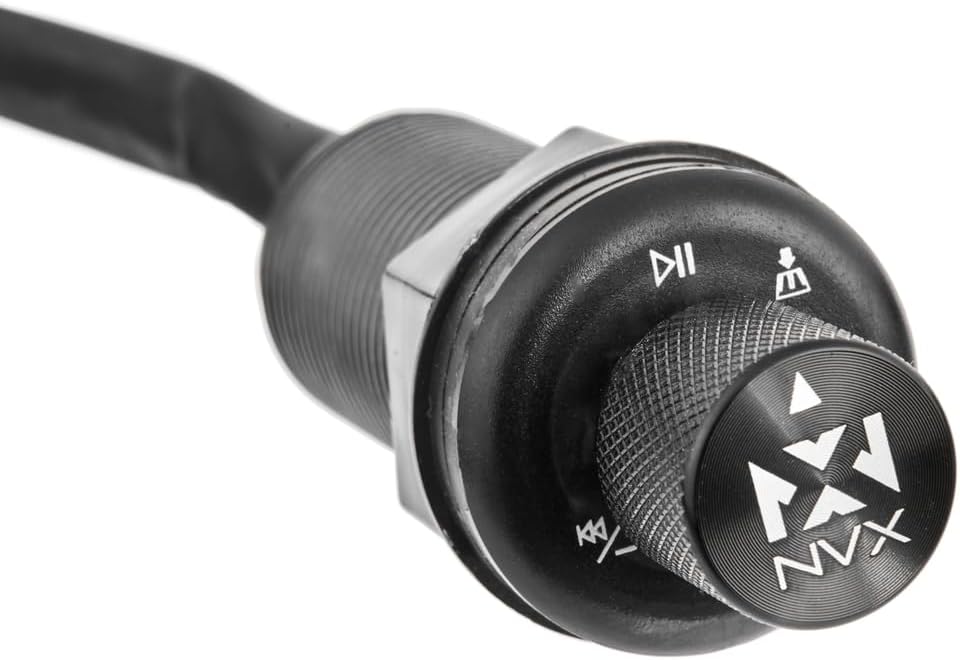
The NVX Universal Bluetooth Receiver stands out as a specialized solution for vehicle audio systems. It combines Bluetooth streaming with a physical volume knob to manage track pause and volume from one location. This functionality is ideal for drivers who want better control than a standard head unit allows.
We may earn a commission when you buy through this link, at no additional cost to you.
It supports flush in dash or under dash mounting options to integrate neatly into your car interior. The device works with any radio or device having an AUX input which broadens its compatibility across different vehicle models. This flexibility makes it a strong candidate for upgrading older car audio systems.
The device requires an AUX input which might limit its use in cars with proprietary connections. Installation might involve some technical effort to mount the knob securely in the dash. For users willing to put in the effort, the result is a superior audio control experience while driving.
This receiver is the best choice for car enthusiasts wanting physical audio controls. If you want to add a convenient volume knob to your vehicle while maintaining Bluetooth connectivity, the NVX model offers a robust and universal solution for your dashboard.
Flush in dash or under dash mounting options provide clean integration into various car interiors.
Add-on to any radio or device with AUX input for broad usage across different vehicle audio systems.
We may earn a commission when you buy through this link, at no additional cost to you.
The Volume Control Knob with 2.4G connectivity is designed for users who prioritize low-latency wireless performance. It offers a stable connection up to 33 feet ensuring you can adjust audio without signal drops. The USB-C wired mode provides zero lag when needed for critical tasks requiring precise timing.
We may earn a commission when you buy through this link, at no additional cost to you.
Ergonomic design ensures comfortable all-day use with a smooth tactile aluminum-alloy knob. It fits neatly on any desktop while the non-slip base prevents accidental movement during operation. This combination of design and reliability makes it a solid choice for professionals managing audio calls.
No rating data is available yet which means you cannot rely on user reviews for performance feedback. The RGB lighting is functional but may not match high-end gaming peripherals. For users who need immediate connectivity and broad OS compatibility this model offers a reliable practical solution.
This knob is suitable for professionals needing stable wireless control. If you want a seamless 2.4G connection with USB-C backup and ergonomic comfort, this controller provides a versatile option for your desk setup.
Offers seamless 2.4G wireless connectivity for a stable low-latency experience up to 33 feet.
Works flawlessly with Windows macOS Android and iOS without complex drivers or software installation needed.
We may earn a commission when you buy through this link, at no additional cost to you.
The Bluetooth 5.1 & USB Volume Control Knob offers deep customization via its dedicated app interface. Users can assign functions to rotation directions and presses to create a personalized workflow. The RGB lighting is also programmable through the app allowing for unique lighting effects that match your mood.
We may earn a commission when you buy through this link, at no additional cost to you.
It features dual connectivity modes with Bluetooth or USB cables ensuring convenient operation anywhere. The multifunctional sound control allows one-press mute and track switching for seamless listening. This level of customization makes it a favorite for users who enjoy tweaking their devices.
Reliance on an app for RGB programming means you need the software installed to fully utilize features. There is no rating data available which limits external verification of quality. However the aluminum alloy finish suggests a premium feel that justifies the customization features offered by this model.
This knob is best for users who enjoy software customization. If you want to program specific functions and lighting effects to match your exact preferences the app-driven approach of this model offers significant flexibility for your audio setup.
Customize up to five functions using clockwise or counterclockwise rotation key press for precise control.
Support RGB lighting with customizable programming via the app to create unique lighting effects.
We may earn a commission when you buy through this link, at no additional cost to you.
The VBESTLIFE USB Volume Control Knob provides versatile connectivity with three modes including Bluetooth 5.0 and USB-C. Its ability to handle page turning and video editing commands makes it ideal for presenters. Users appreciate the built-in memory that stores customized mappings for complex shortcut combinations across applications.
We may earn a commission when you buy through this link, at no additional cost to you.
The 360-degree rotation allows for flexible control suitable for volume and navigation. It supports a wide range of platforms including Windows Mac Android and iOS for broad compatibility. The 400mAh battery ensures continuous work without frequent battery replacement during extended sessions.
The rating sits at 3.4 which suggests some users may face challenges with the setup process. The 2.4G mode requires an additional receiver which might complicate things for users wanting all-in-one simplicity. For those who need page turning controls this trade-off is often acceptable for the workflow benefit.
This knob is best for users needing presentation navigation. If you want a custom control that handles page turning and volume simultaneously across multiple platforms the VBESTLIFE model offers a versatile solution for professionals.
Simplifies repetitive tasks across applications with multimedia control presentation navigation and software shortcuts.
Works seamlessly across multi platforms including Windows Mac Android HarmonyOS and iOS with stored mappings.
We may earn a commission when you buy through this link, at no additional cost to you.
Selecting the right Bluetooth volume control knob depends on understanding your connectivity needs and desired features. This guide outlines key factors to consider before making a purchase.
Consider whether you need Bluetooth 2.4G or wired USB-C options for your workflow. Bluetooth offers convenience while wired ensures stability.
Ensure the chosen device supports the connection type that fits your primary usage scenario.
Metal construction like CNC aluminum provides durability and a premium tactile feel compared to plastic alternatives. This affects long-term use and user satisfaction.
Look for aluminum alloy or zinc alloy housings for better longevity.
Check if the knob allows programming of functions like muting page turning or brightness control. Customizable shortcuts enhance productivity significantly.
Choose a model with software support if you need complex macro functionality.
For wireless devices battery life is crucial to avoid frequent charging interruptions. Some models offer up to 90 days of standby time.
Prioritize rechargeable lithium batteries for convenience and eco-friendliness.
Ensure the device works with your specific operating system like Windows macOS Android or iOS. Cross-platform support offers greater flexibility.
Verify system requirements before purchasing to avoid incompatibility issues.
The shape and size of the knob affect comfort during prolonged use. A non-slip base and textured grip improve usability.
Select a design that feels comfortable in your hand and fits your desk layout.
Some models feature RGB lighting which can enhance your desk ambiance. Decide if you want visual customization or prefer a minimalist look.
Check if lighting effects are customizable through software or buttons.
Balance your budget with the features you truly need. Higher prices often reflect better materials or software integration.
Identify essential features to avoid paying for unnecessary extras.
To set up your Bluetooth volume control knob, connect it via USB-C or pair it through Bluetooth settings on your device. Most models are plug-and-play, but check for driver requirements if using advanced software features.
Customize your knob's functions using the provided software or app. Assign shortcuts that match your workflow, such as muting during calls or flipping pages during reading. Save these settings to the device's memory if supported.
Clean the knob regularly with a soft cloth to remove dust from the textured grip. Avoid harsh chemicals that may damage the aluminum or plastic finish. Keep the device dry and store it in a safe place when not in use to maintain battery health.
Yes, most modern knobs support Android and iOS devices via Bluetooth. Ensure your phone has Bluetooth enabled and you are in range. Some models may require a specific app for full customization features on mobile devices.
Many models offer driver-free plug-and-play functionality for basic volume control. However, advanced customization software often requires installation on Windows or Mac to access macro features. Check the product details for specific system requirements.
To change lighting colors, use the accompanying software or app provided by the manufacturer. Some knobs have dedicated buttons for cycling modes. Refer to the user guide for specific RGB customization instructions for your model.
If the battery runs out, the device will stop functioning until recharged. Use the included USB-C cable to charge the battery fully. Some models offer wired operation while charging to maintain functionality during low power states.
Most of the reviewed knobs are compatible with macOS. Ensure you download any necessary software from the manufacturer website for full functionality. Basic volume controls usually work immediately upon connection via Bluetooth or USB.
Yes, many models allow you to map the knob to specific app functions via customizable software. This enables you to control brightness or playback in specific programs. Check the device capabilities for advanced mapping support.
The LICAEVEY, VAYDEER, and Anticater models offer the best balance of features across different budgets. Whether you need premium build quality or budget-friendly simplicity, there is a strong option in this guide.
Prioritize connectivity and customization based on your daily workflow. A knob that supports your specific needs saves time and enhances your overall digital experience significantly.
Remember to check current pricing and availability as they can change. Verify compatibility with your devices before purchasing to ensure the smoothest possible user experience.