
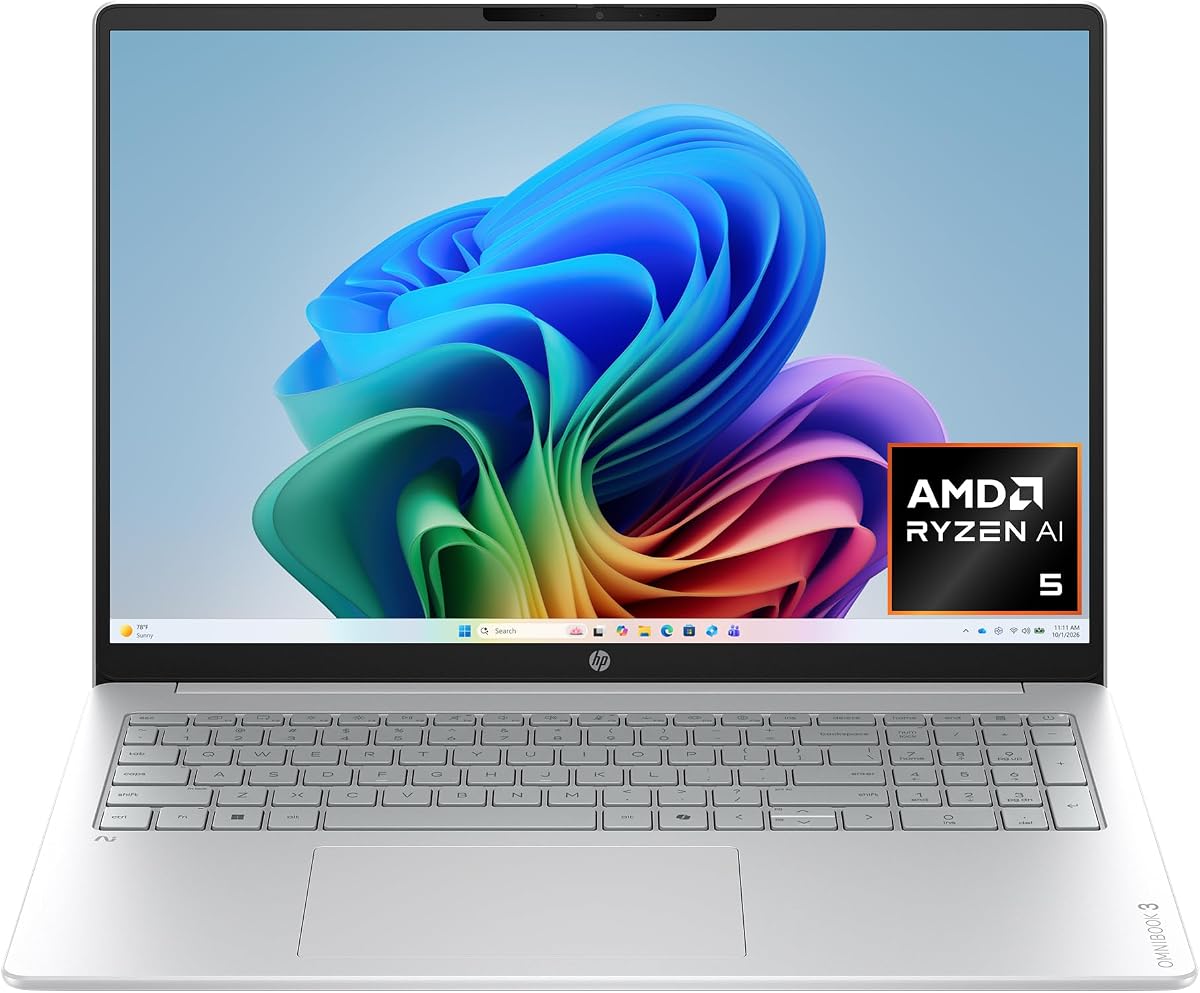
HP OmniBook 3 14 inch Next Gen AI PC
4.4Editor score
Snapdragon X Processor Efficiency
41 Hours Battery Life
2K OLED Display Panel
Artificial intelligence is transforming how we work and create on portable devices. Modern AI laptops feature dedicated neural processing units that handle complex tasks locally. These machines offer faster responsiveness and improved battery efficiency for everyday productivity.
We evaluated ten leading models based on processor architecture, memory capacity, and display quality. Our analysis focuses on real-world performance for multitasking, creative work, and long battery sessions. Each selection represents a distinct balance of power and portability.
Every pick includes detailed specifications, user ratings, and key features to help you decide. Prices and availability fluctuate frequently so check the latest offers before purchasing. These models reflect the current state of AI-enhanced computing technology.
4.4Editor score

4.3Editor score

5.0Editor score
As an Amazon Associate we earn from qualifying purchases.
The following table presents a side-by-side comparison of all ten selected models to help you identify the right fit for your workflow.


This model stands out with its stunning 3K OLED touchscreen and robust Intel Core Ultra 7 processor. Its 4.3 rating reflects reliable performance for professionals who need vivid visuals and long battery life.
We may earn a commission when you buy through this link, at no additional cost to you.
The OLED display offers deep blacks and rich color depth that enhance creative work. With up to 27 hours of battery life, you can work unplugged all day. The 24 GB of RAM ensures smooth multitasking even with demanding apps open.
While the price is higher, the premium build and screen quality justify the cost for many users. The lack of a dedicated GPU may limit it for intense gaming but is fine for creative and business tasks.
If you prioritize a brilliant screen and all day battery in a portable 14 inch form, this is an excellent choice. It balances premium features with practical productivity tools effectively.
The 3K OLED panel ensures accurate colors for design work.
Battery life supports long commutes or travel days easily.
We may earn a commission when you buy through this link, at no additional cost to you.
This budget model impresses with an OLED screen and incredible battery life at a lower price. It receives a 4.4 rating from users who value efficiency and portability over raw power.
We may earn a commission when you buy through this link, at no additional cost to you.
The Snapdragon processor delivers essential AI capabilities while keeping power consumption low. You can go days between charges thanks to the 41 hour battery rating. The OLED display adds visual quality rarely found at this price level.
Storage is limited to 256 GB which may require cloud solutions. Some apps might not run natively on Snapdragon compared to Intel or AMD chips though Windows supports most well.
It is ideal for students or professionals needing a reliable second device. The combination of OLED and battery life makes it a standout value option for everyday tasks.
Ideal for travelers who need power for several days.
Copilot+ experiences included without premium cost.
We may earn a commission when you buy through this link, at no additional cost to you.
This laptop receives a perfect 5.0 rating from users who appreciate its performance and build quality. It is a top premium choice for those needing high-end AI capabilities and a stunning OLED screen.
We may earn a commission when you buy through this link, at no additional cost to you.
The Ryzen AI 9 processor offers 50 NPU TOPS for local AI workloads. With 32 GB of RAM you can run multiple demanding apps simultaneously without slowdown. The OLED display provides immersive visuals for media and content.
The design is thin and light making it easy to carry despite the larger screen. Ports are limited but cover most daily needs without requiring adapters for common peripherals.
If you want the best overall experience and have the budget this model delivers. It balances power and elegance perfectly for professionals and creatives alike.
Local AI tasks run fast without cloud dependency.
Get a 16 inch workspace without heavy weight.
We may earn a commission when you buy through this link, at no additional cost to you.
This model offers a large 16 inch OLED screen with Snapdragon efficiency. It carries a 4.2 rating indicating solid performance with some trade-offs compared to Intel models.
We may earn a commission when you buy through this link, at no additional cost to you.
The Snapdragon chip provides great battery life up to 34 hours. The OLED screen enhances media viewing and work with rich colors. Otter.ai is integrated to help with notes and meeting summaries.
Users report good connectivity with Wi-Fi 6E. However the Snapdragon chip may lack support for some legacy apps. The battery life and screen are the main selling points.
It suits users who prioritize screen size and battery over raw app compatibility. For daily tasks this model provides a comfortable and efficient experience.
Built-in Otter.ai simplifies note taking.
Ideal for long work sessions away from outlets.
We may earn a commission when you buy through this link, at no additional cost to you.
This 16 inch model achieves a high 4.8 rating for reliability. It uses AMD Ryzen AI to deliver strong performance with dedicated Radeon graphics.
We may earn a commission when you buy through this link, at no additional cost to you.
The processor handles productivity and light gaming efficiently. The 16 GB DDR5 RAM ensures smooth multitasking. You can expect nearly 20 hours of battery for most workloads.
The screen is IPS so colors are good but not as deep as OLED. This trade-off often helps with battery life and brightness in sunlight.
For those preferring AMD architecture this laptop offers great value. The dedicated GPU helps with rendering and light creative tasks better than integrated options.
Better than most integrated graphics for visuals.
4.8 rating shows consistent positive feedback.
We may earn a commission when you buy through this link, at no additional cost to you.
This model provides a large 1TB SSD and Intel AI acceleration for under a thousand dollars. It has a 4.5 rating for consistent performance and design.
We may earn a commission when you buy through this link, at no additional cost to you.
Intel Core Ultra delivers strong AI features and multitasking. The 1TB SSD is ample for files and apps. The touchscreen allows intuitive navigation.
While it lacks OLED and long battery life it offers great value for the specs. It is a strong choice for students or home users.
If you need storage and reliability without OLED costs this model fits well. It covers essential work and media needs efficiently.
1TB SSD holds all files locally.
Copilot features work smoothly with Core Ultra.
We may earn a commission when you buy through this link, at no additional cost to you.
This business laptop features Core Ultra 9 and vPro for secure enterprise work. It has a 4.5 rating for stability and professional features.
We may earn a commission when you buy through this link, at no additional cost to you.
The 32 GB RAM handles heavy multitasking. Wi-Fi 7 ensures fast network performance for data transfers. The AI NPU runs Studio Effects efficiently.
The display is FHD+ so sharpness is good but not as high as 2K or 4K. For business tasks this resolution is adequate.
If you need corporate security and power this is a solid pick. It balances business features with consumer usability.
vPro platform adds multi-layer security.
Wi-Fi 7 provides fastest available speeds.
We may earn a commission when you buy through this link, at no additional cost to you.
This laptop boasts a strong 50 TOPS NPU and 32 GB RAM. It has a 4.6 rating for users needing robust multitasking and AI performance.
We may earn a commission when you buy through this link, at no additional cost to you.
Windows 11 Pro adds enterprise features. The 2K touchscreen offers clear visuals. The Zen 5 architecture improves efficiency for daily use.
The extra RAM helps with large files and virtual machines. However it may be heavier than some thin models.
For power users who need local AI capabilities this model delivers. It is a reliable workstation for complex projects.
NPU handles AI tasks locally and fast.
32 GB RAM supports heavy multitasking.
We may earn a commission when you buy through this link, at no additional cost to you.
This business model focuses on security and multitasking with 32 GB RAM. It has a 4.6 rating for reliable enterprise performance.
We may earn a commission when you buy through this link, at no additional cost to you.
The fingerprint reader and Windows 11 Pro protect data. The 16-core processor handles spreadsheets and apps smoothly. WiFi 6E ensures stable office connections.
The screen is FHD+ which is clear but not as sharp as 2K. This helps with battery life and brightness.
For office environments needing security this is a top pick. It delivers the reliability required for business workflows.
Fingerprint reader and Pro OS secure data.
16-core CPU manages multiple apps well.
We may earn a commission when you buy through this link, at no additional cost to you.
This model offers a 120Hz screen which adds fluidity to navigation. It has a 4.2 rating for value and performance.
We may earn a commission when you buy through this link, at no additional cost to you.
The Snapdragon chip supports AI features efficiently. The 120Hz refresh rate makes scrolling and animations smoother. Wi-Fi 7 ensures fast internet speeds.
The price is competitive though app compatibility may vary compared to Intel. The screen refresh is a unique feature in this price range.
For users wanting a high refresh display for general use this is good. It is an affordable way to get premium screen motion.
120Hz screen reduces motion blur.
Wi-Fi 7 ensures top network speeds.
We may earn a commission when you buy through this link, at no additional cost to you.
Selecting an AI laptop requires attention to specific hardware features that impact performance and battery life.
The Neural Processing Unit determines local AI speed and battery efficiency. Look for models with at least 45 TOPS for smooth Copilot+ experiences.
Prioritize higher TOPS if you need fast local AI for video or images.
Intel Core Ultra and AMD Ryzen AI processors offer strong compatibility. Snapdragon chips deliver better battery life but may have app limitations.
Choose Intel or AMD for widest app support and Snapdragon for endurance.
At least 16 GB RAM is recommended for multitasking with AI tools. 512 GB SSD is standard but 1 TB helps with large media libraries.
Aim for 32 GB RAM if you run heavy creative apps or virtual machines.
OLED displays provide better contrast and colors for creative work. IPS panels offer brighter viewing in sunlight and better battery.
Select OLED for media and IPS for outdoor productivity or battery needs.
AI laptops vary from 15 to 40 hours. Check real world reviews since AI tasks can drain power faster.
Prioritize Snapdragon or low-power Intel models if all day unplugged work is needed.
Wi-Fi 6E and Wi-Fi 7 offer faster network speeds and lower latency. Ensure your model supports the latest Bluetooth for accessories.
Choose models with enough USB and Thunderbolt ports for your peripherals.
Windows 11 Home is standard but Pro adds security and management tools. Copilot+ features require specific hardware support.
Verify your chosen model meets Copilot+ hardware requirements for full AI features.
A lightweight chassis helps portability while a wide port selection reduces hub needs. Look for physical privacy shutters on webcams for security.
Check port types to avoid buying extra adapters for common devices.
Always keep your system updated to ensure the latest AI features and security patches are installed. Regular updates optimize performance and fix bugs in Copilot+ tools.
Use the Copilot+ key if your model has one for quick access to AI assistants. Learn which gestures and commands work locally on your device to save cloud time.
Protect your battery by avoiding extreme heat and deep discharges. When storing the laptop long term keep it partially charged and in a cool dry place.
A true AI PC has a dedicated Neural Processing Unit with at least 40 TOPS of performance. It supports Windows Copilot+ features like Recall and Studio Effects that run locally without cloud dependency.
AI tasks can drain battery faster but modern NPUs are designed to be efficient. Snapdragon and low-power Intel models often outlast traditional laptops due to optimized architecture.
Most mainstream apps work well but some legacy software may not support ARM architecture. Use Windows emulation tools if needed but check compatibility before relying on specific apps.
No, local AI features like Studio Effects and basic recall run without internet. Some advanced generative features require cloud access so check settings for offline options.
Yes, local AI models consume memory during inference. 32 GB RAM helps with heavy multitasking and large AI models compared to 16 GB on standard tasks.
Local AI features may need 10 GB to 20 GB of storage space. Ensure you have at least 512 GB SSD to accommodate these updates and your regular files.
Most AI laptops have soldered RAM and storage so upgrades are limited. Check if the SSD is removable before buying if future expansion is a priority for you.
The ten models covered here offer diverse choices for every user need. HP leads in battery efficiency while ASUS offers top-rated performance and visuals.
Prioritize what matters most to your work whether that is screen quality storage or endurance. A well chosen AI laptop will serve you for years of creative tasks.
Prices and availability change frequently so confirm the latest specs before purchasing. Use the links provided to secure current offers for your selected model.