
Asustor Drivestor 4 Gen 2
4.0Editor score
Realtek Quad-Core CPU
2.5GbE High-Speed Network
Btrfs Snapshot Protection
This guide compares the top ten 4 Bay NAS solutions available in October 2026 to help you find the perfect home or office storage system today.
Choosing the right 4 Bay NAS can transform how you manage data at home or work. These devices offer centralized storage, media streaming, and robust backup features that external drives simply cannot match for growing digital needs.
We evaluated ten leading models based on performance, software usability, network capabilities, and security features. Our analysis covers everything from budget-friendly entry points to high-performance units designed for creative professionals and power users.
Each recommendation highlights specific strengths to help you match a device to your workflow. Keep in mind that pricing and availability fluctuate regularly, so verify current offers before making your final purchase decision online.
4.0Editor score

4.6Editor score

4.4Editor score
The following table provides a side-by-side overview of key specifications for all ten models reviewed in this guide to help you quickly identify the right fit.





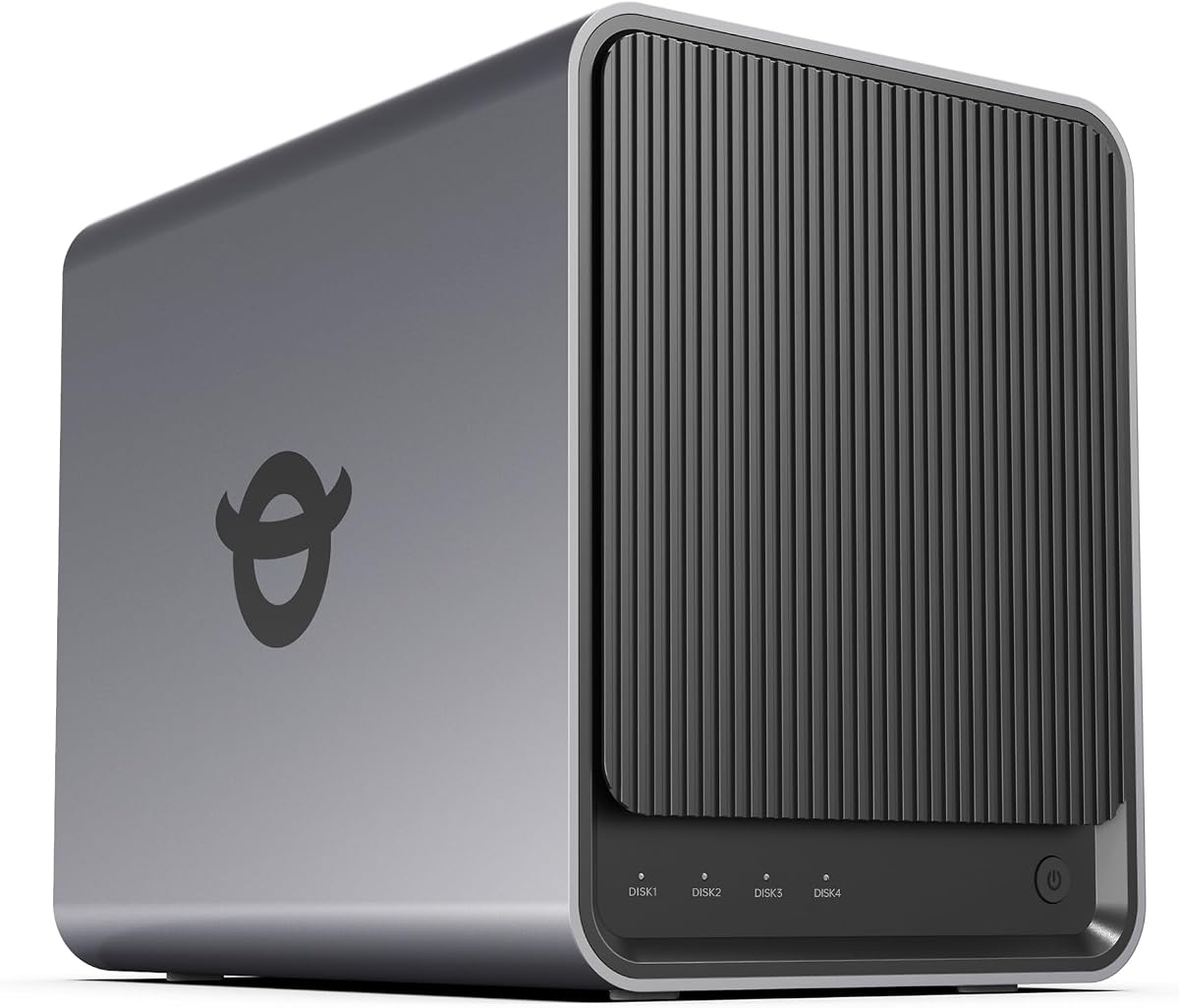

The UGREEN NAS DXP4800 GT stands out as the best overall 4 Bay NAS for users who demand high performance. With a 4.6 rating, it delivers exceptional speed and reliability for creators and small teams alike.
We may earn a commission when you buy through this link, at no additional cost to you.
Its AMD Ryzen Embedded R2514 processor and expandable RAM allow for smooth handling of Docker apps, virtual machines, and media processing. The dual 10GbE ports ensure that large file transfers are completed with minimal latency.
While the software is intuitive, setting up Plex requires some manual Docker configuration which might deter less technical users. Additionally, the premium price reflects the high-end hardware but may be steep for casual home users.
We recommend this unit for professional environments or enthusiasts who need robust performance and future-proof networking. It balances power, storage capacity, and software flexibility better than most competitors in the market today.
Dual 10GbE ports support link aggregation for up to 2.5GB/s theoretical throughput, ideal for 4K/8K editing workflows.
With support for ECC RAM upgrades and up to 64GB total memory, this NAS is built for long-term heavy workload stability.
We may earn a commission when you buy through this link, at no additional cost to you.
The Asustor Drivestor 4 Gen 2 offers an excellent entry point for those seeking a reliable 4 Bay NAS without breaking the bank. Its 4.0 rating reflects solid performance for basic storage and media needs.
We may earn a commission when you buy through this link, at no additional cost to you.
Equipped with a Realtek quad-core CPU and 2.5GbE port, it provides faster file transfers than older gigabit models. The Btrfs file system adds enterprise-grade data protection against ransomware and accidental deletion for critical files.
The single gigabyte of RAM limits multitasking capabilities compared to more expensive units, so heavy virtualization tasks may suffer. However, for simple file sharing and backups, the trade-off is perfectly acceptable for most home users.
This device is ideal for budget-conscious buyers who still want modern networking speeds and essential data safety features. It proves you do not need to spend a fortune to get a competent private cloud solution for your home.
The Realtek processor handles daily storage tasks efficiently while keeping power usage low to save on electricity costs over time.
Btrfs snapshots allow you to restore data to previous points instantly ensuring your important files remain safe from corruption.
We may earn a commission when you buy through this link, at no additional cost to you.
The UGREEN NAS DXP4800 Pro is engineered for power users and IT professionals who need serious performance. Its 4.4 rating highlights the exceptional hardware capabilities that surpass most standard consumer options available.
We may earn a commission when you buy through this link, at no additional cost to you.
Powered by an Intel Core i3-1315U processor and DDR5 RAM, this NAS handles virtual machines and Docker containers effortlessly. The dual M.2 PCIe 4.0 slots provide ultra-fast caching or storage pools to eliminate bottlenecks effectively.
While the cost is high, the feature set justifies the investment for developers and creative teams managing large datasets. The local AI processing ensures privacy while organizing massive libraries without sending data to third-party cloud servers.
We recommend this unit for environments where speed and reliability are critical. It serves as a versatile private workstation that grows with your needs ensuring you never hit performance limits again.
Granular user permissions and data vault encryption keep sensitive files secure while maintaining flexible access for authorized team members.
With support for massive capacities and DDR5 RAM, this NAS is built to handle evolving software and storage demands for years.
We may earn a commission when you buy through this link, at no additional cost to you.
The TERRAMASTER F4-425 focuses on delivering powerful media performance at a competitive price point. It achieves a 4.0 rating by balancing hardware capabilities with practical features for home entertainment setups.
We may earn a commission when you buy through this link, at no additional cost to you.
Its hardware-level 4K H.265 decoding ensures smooth video playback in Plex or Emby without straining the CPU. The tool-free Push-Lock design simplifies installation while the silent operation makes it suitable for living rooms or bedrooms.
Limited RAM restricts heavy virtualization tasks compared to newer models but remains sufficient for standard backup and streaming needs. The software interface is functional but lacks the polish found in more established ecosystem options.
This device is perfect for media enthusiasts seeking a quiet and efficient storage hub. It offers a great mix of physical design and multimedia capabilities that suit most home entertainment requirements well.
Operating at just 21dB(A) the F4-425 runs silently allowing placement in quiet spaces without disturbing household members or pets.
The TNAS Mobile app enables full initialization and synchronization management from smartphones ensuring access even when away from a PC.
We may earn a commission when you buy through this link, at no additional cost to you.
The Synology DS425+ is tailored for small businesses that need reliable shared storage and robust data protection. With a 4.6 rating, it excels in offering enterprise features in a compact and accessible package.
We may earn a commission when you buy through this link, at no additional cost to you.
It supports concurrent access from over ten users with speeds up to 278 MB/s ensuring productivity stays high during file sharing. The centralized repository with granular controls helps organizations maintain security without complex IT overhead.
While the price reflects professional-grade features, some users may find the expansion options slightly limited compared to modular enterprise solutions. However, the included three-year warranty provides peace of mind for critical production environments.
We recommend this unit for offices requiring secure file sharing and video surveillance. It delivers professional-grade reliability and ease of use that benefits teams needing focused collaboration tools.
Combining RAID redundancy with automated backups and snapshot technology ensures data remains safe from accidental deletion or system failures.
With support for up to 30 IP cameras and motion detection it turns your NAS into a comprehensive security control center easily.
We may earn a commission when you buy through this link, at no additional cost to you.
The UGREEN NAS DXP4800 Plus brings powerful performance to families and small teams. Its 4.6 rating highlights the balance between usability and technical capability that appeals to a wide audience.
We may earn a commission when you buy through this link, at no additional cost to you.
The device supports fast 10GbE transfers and AI features that automatically organize photos and remove duplicates saving time for busy users. Its secure private cloud allows for full data ownership without relying on subscription services.
It is important to note this model lacks Wi-Fi support so wired connections are required for setup and use. Additionally Plex integration requires manual configuration via Docker which might be a hurdle for beginners.
We suggest this unit for groups needing reliable storage and quick file access across multiple devices. It combines modern hardware with intuitive software for a seamless home or office experience.
The AI recognizes faces and objects to sort albums instantly freeing up storage space by removing duplicate images automatically.
Compatible with Western Digital Seagate and Toshiba drives it allows flexible storage upgrades based on budget and capacity needs.
We may earn a commission when you buy through this link, at no additional cost to you.
The UGREEN NAS DH4300 Plus is designed specifically for beginners transitioning from cloud storage to private hardware. With a 4.2 rating it offers essential features without overwhelming complexity for new users.
We may earn a commission when you buy through this link, at no additional cost to you.
NFC pairing simplifies the initial setup process while AI-powered photo albums keep family memories organized efficiently. The device offers robust local encryption and avoids recurring subscription fees making it a cost-effective long-term solution.
It does not support virtual machines which limits its utility for advanced server applications or testing environments. However for home media storage and backups the performance remains steady and reliable for daily usage.
We recommend this device for families and remote workers seeking simple and secure storage. It provides a private cloud experience that is easy to manage without requiring technical expertise.
Connecting via NFC allows users to initialize the NAS quickly and share files immediately using standard mobile or desktop apps.
Data stays locally on private drives with certified encryption ensuring no third-party clouds or hidden access compromises your personal files.
We may earn a commission when you buy through this link, at no additional cost to you.
The Synology DS925+ continues the brand's tradition of reliable file management and data protection. Its 4.2 rating reflects the dependable performance users expect from the DiskStation series.
We may earn a commission when you buy through this link, at no additional cost to you.
Dual 2.5GbE ports provide ample bandwidth for stable data transfers and increased redundancy in case of connection issues. The built-in file and photo management tools simplify daily tasks making it accessible for various skill levels.
The price is relatively high compared to other options in the market for similar raw specifications. However the three-year warranty and dedicated technical support justify the investment for businesses needing consistent uptime and reliability.
We recommend this model for users invested in the Synology ecosystem. It offers a seamless experience for file sharing and data protection that integrates well with other network devices.
Two 2.5GbE ports offer fast transfer speeds and added redundancy ensuring your network connection remains stable during heavy loads.
Backed by a three-year limited hardware warranty the DS925+ provides long-term peace of mind for professional and home users.
We may earn a commission when you buy through this link, at no additional cost to you.
The Yxk Zero1 Pro offers a unique approach with direct 4K HDMI output for media playback on TVs. Its 4.4 rating suggests it is a solid choice for households wanting a media server experience.
We may earn a commission when you buy through this link, at no additional cost to you.
Powered by an Intel N100 processor and 8GB RAM it handles everyday storage and media tasks well. The aluminum housing with dual-fan cooling ensures stable operation during overnight backups or large file transfers.
Users wanting third-party OS like TrueNAS must manually install them which requires technical effort. For those seeking a simple media center the HDMI feature is a significant advantage over network-only streaming options.
We recommend this unit for home theater enthusiasts who want a unified storage and playback device. Its balance of hardware and usability makes it a strong contender for general family storage needs.
Connect directly to a TV via 4K HDMI to stream your media library without relying on external players or complicated network setups.
Dedicated system and drive-bay fans with aluminum housing dissipate heat efficiently ensuring long-term reliability even in warm environments.
We may earn a commission when you buy through this link, at no additional cost to you.
The Synology DS423 focuses heavily on data protection with ransomware-resistant backup strategies. Its 4.4 rating highlights the security features that make it a safe choice for personal and business data.
We may earn a commission when you buy through this link, at no additional cost to you.
Versioned files and immutable snapshots ensure that even if malware encrypts data you can restore previous clean versions instantly. It also acts as a file server replacing expensive third-party subscriptions with local controlled storage.
Compared to newer models the hardware specs may feel dated but the core reliability remains high. For users prioritizing data integrity over raw speed this device offers peace of mind without requiring complex configurations.
We suggest this unit for families or small businesses needing secure backup and access. The built-in protection tools and shared access capabilities make it a practical choice for modern digital safety.
Immutable snapshots protect against malware encryption ensuring you can recover files to a previous point in time instantly.
Replace expensive SharePoint or Dropbox with local sharing and team folders giving you full control over your data access.
We may earn a commission when you buy through this link, at no additional cost to you.
Selecting the right 4 Bay NAS involves evaluating several critical factors to ensure it meets your storage and performance needs effectively.
The processor determines how well the NAS can handle multitasking and transcoding. Look for quad-core CPUs or better for smooth performance especially if running Docker or virtual machines. RAM should ideally be at least 8GB to support multiple users and applications simultaneously without lag.
Prioritize units with expandable RAM so you can upgrade later as your needs grow.
Network speed is crucial for transferring large files quickly. Models with 2.5GbE or 10GbE ports significantly outperform traditional Gigabit Ethernet. If you plan to connect multiple users or edit video directly from the NAS ensure the network bandwidth supports your workflow.
Dual ports also offer redundancy or link aggregation for better reliability.
The operating system dictates how easy the device is to use. Established OS options like Synology's DSM or UGREEN's UGOS Pro provide intuitive interfaces and rich app stores. Ensure the software supports your required apps such as Plex or surveillance tools out of the box.
Check for mobile app availability to manage files on the go easily.
Consider the maximum capacity each bay supports to ensure future scalability. Some models support larger hard drives like 20TB or 30TB per bay allowing terabytes of total storage. Additionally check for M.2 NVMe slots which can be used for caching to boost speed.
Always verify drive compatibility lists before purchasing hard drives separately.
Security features like encryption and snapshot technology protect against data loss and ransomware. Look for units supporting RAID configurations to prevent data loss from drive failure. Some models offer immutable snapshots that prevent even admin users from altering backups once set.
Certifications like ETSI EN 303 645 indicate strong privacy standards.
Since NAS devices run 24/7 power consumption adds up over time. Look for energy-efficient processors and sleep modes that reduce electricity usage during idle times. A lower power draw also reduces heat generation keeping the device quieter and cooler in your home.
Check wattage ratings for both active and idle modes when comparing models.
A longer warranty period often indicates manufacturer confidence in hardware quality. Brands offering three years or more provide better value for investment than those with one or two years. Access to responsive technical support is equally important for resolving setup or configuration issues quickly.
Review customer service channels and community forums for user support.
Begin by installing compatible hard drives into the drive bays and connecting the NAS to your router via Ethernet cable. Download the manufacturer's mobile or desktop app to complete the initial setup wizard which will format drives and create user accounts automatically.
Set up RAID configurations to balance storage capacity and data safety. For critical files enable automated backups to external drives or cloud services to ensure redundancy against hardware failure. Regularly update the NAS firmware to patch security vulnerabilities and maintain performance.
To extend the lifespan of your device place it in a well-ventilated area away from direct sunlight or dust sources. Monitor drive health through the built-in system tools and replace any drives showing signs of wear before failure occurs to prevent data loss.
Most NAS units listed are sold diskless meaning you must purchase hard drives or SSDs separately. Check the product compatibility list to ensure drives are supported and select capacity based on your storage needs.
NAS provides local storage controlled by you without monthly fees while cloud storage relies on third-party servers. NAS offers better privacy and speed for local networks but requires more physical setup and maintenance.
Most models support Plex via Docker or native apps though some may require manual configuration. Ensure the device has enough RAM and CPU power to handle hardware transcoding for smooth streaming.
RAID is highly recommended for protecting against drive failure and data loss. While RAID 0 offers speed without redundancy RAID 1 or 5 provides data safety which is critical for valuable files and backups.
Most 4-bay NAS devices allow expanding capacity by swapping drives for larger ones but require backing up data first. Some models support expansion units for additional bays providing flexibility for growing storage needs.
Yes, a NAS functions fully on your local network without internet access. Internet is only needed for remote access outside your home or syncing with cloud services.
We identified the UGREEN NAS DXP4800 GT as the top choice for overall performance and the Asustor Drivestor 4 Gen 2 as the best budget option. The Synology DS423 offers excellent security for families needing robust data protection.
Prioritize network speed and software usability when making your decision to ensure a smooth user experience. High RAM and processor capacity will future-proof your investment against increasing data demands over time.
Prices and availability change frequently so always check current listings before purchasing. Verify drive compatibility and warranty details to guarantee you get the best value for your specific use case today.