
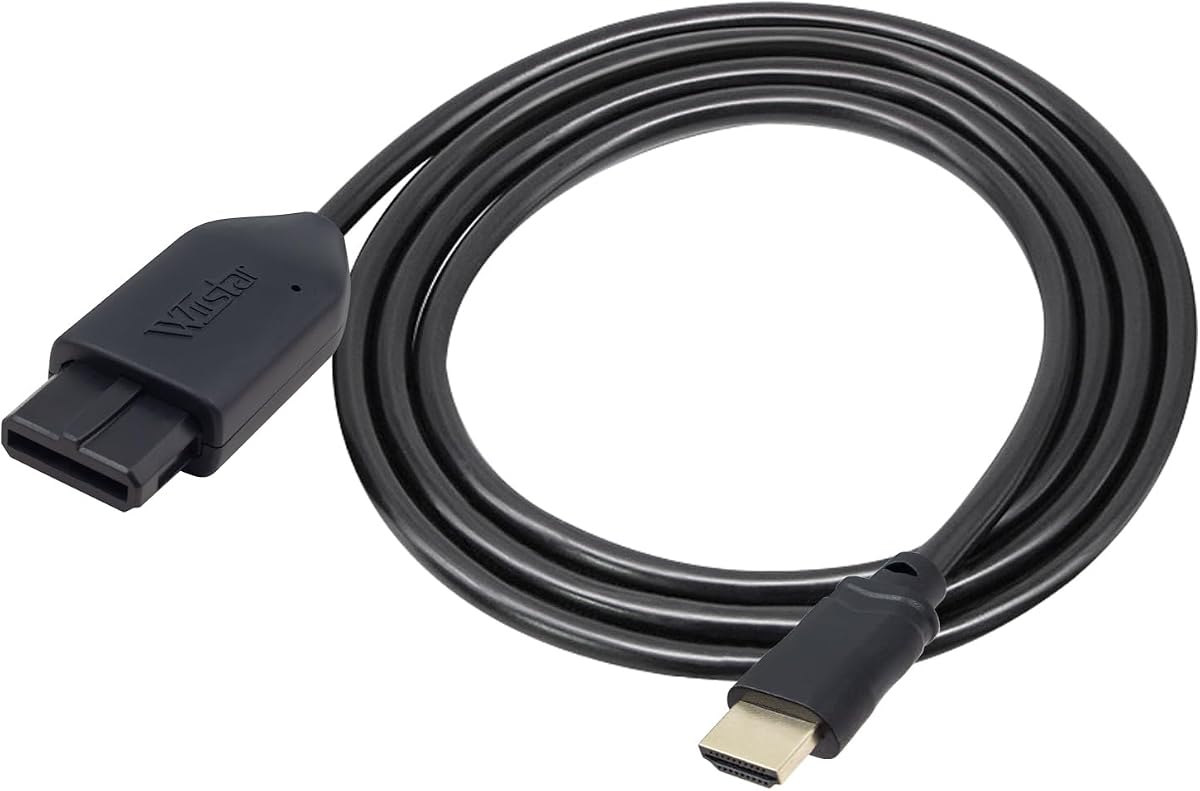
HDMI Adapter for N64/ Game Cube
4.2Editor score
Supports 720p and 1080p
HDMI cable included
Plug and play design
Discover the top GameCube HDMI adapters for modern TVs. Our expert guide compares ten models for compatibility, signal quality, ease of use, and value.
Playing classic GameCube games on modern displays requires specific adapters to bridge the analog gap. These devices convert legacy signals to digital HDMI formats for clearer visuals. Choosing the right adapter ensures your favorite titles look their best today.
We compared ten distinct HDMI adapters based on compatibility, signal processing, and user feedback. Each product was evaluated for its ability to handle standard GameCube consoles and output stable video. Our analysis highlights key differences in performance and ease of setup.
Each pick in this guide reveals specific strengths for different user needs. You will find options ranging from simple converters to advanced digital solutions. Prices fluctuate regularly, so check current listings before making your final purchasing decision.
4.2Editor score

4.6Editor score

4.4Editor score
This side-by-side comparison helps you evaluate each adapter quickly. We highlight key specifications for every model to assist your selection process.



The Kaico Gamecube HDMI Adapter stands out as a top choice for serious retro gaming enthusiasts seeking high fidelity. It specifically supports the digital port found on DOL-001 consoles, allowing for a direct digital signal path that avoids analog noise. This device runs the GCVideo operating system to provide enhanced visual features like scanlines and line doubling without needing external power. Users praise its plug-and-play simplicity and the included remote which offers easy navigation through visual settings. The build quality is reinforced with a 3D printed shelf to reduce strain on the console connector, ensuring long-term durability. With a strong 4.6 rating, this adapter is ideal for those wanting the best possible picture quality from their classic hardware.
We may earn a commission when you buy through this link, at no additional cost to you.
Its standout quality lies in the advanced signal processing that offers superior clarity compared to standard AV cables. The adapter outputs up to 480p or 576p resolutions which are sharper than native composite outputs. The Line Doubling feature significantly improves vertical resolution on modern HDTVs without adding latency to gameplay. The included remote control allows users to toggle between options like scanlines which help retain the authentic look of retro games while modernizing the display. Firmware updates via the USB port ensure the device remains compatible with future improvements or fixes from the manufacturer. The absence of required external power simplifies the setup process and reduces cable clutter on your entertainment center.
The primary trade-off is strict compatibility limited to GameCubes with the digital port on the back. Consoles without this port cannot use this specific adapter requiring users to verify their hardware model before purchasing. While the price is higher than basic converters the added features justify the cost for enthusiasts. Some users might find the menu navigation via remote slightly less intuitive than physical buttons but practice makes it quick. The reliance on a specific console revision means it is not a universal solution for all GameCube units. However, for those with compatible hardware the visual upgrade is substantial.
This adapter is perfect for collectors who want the best viewing experience for their GameCube library on modern screens. It is highly recommended for users who prioritize image quality and features like scanlines over basic connectivity. The warranty support provides peace of mind regarding potential hardware issues. If you have a DOL-001 model and want to preserve your system without analog degradation this is a top pick. Check current availability and prices as they may vary over time. Overall it delivers a premium retro gaming experience unmatched by standard AV solutions.
Features like Line Doubling and Scanlines improve clarity while maintaining retro aesthetics without lag.
A built-in shelf reduces strain on the digital connector to ensure longevity and stable performance.
We may earn a commission when you buy through this link, at no additional cost to you.
This HDMI adapter offers a budget-friendly entry point for connecting legacy consoles like the GameCube SNES and N64 to modern TVs. It supports up to 1080p output which is a significant jump from analog composite signals. Users appreciate that it comes with an HDMI cable included saving the cost of buying a separate cable. The plug-and-play design means you can start gaming quickly without complex software installations or drivers. However it does require an external power supply to function correctly which adds a small step to the setup. Reviews indicate that picture quality is smooth and clear for casual gaming sessions.
We may earn a commission when you buy through this link, at no additional cost to you.
The main strength is its affordability combined with decent performance for entry-level retro gaming. It effectively converts analog signals to digital for compatibility with HDTVs and monitors. The inclusion of the HDMI cable makes it a complete solution out of the box. There is no screen lag reported which is crucial for responsive gameplay. The adapter is designed to support a range of consoles making it versatile if you own multiple classic systems. It handles signal conversion well enough for general use without requiring technical tweaks.
While the price is low the requirement for external power means you need access to a USB port or power brick. This can be a minor inconvenience in tight setups where power sources are limited. Some users note occasional blue screens if the connection is not fully secure which requires checking cables. The build quality is functional but may not feel as robust as premium options. These trade-offs are acceptable given the low cost and functionality provided for casual players.
This adapter is ideal for casual gamers or parents setting up a retro station without spending too much. It works well for those who want a simple way to play older games on a TV. The value proposition is strong due to the included cable and broad console support. If you are on a tight budget this provides a reliable path to modern displays. Verify you have power options before purchasing to ensure smooth operation. Overall it is a solid basic converter for its price.
Works with N64 GameCube and SNES to cover multiple retro systems in one device.
No software installation needed for quick setup and immediate gaming.
We may earn a commission when you buy through this link, at no additional cost to you.
The BITFUNX NGC to HDMI Adapter provides a premium digital solution for GameCube owners seeking high fidelity and advanced features. It is compatible with DOL-001 consoles with a digital port and supports a wide range of display modes including 480p and 576p. This adapter runs GCVideo operating system which enhances picture quality with line doubling and scanlines without external power. It also includes GC2SD Gen2 support enabling storage expansion and homebrew software use. The digital HDMI output ensures zero transmission loss for precise colors and resolution. Users praise its robust build and the included remote for easy menu navigation.
We may earn a commission when you buy through this link, at no additional cost to you.
Its advanced signal processing delivers exceptional clarity and color accuracy compared to standard cables. The GC2SD Gen2 feature allows for microSD card storage expansion and game file backups which is rare for HDMI adapters. Homebrew software support enhances flexibility allowing users to run custom software easily. The USB port facilitates firmware updates to keep the device current. The inclusion of a small bracket protects the adapter and enhances durability during use. This model appeals to enthusiasts who want control over their video output.
The main trade-off is the higher price point which might deter casual users. The setup can be more complex compared to simple adapters due to the additional features. Users must have a compatible console with a digital port to utilize the NGC HDMI features. Some may find the menu system detailed for basic needs. These complexities are worth it for those seeking the best performance. The device is a powerful tool for customizing retro visuals.
This adapter is best for power users who want to maximize their GameCube experience. It suits collectors who value storage expansion and homebrew capabilities. The digital quality ensures a clean image on modern displays. If you prioritize performance and features this is a top recommendation. Ensure you have the right console model before buying. Overall it offers a comprehensive suite of tools for retro gaming enhancement.
GC2SD Gen2 support allows microSD expansion and custom software use.
Zero transmission loss ensures perfect color and resolution for high fidelity.
We may earn a commission when you buy through this link, at no additional cost to you.
The Tengchi RCA to HDMI Converter is designed to adapt analog composite signals to digital HDMI outputs easily. It accepts standard RCA inputs which makes it suitable for consoles that rely on AV cables instead of S-Video. The output supports 1080p resolution providing a clear picture on modern screens. The adapter is powered by an external USB cable which ensures stable performance. It is compatible with a wide range of TV formats including PAL and NTSC. Users appreciate the plug-and-play nature and included cables for a complete kit. The warranty adds security to the purchase.
We may earn a commission when you buy through this link, at no additional cost to you.
Its main strength is versatility for various legacy devices using standard RCA connectors. This includes GameCubes and older consoles that use composite video. The upscaling to 1080p allows content to look sharper on HDTVs. Installation is straightforward with clear instructions for connection. The inclusion of HDMI and USB cables reduces the need for extra purchases. It handles signal conversion reliably for general gaming and media playback.
The requirement for external power is a minor drawback as it needs a power source. The lack of 4K support means it does not scale beyond 1080p which is sufficient for retro games. Some users may need to ensure the correct RCA cable is used for color separation. The build quality is standard for budget converters. These factors are manageable for most users seeking basic connectivity. The value lies in its broad compatibility.
This converter is ideal for those using standard AV cables without needing S-Video inputs. It works well for casual gaming setups where cost is a factor. The included cables and warranty provide good value. If you have a GameCube or similar system using RCA this is a solid choice. Verify power availability for the USB connection. Overall it offers a reliable way to use older hardware on newer displays.
Supports PAL NTSC and SECAM formats for international use.
Includes HDMI USB and RCA cables for immediate setup without extras.
We may earn a commission when you buy through this link, at no additional cost to you.
This adapter features an All-in-One cable design that eliminates the need for extra cables or ports. It is optimized for N64 GameCube and SNES consoles to convert analog signals to HDMI. The output supports 1080p60hz for smooth playback on modern displays. Users appreciate that no external power is required which simplifies setup. The S-Video signal path improves clarity over standard composite. The built-in console specific port reduces cable clutter significantly. It is a strong choice for a clean aesthetic.
We may earn a commission when you buy through this link, at no additional cost to you.
The strength lies in its convenience and ability to use S-Video inputs for better color separation. The all-in-one design means you plug directly into the console without extra adapters. This reduces the risk of loose connections and improves stability. The lack of power requirements makes it easier to set up anywhere. The image quality is described as brighter and sharper than previous AV solutions. It offers a balanced performance for retro enthusiasts.
The trade-off is limited to specific resolution support which may not match all monitor standards. Some users report no sound if the connection is not fully secure. It does not support 720p60hz which might be a limitation on some devices. These issues are generally minor but should be considered. The build is compact and effective. It balances simplicity with decent video performance.
This adapter is perfect for users wanting a streamlined setup without extra power cables. It suits those who value neat cable management and basic upscaling. The included S-Video path ensures better visuals than composite. Check compatibility with your display before purchasing. Ensure connections are tight for audio. Overall it is a practical choice for clean retro gaming.
All-in-One design reduces clutter and simplifies installation significantly.
Uses S-Video path for sharper image quality than standard composite.
We may earn a commission when you buy through this link, at no additional cost to you.
This adapter supports three systems GameCube SNES and N64 through a single link. It uses S-Video signals to provide better quality than composite inputs. The device includes a switch to toggle between 4:3 and 16:9 aspect ratios. This helps adapt to different screen sizes or preferences. The design is detachable allowing for extended HDMI cables. Users report unnoticeable lag which is essential for responsive gaming. It offers a balanced solution for multi-console setups.
We may earn a commission when you buy through this link, at no additional cost to you.
The main strength is its aspect ratio switch which gives users control over the display. This is valuable for those who want to stretch games on wider screens. The S-Video support ensures good color and detail compared to composite. Detachable cables offer flexibility in cable management. The lag is minimal ensuring gameplay feels natural. It serves as a versatile hub for classic consoles.
Some users might find setting up S-Video connections more complex than composite. The 16:9 switch may cause some distortion if not calibrated properly. This limits flexibility depending on specific console models. The build quality is decent but relies on proper connections. These factors are acceptable for the versatility provided. It is a good option for multi-system gamers.
This adapter is ideal for collectors owning multiple retro systems who want one solution. It works well for those who need aspect ratio flexibility. The S-Video input ensures decent quality for games. Verify your console supports S-Video before purchasing. Check current prices for availability. Overall it offers versatile connectivity for classic gaming.
Toggle switch allows matching your display preference with 4:3 or 16:9.
Use your own high-end HDMI cables for better signal integrity.
We may earn a commission when you buy through this link, at no additional cost to you.
This adapter converts analog signals to crisp digital HDMI outputs supporting 1080p resolution. It is compatible with N64 GameCube and SNES for broad retro gaming support. The device includes a switch for aspect ratios 4:3 or 16:9. It aims for low input lag to maintain responsive gameplay. The design is compact and fits well into various setups. Users appreciate the easy setup process. It brings retro gaming to life on modern screens.
We may earn a commission when you buy through this link, at no additional cost to you.
Its strength is its simplicity and ability to output high resolution video. The compatibility with multiple consoles makes it versatile. The aspect ratio switch adds flexibility for different screens. Input lag is minimized for real-time action. It is an affordable option for basic upscaling needs. The design fits neatly into any entertainment center.
Some users may find it less reliable than premium models. Power stability can be an issue without external power. It may lack advanced features like scanlines. These trade-offs are acceptable for a basic converter. It works well for general use. Performance is consistent for the price.
This adapter is suitable for casual users needing basic upscaling. It works for simple setups with multiple retro consoles. Check power needs before purchasing. Ensure tight connections for stability. Overall it offers a simple way to connect classic consoles.
Plug and play design gets you gaming in seconds.
Match your display with 4:3 or 16:9 ratio easily.
We may earn a commission when you buy through this link, at no additional cost to you.
This adapter is designed for use with Nintendo consoles using a proprietary port. It supports SVideo and Composite outputs for good quality signals. The device does not require additional power which simplifies the setup process. Users appreciate the plug and play functionality. It works well for N64 SNES and GameCube. The design reduces cable clutter on your console. It is backed by a 12 month warranty for reliability.
We may earn a commission when you buy through this link, at no additional cost to you.
Its main strength is simplicity and the lack of required power. The plug and play nature allows instant gaming. It supports SVideo for better color separation than composite. The warranty adds security for buyers. It works well for casual retro setups. The build is compact and durable.
The resolution output is standard and may not match premium upscalers. The packaging may vary which can be inconsistent for some. It does not offer advanced features like scanlines. These trade-offs are minimal for basic needs. It remains a reliable budget-friendly option. It works well for most users.
This adapter is great for those wanting simple connectivity. It works for multi-system retro gaming. Check current prices and availability. Ensure you have the correct ports. Overall it is a solid basic adapter.
Does not need additional power for immediate use and simple setup.
Works specifically with N64 SNES and GameCube ports.
We may earn a commission when you buy through this link, at no additional cost to you.
This converter is designed for legacy systems like GameCube and SNES. It supports 16:9 conversion for HDTVs. The device includes an HDMI cable for immediate use. It requires no additional power supply which simplifies the setup. Users appreciate the plug and play nature. It is a versatile solution for basic retro gaming. The customer service offers a return policy.
We may earn a commission when you buy through this link, at no additional cost to you.
Its strength is the included cable and power-free design. It is easy to use for casual gamers. The HDTV support is convenient for modern screens. The compatibility covers multiple consoles. It remains simple and practical for most needs. The value is high for basic conversion needs.
Some users may encounter blue screens if the connection is loose. It may lack advanced upscaling features. It depends on stable signals for best results. These issues are manageable for most. It works well for basic setups. The build is adequate.
This adapter is good for simple HDTV setups. It works for retro enthusiasts on a budget. Check connection stability for best performance. Ensure tight connections. Overall it is a solid basic choice.
Includes the cable needed for setup so you can start immediately.
No additional power supply needed for a clean setup.
We may earn a commission when you buy through this link, at no additional cost to you.
This adapter focuses on converting S-Video signals to HDMI for clearer images. It is designed for classic consoles like N64 and SNES. The output maintains the original console resolution. It includes a 1.5m HDMI cable with nickel-plated connectors. Users appreciate the cleaner output compared to composite. It is plug and play with no power required. It offers a solid solution for S-Video enthusiasts.
We may earn a commission when you buy through this link, at no additional cost to you.
Its strength is the S-Video focus providing cleaner defined images. The nickel-plated connectors resist oxidation for stability. It is simple to set up without external power. The included cable is helpful for immediate use. It works well for retro gaming needs. The build is durable.
It does not upscale to HD resolutions which limits modern TV use. The USB port is for backup only and does not power the device. It requires a console with S-Video support. These trade-offs are acceptable for specific users. It works best for those seeking clarity. It remains a practical option.
This adapter is ideal for those prioritizing S-Video quality. It works for retro gaming without upscaling needs. Check console compatibility. Ensure tight connections. Overall it is a good S-Video focused choice.
Extracts S-Video for cleaner defined images than composite.
Nickel-plated connectors help maintain signal stability.
We may earn a commission when you buy through this link, at no additional cost to you.
Selecting the right adapter requires understanding your console model and display needs.
Ensure the adapter matches your GameCube model. Digital ports allow for specific adapters like Kaico and BITFUNX. Standard composite models need basic converters.
Check your console port type before buying to ensure fit.
Look for support up to 1080p or at least 480p. Higher resolution ensures a clearer image on modern TVs.
Select an adapter that matches your TV capabilities.
Adapters supporting S-Video offer better color and separation than composite. This improves visual clarity significantly.
Choose models with S-Video inputs if your console supports it.
Some adapters need external USB power which adds cable clutter. Others run directly from the console port.
Consider your setup space before choosing a power option.
Check if an HDMI cable is included to avoid extra costs. Remotes help with menu navigation on advanced models.
Verify included items to save on additional purchases.
Adapters with protective brackets reduce strain on the console port. Nickel-plated connectors resist corrosion over time.
Look for durable construction to ensure longevity.
Manufacturers like Kaico offer 12 month warranties. Check return policies for peace of mind.
Choose brands with reliable support for issues.
Premium models may offer scanlines or firmware updates. These enhance visual options and future compatibility.
Decide if advanced features are worth the extra cost.
Connect the adapter to the console's AV or digital port first. Then plug the HDMI cable into the adapter and your TV.
Power on the adapter and console to display the signal. If using external power ensure it is connected to a USB source.
Keep connections tight to avoid signal loss. Dust ports occasionally to prevent oxidation and ensure stable contact.
No, adapters like Kaico and BITFUNX are specific to DOL-001 digital ports. Standard AV adapters work with other models but lack digital features. Check your console model before buying.
Some models like the Tengchi require external USB power while others like Kaico do not. It depends on the adapter design. Check the product specs to ensure you have the right power source.
Yes, most support up to 1080p which works on 4K TVs. The TV will upscale the signal. However adapters do not output true 4K resolution.
S-Video separates color and luminance for clearer images. Composite combines signals which can look blurry. If your console supports S-Video use it for better visuals.
Most adapters carry audio via HDMI if connected correctly. Some users report no sound if the cable is loose. Reconnect the HDMI cable to ensure audio transmission.
Adapters like BITFUNX and Kaico have USB ports for updates. Connect to a PC and follow the manufacturer's instructions. This ensures optimal performance and compatibility.
This often means the adapter is not detecting a signal. Check that all cables are secure and the console is on. Ensure the correct input is selected on your TV.
Some adapters work with Wii if it has GameCube ports. GC2SD supports Wii specifically. Verify compatibility before buying to avoid fit issues.
We recommend the Kaico Gamecube HDMI Adapter for digital models and the BITFUNX for premium features. For budget options the HDMI Adapter for N64/ Game Cube offers good value.
Prioritize compatibility with your console and the need for external power. S-Video support adds clarity for older displays.
Always check current prices and stock before purchasing as availability varies. Verify warranty terms for protection against defects.