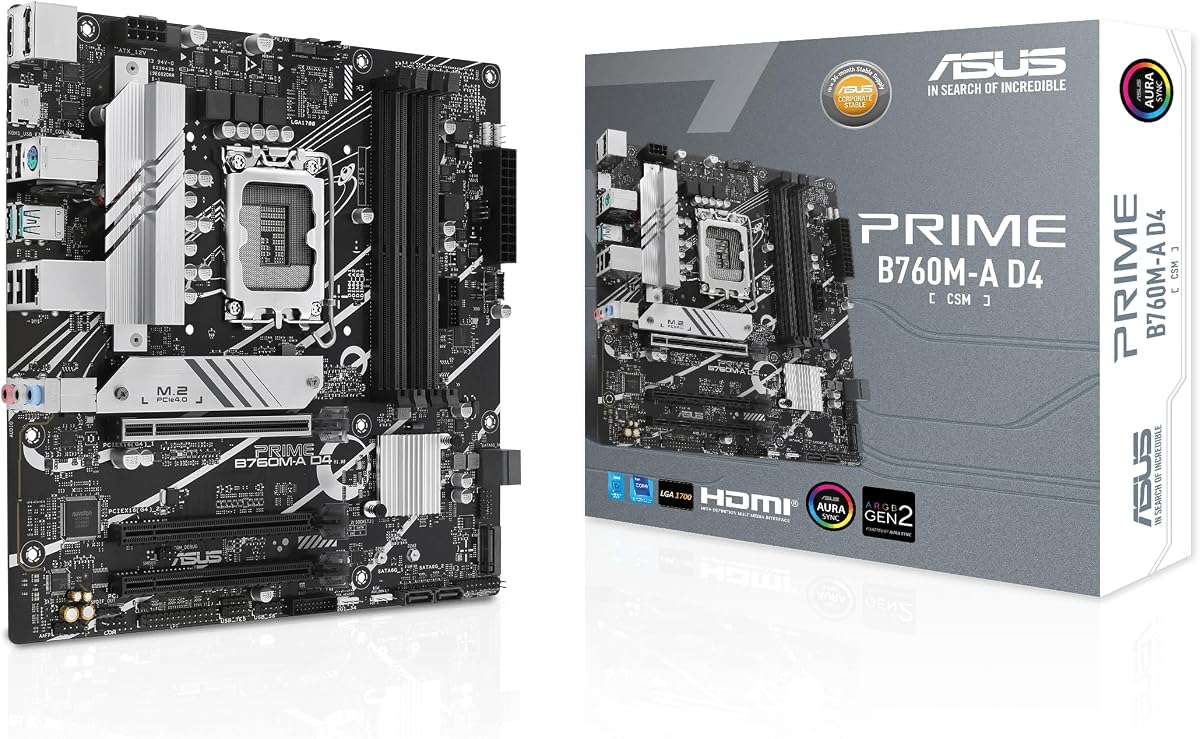
ASUS Prime B760M-A D4-CSM
4.0Editor score
B760 chipset support
DDR4 memory compatibility
2.5Gb Ethernet LAN
This guide compares the top 10 motherboards for Intel Core i5 14600K processors to help you find the perfect match for gaming and productivity workloads in
Choosing the right motherboard for your Intel Core i5 14600K is crucial for unlocking its full potential. A quality board ensures stable power delivery, robust connectivity, and the flexibility to upgrade components like RAM and storage in the future.
We evaluated these products based on chipset compatibility, VRM quality, expansion slots, and built-in features like WiFi and USB ports. Our analysis focuses on how each board supports the processor's unlocked nature for overclocking and high-performance tasks.
Each pick highlights key strengths and trade-offs to help you decide quickly. Prices and availability fluctuate frequently, so always verify the latest details on the product pages before making your final purchase decision today.
4.0Editor score

4.4Editor score

4.4Editor score
The following table provides a side-by-side overview of the top models. Compare key specifications like chipset, memory type, and connectivity options to find the best fit for your specific build requirements and budget.


The ASUS Prime B760M-A D4-CSM stands out as a reliable choice for users seeking stability and value. With a 4.0 rating, it offers a balanced mix of performance and features suited for business environments.
We may earn a commission when you buy through this link, at no additional cost to you.
It supports 14th Gen Intel processors out of the box and includes essential connectivity like 2.5Gb Ethernet. The OptiMem II technology ensures better signal integrity for memory, which helps maintain stability under load.
While it lacks the latest PCIe 5.0 bandwidth for next-gen GPUs, it provides sufficient PCIe 4.0 for current needs. The ASUS Control Center Express adds IT management capabilities that are rare at this price point.
This board is ideal for offices or home users who prioritize reliability over extreme gaming aesthetics. Its sturdy build and comprehensive cooling make it a strong candidate for daily productivity tasks.
The CSM program offers stable supply chains and end-of-life notifications for business continuity.
Careful trace routing and ground layer optimizations improve memory overclocking potential and stability.
We may earn a commission when you buy through this link, at no additional cost to you.
The Pro WS W680-ACE is a powerhouse designed for professional workloads requiring top-tier performance. Its 4.4 rating reflects its ability to handle demanding tasks with ease and reliability.
We may earn a commission when you buy through this link, at no additional cost to you.
With dual PCIe 5.0 slots and support for ECC memory, it ensures data integrity and maximum throughput for rendering or data analysis. The Thunderbolt 4 header provides ultra-fast external storage options for professionals.
While this board is expensive and overkill for casual gaming, its build quality is unmatched in the workstation segment. The advanced security features and BMC header offer enterprise-level management capabilities.
Buyers needing a workstation platform for content creation or scientific computing will find this board exceptional. It delivers unmatched stability and speed for those who cannot afford system downtime.
USB port management and software blacklisting help safeguard enterprise systems from unauthorized access.
SlimSAS and USB 3.2 Gen 2×2 ensure you are ready for next-generation storage and peripheral speeds.
We may earn a commission when you buy through this link, at no additional cost to you.
The ASUS B760M-AYW WiFi D4 II offers a compelling blend of modern features at a budget-friendly price. It received a 4.4 rating from users who appreciate its balance of cost and capability.
We may earn a commission when you buy through this link, at no additional cost to you.
It includes WiFi 6 connectivity which is rare in this price bracket, freeing up desk space from ethernet cables. The PCIe 5.0 x16 slot ensures compatibility with future graphics cards even if you use current hardware today.
While it does not support ECC memory or advanced workstation features, it is sufficient for gaming and general productivity. The VRM heatsink is robust enough to handle the 14600K without thermal throttling.
This board is a perfect entry point for gamers building their first PC with a 14th Gen CPU. It provides all the essential tools needed for a smooth setup without breaking the bank.
Integrated Wi-Fi 6 provides reliable wireless connectivity with higher speeds and lower latency.
Onboard Addressable Gen 2 headers allow you to sync RGB lighting across compatible hardware easily.
We may earn a commission when you buy through this link, at no additional cost to you.
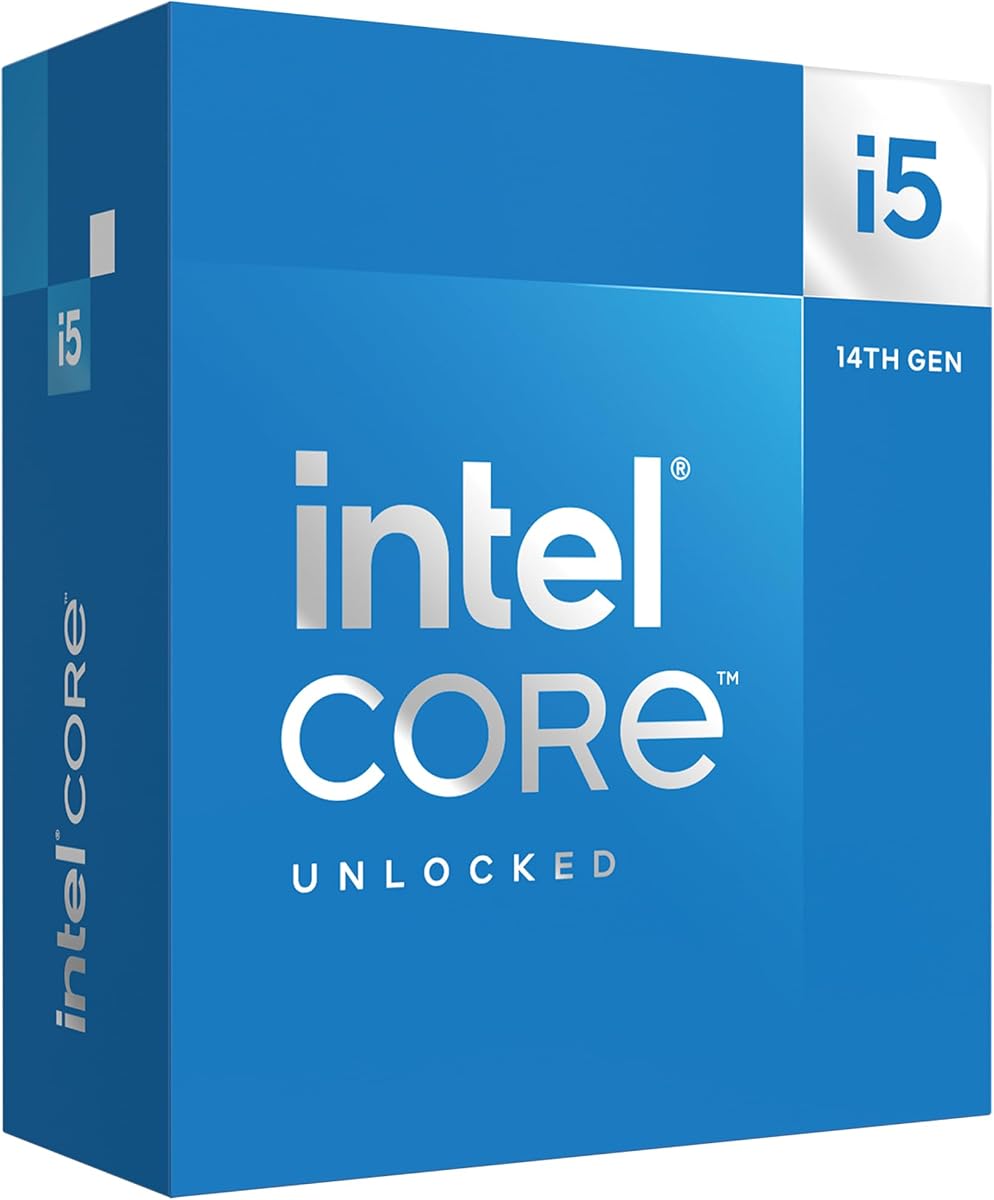
The Intel Core i5-14600K is the central component that drives the motherboard choice. It earns a 4.7 rating for its exceptional balance of gaming and productivity capabilities.
We may earn a commission when you buy through this link, at no additional cost to you.
With 6 P-cores and 8 E-cores, it handles multitasking while maintaining high frame rates in games. The unlocked multiplier allows enthusiasts to squeeze extra performance out of the system with proper cooling.
Integrated graphics ensure basic functionality even without a dedicated GPU, though a discrete card is recommended for gaming. The chip supports both DDR4 and DDR5 memory giving you flexibility in building costs.
This processor pairs best with Z790 or B760 boards to maximize its potential. It remains a top pick for anyone seeking a powerful CPU without the extreme costs of flagship models.
The hybrid architecture prioritizes workloads to optimize performance across diverse applications efficiently.
Support for both DDR4 and DDR5 allows you to choose the memory speed that fits your budget.
We may earn a commission when you buy through this link, at no additional cost to you.
This version of the i5-14600K emphasizes its core count and unlocked nature for performance enthusiasts. The 4.6 rating confirms its reliability as a core engine for modern gaming PCs.
We may earn a commission when you buy through this link, at no additional cost to you.
It supports PCIe 5.0 technologies which ensures longevity for your build as graphics cards evolve. The optimized hybrid architecture distributes workloads effectively to maintain smooth performance during intensive tasks.
While the power draw is significant compared to lower-end chips, the performance gains justify the energy use for serious users. Compatible boards should have robust VRMs to handle this load without instability.
It is an ideal choice for gamers who want high frame rates and streamers who need processing power for encoding. This CPU is ready to handle almost any modern application you throw at it.
Optimized for gamers and office applications to deliver high performance across different usage scenarios.
Support for PCIe 5.0 and 4.0 technologies ensures your system is ready for next-gen hardware.
We may earn a commission when you buy through this link, at no additional cost to you.
The ASUS Pro B760M-CT-CSM is designed for commercial environments where security and space are priorities. It holds a 4.4 rating for its dependability in business settings.
We may earn a commission when you buy through this link, at no additional cost to you.
It includes a TPM IC on board which is crucial for Windows 11 security requirements. The D-Sub header allows for legacy monitor connections which are still common in enterprise offices.
While it may not offer the latest high-speed interfaces for gamers, its stability is unmatched. The Q-LED Core helps quickly identify boot issues without needing a monitor during troubleshooting.
This board is perfect for building compact office PCs where security compliance is mandatory. Its small size fits into cases that would otherwise be too small for standard ATX boards.
TPM onboard ensures your system meets security standards without needing external add-ons.
Micro ATX form factor allows for smaller chassis designs ideal for space constrained environments.
We may earn a commission when you buy through this link, at no additional cost to you.
For budget focused builds the Intel Core i5-14400F offers a great alternative to the 14600K. With a 4.8 rating it is a favorite for users who want high core counts without the flagship cost.
We may earn a commission when you buy through this link, at no additional cost to you.
It features 6 P-cores and 4 E-cores which are sufficient for most gaming and office needs. The F suffix indicates no integrated graphics meaning you must use a dedicated GPU to boot.
This processor supports PCIe 5.0 and DDR5 which future proofs your system well. It consumes less power than the K variant making it easier to cool and easier on your power supply.
It is an excellent match for entry level gaming rigs or office stations needing multi-threaded performance. Just ensure you pair it with a motherboard that supports your chosen memory type.
Prioritizing and distributing workloads to optimize performance for a very competitive price point.
Supports PCIe 5.0 and DDR4 DDR5 memory ensuring compatibility with the latest peripherals.
We may earn a commission when you buy through this link, at no additional cost to you.
The Intel Core i5-14400 provides a balanced option for users who do not need overclocking capabilities. It holds a 4.6 rating for its reliability and ease of setup for general computing.
We may earn a commission when you buy through this link, at no additional cost to you.
It includes a Laminar RM1 cooler which simplifies the build process and saves money. Integrated graphics ensure you can use the PC without a dedicated GPU for basic tasks and diagnostics.
This chip is ideal for office environments where stability is more important than raw gaming performance. The memory support for both DDR4 and DDR5 allows flexibility in choosing your build components.
If you are building a workstation on a budget this CPU handles productivity tasks well. Just pair it with a compatible board to ensure you get the most out of its performance.
Includes the Intel Laminar RM1 Cooler to simplify your initial PC build process.
Performance hybrid architecture integrates two core microarchitectures for optimized workload handling.
We may earn a commission when you buy through this link, at no additional cost to you.
The Asrock B760M-H2/M.2 is a fantastic choice for those wanting DDR5 support on a budget. With a 4.8 rating it is highly praised for its value and basic feature set.
We may earn a commission when you buy through this link, at no additional cost to you.
It supports up to 7200MHz memory overclocking which is impressive for a budget board. The 5+1+1 power phase design is sufficient for non-overclocked 14th Gen CPUs like the 14600K.
While the audio and USB selection is basic the dual HDMI outputs are great for productivity monitors. It lacks RGB headers but this helps keep the cost down for essential users.
This board is perfect for budget gaming builds where performance matters more than aesthetics. It provides a stable foundation for your CPU and memory without unnecessary frills.
Supports DDR5 Dual Channel up to 7200+ OC for fast data access.
Two HDMI outputs allow for easy dual monitor setups for productivity.
We may earn a commission when you buy through this link, at no additional cost to you.
The MSI PRO H610M-G DDR4 is an entry level option for basic builds. Its 4.6 rating shows that it offers good value despite its lower chipset limitations.
We may earn a commission when you buy through this link, at no additional cost to you.
It supports DDR4 memory which keeps system costs low for general users. Steel Armor slots protect your graphics card against bending and interference for better durability.
You cannot overclock the CPU with this board so performance is limited to stock settings. However for non-gaming office PCs this is often a perfectly acceptable trade off for savings.
This board is best suited for those who need a simple PC for browsing and documents. It provides a stable base for older generation memory and basic graphics cards.
Steel Armor protects VGA cards against bending and EMI for better stability.
Offers support for the latest Intel processors at a very accessible price point.
We may earn a commission when you buy through this link, at no additional cost to you.
Selecting the right motherboard requires understanding how different components interact with your CPU. We break down the essential factors to consider before you make your purchase.
The chipset determines which features are available on your motherboard. The 14600K works with 600 and 700 series boards but Z790 and B760 offer the best balance of features and cost.
Always check that the board supports 14th Gen processors out of the box to avoid BIOS flashing issues.
The i5-14600K is an unlocked processor that can draw significant power under load. A board with robust VRMs ensures stable power delivery even during intensive tasks.
Look for boards with decent heatsinks on the VRMs to prevent thermal throttling during extended use.
Modern motherboards support either DDR4 or DDR5 memory. DDR5 offers higher speeds but costs more while DDR4 remains a budget friendly option.
Choose DDR5 if you want future proofing or DDR4 if you are on a tight budget.
The physical size of the motherboard must match your computer case. ATX boards are larger with more slots while Micro ATX boards save space.
Measure your case before buying to ensure the board fits correctly without any issues.
USB ports and Ethernet speeds vary between models. Look for USB Type-C rear ports and 2.5Gb Ethernet if you need fast data transfer.
Check if wireless internet is built-in or if you need to use a separate card for connectivity.
The number of PCIe slots determines how many graphics cards or capture cards you can install. Ensure you have enough space for your GPU.
PCIe 5.0 support on the x16 slot helps future proof your system for next-gen graphics cards.
M.2 slots provide fast storage for your operating system and games. Look for boards with at least two M.2 slots for flexibility.
Ensure the slots support the PCIe generation you need for maximum SSD speeds.
High-performance CPUs generate heat that must be managed. Motherboards with large VRM heatsinks help dissipate heat effectively.
Check for hybrid fan headers to manage your case cooling efficiently.
Always handle the motherboard by its edges to avoid damaging sensitive electronic components. Static electricity can cause permanent damage so use an anti-static wrist strap when installing.
Keep the motherboard away from moisture and dust. Use a case with good airflow to maintain low temperatures inside your PC.
Regularly update your BIOS to ensure compatibility with the latest processors and features. Download updates only from the manufacturer's official website.
No you can use a B760 board for the 14600K if you do not need advanced overclocking. Z790 boards offer more PCIe lanes and USB ports but cost more. B760 is sufficient for most users.
DDR5 is faster and future proofing but DDR4 is more affordable. For gaming the difference is small so DDR4 can save money without sacrificing much performance.
The 14600K runs warm under load so a quality air cooler or 240mm liquid cooler is recommended. Stock coolers are not sufficient for long sessions.
No many budget boards do not include WiFi built-in. Look for WiFi 6 or WiFi 6E if you need wireless connectivity without adding extra cards.
Yes but you may need to update the BIOS first. It is safer to use a 700 series board to ensure immediate compatibility without extra steps.
At least two M.2 slots are recommended for your OS and games. Some high-end boards offer three or four slots for storage expansion.
The 14600K has a base power of around 125 watts but can draw significantly more during peak loads. Ensure your power supply can handle this load efficiently.
Yes it has a mix of performance and efficiency cores that help with multitasking. It handles video editing and rendering well without the cost of flagship CPUs.
We reviewed ten top options ranging from budget picks to premium workstation boards. Each model offers unique features to suit different needs and budgets.
Prioritize VRM quality and connectivity features when making your decision. Your motherboard is the backbone of your system so reliability should be your top concern.
Check current prices and stock before you buy to ensure you get the best deal. Deals change frequently and availability varies by region.

