
Entina Tina2C
4.4Editor score
Starts printing in 8 minutes
Compact mini size for desks
WiFi control and offline mode
This guide compares the top 3D printer for educational use models featuring safety, ease of use, and STEM capabilities for students and classrooms.
Finding the right 3D printer for educational use requires balancing safety, ease of setup, and robust features that support learning. Schools and homes need machines that are reliable and encourage creativity without overwhelming beginners with complex calibration or maintenance tasks.
We evaluated ten leading models based on their automation features, safety certifications, build volume, and support for educational workflows. Our analysis focuses on how each printer handles filament changes, bed leveling, and software integration to ensure a smooth learning curve for students and teachers alike.
Each pick highlights specific strengths like auto-leveling, enclosed safety chambers, or AI-driven design tools suitable for STEM projects. Prices and availability can shift frequently so always check current listings before purchasing to ensure you get the best value for your educational budget today.
4.4Editor score

4.7Editor score

4.6Editor score
This side-by-side comparison highlights key differences across all ten models including speed, safety features, build size, and software capabilities to help you choose the right fit.





The Bambu Lab A1 stands out as the top choice for educational settings due to its balance of speed precision and ease of use. With a rating of 4.7 it delivers exceptional performance for students learning design and engineering without the usual technical hurdles of traditional printers.
We may earn a commission when you buy through this link, at no additional cost to you.
Its high-speed precision allows for rapid prototyping which keeps students engaged by reducing wait times between design iterations. The full-auto calibration system ensures that every print starts correctly minimizing failed attempts that can frustrate beginners and waste valuable class time or materials.
While the active flow rate compensation ensures smooth prints the requirement to buy AMS lite separately for multi-color printing is a minor trade-off. This modular approach lets schools start basic and upgrade later which helps manage budgets while still offering creative color options.
This printer is ideal for classrooms or home STEM projects where reliability and safety are priorities. Its quiet operation and user-friendly interface make it accessible for younger students ensuring that the focus remains on creativity and learning rather than machine maintenance.
The 10000 mm/s2 acceleration enables fast prints that fit well within typical school class periods allowing for multiple design iterations in one session.
Automatic Z-offset and bed leveling mean teachers spend less time troubleshooting setup issues and more time guiding students through creative projects.
We may earn a commission when you buy through this link, at no additional cost to you.
The Entina Tina2C is a standout budget option designed specifically for kids and beginners who need a simple reliable introduction to 3D printing. Its 4.4 rating reflects high satisfaction among parents and educators looking for an affordable tool that still delivers quality educational experiences.
We may earn a commission when you buy through this link, at no additional cost to you.
With a fully assembled design users can start printing in just 8 minutes making it perfect for short classroom activities or quick home projects. The Poloprint Cloud app provides guided setup and access to 20+ creative DIY modules that teach STEM concepts through hands-on making.
While the 3.9 inch build volume limits larger projects this compact size is ideal for desks and smaller workspaces. The trade-off is acceptable for learning basics and the WiFi control flexibility ensures compatibility with Chromebooks and other school devices without needing complex networks.
This mini printer is best suited for elementary or middle school settings where safety and simplicity are key. Its quiet operation and low maintenance requirements make it a practical choice for teachers who want to integrate 3D printing without needing specialized technical support.
Regularly updated STEM learning courses and interactive tools help students apply math and science principles in real-world creative contexts.
Support for both 2.4G WiFi and offline TF card modes ensures printing can continue even if network connectivity is unstable during lessons.
We may earn a commission when you buy through this link, at no additional cost to you.
The Ugee Funbox offers a premium experience focused on safety and creative freedom for kids. With UL GREENGUARD Gold certification it ensures clean air and non-toxic materials which is crucial for classrooms or home use where health safety is a top priority.
We may earn a commission when you buy through this link, at no additional cost to you.
Its AI-powered creation tools transform photos voice or text into printable models instantly removing technical barriers and letting children focus on design thinking. The library of over 12000 print-tested toys provides endless inspiration and encourages students to modify and improve existing designs.
While it supports single-color PLA printing only this limitation helps simplify the workflow for beginners who might find multi-color systems overwhelming. The built-in camera and time-lapse feature add an educational layer by letting students observe and analyze the printing process step by step.
This printer is best for settings where safety and engagement are paramount. Its fast quiet operation and guided video courses make it a comprehensive learning tool that turns screen time into meaningful hands-on creation for curious minds of all ages.
Fully enclosed body with anti-pinch door and cool-touch exterior protect little fingers while H12 HEPA filters reduce airborne particles and odors.
Built-in AI assistant walks kids through design steps fostering problem-solving skills as they adjust angles or supports to fix structural issues.
We may earn a commission when you buy through this link, at no additional cost to you.
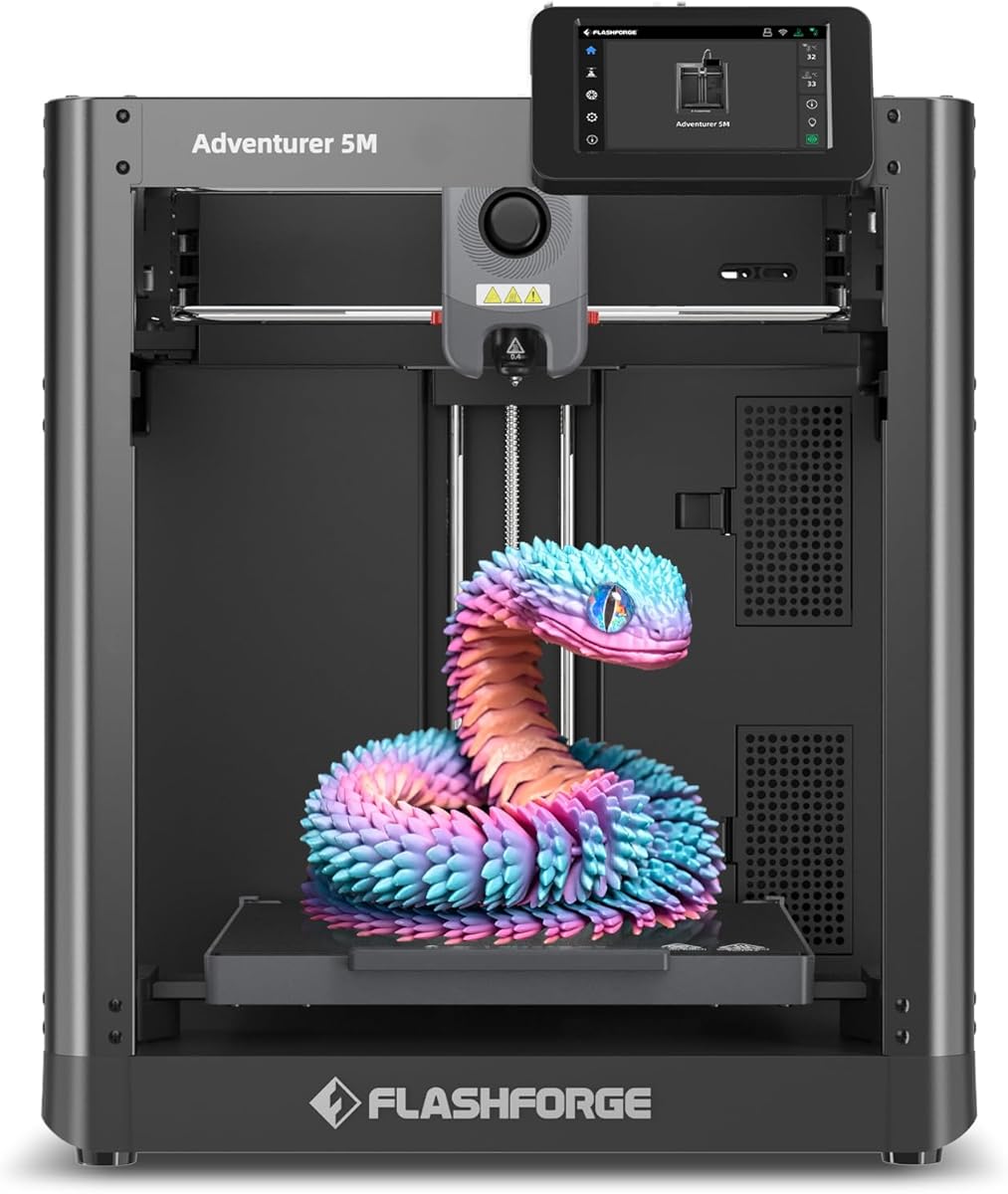
The FLASHFORGE Adventurer 5M brings high-speed capabilities to educational settings with its 600mm/s travel speed and CoreXY all-metal structure. While the 3.9 rating indicates mixed user experiences its performance features make it a powerful tool for advanced prototyping and rapid iteration projects.
We may earn a commission when you buy through this link, at no additional cost to you.
Its direct extruder reaches 280°C allowing for a wide range of filaments including engineering materials that other educational printers might not support. The 3-second detachable nozzle change simplifies maintenance and ensures students can quickly switch between different project needs without extensive tool changes.
The open design allows for better heat dissipation but may be less safe for unsupervised environments. However, vibration compensation and auto leveling help maintain quality despite the speed making it a solid choice for schools with proper supervision or older students learning engineering principles.
This printer is best for high schools or makerspaces where speed and material versatility are needed. Remote app monitoring lets teachers track multiple machines efficiently ensuring that printing sessions run smoothly even when direct supervision is not constant during class time.
The 280°C extruder supports high-temp filaments enabling experiments with durable materials that better simulate real-world engineering applications.
Fast warm-up and print speeds mean students can complete multiple test prints in a single lesson period maximizing hands-on learning time.
We may earn a commission when you buy through this link, at no additional cost to you.
The Bambu Lab P1S is built for educational environments that need safety and versatility with its fully enclosed body. A 4.5 rating reflects strong performance in handling advanced filaments like ABS and ASA which are often required for functional parts in engineering or design classes.
We may earn a commission when you buy through this link, at no additional cost to you.
Its 500mm/s printing speed ensures that complex models do not take too long to print keeping students engaged throughout the project lifecycle. The automatic bed leveling simplifies setup so teachers can focus on curriculum rather than troubleshooting printer calibration issues daily.
While multi-color printing requires a separate AMS module this flexibility allows schools to scale their capabilities as budgets grow. The enclosed design also reduces noise and fumes making it suitable for indoor classrooms where air quality and student comfort are important considerations.
This printer is ideal for secondary education or university labs where material science and advanced design are taught. Its quick setup and reliable performance make it a long-term investment that supports a wide range of academic projects from basic models to complex prototypes.
Fully enclosed body protects students from hot moving parts and reduces noise creating a safer quieter environment for focused learning.
Supports engineering-grade filaments like ABS and ASA allowing students to print functional parts that withstand heat and stress tests.
We may earn a commission when you buy through this link, at no additional cost to you.
The FLASHFORGE AD5M emphasizes reliability and ease of maintenance with its quick-swap nozzle and automatic calibration system. With a 4.3 rating it offers a strong balance of speed and durability making it a good choice for schools that need consistent uptime without constant technician support.
We may earn a commission when you buy through this link, at no additional cost to you.
Its one-click leveling system ensures precise nozzle-to-bed distance which reduces failed prints and saves time for educators managing multiple students. The power loss resume feature is particularly useful in classrooms where unexpected outages could disrupt long print runs and waste educational materials.
The all-metal CoreXY structure provides smooth motion that supports high-speed printing without compromising on quality or structural integrity over time. Network monitoring via the Flash Maker APP allows IT staff to oversee printer status remotely streamlining maintenance and ensuring devices stay operational during lessons.
This model is best suited for environments where reliability and quick repair are key. Its flexible PEI plate and robust design make it easy to remove prints and maintain ensuring that students spend more time creating and less time fixing printer issues or troubleshooting errors.
Tool-free nozzle swaps in just 3 seconds minimize downtime allowing teachers to quickly resolve issues and resume classroom activities.
Auto calibration and power resume ensure consistent successful prints reducing frustration and material waste in high-turnover school environments.
We may earn a commission when you buy through this link, at no additional cost to you.
The Bambu Lab P2S Combo delivers professional-grade multi-color capabilities out of the box making it an exciting tool for creative educational projects. With a 4.7 rating it excels in precision and color variety which inspires students to design complex models that mimic real-world objects more accurately.
We may earn a commission when you buy through this link, at no additional cost to you.
Its adaptive airflow system adjusts cooling and heat retention automatically supporting a wide range of filaments for different lesson plans. The built-in filament dryer keeps materials ready for use reducing errors caused by moisture absorption that could ruin prints during a timed classroom activity.
While the cost is higher than basic models the inclusion of AMS 2 Pro for seamless color changes justifies the investment for advanced programs. Access to over a million models on MakerWorld provides endless inspiration and ready-to-print files that save valuable class preparation time.
This printer is ideal for advanced high school or art and engineering programs where visual complexity matters. The combination of speed quality and color variety enables students to showcase their work professionally while learning about color theory and material properties hands-on.
Multi-color printing allows students to explore how color affects design perception and functionality creating more engaging final projects.
Built-in filament drying ensures consistent print quality by preventing moisture-related defects that can complicate student learning.
We may earn a commission when you buy through this link, at no additional cost to you.
The FLASHFORGE Adventurer 5M version includes advanced vibration compensation to ensure high-quality prints even at high speeds. With a 4.3 rating it provides a reliable platform for teaching precision engineering where surface quality and dimensional accuracy are critical learning objectives for students.
We may earn a commission when you buy through this link, at no additional cost to you.
Its CoreXY motion system accelerates from zero to 600mm/s in just 0.025 seconds which drastically reduces wait times and keeps students actively involved. The filament run-out sensor and power loss recovery features ensure that materials are not wasted when interruptions occur during long print sessions.
While the open design allows for better airflow it may limit material options compared to enclosed models. However the dual-sided PEI plate and direct extruder support for materials like PLA-CF provide enough versatility for most educational needs without requiring expensive upgrades or additional hardware.
This printer is best for schools focused on technical performance and quick turnaround. Its robust design and safety features like run-out detection make it a practical choice for environments where multiple students use the printer in rotation and supervision may vary.
Vibration compensation eliminates ghosting ensuring students produce clean professional prints that demonstrate proper design and engineering skills.
Filament run-out and power resume features prevent material waste teaching students about resource efficiency and project planning.
We may earn a commission when you buy through this link, at no additional cost to you.
The Snapmaker U1 introduces a unique four-toolhead system that enables true multi-material printing without manual swaps which is a game-changer for advanced educational projects. With a 4.5 rating it supports functional prototypes with soluble supports or flexible parts that teach complex engineering concepts effectively.
We may earn a commission when you buy through this link, at no additional cost to you.
Its 5-second tool changer reduces waste and time compared to traditional systems allowing for faster iterations. The CoreXY motion system ensures stable high-speed printing even with varied materials so students can experiment with different material properties in a single print.
While the higher price may be a barrier some schools the flexibility it offers in teaching multi-material design justifies the cost for dedicated labs. AI-powered monitoring and a large build volume mean students can work on larger projects without worrying about frequent stops or manual intervention.
This printer is best for university or specialized high school engineering labs. Its ability to combine rigid flexible and soluble materials lets students create parts that function in real-world conditions preparing them for professional design challenges and advanced prototyping workflows.
Independent toolheads switch seamlessly allowing students to combine materials like TPU and rigid filaments in one print without interruption.
Reduced waste and faster changes mean more project time for students to explore creative solutions and design variations.
We may earn a commission when you buy through this link, at no additional cost to you.
The Bambu Lab A1 Mini Combo is a compact yet powerful option for educational spaces where desk space is limited. With a 4.2 rating it brings the high-speed and auto-calibration benefits of the larger A1 to a smaller footprint making it ideal for classrooms or home setups.
We may earn a commission when you buy through this link, at no additional cost to you.
Its multi-color capability via the included AMS lite encourages creativity by letting students produce detailed models with different colors. The pre-assembled design reduces setup time to about 20 minutes so learning can begin almost immediately without technical hurdles or complex assembly steps.
While the smaller build volume limits the size of objects that can be printed it is perfect for jewelry miniatures and detailed prototypes. The quiet operation ensures that the printer does not distract students during lessons maintaining a focused environment for learning and discussion.
This printer is best for schools needing multiple units within a budget. Its reliability and low noise make it easy to integrate into regular classrooms enabling teachers to provide more hands-on 3D printing experiences without requiring specialized labs or dedicated engineering spaces.
Compact size fits easily on standard desks allowing schools to deploy more printers across classrooms without needing large dedicated labs.
AMS lite included for multi-color printing helps students learn color theory and design composition through practical creation.
We may earn a commission when you buy through this link, at no additional cost to you.
Selecting the right 3D printer for education involves evaluating safety speed and ease of use to match the learning environment.
Look for certifications like UL GREENGUARD that ensure low emissions and safe materials for indoor classroom use. A fully enclosed design with a anti-pinch features protects students from hot surfaces and moving parts during operation.
Safety should always be a top priority especially for younger students to minimize health risks and accidents.
Auto-bed leveling and full-auto calibration features reduce the need for manual adjustments that can frustrate beginners. This ensures consistent prints and saves teachers time that would otherwise be spent troubleshooting setup issues.
Choose models that minimize manual tuning to keep focus on creativity rather than machine maintenance.
Fast printing speeds allow for multiple design iterations within a single class period keeping students engaged. Higher acceleration and travel speeds help complete complex models faster enabling more practical learning experiences.
Higher speeds reduce wait times and increase student satisfaction and productivity.
Consider the size of projects students will create; smaller builds suit personal items while larger ones allow for more complex prototypes. A compact size helps save space but may limit the scale of engineering projects.
Choose build size based on typical project scale and available workspace.
Support for a variety of filaments like PLA PETG and engineering materials expands the range of possible lessons. Educational printers should allow switching materials to teach different properties and applications.
Ensure the printer can handle the materials needed for your curriculum plans.
User-friendly slicers and mobile apps help teachers monitor prints and manage settings remotely. Integration with learning platforms or STEM apps enhances the educational value by providing guided projects and tutorials.
Select systems with intuitive software to lower the learning curve for both students and staff.
Features like quick-swap nozzles and self-cleaning mechanisms reduce downtime and maintenance costs over time. Reliable hardware means the printer stays operational throughout the school year without frequent repairs.
Prioritize models with easy maintenance to maximize uptime and minimize teacher workload.
Quiet printers ensure that the device does not disturb other classroom activities or student concentration. Lower decibel ratings are important for indoor settings where many devices might operate simultaneously.
Choose quiet options to maintain a focused learning environment.
Start by loading the filament according to the manufacturer's guide ensuring it is dry and free of tangles. Use auto-calibration tools to level the bed before the first print to ensure good adhesion and avoid failed layers.
Monitor the first few layers through the app or screen to catch issues early like poor first-layer adhesion or nozzle clogs. Regularly clear the nozzle of residue and replace parts like PEI sheets if prints start sticking too well or not at all.
Store filament in a dry environment to prevent moisture absorption that can cause poor print quality. Schedule regular maintenance checks such as cleaning fans and tightening belts to keep the printer running smoothly throughout the school year.
Yes most educational models include safety features like enclosed bodies cool-touch exteriors and air filters. Always supervise younger users and follow manufacturer guidelines to ensure safe operation in classrooms.
Print times vary by size and complexity but faster printers can complete small projects in under 30 minutes. High-speed models reduce wait times making them more suitable for classroom lessons.
Many educational printers arrive pre-assembled or require minimal setup under 20 minutes. Look for fully assembled models to save time and reduce complexity for teachers and students.
Yes schools can schedule print jobs or use network monitoring apps to queue tasks for multiple users. Proper scheduling prevents conflicts and maximizes the printer's availability.
PLA is the safest easiest material for beginners due to low emissions and simple handling. Advanced classes can use PETG or ASA for stronger parts if ventilation is adequate.
Use auto-bed leveling and monitor the first layer closely to ensure proper adhesion. Keeping the filament dry and using a clean PEI plate also reduces failures significantly.
The top picks like the Bambu Lab A1 Entina Tina2C and Ugee Funbox offer diverse options balancing speed safety and creative tools for different age groups and settings.
Prioritize safety certifications and ease of use when selecting a printer to ensure smooth integration into your curriculum without excessive maintenance or technical barriers.
Always verify current pricing and availability since models update frequently ensuring you choose the right fit for your educational goals and budget today.