
External Blu-ray Drive Portable Player
3.8Editor score
Lightweight and portable design
USB 3.0 and Type C
Plug and Play functionality
This guide compares the top external Blu Ray Drive models for 2026 focusing on compatibility speed and build quality to help you choose the right optical drive.
Modern laptops often omit internal optical drives forcing users to seek external solutions for media playback and data archiving. An external Blu Ray Drive bridges this gap offering high capacity storage access and superior video quality compared to standard DVDs.
We evaluated ten leading models based on read write speeds portability and system compatibility. Each unit was scrutinized for USB connectivity options build durability and support for various disc formats including BD-R and M-DISC to ensure reliable performance.
Every selection below highlights specific strengths ranging from budget friendly options to premium TAA compliant units. Please note that product availability and pricing fluctuate frequently so verify current details before making your final purchase decision.
3.8Editor score

4.7Editor score

4.2Editor score
The following table provides a side by side overview of key specifications and features for each of the ten selected drives to facilitate quick comparison.



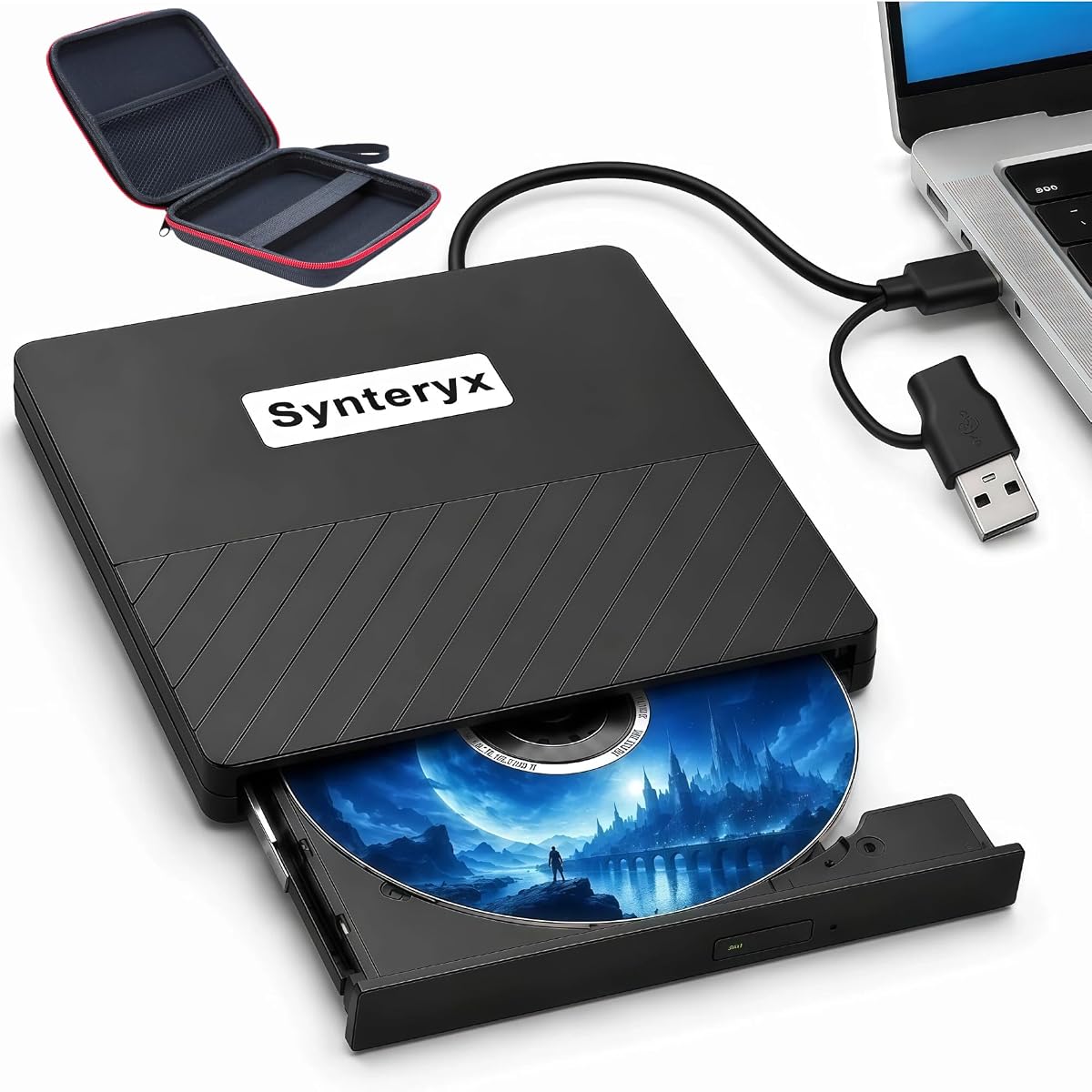

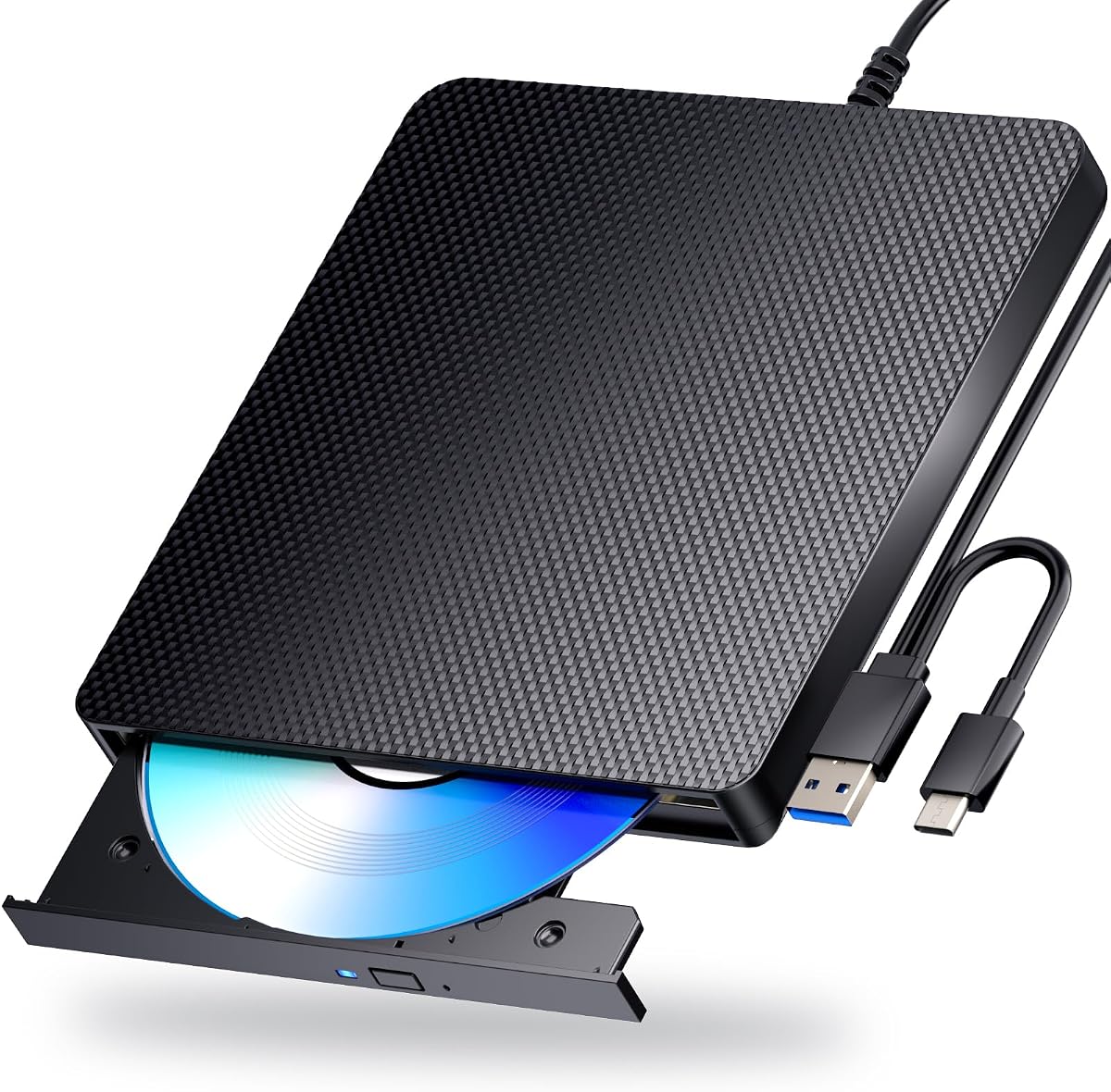
The archgon Premium Aluminum External USB 3.0 UHD 4K Blu-Ray Writer Super Drive stands out for its high-end construction and support for Ultra High Definition media. With a rating of 4.2 stars it appeals to users seeking a durable and visually appealing drive that handles regular Blu-Ray and UHD content.
We may earn a commission when you buy through this link, at no additional cost to you.
This drive features a CNC aluminum body that offers both durability and a sleek aesthetic suitable for modern workstations. It supports M-DISC BD-R for long-term data archiving and reads UHD discs when paired with appropriate software like CyberLink PowerDVD.
While it excels in build quality and UHD support it does not offer a suitable UHD software solution for Mac users meaning you can only play regular Blu-Ray on macOS. Additionally it requires third-party software for playback which adds to the setup complexity.
This drive is ideal for users on Windows systems who value premium build quality and UHD playback capabilities. It is a strong recommendation for those needing reliable optical media access with robust data preservation options.
The CNC aluminum body ensures durability and offers a sleek look that matches high-end desktop setups.
Supports reading and writing UHD 4K Blu-Ray discs providing superior video quality for compatible content.
We may earn a commission when you buy through this link, at no additional cost to you.
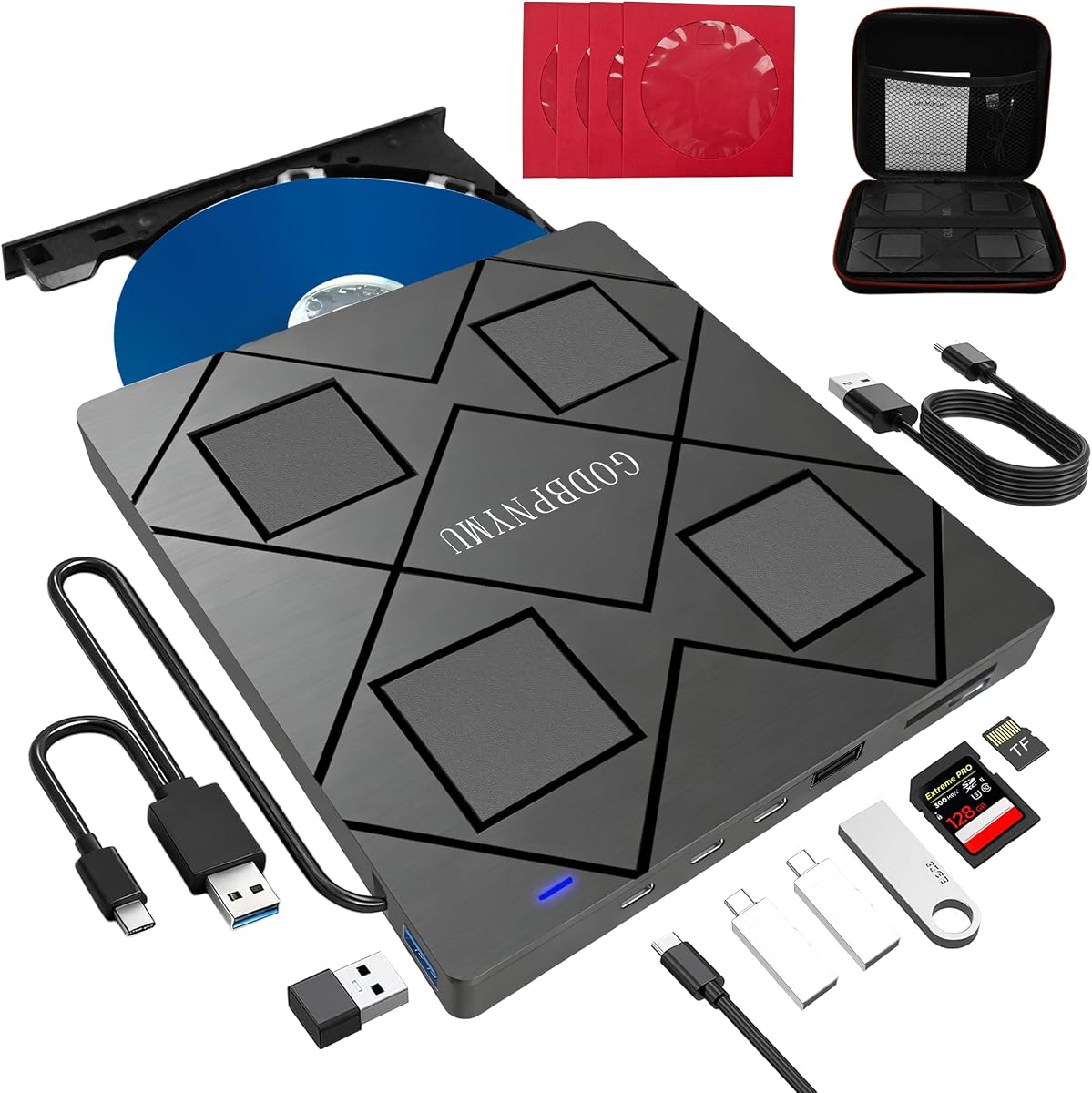
This 8-in-1 External Blu-ray Drive functions as a comprehensive media hub offering reading and burning capabilities alongside a built-in USB hub and card reader. It is designed for users who need to consolidate multiple peripheral functions into a single compact device.
We may earn a commission when you buy through this link, at no additional cost to you.
The drive supports BD DVD and CD formats with read speeds of 6x 8x and 24x respectively. It includes a USB hub with Type-C and USB-A ports allowing connection to keyboards mice and other peripherals without needing additional adapters.
While it offers great utility it does not support 4K playback and the maximum Blu-ray recording capacity is limited to 50GB. Users should also note that TF and SD cards cannot be read simultaneously which may limit workflow efficiency.
Ideal for professionals and students who require a portable all-in-one solution this drive provides excellent versatility for data transfer and media playback. The included carrying case adds to its convenience for travel and daily commuting.
Combines optical drive functionality with USB hubs and card slots to reduce cable clutter.
Ultra-slim profile fits easily into laptop bags making it perfect for on-the-go use.
We may earn a commission when you buy through this link, at no additional cost to you.
The BUFFALO 6X Portable Blu-ray Drive has earned our Editor's Choice award for its exceptional build quality and reliable performance across various platforms. With a high rating of 4.7 stars it delivers consistent read and write speeds that users can depend on for critical data.
We may earn a commission when you buy through this link, at no additional cost to you.
Made in Japan this drive adheres to strict quality standards and is TAA Compliant making it suitable for government and enterprise procurement. It features USB 3.2 connectivity with both Type-A and Type-C adapters ensuring broad device compatibility and fast data transfers.
While it excels in reliability and durability it comes with a higher price tag compared to other options. Additionally some users may find the lack of an integrated power source limiting when using it with lower powered USB ports.
This drive is an excellent choice for users prioritizing data integrity and long-term archival capabilities with M-DISC support. It is highly recommended for those seeking a robust and compliant solution for their optical media needs.
Designed to meet US government procurement standards ensuring broad compliance for institutional use.
Supports M-DISC for creating data that can withstand temperature light and humidity for up to 1000 years.
We may earn a commission when you buy through this link, at no additional cost to you.
This 8-in-1 External blu ray Drive combines optical media functions with extensive connectivity options making it a versatile tool for daily tasks. It supports BD DVD and CD formats and includes a multi-port USB hub to expand your laptop capabilities.
We may earn a commission when you buy through this link, at no additional cost to you.
The dual interface cable supports both USB-A and USB-C connections providing flexibility for modern and older devices. Its slim and portable design makes it easy to carry around while the included carrying case and sleeves help protect discs from damage.
Users should be aware that this drive does not support 4K playback and the maximum Blu-ray recording capacity is limited to 50GB. Additionally it requires third-party software for 3D playback which may be a minor hurdle for some.
Ideal for users looking for an all-in-one solution that offers both optical media access and peripheral connectivity this drive is a strong contender. It is particularly useful for those who frequently travel and need a compact media center.
Includes USB-C USB-A and SD/TF slots to connect multiple devices simultaneously.
Ultra-slim profile and included carrying case make it ideal for travel and daily commuting.
We may earn a commission when you buy through this link, at no additional cost to you.
The External Blu-ray Drive Portable Blu-ray Player offers an affordable solution for users needing basic optical media access without breaking the bank. It supports CD and DVD burning but only reads Blu-ray discs providing a cost-effective entry point.
We may earn a commission when you buy through this link, at no additional cost to you.
With a lightweight and sleek design this drive is easy to carry and connects via USB 3.0 or Type-C for broad compatibility. It features a plug and play setup making it straightforward to use with Windows Mac and Linux systems.
While it is budget-friendly the limitation to reading Blu-ray discs may be a drawback for those needing to burn Blu-rays. Additionally playback of Blu-ray content requires third-party software which is not included with the unit.
This drive is best suited for casual users who primarily need to read Blu-ray content or burn CDs and DVDs. It is a practical choice for students or home users with basic optical media needs.
Plug and play functionality ensures no complex driver installations are required.
Provides essential optical media functions at a competitive price point.
We may earn a commission when you buy through this link, at no additional cost to you.
This External blu ray Drive is designed for stability and ease of use making it a reliable choice for daily media tasks. It supports a wide array of disc formats and offers high-definition 3D Blu-ray playback for enhanced viewing experiences.
We may earn a commission when you buy through this link, at no additional cost to you.
The drive features an anti-skid rubber feet design that keeps it secure on your desk during operation. It is compatible with major operating systems and works seamlessly with most laptops and desktops without requiring complex driver installations.
However for stable operation it is recommended to connect the power adapter especially when using it with a laptop. Some Windows 11 installations may also face compatibility issues due to system variations.
Ideal for users seeking a straightforward media solution this drive offers good value for its functionality. It is well-suited for home entertainment and basic data backup tasks.
Anti-skid rubber feet ensure the drive remains secure during operation.
Supports 3D Blu-ray discs for immersive entertainment experiences.
We may earn a commission when you buy through this link, at no additional cost to you.
The Dainty External Blu ray Drives Player offers strong compatibility across various operating systems including Windows Mac and Linux. It is designed to handle BD CD and DVD discs efficiently with fast read speeds and low noise operation.
We may earn a commission when you buy through this link, at no additional cost to you.
A standout feature is the dual USB power design which includes an additional USB power cable to ensure stable operation during reading and writing tasks. This reduces the likelihood of interruptions caused by insufficient power supply.
While it works well with most devices it is not compatible with TVs tablets or vehicles. Users will also need to purchase third-party software separately for Blu-ray playback and writing functions.
This drive is a solid option for users needing a reliable and versatile optical drive for general use. It is particularly useful for those experiencing power issues with other external drives.
Dual USB power design ensures smooth disc reading and writing operations.
Works seamlessly with Windows Mac and Linux systems for flexible use.
We may earn a commission when you buy through this link, at no additional cost to you.
This External blu ray Drive stands out for its durable design and support for high-definition 3D Blu-ray playback. It offers a simple plug and play experience connecting via USB-A or Type-C cables without additional drivers.
We may earn a commission when you buy through this link, at no additional cost to you.
The body features a scratch-resistant matte finish and anti-skid rubber feet that keep it secure on any surface. It supports a wide range of disc formats including BD-R BD-RE DVD-R and CD-R making it versatile for various media tasks.
Similar to other models it is recommended to use a power adapter for stable performance especially on laptops. Some users may encounter compatibility issues with certain Windows 11 installations.
It is an excellent choice for users who prioritize durability and 3D media playback. Ideal for home entertainment and regular data backup needs.
Scratch-resistant finish and anti-skid feet ensure longevity and stability.
Enables playback of 3D Blu-ray discs for immersive viewing.
We may earn a commission when you buy through this link, at no additional cost to you.
The External Blu Ray CD DVD Drive is a slim and portable device that integrates an SD/TF card slot into its design offering convenient file transfer options. It supports BD DVD and CD formats and connects via USB 3.0 or Type-C for broad compatibility.
We may earn a commission when you buy through this link, at no additional cost to you.
Its lightweight and thin profile makes it easy to carry around while the embedded cable design prevents loss and keeps things organized. It works seamlessly with Windows Mac and Linux systems for seamless plug and play functionality.
While it offers good functionality it does not support 4K Ultra HD Discs playback. Additionally playback software must be purchased separately for optimal performance.
This drive is a great option for users seeking a compact and organized solution for their optical media needs. It is well-suited for portable use and simple media playback.
SD/TF card slot allows quick file transfers without extra hardware.
Slim profile and embedded cable design make it easy to carry.
We may earn a commission when you buy through this link, at no additional cost to you.
This Dainty External Blu ray Drives Player has received a perfect 5.0 rating reflecting high customer satisfaction and reliability. It offers powerful functions including fast read speeds and strong error correction capabilities for smooth performance.
We may earn a commission when you buy through this link, at no additional cost to you.
The dual USB power design ensures stable operation even with power limited ports reducing the chance of playback interruption. It supports a wide range of formats and offers seamless compatibility with Windows Mac and Linux systems.
While it performs well it requires third-party software for playback and is not compatible with tablets TVs or vehicles. Users will need to source this software separately.
Ideal for users prioritizing reliability and performance this drive is a top choice for general optical media tasks. It is particularly recommended for those needing a stable power supply for smooth operations.
High rating reflects consistent performance and reliability in real-world use.
Dual USB power design reduces playback interruption risks.
We may earn a commission when you buy through this link, at no additional cost to you.
Choosing the right external Blu Ray Drive requires considering various factors to ensure it meets your specific needs.
Ensure the drive supports your operating system such as Windows Mac or Linux. Some models offer better support for specific systems and may require additional drivers for full functionality.
Check that the drive is compatible with your device's operating system to avoid installation issues.
Look for drives with slim and lightweight designs if you plan to travel frequently. The build quality should be durable to withstand regular handling and transport.
Prioritize compact and durable designs for ease of carrying and long-term reliability.
Verify that the drive offers the necessary connections such as USB-A USB-C or both for your devices. Some models include multiple ports for connecting additional peripherals simultaneously.
Choose a drive with versatile connectivity to match your available ports and peripheral needs.
Confirm that the drive supports the formats you need such as BD-R BD-RE M-DISC and DVDs. Some units may have limitations on recording capacity or playback features like 4K.
Ensure the drive supports all required disc formats and playback features for your usage.
Many drives require third-party software for playback or writing functions which adds to the overall cost and setup time. Check if any software is included or if it must be purchased separately.
Account for the need of external software when budgeting and planning your setup.
Some drives need external power supplies for stable operation especially when used with laptops. Ensure you have access to a power source or check if the drive can function with bus power alone.
Consider whether the drive requires additional power to avoid connectivity issues during use.
Higher USB versions such as USB 3.0 or USB 3.2 offer faster data transfer rates which can significantly reduce waiting times. Look for specifications that align with your performance expectations.
Prioritize higher USB standards for better performance when transferring large media files.
Check the warranty terms and customer support options provided by the manufacturer. A longer warranty period and responsive support can save you hassle in case of defects or issues.
Ensure the product comes with a solid warranty and accessible customer support.
To get started connect the drive to your computer using the provided USB cable. If you experience power issues consider plugging the additional power cable into a separate USB port or adapter.
Install any required playback or burning software as some drives do not come with built-in support. Refer to the user manual for installation instructions and compatibility information.
Keep the drive clean by wiping it gently with a soft dry cloth. Store it in a protective case when not in use to prevent scratches and damage to the optical components.
Most external Blu Ray drives are compatible with macOS but functionality may vary. Some models support regular Blu-Ray playback on Mac but may lack support for Ultra High Definition content requiring specific software.
Not all drives support 4K Ultra HD playback. You need to check the product specifications carefully as only select models include this feature and require compatible playback software to function.
Yes many external drives require third-party software for full functionality such as Blu-ray playback or writing. The included software may be limited so users often need to purchase additional applications.
Most modern drives come with USB-C cables or adapters for compatibility. If your laptop only has USB-C ports you can use the included adapter to connect seamlessly without needing a USB-A port.
Yes most external Blu Ray drives support burning DVDs and CDs. This functionality allows you to create backup copies of your data or burn home videos onto physical media for long-term storage.
The maximum recording capacity for Blu-ray discs on these drives is typically up to 50GB for dual-layer BD-R discs. Some models may support larger capacities such as BD-XL but read-only features may apply.
Some drives work with bus power alone but others may need an additional power cable for stable operation especially when used with laptops. Always check the power requirements before purchasing to ensure compatibility.
For long-term storage consider using M-DISC technology which is supported by many drives. M-DISC discs are designed to withstand environmental factors and can preserve data for up to 1000 years.
In conclusion selecting the right external Blu Ray Drive depends on your specific needs such as compatibility portability and advanced features like UHD support. The top picks in this guide offer a range of options from budget-friendly to premium solutions.
Prioritize features that matter most to you such as robust connectivity support for specific disc formats and stable power supply. Understanding your usage patterns will help narrow down the best choice for your setup.
Always verify current product details and availability as specs and pricing may change. Take the time to review user feedback and official specifications before making your final purchase decision.