
CENMATE Aluminum 4 Bay
4.3Editor score
Aluminum alloy housing
Supports up to 80TB
USB A and C ports
Finding the right JBOD enclosure is essential for users needing expandable storage without complex RAID setups. These devices allow direct access to multiple drives, offering flexibility for backups and media libraries.
We evaluated ten top-rated models based on connection speed, drive capacity, cooling efficiency, and ease of use. Each product was analyzed for its ability to handle heavy workloads while maintaining data integrity and system stability.
Every pick highlights key strengths and trade-offs to match diverse needs from home offices to professional studios. Remember that availability and specifications may change, so verify details before purchasing your ideal enclosure.
4.3Editor score

4.2Editor score
4.1Editor score
As an Amazon Associate we earn from qualifying purchases.
The following table provides a side-by-side comparison of all ten selected JBOD enclosures. Review key specifications such as bay count, maximum capacity, interface type, and special features to find the model that best fits your storage requirements.




The TERRAMASTER D4-320 stands out as a top choice for users needing fast and reliable external storage. With a solid 4.2 rating, it delivers high-speed data transmission via USB 3.2 Gen2, making it ideal for large file transfers and media editing workflows.
We may earn a commission when you buy through this link, at no additional cost to you.
Its ability to support up to 120TB total capacity ensures you have plenty of room for expansion. The hot-swappable feature allows you to replace drives without powering down, enhancing workflow efficiency significantly during critical tasks.
While it lacks RAID capabilities, the direct-attached storage design simplifies setup and ensures plug-and-play compatibility across different operating systems. The intelligent cooling system keeps noise levels low, which is essential for office environments.
This enclosure is best suited for professionals who prioritize speed and capacity over complex redundancy features. Its robust build and user-friendly design make it a dependable investment for any storage expansion project.
The USB 3.2 Gen2 protocol enables read/write speeds up to 10Gbps ensuring fast access to large datasets without bottlenecks.
The unique push-lock design allows you to install and secure drives quickly without needing extra tools or screws.
We may earn a commission when you buy through this link, at no additional cost to you.
For budget-conscious buyers, the CENMATE Aluminum 4 Bay offers excellent value without compromising on essential features. Rated at 4.3 stars, it supports up to 80TB of storage and provides reliable performance for personal or small business use.
We may earn a commission when you buy through this link, at no additional cost to you.
The aluminum alloy housing ensures durability while aiding in heat dissipation. It comes with both USB A and C cables making it versatile for connecting to various computers and laptops seamlessly.
Although the cooling fan can be noticeable in quiet rooms, it effectively prevents overheating during heavy use. The plug-and-play functionality means you can start using it immediately without installing additional drivers or software.
This model is perfect for users who need simple external storage expansion at a lower price point. Its sturdy construction and wide compatibility make it a smart choice for everyday backup and file sharing needs.
Compatible with Windows Mac and Linux systems the enclosure works seamlessly across different operating environments without requiring setup.
The built-in fan helps maintain safe operating temperatures ensuring your drives run smoothly even during extended data transfer sessions.
We may earn a commission when you buy through this link, at no additional cost to you.
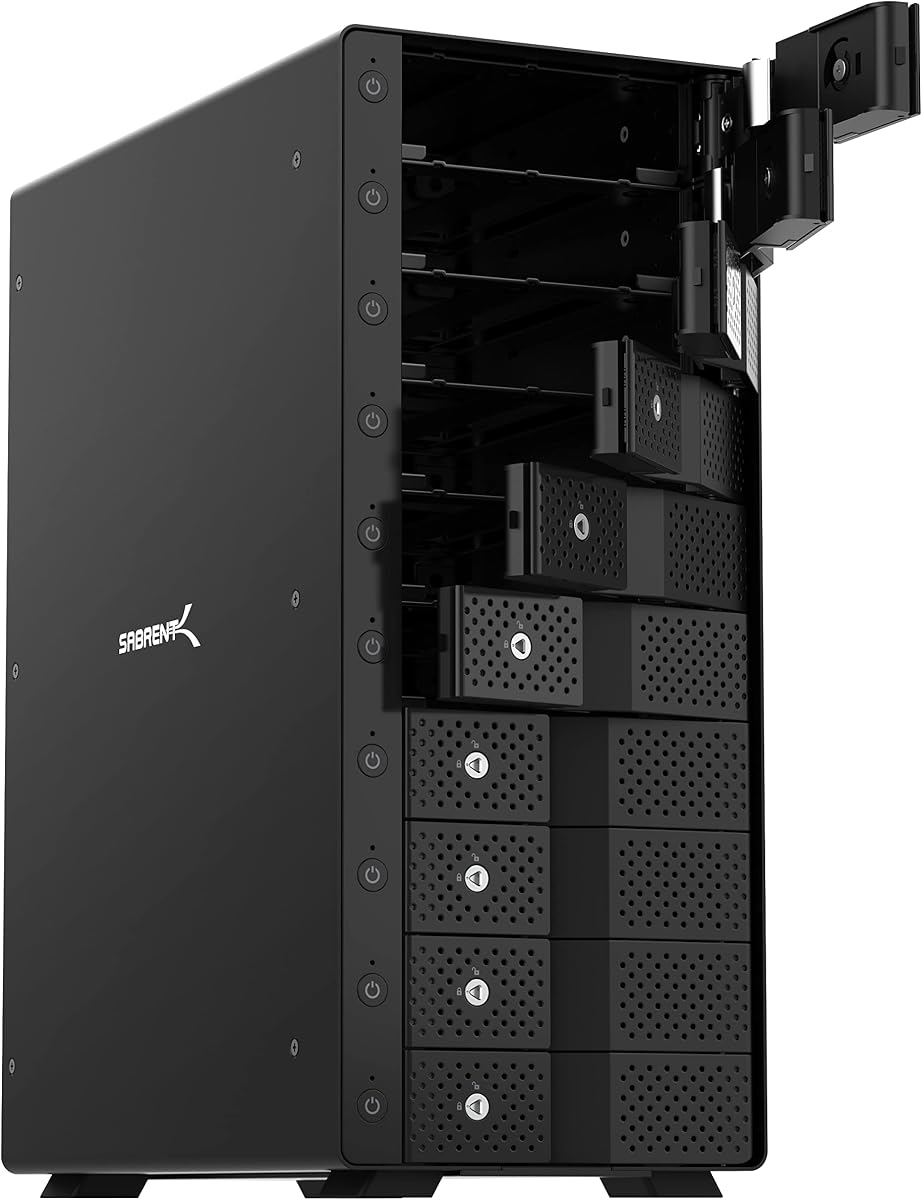
The SABRENT 10-Bay DS-UCTB is a powerhouse for users needing maximum storage capacity in a single enclosure. With support for up to 200TB and a rating of 4.1, it delivers exceptional performance for large-scale backups and media servers.
We may earn a commission when you buy through this link, at no additional cost to you.
Its tray-less hot-swap design allows you to slide drives in and out without tools or trays which streamlines maintenance and upgrades. Each bay has its own power switch giving you precise control over which drives are active.
While it is an investment, the dual 120mm fans and aluminum build ensure sustained performance under heavy loads. The USB-C 10Gbps interface provides the speed necessary for transferring massive libraries of video or photo files quickly.
This dock is ideal for IT professionals and creatives who require flexible and scalable storage solutions. Its ability to mix drive sizes and capacities freely makes it a versatile addition to any high-end workstation.
Slide drives directly into the bays without trays saving time and effort when adding or swapping hard drives frequently.
Turn on or off specific drives as needed to save power and manage heat while keeping other drives accessible and ready.
We may earn a commission when you buy through this link, at no additional cost to you.
The QNAP TR-004 offers a unique blend of DAS simplicity and hardware RAID flexibility for users managing mixed storage environments. With a 4.2 rating it supports various RAID configurations making it suitable for both performance and data redundancy.
We may earn a commission when you buy through this link, at no additional cost to you.
Its USB Type-C connection ensures fast data transfer rates while remaining backward compatible with older ports. The lockable drive bays add a layer of security which is valuable in shared or public office settings.
While it cannot run QNAP operating system applications directly, it serves as an excellent expansion pool for existing QNAP NAS units. Users must ensure their NAS models are updated to the latest firmware for full compatibility.
This enclosure is best for QNAP users looking to expand storage without switching to full NAS management. Its hardware RAID support provides peace of mind against drive failures without needing software overhead.
Choose from RAID 0 1 5 or JBOD modes via physical switches to tailor storage speed and safety to your specific needs.
Lockable bays prevent accidental drive removal helping maintain data integrity in environments where physical access is shared.
We may earn a commission when you buy through this link, at no additional cost to you.
The IO CREST 8-Bay enclosure is designed for users who need to manage multiple drives in a single unit. With a 4.0 rating it provides independent control over each drive which is useful for selective power management and maintenance.
We may earn a commission when you buy through this link, at no additional cost to you.
Its USB 3.0 interface supports up to 5Gbps transfer speeds which is adequate for general storage tasks though not as fast as newer USB-C options. The smart fan automatically adjusts speed based on temperature to balance noise and cooling.
This model supports large capacity drives allowing for substantial storage expansion without multiple enclosures. However the lack of RAID features means data safety relies on the individual drive reliability and external backup practices.
Ideal for IT admins or power users organizing multiple data sources, this enclosure offers practical flexibility. The independent switches make it easy to isolate drives for troubleshooting without powering down the entire unit.
Turn individual drives on or off to conserve power and reduce heat when not all bays are needed.
Thermal sensors adjust fan speed automatically keeping the enclosure cool while minimizing noise during light usage.
We may earn a commission when you buy through this link, at no additional cost to you.
The QNAP TL-R1200C-RP delivers enterprise-grade storage expansion with its twelve drive bays and rackmount design. With a 4.1 rating it ensures reliability through a redundant power supply which protects against power failures during critical operations.
We may earn a commission when you buy through this link, at no additional cost to you.
Its USB 3.2 Gen2 Type-C port provides high-speed connectivity for data transfer making it suitable for servers that require quick access to stored data. The enclosure integrates smoothly with QNAP NAS systems for seamless capacity growth.
While it requires a rack environment for best deployment, its robust build and cooling ensure stable performance under heavy loads. Users must consider physical space and mounting requirements before installation in smaller spaces.
This enclosure is perfect for businesses needing scalable storage infrastructure without changing existing NAS hardware. Its redundancy features and high capacity make it a secure choice for mission-critical data storage.
Dual power modules ensure continuous operation even if one power unit fails preventing data loss and downtime.
Designed for standard racks the enclosure fits securely and efficiently alongside other server equipment for organized data centers.
We may earn a commission when you buy through this link, at no additional cost to you.
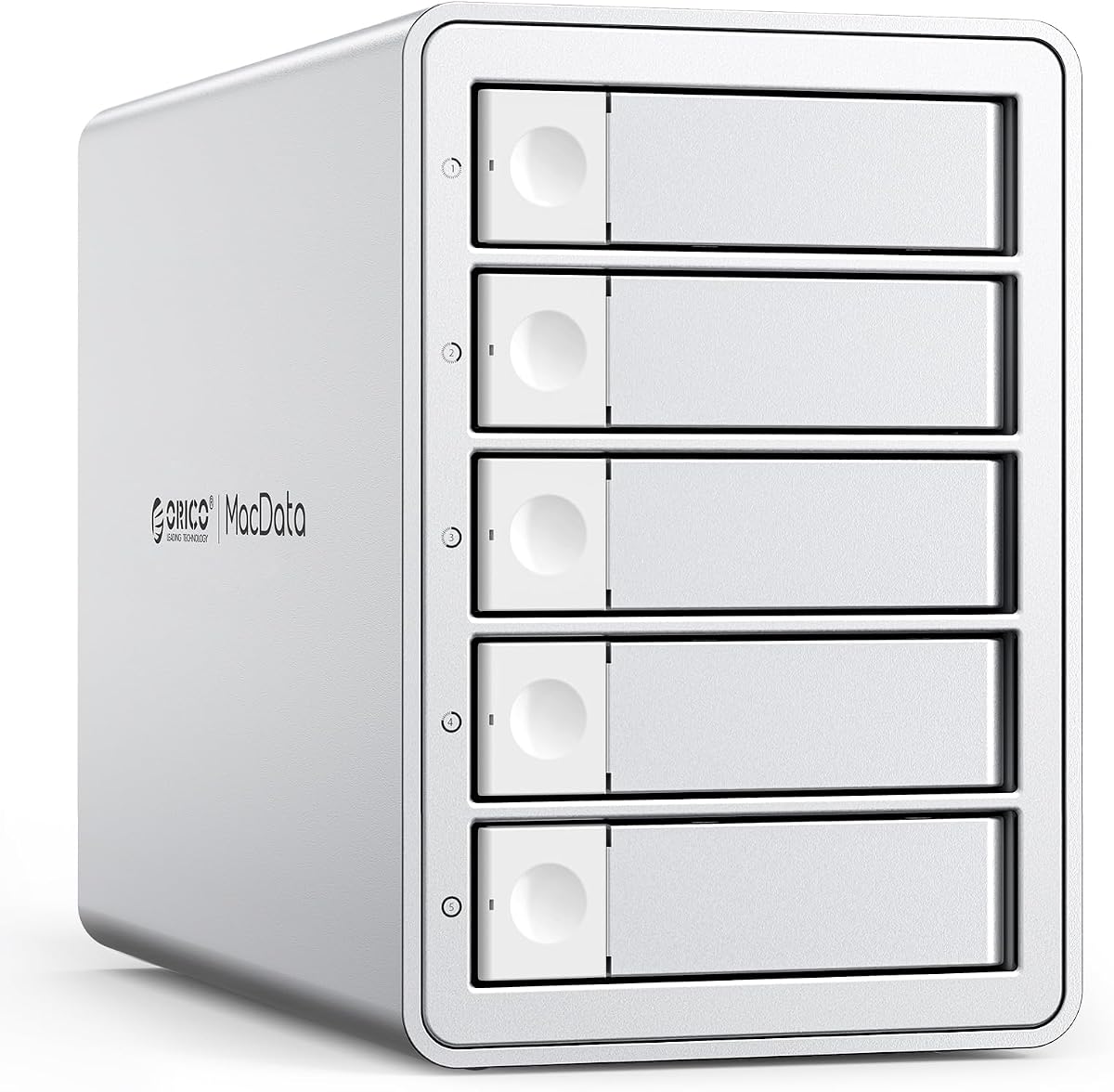
The ORICO 5 Bay RAID enclosure stands out with its impressive 4.7 rating and versatile hardware RAID controller. It supports eight different modes including RAID 0 1 3 5 10 JBOD Clone and Clear to meet diverse workflow needs.
We may earn a commission when you buy through this link, at no additional cost to you.
With a built-in 150W power supply you avoid messy external adapters ensuring clean cable management and stable voltage for all drives. The aluminum alloy shell and cooling fan keep temperatures low for prolonged operation.
USB 3.0 provides reliable speeds for large file transfers though it is not the fastest available. The ability to configure RAID via physical switches makes setup straightforward without needing complex software interfaces.
This model is ideal for users needing robust storage options at a reasonable price point. Its high reliability and extensive RAID support make it a strong candidate for backup stations and creative studios.
Switch between RAID modes easily using hardware switches to adjust speed redundancy or capacity as requirements change.
The built-in 150W power supply eliminates extra adapters keeping your workspace tidy and ensuring consistent power delivery.
We may earn a commission when you buy through this link, at no additional cost to you.
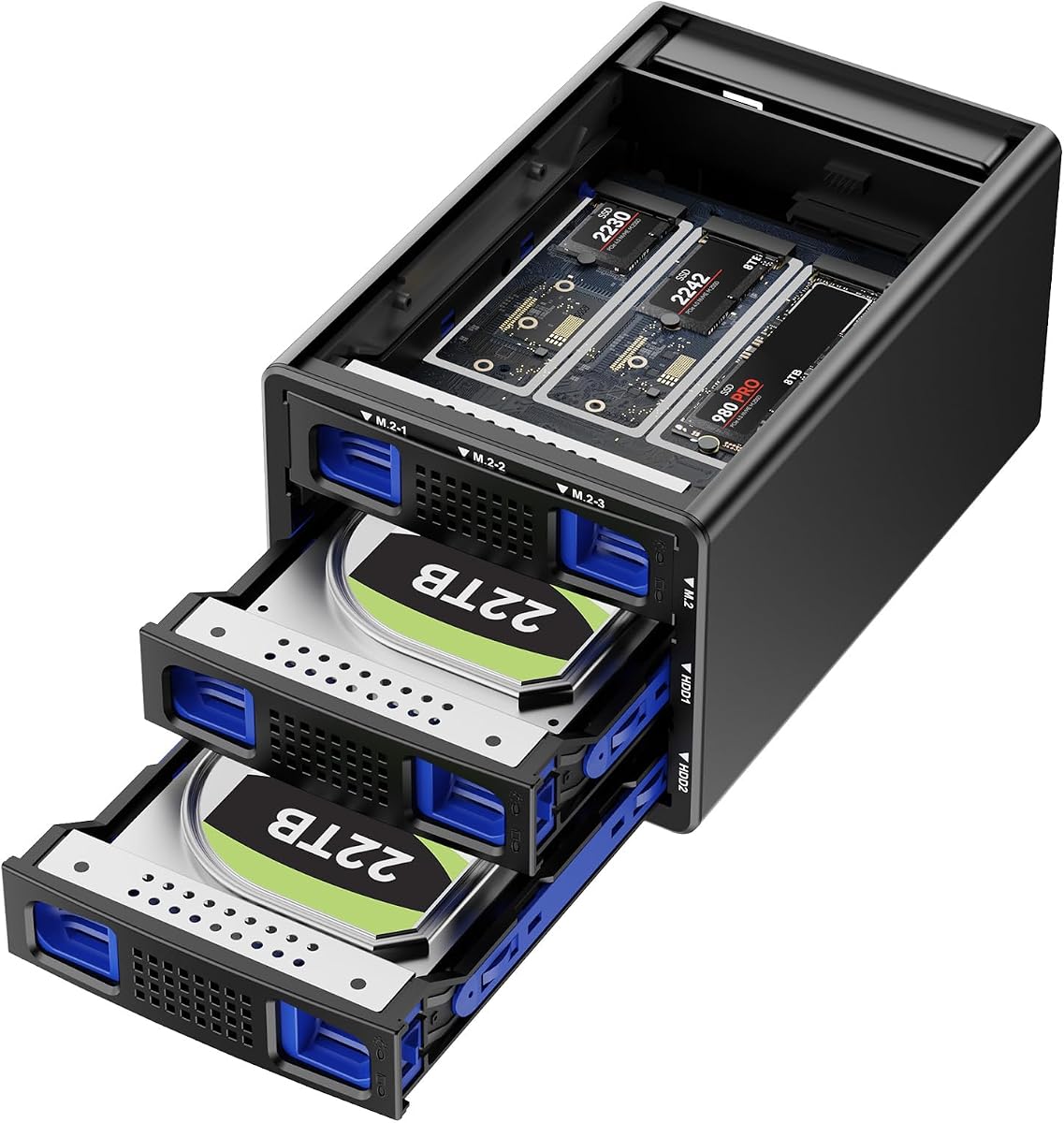
The Hybrid enclosure brings innovation to storage by combining traditional SATA drives with M.2 NVMe SSDs in one device. With a 4.6 rating it offers the capacity of HDDs and the speed of NVMe simultaneously for versatile workflows.
We may earn a commission when you buy through this link, at no additional cost to you.
It supports RAID modes allowing you to protect data across different drive types while leveraging the fast access times of NVMe. The USB 3.2 Gen2 interface ensures that the NVMe drives perform near their maximum potential.
While setup requires attention to drive types and RAID configuration the tool-free design simplifies physical installation. Silent cooling fans keep noise low despite continuous operation which is helpful in shared workspaces.
Best for users needing mixed storage performance and capacity this enclosure bridges the gap between large archives and active project files. Its unique hybrid approach makes it a forward-thinking choice for modern computing setups.
Use fast NVMe drives for active projects and high-capacity HDDs for storage all within a single enclosure.
Full 10Gbps support ensures NVMe SSDs deliver their high-speed benefits when connected to compatible hosts.
We may earn a commission when you buy through this link, at no additional cost to you.
The ORICO 4 Bay 9848RU3 offers a compact yet powerful storage solution with eight RAID modes and support for drives up to 22TB. Rated at 4.3 stars it provides a good balance between performance ease of use and reliability.
We may earn a commission when you buy through this link, at no additional cost to you.
A built-in 150W power supply ensures stable operation across all bays without needing extra adapters. The safety lock feature prevents accidental drive ejection keeping your data secure during transportation or accidental bumps.
Data transfer speeds reach up to 235MB/s which is suitable for most backup and file sharing tasks. Aluminum cooling vents and a silent fan work together to maintain safe temperatures during extended data usage sessions.
This enclosure is well-suited for small offices or home users needing RAID flexibility without complexity. Its durable build and secure design make it a practical choice for protecting valuable data efficiently.
Safety locks on trays keep drives firmly in place preventing accidental removal or damage during movement.
Each bay supports up to 22TB drives enabling total storage capacities that meet large data demands easily.
We may earn a commission when you buy through this link, at no additional cost to you.
The OWC Mercury Elite Pro Quad provides high-performance storage with its USB-C 10Gb/s interface capable of speeds up to 947MB/s. With a 3.7 rating it is designed for users needing fast data transfers on Mac or Windows systems.
We may earn a commission when you buy through this link, at no additional cost to you.
Its universal drive bays support both 2.5 and 3.5 drives allowing flexible capacity choices without needing multiple enclosures. The Thunderbolt 3 compatibility ensures it works with modern high-speed ports found on recent laptops and desktops.
Although it does not include Softraid software for RAID setup users can utilize their system tools for management. This simplifies the experience for those who prefer native OS handling of drive arrays.
This enclosure is ideal for creatives and professionals who prioritize raw speed over complex RAID features. Its robust build and high transfer rates make it a strong choice for media editing and rapid file backups.
The USB-C 10Gb/s interface enables rapid data transfers perfect for large media files and active project backups.
Fit both small and large drives in the same enclosure giving you freedom to choose capacity without new hardware.
We may earn a commission when you buy through this link, at no additional cost to you.
Selecting the right JBOD enclosure depends on your specific storage needs workflow requirements and budget. This section outlines key factors to help you make an informed decision.
The number of bays determines how many drives you can connect at once. Consider current needs and future expansion; four bays work for most home users while ten or more suit enterprise environments.
Choose a bay count that matches your typical file volume without overpaying for unused slots.
Each enclosure has a limit on total storage based on supported drive sizes and count. If you plan to use high-capacity drives ensure the enclosure supports them to avoid bottlenecks.
Verify the maximum per-drive and total capacity specs to ensure your data needs are met today and later.
Faster interfaces like USB 3.2 Gen2 or Thunderbolt offer quicker transfers which is critical for large media files. Slower USB 3.0 might suffice for general backups but can slow down active workflows.
Prioritize USB-C or Thunderbolt options if speed is a priority for your daily work processes.
Multiple drives generate heat requiring effective cooling systems. Look for enclosures with smart fans or passive cooling to maintain drive health without excessive noise.
Silent fans are important for office or home environments where constant hum can be distracting.
Hot swap support lets you replace or add drives without powering down which reduces downtime. This is useful for servers or workstations that run continuously.
Choose hot swappable models if you need to change drives frequently without interrupting operations.
Aluminum or steel housings provide durability and better heat dissipation than plastic. Lockable bays add security to prevent accidental drive removal in shared spaces.
Invest in sturdy materials to protect your drives and data from physical damage and environmental factors.
Ensure the enclosure works with your operating system and computer ports. Most support Windows Mac and Linux but check cable types to match your devices.
Verify USB-A or USB-C cable availability to avoid extra costs when connecting to your specific hardware.
Some enclosures include built-in power supplies while others use external adapters. Built-in options keep cable management cleaner but may cost more.
Select a power solution that keeps your desk tidy while providing stable voltage for all connected drives.
Begin by installing your hard drives into the bays following the tool-free instructions provided by the manufacturer. Secure each drive properly using the trays or direct slot mechanisms to ensure stable connections.
Connect the enclosure to your computer using the recommended USB or Thunderbolt cable and plug in the power adapter if required. Wait for your operating system to recognize the new drives before transferring files.
Regularly clean dust from vents and fans to maintain cooling efficiency. Avoid moving the enclosure while drives are active to prevent mechanical stress and potential data loss during operation.
A JBOD enclosure allows multiple hard drives to be connected to a computer as independent storage units without combining them into a RAID array. This setup offers simple expandable storage perfect for backups and separate file access.
Yes most JBOD enclosures support mixing different capacity and type drives in separate bays. Each drive operates independently so you can combine high-capacity HDDs with faster SSDs as needed.
Most JBOD enclosures are plug-and-play devices that do not need extra software. Your operating system will recognize each drive separately once connected with the appropriate drivers if necessary.
Check the product specs for supported drive sizes such as 2.5 or 3.5 inches and maximum capacity limits. Ensuring your drives match these parameters will guarantee proper installation and operation.
JBOD enclosures are simpler and less expensive but lack network sharing and advanced features of NAS devices. Choose JBOD for direct local storage and NAS for networked multi-user environments.
Yes JBOD enclosures are designed to support drive upgrades easily. You can add or replace drives as your storage needs grow without replacing the entire enclosure unit.
USB 3.0 and newer ports offer faster speeds ideal for data transfers. For maximum performance use USB-C or Thunderbolt ports that match the enclosure interface specifications.
The top picks highlight a range of options from the TERRAMASTER D4-320 for speed to the SABRENT 10-Bay for massive capacity. Each model offers distinct strengths suited to different user scenarios and workflow demands.
Prioritize factors such as connection speed cooling and bay count based on your specific storage tasks. Balancing budget with essential features ensures you get reliable performance without unnecessary expenses.
Always verify current availability and compatibility details before purchase to match your system requirements. With the right JBOD enclosure you can expand your storage capabilities efficiently and safely.