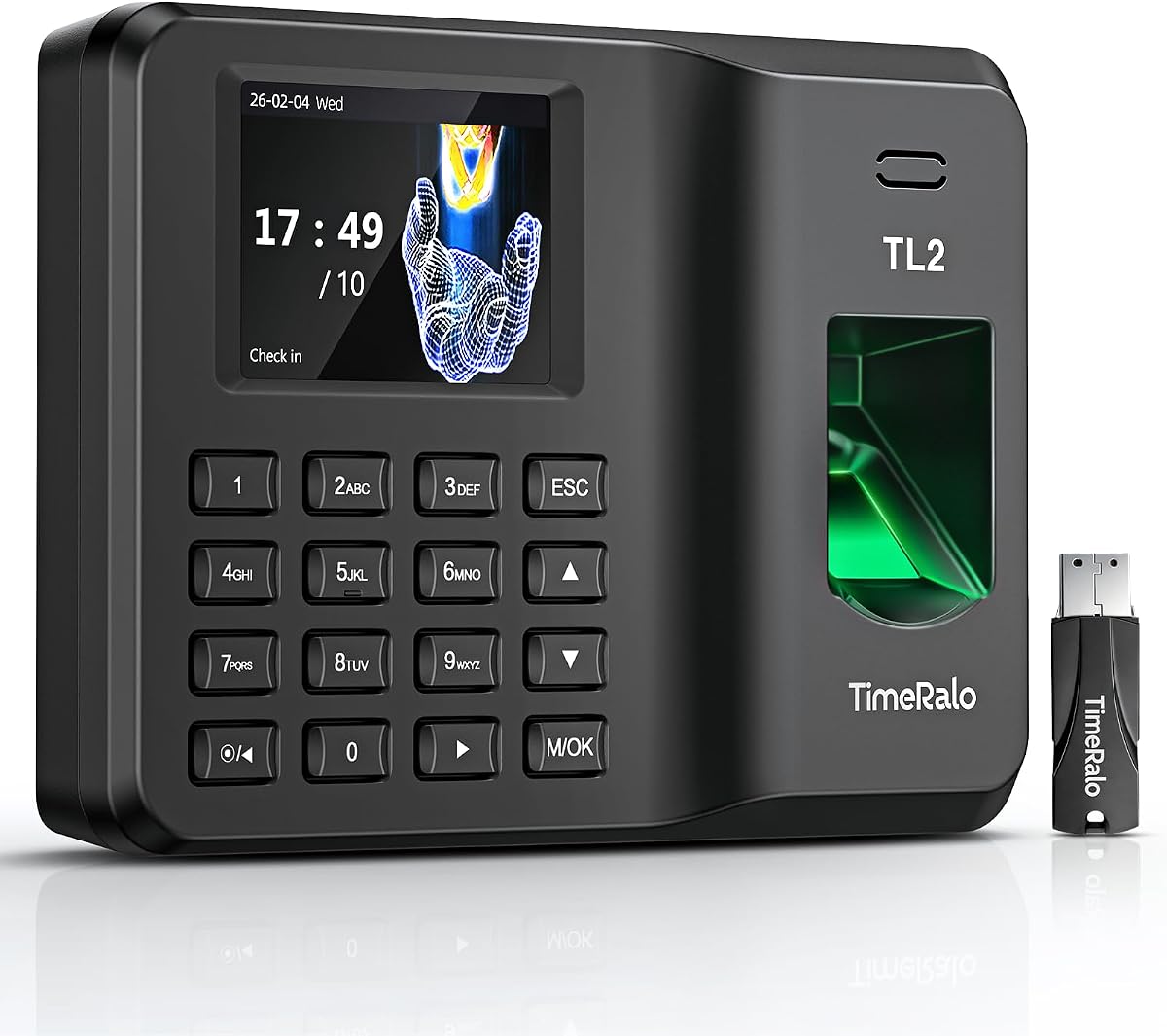
Standalone Time Clock
4.4Editor score
Easy USB data export
Stores up to 500 users
Power failure data protection
Discover the top fingerprint time clocks for employees comparing security, ease of use, and payroll integration to streamline workforce management efficiently.
Finding the right time clock can transform how your business tracks hours and manages payroll. Modern fingerprint systems offer accuracy and speed that traditional cards simply cannot match. They reduce errors and help you stay compliant with labor laws effortlessly.
We evaluated ten leading models based on recognition speed, storage capacity, and connectivity options. Each product was assessed for durability, ease of setup, and compatibility with common payroll software. Our goal is to help you find a solution that fits your specific operational needs perfectly.
Every pick below highlights unique strengths such as cloud access, standalone operation, or advanced biometric sensors. Note that availability and pricing may fluctuate over time so check current listings before buying. These tools empower you to build a more transparent and efficient workplace environment today.
4.4Editor score

4.8Editor score

4.4Editor score
This side-by-side comparison highlights key specifications for every model to help you decide quickly. We focus on capacity, connectivity, and unique features that define each device performance.


The HapAttend H4 stands out as a top choice for small businesses needing reliable and straightforward attendance tracking. With a 4.8 rating it offers fast fingerprint recognition and supports up to 500 employees. Its ability to calculate hours automatically reduces manual errors significantly.
We may earn a commission when you buy through this link, at no additional cost to you.
This device works completely offline which is perfect for locations without stable internet. It supports fingerprint RFID cards and PIN codes to prevent buddy punching. The built in backup system ensures data stays safe even during power outages making it very dependable.
While it lacks cloud connectivity for remote access it compensates with a robust standalone design. Users appreciate the lack of monthly fees and the simple USB data export process. This makes financial planning easier for businesses watching their operating costs closely.
If you need a secure no fuss solution that works anywhere the HapAttend is an excellent investment. It is ideal for offices warehouses and retail stores. The lifetime support and warranty add extra peace of mind for long term use.
With no recurring fees you save money over time compared to subscription based systems. The one time purchase covers all features needed for accurate tracking.
Local storage keeps your employee information private and secure from external breaches. Power failure protection ensures you never lose important attendance records unexpectedly.
We may earn a commission when you buy through this link, at no additional cost to you.
This standalone time clock offers an affordable entry point into biometric attendance systems. It handles up to 500 employees and 50000 punch records with ease. The design is simple yet effective for businesses that do not need advanced cloud features.
We may earn a commission when you buy through this link, at no additional cost to you.
You can set it up in minutes without any complex configuration. The fingerprint sensor works well even on wet or dry fingers. It also allows PIN entry as a backup option for employees who might have difficulty with scanning.
The lack of internet connectivity means you must use a USB drive to export data. This is a minor trade off for the significant cost savings and privacy benefits. It is a great choice for small teams needing basic accurate tracking.
Choose this model if you want a reliable device without ongoing subscription costs. It works well in schools clinics and small offices. The industrial grade plastic ensures it lasts through daily use without wear issues.
You can get this device running in just a few minutes. No IT expertise is required to configure users or start tracking hours.
Ditching paper cards saves money on supplies and reduces manual entry errors. The digital records are easier to organize and store securely.
We may earn a commission when you buy through this link, at no additional cost to you.
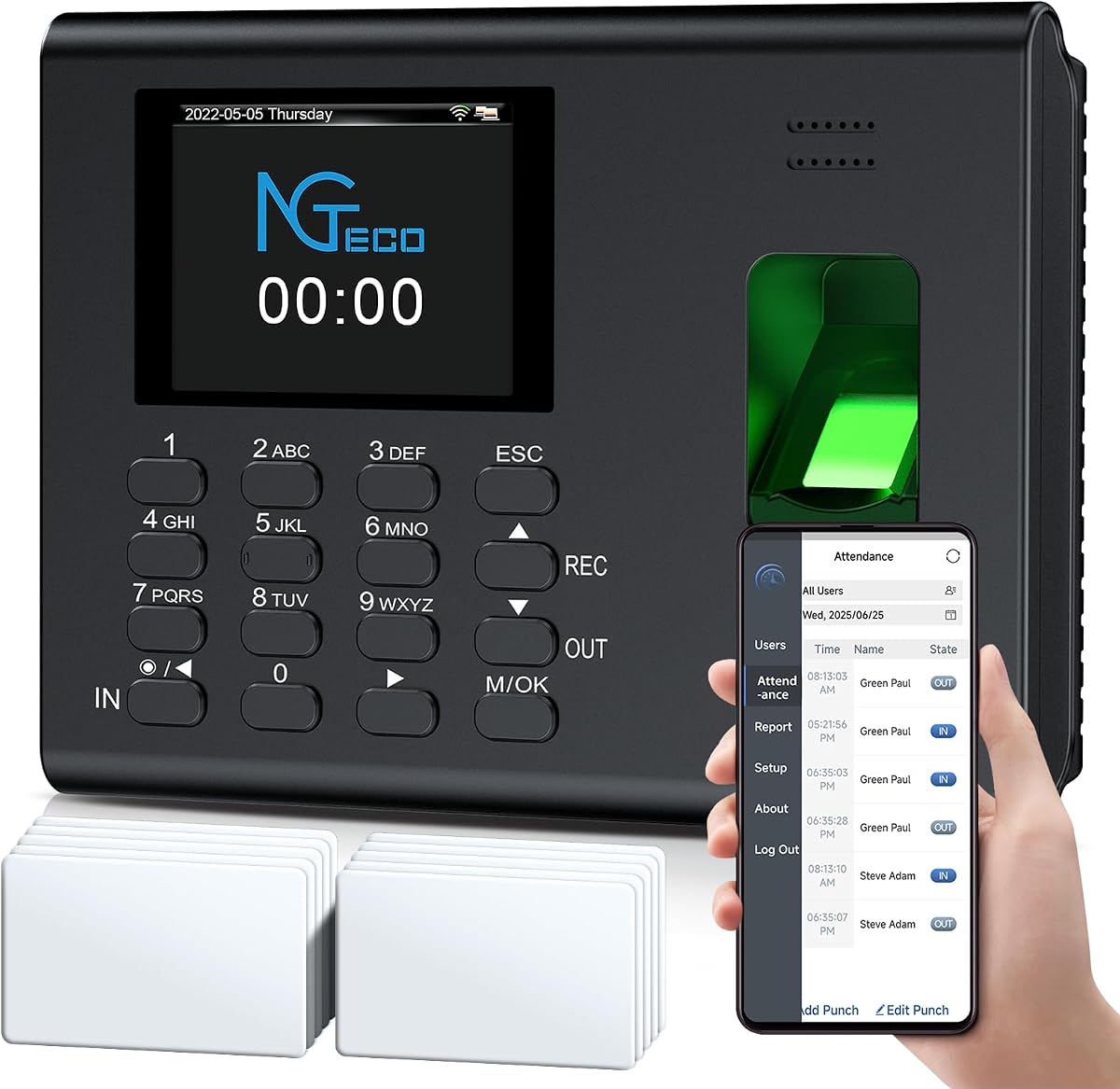
The NGTeco Cloud Time Clock delivers a premium experience with its touchscreen interface and multiple verification methods. It supports fingerprint RFID card PIN and facial recognition to offer flexibility. This makes it ideal for larger teams or complex work environments.
We may earn a commission when you buy through this link, at no additional cost to you.
Remote access via web or mobile app lets managers monitor attendance from anywhere. The dual band WiFi ensures stable connections for uninterrupted data transfer. AWS cloud storage protects your records with encryption meeting high security standards.
While it costs more than basic models the features justify the investment. The customizable shift rules help manage overtime and breaks accurately. This level of control reduces administrative burden and improves payroll accuracy significantly.
Invest in this clock if you need top tier features and remote oversight. It suits multi location businesses or those with changing schedules. The responsive support team helps ensure smooth operation throughout its lifespan.
Face recognition adds a layer of convenience and speed for employees. It reduces wait times and improves the overall user experience.
AWS servers provide enterprise grade security for your sensitive workforce data. Encryption ensures that information remains private and compliant with regulations.
We may earn a commission when you buy through this link, at no additional cost to you.
This NGTeco model balances app control with reliable hardware performance. It handles overnight shifts and calculates hours automatically saving admin time. The fingerprint sensor works well on both wet and dry skin ensuring consistent use.
We may earn a commission when you buy through this link, at no additional cost to you.
Mobile app integration allows real time sync across devices on the same network. You can edit punches quickly to correct errors without hassle. This feature streamlines the payroll process and reduces administrative workload effectively.
The device includes backup protection for data during power outages. This is critical for businesses in areas with unstable electricity. The US based support adds value by providing timely assistance when needed.
Choose this if you want mobile management without full cloud dependency. It works best for businesses with stable local networks. The combination of speed and support makes it a solid practical choice.
Managing schedules via app saves time compared to manual desktop entry. Real time sync ensures changes are reflected immediately.
The sensor adapts to different finger conditions for reliable scanning. This reduces friction and ensures employees can clock in smoothly.
We may earn a commission when you buy through this link, at no additional cost to you.
This NGTeco device is designed for quick deployment in small businesses. You can start using it immediately without installing any software. The memory supports up to 500 users making it scalable for growth.
We may earn a commission when you buy through this link, at no additional cost to you.
Data export is straightforward via the included USB drive. Excel reports help you integrate attendance data into your payroll system easily. It reduces paper waste and keeps records organized for compliance purposes.
The internal backup system protects records from power loss incidents. This ensures that your team hours are never lost unexpectedly. The build quality withstands daily use in busy environments like retail or warehousing.
This clock is perfect for businesses needing independence from internet service. It offers a clean simple interface for all users. The focus on stability and capacity makes it a trustworthy option for growing teams.
No complex IT setup means you save on installation costs and time. It is ready to use right out of the box.
Eliminating paper cards reduces environmental waste and supply costs. Digital records are easier to store and search later.
We may earn a commission when you buy through this link, at no additional cost to you.
Another look at this standalone model reveals its practicality for cost conscious businesses. It stores a large number of records and supports up to 500 users. The USB transfer is quick and keeps management simple for small staff.
We may earn a commission when you buy through this link, at no additional cost to you.
The unit does not require internet so it works well in areas with poor connectivity. You can place it on a desk or mount it on a wall. This flexibility helps fit it into various workspace layouts without issues.
Data security is handled through local storage and backup systems. If power fails the system retains records and resumes operation smoothly. This reliability is key for avoiding disputes over hours worked.
It is a great choice for small shops or clinics needing basic tracking. The lack of monthly fees makes it budget friendly long term. Focus on hardware reliability rather than cloud features with this unit.
Wall or desk mounting allows you to place the unit where it suits your workflow. This flexibility reduces setup constraints.
Replacing paper with digital records saves money on supplies and manual data entry. The upfront cost is lower than many alternatives.
We may earn a commission when you buy through this link, at no additional cost to you.
This cloud model brings remote access capabilities to small businesses. The dual band WiFi ensures stable data transmission for real time tracking. You can view attendance from anywhere via a mobile app or web portal.
We may earn a commission when you buy through this link, at no additional cost to you.
Overtime and shift rules are customizable which helps manage complex schedules. The backup battery keeps the device running during short power outages. This prevents data loss and ensures continuity for your workforce records.
Some advanced features require a separate subscription to unlock. This may be a consideration if you need GPS check-ins or deep analytics. However basic management remains free for most daily needs.
If remote oversight is important to you this device delivers well. It fits businesses that need to manage remote or split teams. The robust connectivity options ensure that data is always available.
Custom shift types accommodate rotating schedules and part time staff easily. This adaptability helps keep operations smooth.
Built in battery backup ensures tracking continues during power issues. You never lose critical attendance data unexpectedly.
We may earn a commission when you buy through this link, at no additional cost to you.
The uAttend system focuses on integrating payroll and attendance into one cloud workflow. It supports fingerprint RFID and PIN to offer multiple ways for employees to clock in. This variety helps prevent issues and suits different user needs.
We may earn a commission when you buy through this link, at no additional cost to you.
Reports provide insights into labor costs and productivity trends. The interface is designed to be easy for any team to use. You can access data in real time from any device for better control.
While the rating is lower it offers comprehensive features that others might lack. Automatic backups ensure your data remains safe in the cloud. It is a solid choice if you want an all in one system.
Consider this if you need deep reporting and payroll tools. The subscription model means ongoing costs but adds value through integration. It works well for businesses looking to reduce administrative complexity.
Linking attendance with payroll reduces errors in tax filings and payments. Automation saves time during pay periods.
Accessing data from any device keeps managers informed instantly. This supports better decision making regarding staffing.
We may earn a commission when you buy through this link, at no additional cost to you.
This NGTeco option stands out for offering free cloud access to core features. It allows remote viewing of punch data without subscription costs. This makes it very attractive for small teams looking to save money.
We may earn a commission when you buy through this link, at no additional cost to you.
The device supports offline recording if network connection is lost. Once restored the data syncs automatically to the cloud. This ensures no records are missed even in unstable network conditions.
Shift and overtime rules can be tailored to your business policies. Multi language support helps diverse teams communicate effectively. It is a practical solution for businesses needing basic remote oversight.
Choose this if you want cloud features without recurring costs. It works well for small offices needing flexible scheduling. The free service model is a significant advantage for budget conscious buyers.
Basic features like data storage and auto calculation remain free. This lowers the total cost of ownership significantly.
Offline capture ensures you never lose data during connection gaps. Sync happens automatically when the network returns.
We may earn a commission when you buy through this link, at no additional cost to you.
This model emphasizes dual USB and app export modes for data integrity. It stores up to 100000 records and supports 500 employees. The design is simple and user friendly for quick setup and use.
We may earn a commission when you buy through this link, at no additional cost to you.
The backup battery ensures operation during power outages. While duration varies it prevents immediate data loss during short gaps. The ABS construction withstands heavy daily use in busy environments.
Remote control via app on the same network helps manage shifts. Auto alerts keep managers informed about punches without checking manually. This reduces oversight tasks and streamlines HR statistics.
Use this if you need flexibility in data access and export. It suits small businesses wanting reliable hardware without complex cloud needs. The lifetime support adds value for long term stability.
Having both USB and app export ensures you always have access to data. This redundancy protects against technical failures.
Durable ABS plastic ensures the device lasts through frequent use. It is designed to withstand wear and tear well.
We may earn a commission when you buy through this link, at no additional cost to you.
Selecting the right clock involves evaluating features against your business needs. We break down the essential factors to consider.
Decide if you need offline standalone or cloud connected devices. Cloud models allow remote access while standalone ones keep data local.
Choose based on your network availability and privacy preferences.
Check the maximum number of users and records the device can store. A small shop may need less capacity than a warehouse team.
Ensure the limit allows for future growth without needing a replacement.
Look for multiple options like fingerprint PIN card or face recognition. More methods reduce friction and help when one fails.
Select the combination that suits your team best for speed and accuracy.
Verify how data is exported whether via USB email or app. Compatibility with your payroll system is crucial for smooth processing.
Prioritize models that offer direct or easy import into your software.
Data loss during power outages is a major risk. Devices with internal batteries or cloud backups protect your records.
Ensure security standards meet your needs for employee data privacy.
Access to technical support can save time when issues arise. Check if support is local or remote and what hours are covered.
A solid warranty ensures protection for your hardware investment.
Consider both upfront price and any monthly subscription fees. Some models are free to use while others charge for features.
Calculate long term expenses to find the most economical option.
Ease of setup affects deployment speed and IT workload. Look for plug and play designs if you lack technical staff.
Choose an intuitive interface to minimize training needs for employees.
Start by reading the manual and installing the device securely. Use the included mounting kit to place it at a comfortable height.
Register all employee fingerprints or IDs carefully to avoid errors. Test each profile to ensure quick scanning for every person.
Schedule regular backups of data via USB or cloud export. Keep the sensor clean with a soft cloth to maintain recognition speed.
Not always. Many models work completely offline using local storage. However cloud enabled devices need internet for remote access and sync features.
Most devices offer USB drive export or app based export. You can usually save reports in Excel or CSV format for easy import.
Use alternative methods like PIN or RFID cards. Ensure the sensor is clean and the finger is dry for best results.
Yes cloud devices allow multiple managers to log in. Some also offer different access levels for editing or viewing.
It is best to backup weekly or before payroll. Regular backups ensure you have a recent copy in case of failure.
Yes they use encryption and local storage. Cloud models add layers of security to protect sensitive employee records.
Our top pick is the HapAttend Time Clock for its reliability and zero fees. It balances ease of use with strong security features.
Focus on what matters most to your workflow before buying. Whether it is remote access or offline capacity choose wisely.
Always verify current pricing and availability before placing an order. The right clock will pay for itself in saved time.