
AI Voice Recorder, AI Note Taker, Unlimited Transcription, Lite
4.4Editor score
Unlimited free transcription
Credit card size
Dual capture modes
Compare the best AI meeting transcription devices for 2026. This guide reviews top voice recorders with AI summaries, privacy features, and multi-language
AI meeting transcription devices transform how professionals capture conversations. These tools convert speech to text, summarize key points, and organize action items automatically. Finding the right device ensures you never miss critical details during important discussions or interviews.
We evaluated ten top-rated devices based on accuracy, battery life, and AI capabilities. Our analysis covers privacy standards, multi-language support, and ease of use. Each product offers unique strengths for different workflows, from casual note-taking to enterprise-grade recording.
Every pick highlights specific features like offline transcription, magnetic design, and cloud sync. Prices and availability change frequently, so check current listings before purchasing. Use this guide to match a device with your specific productivity needs and budget constraints.
4.4Editor score

4.5Editor score

4.8Editor score
This side-by-side comparison highlights key specifications for all ten devices. We focused on transcription accuracy, language support, privacy standards, and unique AI features. Use this table to quickly identify which device aligns with your specific recording and analysis needs.


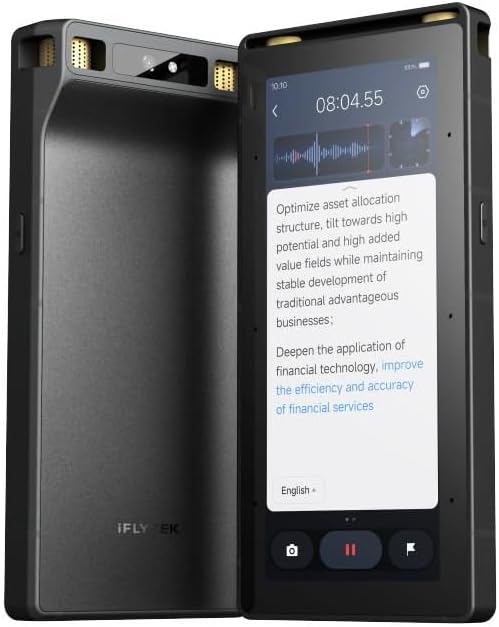

The Plaud Note Pro stands out as a top choice for professionals who need detailed context beyond audio. It offers a 4.5-star rating for its ability to capture images and notes alongside sound. The device ensures clarity with advanced directional audio features.
We may earn a commission when you buy through this link, at no additional cost to you.
Its standout feature is multimodal input allowing users to type notes and add photos during recording. The Ask Plaud chat feature provides deeper insights grounded in your original audio files. This combination creates richer context for later review.
Trade-offs include a higher price point compared to basic recorders. The subscription plans for unlimited transcription might not suit casual users. However, the free starter plan offers 300 minutes for testing without cost.
Buy this if you need legal-grade security and rich contextual notes. It suits executives and consultants handling sensitive meetings. The magnetic case and Find My support prevent loss during busy days.
Snap photos of documents while recording audio to link visual context with spoken details instantly.
ISO 27001 and HIPAA compliance ensure your sensitive meeting data remains encrypted and secure.
We may earn a commission when you buy through this link, at no additional cost to you.
The Pocket AI Voice Recorder delivers a 4.6 rating for its seamless integration with Apple ecosystems. It acts as an AI personal assistant capturing meetings instantly with one tap. The device focuses on hands-free utility for mobile users.
We may earn a commission when you buy through this link, at no additional cost to you.
Its MagSafe compatibility allows you to attach it directly to your iPhone for secure recording. The Ask Pocket feature turns conversations into structured maps and action items automatically. This helps organize thoughts without manual typing effort.
Users needing non-Apple devices may find limitations with the magnetic attachment. Advanced productivity tools require an optional subscription to unlock. Basic features work out of the box without extra costs.
Choose this for iPhone users wanting effortless daily note-taking. It fits students and mobile professionals well. The long battery life supports travel without frequent charging needs.
Attach directly to your iPhone to capture meetings without holding a separate device.
Automatic organization turns raw audio into clear to-do lists for immediate next steps.
We may earn a commission when you buy through this link, at no additional cost to you.
EurekaMind offers a high-value option with a 4.4-star rating for unlimited transcription. It functions as a smart note taker with web search for deeper insights. This device is ideal for budget-conscious professionals needing volume.
We may earn a commission when you buy through this link, at no additional cost to you.
It includes a free starter plan with unlimited transcription and summaries. The dual capture modes distinguish between ambient meetings and phone calls accurately. Its credit-card size makes it extremely portable for daily carry.
The build is lighter than premium competitors which may feel less durable. Summary features are basic compared to advanced analysis tools. These trade-offs are acceptable given the low entry price.
Buy this if you need unlimited recording without subscription fees. It suits students and freelancers with variable income. The ISO compliance adds trust for secure data handling.
Use built-in Ask AI to search the web for insights beyond your recorded conversations.
Free unlimited transcription and summaries available out of the box for everyday use.
We may earn a commission when you buy through this link, at no additional cost to you.
The Comulytic Note Pro earns a 4.4 rating for its offline translation capabilities and lifetime free plan. It captures industry terms precisely using a vertical knowledge base. This device is strong for international business and interviews.
We may earn a commission when you buy through this link, at no additional cost to you.
It features a triple-mic array for clear audio up to five meters. The Wi-Fi sync transfers recordings ten times faster than Bluetooth. This ensures quick access to transcripts without delays.
Deep dive analysis requires a premium subscription for advanced users. The initial experience might be limited to basic summaries. However, the free unlimited transcription covers essential daily needs.
Select this for international travelers needing offline translation. It suits consultants and attorneys with field work. The lifetime free plan reduces long-term costs significantly.
Translate real-time conversations into 113 languages without needing internet connectivity.
Industry terms for real estate and law are captured precisely in transcripts.
We may earn a commission when you buy through this link, at no additional cost to you.
Comu Action Pro leads with a 4.8 rating for its automatic document generation. It turns conversations into editable slides and emails without prompts. This device excels in productivity for executives needing ready-to-use outputs.
We may earn a commission when you buy through this link, at no additional cost to you.
The six-mic setup captures clearest sound using motion sensors. It offers 70 hours of continuous recording on a single charge. This battery life supports multi-day conferences without interruption.
The premium price may be a barrier for casual users. Features require the Comu app for full document integration. However, the core features are unlimited for basic needs.
Buy this if you need actionable outputs like slides and emails. It suits managers and team leaders with high volume. The battery life ensures reliability during extended events.
Generate editable presentation slides and emails directly from conversation transcripts.
Six mics including bone-conduction ensure clear sound even in noisy environments.
We may earn a commission when you buy through this link, at no additional cost to you.
RECPOINT delivers high accuracy with a 4.5 rating using the GPT-5.5 engine. It supports 150 languages for global collaboration and translation. This device is ideal for international teams needing reliable transcription.
We may earn a commission when you buy through this link, at no additional cost to you.
It includes 1080 free monthly minutes for AI features. The rugged aluminum body resists drops and bends well. Storage holds approx 600 hours of audio locally for offline use.
Desktop software is needed for advanced management and export. The device is slightly thicker than credit-card models. These minor trade-offs ensure durability and performance.
Choose this for academic researchers and global teams. It suits those needing high language coverage. The free minutes ensure value without hidden subscription fees.
Capture nuances in 150 languages for international meetings and research.
High-strength alloy ensures durability during travel and outdoor field work.
We may earn a commission when you buy through this link, at no additional cost to you.
The Plaud Note Non-Pro offers a 4.5 rating for high security standards. It transforms raw audio into structured insights using leading models. This device is trusted by legal and medical professionals globally.
We may earn a commission when you buy through this link, at no additional cost to you.
It uses a Vibration Conduction Sensor for clear call recordings. The dual-mode recording switches automatically between calls and meetings. Local storage up to 64GB keeps data secure offline.
It offers 300 minutes free monthly which might limit heavy use. Advanced features require a Pro plan upgrade. These limits are acceptable for standard professional workflows.
Buy this for secure professional and medical use. It suits users needing strict compliance. The vibration sensor ensures call quality without external apps.
Captures internal phone sounds for clear call recordings without external noise.
ISO 27001 and HIPAA certification ensures legal-grade data protection.
We may earn a commission when you buy through this link, at no additional cost to you.
This device stands out for offline transcription with a 4.0 rating for secure environments. It supports offline OCR and video subtitling for secure business. The 5-year membership adds significant value to the purchase.
We may earn a commission when you buy through this link, at no additional cost to you.
An 8-mic array captures audio from 20 meters away. Three-tier hardware encryption ensures sensitive data stays safe locally. This device suits cross-border business requiring strict privacy.
Offline language support is limited to five languages. The price is higher than standard portable options. However, the offline capabilities justify the cost for restricted environments.
Select this for secure cross-border business. It suits legal firms and auditors. The long membership ensures ongoing access to premium features.
Process video and text data without needing internet connections for security.
Lock screen, file, and device encryption protect sensitive transcripts fully.
We may earn a commission when you buy through this link, at no additional cost to you.
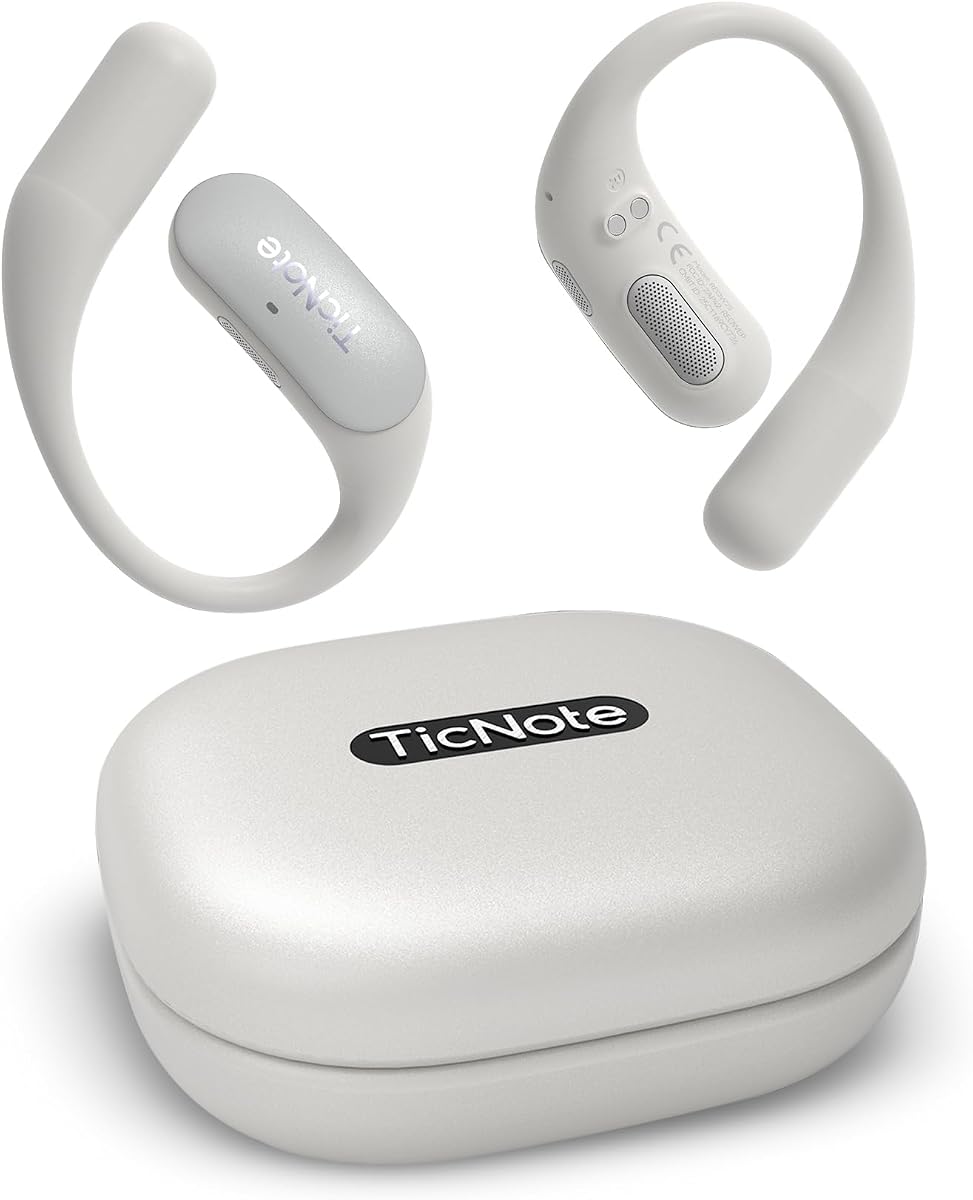
The TicNote Pods offer a 4.1 rating for team-focused cloud collaboration. It supports 120+ languages for multilingual teams globally. This device excels in sharing notes securely with colleagues.
We may earn a commission when you buy through this link, at no additional cost to you.
Encrypted cloud storage allows collaborative editing and version history. The wearable design keeps hands free during discussions. Local storage holds up to 2150 hours of audio.
Battery life is limited to 5 hours of continuous recording. It depends on Wi-Fi for most features. This makes it less ideal for outdoor or travel use.
Buy this for office-based team collaboration. It suits HR and project managers. The encryption ensures privacy for internal company discussions.
Store and share notes securely with end-to-end encryption for teams.
Track version history to collaborate smoothly on meeting outcomes and action items.
We may earn a commission when you buy through this link, at no additional cost to you.
This Comulytic model delivers a 4.2 rating for advanced AI integration. It captures professional terms in insurance and law accurately. This device ensures your meeting notes remain precise for legal use.
We may earn a commission when you buy through this link, at no additional cost to you.
It uses ChatGPT-5.2 and Gemini 2.5 for summaries. The AES encryption secures your data under CCPA standards. Wi-Fi sync keeps files accessible across devices instantly.
Advanced features require a premium upgrade for deep analysis. The initial setup requires account registration. These trade-offs are acceptable for enterprise security needs.
Select this for legal and finance professionals. It suits executives needing secure summaries. The encryption ensures data remains private for sensitive business.
Use ChatGPT-5.2 for detailed and professional meeting summaries instantly.
AES technology and CCPA compliance ensure strict privacy for business data.
We may earn a commission when you buy through this link, at no additional cost to you.
Choosing the right device depends on your specific workflow and privacy needs. We outline key factors to consider before purchasing.
Look for devices claiming 98% accuracy with GPT-5.5 engines. Ensure they handle professional jargon and multiple speakers well.
Prioritize high accuracy to reduce manual review time later.
Check if the device supports over 100 languages for global teams. Real-time translation is crucial for international business calls.
Select models with broad language coverage for multilingual environments.
Verify ISO 27001 and HIPAA compliance for sensitive data. Encryption at rest and in transit is non-negotiable for legal use.
Ensure the device meets your industry security requirements fully.
Opt for devices offering 30 hours or more for full-day recording. Battery endurance prevents interruptions during long conferences.
Choose long battery life to avoid mid-meeting recharges.
Evaluate free plans against premium costs. Some offer unlimited transcription while others limit minutes monthly.
Pick a model with a sustainable subscription model for you.
Consider slim designs that fit in a pocket or attach to phones. Magnetic attachment adds convenience for mobile recording.
Select slim models that do not burden your daily carry.
Check for Wi-Fi sync to transfer data faster than Bluetooth. Offline capabilities are essential for secure environments without internet.
Ensure connectivity options match your typical work environment.
Devices with multimodal input allow photos and notes during recording. This context improves summary relevance and accuracy significantly.
Prioritize devices offering multimodal context capture.
Start by syncing the device with its app to ensure settings are correct. Enable auto-recording modes for hands-free capture during meetings.
Clean the microphones with a soft brush to prevent dust buildup. Store the device in a dry place to protect internal components.
Regularly update firmware to access new AI features. Export transcripts to your preferred cloud storage immediately after recording.
Always check local laws before recording. Many regions require two-party consent for calls. Inform all participants to stay compliant with regulations.
Some models offer offline transcription and translation. Check specific product specs to confirm offline capabilities. Cloud sync usually requires internet connection.
Most offer 30 to 70 hours on a single charge. This supports multi-day conferences without frequent recharges. Battery life varies by usage mode.
Many devices support encrypted cloud sharing and collaboration. Look for team plans if you need centralized workspaces. Ensure sharing complies with privacy policies.
Premium models like Plaud offer Find My integration. Data remains encrypted and protected. Contact support to remotely wipe sensitive content if needed.
Many offer free starter plans with unlimited or high limits. Advanced features may require optional subscriptions. Check the specific plan details before buying.
The Plaud Note Pro stands out for overall quality. The Pocket AI Recorder offers great Apple integration. Comu Action Pro delivers premium automation for executives.
Prioritize privacy and battery life for professional use. Consider subscription costs to avoid unexpected expenses. Select a device that matches your workflow needs.
Prices and availability change frequently. Check current listings before finalizing your purchase. Use this guide to make an informed decision today.