
BOSGAME E5 Mini pc
4.6Editor score
Dual M.2 NVMe Slots
Ryzen 3 5300U CPU
Triple 4K Display Support
Discover the top Mini PC with SSD Slot options for 2026. We compare performance, storage expandability, and connectivity to help you find the perfect compact
Compact computing has evolved rapidly, offering powerful performance in tiny footprints. A Mini PC with SSD Slot stands out by providing fast storage and room for upgrades. These systems balance efficiency with expandability, making them ideal for various tasks.
To compile this list, we evaluated models based on processor power, memory options, and crucial storage features. We focused on units that support M.2 or SATA drives for future needs. Our analysis covers diverse use cases from home servers to office workstations.
Each pick highlights specific strengths like dual NVMe slots or robust networking ports. Readers will find detailed breakdowns of specifications and real-world usability. Prices and availability change frequently, so verify current listings before purchasing.
4.6Editor score

4.2Editor score

4.4Editor score
This side-by-side comparison highlights key specifications across ten top models. Each entry details processor type, RAM capacity, storage options, and display capabilities to help you choose quickly.




The BOSGAME E5 Mini PC offers exceptional value for users seeking a Mini PC with SSD Slot. Rated 4.6 stars, it balances affordability with practical expandability. Its dual M.2 slots allow adding a second drive without removing the original system storage.
We may earn a commission when you buy through this link, at no additional cost to you.
Powered by the AMD Ryzen 3 5300U, this unit handles daily workflows smoothly. It supports up to 64GB RAM and features dual 2.5GbE LAN ports for robust networking. The triple 4K display capability enhances productivity for multitasking or financial monitoring.
While it lacks high-end gaming performance, it excels at office tasks and server applications. The cooling system remains quiet even under load, making it suitable for home offices. Its compact design replaces bulky towers while saving desk space.
This model is ideal for budget-conscious buyers needing reliable storage expansion. IT enthusiasts building firewalls or NAS systems will appreciate the networking hardware. We recommend checking current configurations before purchase.
The empty M.2 2280 NVMe PCIe 3.0 slot enables seamless dual-drive setups for data separation.
Dual 2.5GbE LAN ports support advanced network environments like pfSense or OPNsense firewalls.
We may earn a commission when you buy through this link, at no additional cost to you.
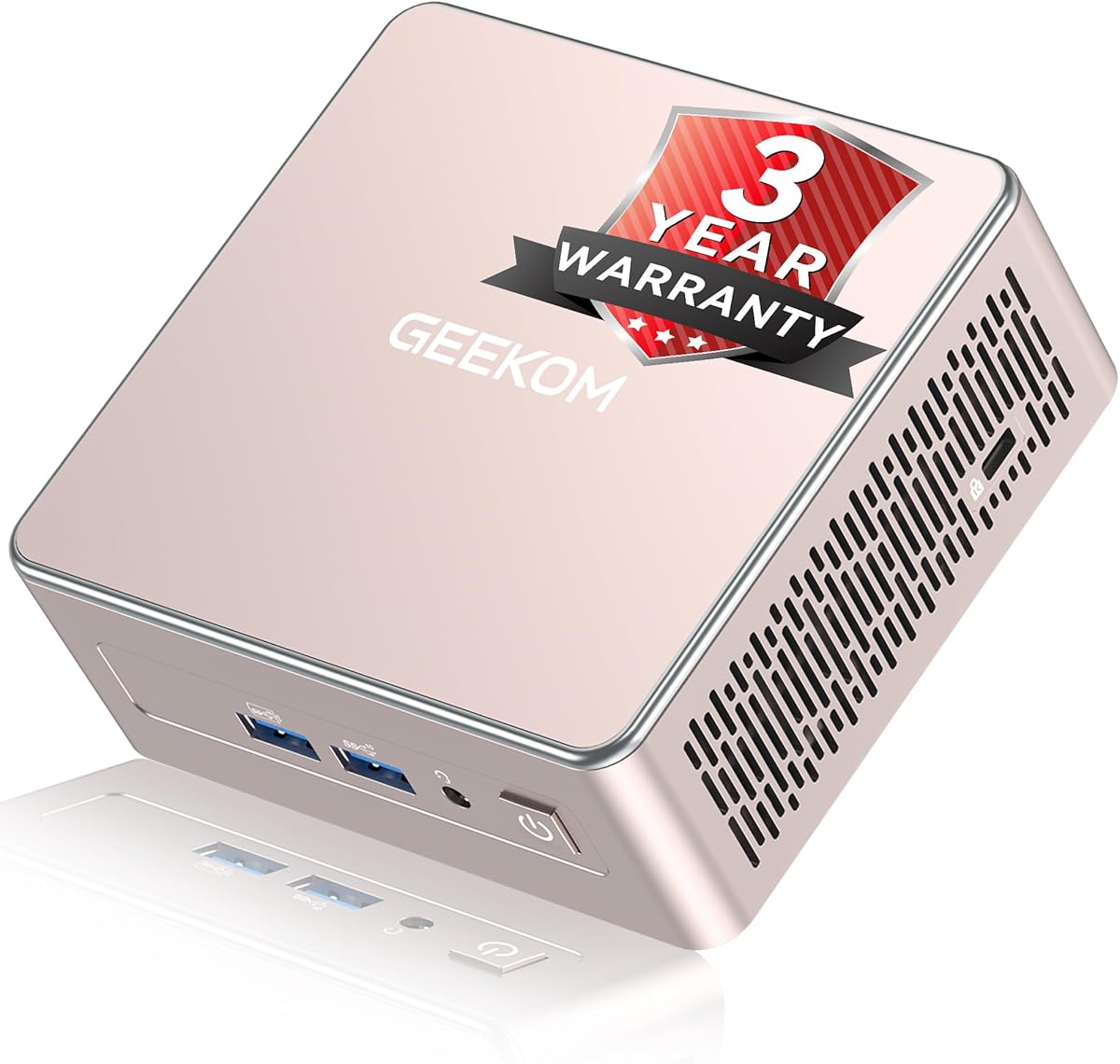
The GEEKOM Air12 Mini PC is designed for lightweight productivity and cloud AI workflows. It measures just 4.6 inches wide and fits easily in small workspaces. Its 256GB SSD uses factory-tested original-grade NAND for reliable read/write performance.
We may earn a commission when you buy through this link, at no additional cost to you.
With two SODIMM slots, users can upgrade memory up to 64GB for heavier multitasking. Intel UHD Graphics supports 4K streaming and digital signage with AV1 hardware decoding. The triple display setup via HDMI and USB-C aids efficient workflow management.
IceBlast 3.0 cooling ensures stability during long sessions or unattended tasks. It supports 24/7 operation ideal for thin clients or enterprise deployments. Business-ready features include Group Policy support and remote management capabilities.
This model suits students, home offices, and small businesses needing basic storage expansion. The warranty coverage provides long-term peace of mind for corporate fleets. Verify the storage slot type before purchasing if PCIe NVMe is required.
Preinstalled OS and cloud tool integration streamline daily automation without local LLM setup.
Low power consumption reduces energy costs while maintaining reliable performance for fleet use.
We may earn a commission when you buy through this link, at no additional cost to you.
The GMKtec G3 Ultra Mini PC delivers snappy responsiveness for office applications. It comes with 16GB LPDDR4 RAM preinstalled to handle multiple browser tabs efficiently. The primary M.2 slot uses PCIe while the secondary uses SATA for flexible storage options.
We may earn a commission when you buy through this link, at no additional cost to you.
Its Intel UHD Graphics with 48 EUs provides 2.4x the GPU performance of lower-end chips. This ensures smoother 4K streaming and light photo editing. The upgraded cooling fan and thermal paste reduce heat and fan noise during use.
Wireless connectivity includes WiFi 6 and Bluetooth 5.2 for reliable device pairing. Wake-on-LAN and PXE Boot features make it suitable as a lightweight server. The compact chassis fits discreetly behind monitors or in tight spaces.
This unit is well-suited for users needing moderate storage expansion without major upgrades. Dual slots allow keeping OS separate from bulk data files. Check the specific drive support before purchasing for optimal compatibility.
Primary PCIe and secondary SATA slots let users partition system and storage drives easily.
Gigabit Ethernet and Linux compatibility support firewall server or Proxmox hosting.
We may earn a commission when you buy through this link, at no additional cost to you.
The GMKtec K15 Mini PC leads the category with its advanced storage and AI capabilities. Rated highly for performance, it features Core Ultra 5 architecture with a dedicated NPU for accelerated AI tasks. Its three M.2 slots support up to 24TB total storage.
We may earn a commission when you buy through this link, at no additional cost to you.
Equipped with dual DDR5 slots, it allows memory expansion up to 128GB for heavy workloads. The Oculink port offers higher bandwidth for external GPUs, ideal for content creators needing graphics power. Triple cooling fans ensure efficient heat management under load.
Quad 4K/8K displays via HDMI and USB-C enable massive productivity setups. AV1 encoding supports efficient video processing and streaming. RGB lighting adds customization options while the system maintains quiet operation in silent mode.
This model fits professionals requiring robust storage expansion and AI acceleration. It supports modern gaming and creative applications better than entry-level units. Verify power requirements and cooling setup for intensive 24/7 use.
Three M.2 2280 PCIe slots provide massive storage capacity for media and data libraries.
NPU boosts AI tasks up to 13 TOPS, freeing CPU for other parallel operations.
We may earn a commission when you buy through this link, at no additional cost to you.
The GEEKOM A5 2027 Edition Mini PC balances modern Ryzen performance with expandable storage. It features a dual-slot DDR4 memory setup supporting up to 64GB and includes a 2.5-inch HDD bay. This allows up to 10TB total storage including the SSD.
We may earn a commission when you buy through this link, at no additional cost to you.
Powered by the Ryzen 7 7730U, it handles cloud-native AI workflows and heavy spreadsheets smoothly. The reinforced all-metal frame enhances structural strength and heat dissipation. IceBlast 3.0 cooling improves efficiency by up to 42% for quiet operation.
Multi-display connectivity supports four screens including 8K via USB-C. Wake-on-LAN and scheduled power features simplify business deployment. Its compact 0.6L design fits neatly in space-limited workstations.
Ideal for users needing a mix of fast SSD and high-capacity HDD storage. The warranty coverage ensures reliability for long-term deployment. Check the M.2 slot type for PCIe compatibility before buying.
Combines NVMe for OS and 2.5-inch HDD bay for bulk data archival up to 10TB.
Group Policy and remote management tools streamline IT setup for commercial environments.
We may earn a commission when you buy through this link, at no additional cost to you.
The GMKtec M6 Ultra Gaming Mini PC targets casual gamers needing storage flexibility. Its Ryzen 5 7640HS delivers a 30% performance increase over older chips. Dual M.2 2280 PCIe slots support expansion to 8TB SSD for large game libraries.
We may earn a commission when you buy through this link, at no additional cost to you.
Equipped with 32GB DDR5 RAM, it handles memory-intensive tasks well. The Radeon 760M iGPU supports AV1 and HEVC encoding for efficient video work. Fast network speeds via dual NICs reduce lag during online gaming.
Three simultaneous displays via USB4, HDMI, and DP enable command center setups. Fast internet connectivity with WiFi 6 and Bluetooth 5.2 ensures stable peripherals. Triple 4K output enhances productivity and immersive entertainment.
This model is great for users wanting SSD expansion in a compact gaming rig. It handles moderate titles and streaming without external GPUs. Verify the specific RAM configuration to ensure it matches your needs.
Dual PCIe 3.0 slots allow adding extra games without removing system drive.
2500Mbps LAN connections ensure low latency for competitive online sessions.
We may earn a commission when you buy through this link, at no additional cost to you.
The GMKtec G10 Mini PC offers a blend of office utility and light gaming. Based on Ryzen 5 3500U, it features 16GB DDR4 RAM and a 1TB SSD out of the box. Dual M.2 2280 PCIe slots allow expansion to 16TB total storage.
We may earn a commission when you buy through this link, at no additional cost to you.
It supports up to three displays via HDMI, DP, and Type-C ports. This setup enables efficient multitasking across different projects. The Radeon Vega 8 graphics provide enough power for video editing playback and casual titles.
Configurable TDP settings let users balance performance and power consumption. Dual USB 3.2 Gen2 ports offer fast data transfer for external drives. Wake-on-LAN supports server deployment for home or office use.
This unit suits those needing immediate storage without upgrading soon. The dual expansion slots provide ample room for future data growth. Check TDP limits if overclocking or sustained loads are planned.
HDMI, DP, and Type-C outputs support three screens for enhanced workflow management.
Two M.2 slots allow up to 16TB combined capacity for extensive data storage.
We may earn a commission when you buy through this link, at no additional cost to you.
The Bmax B1 Plus Mini PC is ideal for basic tasks requiring storage expansion. Its dual M.2 SSD slot design supports SATA and NVMe drives simultaneously. This allows expanding storage up to 2TB without removing the original drive.
We may earn a commission when you buy through this link, at no additional cost to you.
Weighing only 0.49 lbs, it fits behind monitors for a clean workspace. The 128GB eMMC boot drive ensures fast startup while added drives handle files. Dual HDMI ports support 4K at 60Hz for sharp visuals.
Silent fan design and smart heat sink system enable reliable 24/7 operation. One-click restore via F9 key allows quick system recovery if issues arise. WiFi 5 and Bluetooth 5.0 provide standard connectivity for peripherals.
This model suits home users needing a simple secondary storage slot. Its low power consumption and compact form save space and electricity. Check the M.2 interface requirements to ensure drive compatibility.
SATA and NVMe slots allow mixing drive types for balanced cost and performance.
VESA mounting bracket enables clean desk setups with no visible towers.
We may earn a commission when you buy through this link, at no additional cost to you.
The BOSGAME E5 Plus Mini PC upgrades the base model with 16GB RAM and larger SSD. It retains the dual NVMe slot design for seamless storage expansion. The 512GB M.2 drive ensures quick boot times and fluid application loading.
We may earn a commission when you buy through this link, at no additional cost to you.
Powered by the Ryzen 3 5300U, it handles daily business software smoothly. Triple 4K displays allow side-by-side editing and financial tracking. Full-function Type-C supports high-speed data and 4K output plus power delivery.
Dual 2.5G LAN ports support advanced networking like virtual machines. The whisper-quiet cooling system keeps noise levels low for offices. Compact footprint replaces traditional towers effectively.
This version is best for users wanting higher RAM out of the box. It offers excellent value for network servers or office tasks. Verify compatibility with existing drives before purchasing.
16GB RAM handles heavier multitasking better than the 8GB variant.
HDMI, DP, and Type-C ports drive three independent monitors simultaneously.
We may earn a commission when you buy through this link, at no additional cost to you.
The GEEKOM IT15 Mini PC offers premium performance for professionals. It features Intel Ultra 9 285H with 99 TOPS AI capability. The 1TB NVMe Gen 4 SSD runs 75% faster than Gen 3 and supports future storage upgrades.
We may earn a commission when you buy through this link, at no additional cost to you.
With 32GB DDR5 RAM upgradeable to 128GB, it handles complex code and video editing. Quad display support allows two 8K and two 4K screens via USB4 and HDMI. Arc 140T graphics support casual gaming and streaming.
Enterprise-grade connectivity includes WiFi 7 and 2.5Gbps Ethernet. The metal frame protects against drops while keeping temps low. A 3-year warranty ensures long-term business reliability.
This unit suits content creators needing local AI reasoning and massive SSD capacity. It bridges cloud intelligence and local power seamlessly. Check cooling needs for sustained high-load rendering sessions.
NPU acceleration keeps AI tasks efficient without bogging down the CPU.
Four 8K displays enable ultra-wide command centers for traders and creators.
We may earn a commission when you buy through this link, at no additional cost to you.
Choosing the right Mini PC with SSD Slot requires evaluating storage types, processor power, and future expandability to match your specific workflow needs.
Ensure the unit has the correct M.2 slot interface like PCIe or SATA. PCIe NVMe drives offer faster speeds essential for OS and apps. Some models support both types for flexible data segregation.
Look for dual slots if you need separate OS and storage drives. This setup improves performance by keeping system files on fast storage while data resides on larger capacity drives.
Select a CPU based on task intensity. Ryzen and Core Ultra models suit heavy multitasking and creative work. For light office tasks, Celeron or Pentium units provide sufficient power.
Check thermal design power (TDP) to ensure the cooling system can handle sustained loads. Higher performance CPUs may require active cooling for reliability.
Verify if memory is soldered or in SODIMM slots. SODIMM slots allow upgrading to 64GB or more as needs grow. Dual slots support dual channel for better bandwidth.
Minimum 16GB RAM is recommended for smooth multitasking with multiple tabs. Ensure BIOS supports high-density RAM modules before purchasing.
USB-C with Power Delivery simplifies charging and video output. HDMI and DisplayPort count determines multi-monitor setups. Ensure Ethernet ports support at least 2.5GbE for network-heavy tasks.
SD card readers and Thunderbolt support add versatility for peripherals. Check the number of USB 3.2 ports for external drive connections.
Triple cooling fans or heat pipes prevent thermal throttling during loads. Quiet modes should keep noise below 35dB for office environments. Metal chassis dissipate heat better than plastic.
Read user reviews regarding fan behavior under load. Some units may increase noise when pushing CPU limits.
Three-year warranties with parts replacement cover long-term ownership. Check if the brand offers technical support for software or hardware issues. Business models may include fleet deployment options.
Extended return policies help verify performance upon receipt. Ensure warranty covers defects in workmanship and design.
Linux compatibility is crucial for server or virtualization tasks. Windows 11 home or pro ensures standard office application support. BIOS features like Wake-on-LAN aid remote management.
Verify preinstalled OS licensing terms. Some units come with clean installs allowing OS customization.
Measure workspace to ensure VESA bracket or desktop fit. Palm-sized models under 1 pound suit travel. Height and width impact airflow and cooling efficiency.
Consider power adapter size for portability. Integrated adapters reduce clutter but add weight.
Connect your display via HDMI or USB-C and insert SSD drives before first boot. Follow the on-screen setup prompts to install updates and drivers.
Maintain airflow by keeping vents unblocked and dust-free. Use compressed air to clean fans quarterly to prevent overheating.
Backup data regularly to external drives since storage failure risks exist. Enable automatic system updates to keep security patches current.
Most models support M.2 slots, either PCIe NVMe or SATA. Dual slots allow mixing both types. Some units include SATA bays for 2.5-inch drives. Check specs for supported lengths like 2280.
No, many use soldered LPDDR RAM. Look for models with SODIMM slots. Some brands allow up to 64GB upgrades. Verify motherboard support before purchasing.
Entry models handle light casual titles only. Gaming-focused units like the M6 Ultra offer better iGPUs. External GPUs via Oculink enhance performance for heavier games.
Only newer models like K15 or IT15 support PCIe 4.0. Older units support 3.0 which is still fast. Check documentation to confirm interface generation compatibility.
Screw off the case panel to access slots. Align the notch on the M.2 drive and secure with a screw. Configure RAID or separate volumes in BIOS.
Yes, most include Windows 11 Home or Pro. Some support Linux for server use. Verify licensing terms during purchase. Clean installs may be needed.
Most offer a 3-year limited warranty covering defects. Some include replacement of major components. Check specific terms for business versus consumer models.
Yes, most support Ubuntu or Debian. Drivers for WiFi and graphics are usually available. Ensure BIOS settings allow Linux boot. Some require manual driver installation.
This guide highlights ten reliable models offering versatile storage expansion for various needs. Whether you need budget entry or premium AI power, options exist with SSD slots.
Prioritize processor speed, slot interface type, and RAM upgradeability to match your workflow. Network features and cooling quality also impact long-term satisfaction.
Prices and availability fluctuate frequently, so check current listings before purchasing. Verify the specific specifications on the product page to ensure compatibility.