
Franklin Collins English Digital Dictionary Express Edition
3.7Editor score
118000 words definitions
500000 synonyms antonyms
Phonetic spell correction
This guide compares the top electronic dictionaries and thesaurus devices for students and professionals, highlighting features like offline translation
Electronic dictionaries and thesaurus devices remain essential tools for students professionals and language learners who need reliable offline access to vast word libraries. These portable gadgets offer instant definitions, synonyms, and grammar assistance without requiring an internet connection or smartphone dependency during critical study moments.
We evaluated ten leading models based on dictionary size, translation capabilities, user interface design, and educational utility to determine which devices deliver the most value. Our analysis focuses on accuracy, ease of use, battery life, and the breadth of linguistic resources available to help users expand their vocabulary effectively.
Each product selection below highlights unique strengths such as bilingual support, puzzle solving tools, or robust grammar checkers suited for specific academic needs. Please note that while we provide detailed specifications, current availability and pricing may vary so check the official links for the most up to date information before purchasing.
3.7Editor score

3.7Editor score

3.9Editor score
This side by side comparison outlines the core specifications and unique capabilities of each featured device to help you identify the model that aligns with your specific learning or professional requirements.


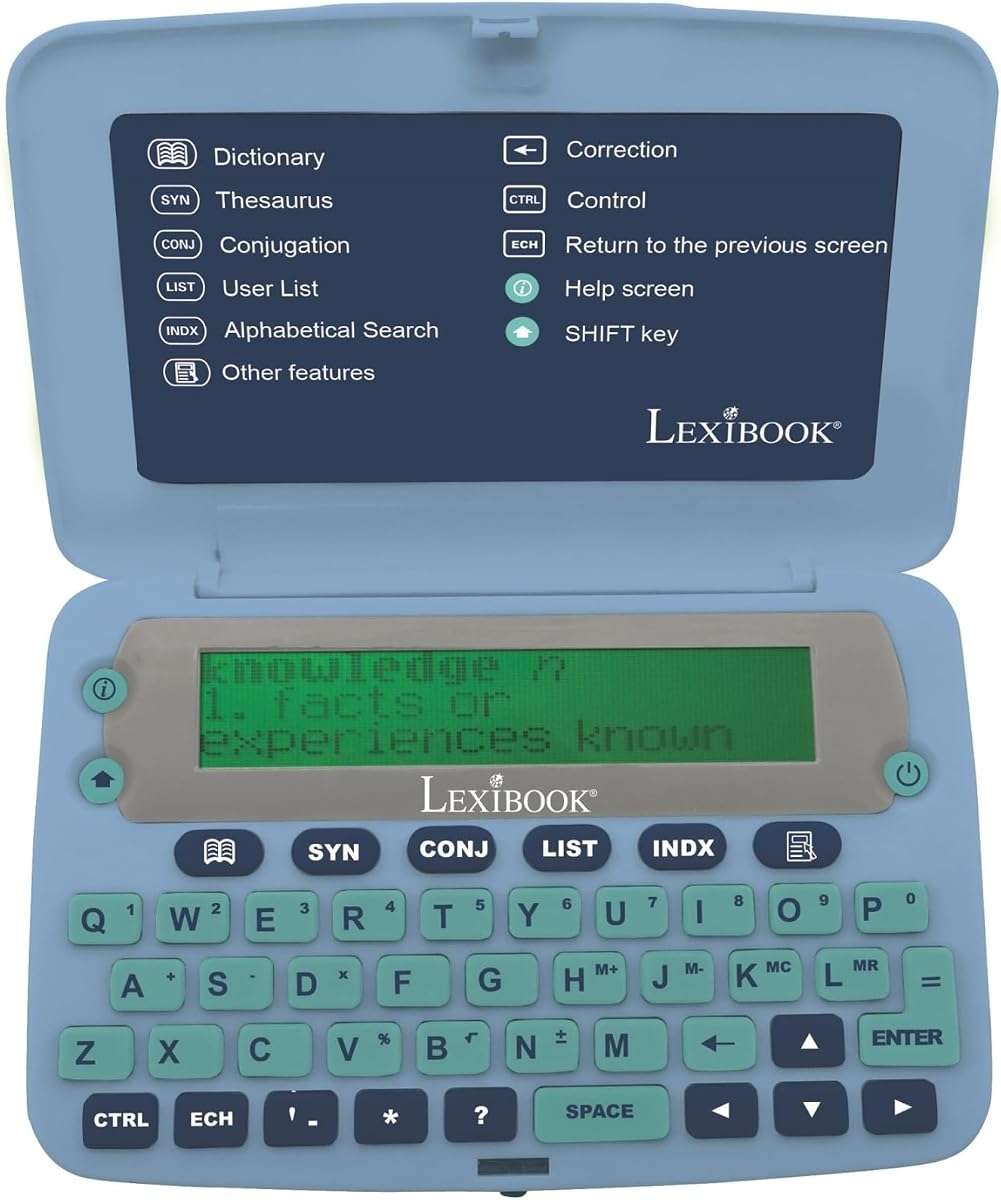

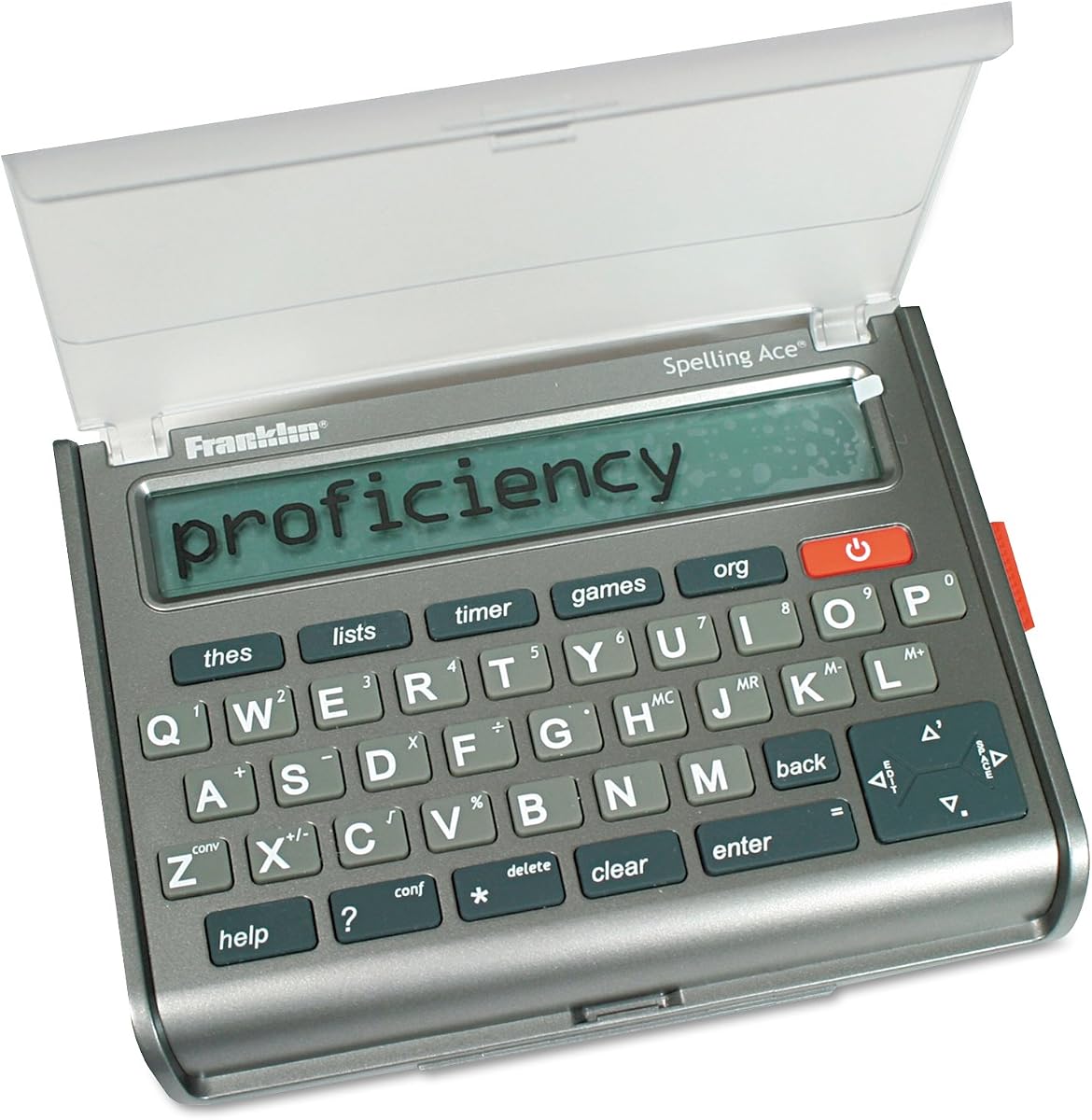


The Franklin MDE-1200 stands out as a robust electronic dictionary and thesaurus designed specifically for students and professionals seeking to enhance their English proficiency. With a substantial database of 80,000 headwords and 250,000 definitions, it provides immediate access to a vast lexicon without needing an internet connection. Its rating reflects a solid performance in delivering accurate definitions and synonyms while maintaining a user-friendly interface for daily use.
We may earn a commission when you buy through this link, at no additional cost to you.
Key strengths include its built-in English grammar and test tools which cater to learners preparing for exams like TOEFL, GRE, SAT, GMAT, and TOEIC. The device offers lessons on irregular verbs, verb conjugation, and noun inflection, making it a versatile study aid. Additionally, the interactive word games such as Hangman and Flashcards transform routine vocabulary building into an engaging activity that encourages consistent practice.
While the device excels in English language support, it lacks advanced multilingual translation features found in higher-end models. The LCD screen is functional and zoomable but may require adjustment in low light conditions. Despite these minor trade-offs, the device remains reliable for users focused on mastering English vocabulary and grammar without distractions from notifications or ads.
This device is ideal for students, teachers, and language enthusiasts who need a distraction-free tool for academic preparation. Its lightweight design and battery operation ensure it is always ready for classroom or study sessions. We recommend it for those prioritizing comprehensive English language resources and interactive learning features over multilingual capabilities.
The extensive database of 80,000 headwords and 250,000 definitions ensures users can find precise meanings and usage examples instantly to support writing and reading comprehension.
Specialized vocabulary banks and grammar lessons for standardized tests like SAT and GRE help students prepare efficiently without needing separate study guides or online subscriptions.
We may earn a commission when you buy through this link, at no additional cost to you.
The Franklin Collins English Digital Dictionary Express Edition offers exceptional value for users seeking a reliable vocabulary tool without breaking the bank. It features over 118,000 words and definitions from the respected Collins English Dictionary, along with a thesaurus containing 500,000 synonyms and antonyms. This broad coverage makes it a strong choice for expanding vocabulary and improving word usage accuracy.
We may earn a commission when you buy through this link, at no additional cost to you.
Notable features include phonetic spell correction and a confusables tool that helps users avoid common errors by explaining frequently misunderstood words. The device also supports custom word lists and includes six interactive word games with adjustable difficulty levels to keep learning engaging for all ages. Additional utilities like a calculator and currency converter add practical value for everyday use.
While the interface is straightforward, it may lack the polish of more expensive models. The game selection is limited compared to other devices but sufficient for basic practice. The compact design ensures portability, making it easy to carry in a bag or pocket during study sessions or travel.
This dictionary is best suited for students and general users who prioritize vocabulary expansion and spelling accuracy over advanced multimedia features. Its affordability and robust word count make it an accessible entry point into electronic dictionaries. We recommend it for budget-conscious learners needing a dependable reference tool.
With 500,000 synonyms and antonyms, users can find alternative words to enhance writing variety and avoid repetition in essays or professional documents.
Built-in tools like a world clock, currency converter, and calculator provide extra functionality that supports travelers and professionals beyond simple dictionary lookup.
We may earn a commission when you buy through this link, at no additional cost to you.
The Franklin MES-2400 Digital Talking Dictionary is designed to help learners improve communication through accurate pronunciation and offline translation. It features a talking dictionary function that pronounces words and phrases in true native human voices, which is invaluable for mastering correct accent and intonation. Its multilingual translator supports English, Spanish, Italian, German, and French without requiring an internet connection.
We may earn a commission when you buy through this link, at no additional cost to you.
Key strengths include phonetic and typographical spell correction, which assists learners who spell words based on sound. The device focuses on learning with a simple interface that minimizes distractions, making it ideal for students and language enthusiasts. Its compact design fits comfortably in a pocket, ensuring it is always accessible during language practice or travel.
While it excels in pronunciation and translation, it does not offer the extensive word games or English grammar tools found in English-focused models. The tactile keypad is responsive but the display is basic. These trade-offs are acceptable for users prioritizing auditory learning and cross-language communication over English grammar study.
This device is recommended for language learners, travelers, and professionals needing quick offline translations and pronunciation guidance. Its user-friendly design and focus on core language skills make it a practical tool for building fluency. We suggest it for those seeking a dedicated tool for multilingual support and speaking practice.
True native human voice audio helps users hear correct pronunciation and intonation which is critical for improving speaking skills and confidence in conversation.
The ability to translate between five languages without internet ensures reliable communication in remote areas or places without connectivity for travelers and professionals.
We may earn a commission when you buy through this link, at no additional cost to you.
The LEXiBOOK D850EN offers the most extensive word coverage in this lineup with 725,000 words, meanings, and phrases from the Collins English Dictionary 13th edition. It includes 8,000 verbs and a conjugation feature for over 7,000 verbs across four tenses. The device also features a thesaurus, crossword solver, and word games to enhance learning.
We may earn a commission when you buy through this link, at no additional cost to you.
Its large 4-line screen and ergonomic size with large buttons make it easy to read and use. A magnifying function helps users see screen text more clearly which benefits those with visual challenges. Additional utilities like currency converters and unit converters add versatility. However the lower rating indicates potential user experience issues compared to other models.
While the word count is impressive, the interface may feel outdated and navigation could be less intuitive than competitors. Users might find the games limited or the display quality basic. Despite this, the device remains a strong choice for those prioritizing volume of information and readability over modern design features.
This device is best for users who need a comprehensive reference library with a focus on readability and simple operation. It suits students and writers needing extensive vocabulary access without complex features. We recommend it for those who prioritize word count and ergonomic comfort.
With 725,000 words and phrases, this device offers the largest database available ensuring users can find rare or obscure terms with ease.
Large buttons and a magnifying function on a 4-line screen improve usability and readability for users who need clear display access during study.
We may earn a commission when you buy through this link, at no additional cost to you.
The Franklin DBE-1200 is a dedicated bilingual device switching instantly between English and Spanish with over 150,000 words and 1,000,000 translations. It provides full dictionaries and a thesaurus for both languages plus phonetic spell correction. The device requires no internet or subscription making it reliable for classrooms travel or work environments.
We may earn a commission when you buy through this link, at no additional cost to you.
Key features include bilingual grammar tools and verb inflection which help users understand conjugation patterns. A 7,000-entry phrasebook supports daily communication. The device includes word games and solvers for practice while remaining distraction-free without ads or notifications. This focus on core language skills ensures users stay engaged in learning.
While it excels in bilingual support it only covers English and Spanish so users needing other languages will need another device. The LCD screen is functional but basic compared to modern tablets. These limitations are acceptable for those focused on mastering English and Spanish communication and grammar.
This device is ideal for bilingual households teachers and travelers who need reliable offline translation and language learning tools. Its distraction free design helps maintain focus on language acquisition. We recommend it for anyone seeking a dedicated English-Spanish practice tool.
One tap switching between English and Spanish allows for quick communication and vocabulary lookup without needing apps or browser searches.
Grammar tools and verb inflection for both languages help learners understand structure and avoid common mistakes in writing and speaking.
We may earn a commission when you buy through this link, at no additional cost to you.
The LEXiBOOK D650EN provides a solid reference tool with 380,000 words and up to six definitions per entry. It includes a thesaurus, spell checker, and grammar tools plus 3 word games like Hangman and Jumble. The device features a large 3-line screen for easy reading and a magnifying function to assist visibility.
We may earn a commission when you buy through this link, at no additional cost to you.
Additional utilities include a memo list, currency converter, and clock which add practical value. The ergonomic size with large buttons ensures comfortable handling. However it lacks advanced grammar or test prep tools found in other models. This makes it suitable for general reference rather than intensive academic preparation.
The device is reliable for quick lookups and spelling checks but may not offer enough depth for advanced learners. The interface is straightforward but not innovative. These trade-offs are acceptable for users who want a simple affordable dictionary for daily use.
This device is best for casual users students needing a quick reference and travelers who value simplicity. Its compact design and practical tools make it a useful pocket companion. We recommend it for basic English vocabulary support.
Large buttons and a magnifying function ensure comfortable handling and clear visibility for extended study sessions or quick lookups.
Features like memo lists and metric converters add utility beyond dictionary definitions making it a versatile tool for everyday reference tasks.
We may earn a commission when you buy through this link, at no additional cost to you.
The Franklin MWS-1840 features a speaking dictionary that pronounces words and definitions out loud which aids auditory learners. It uses the Merriam Webster source with 274,000 comprehensive definitions and 496,000 synonyms. A spell verification list of 83,000 words ensures accuracy. The device includes a slot for an expandable Book Card for additional content.
We may earn a commission when you buy through this link, at no additional cost to you.
Key strengths include reliable audio pronunciation and a reputable dictionary source trusted by professionals and academics. The high synonym count supports rich vocabulary building. However the design is dated and lacks modern game features or connectivity. The audio quality depends on battery life and speaker condition.
While the audio feature is valuable the device may feel outdated compared to newer touchscreen alternatives. Users seeking visual learning or interactive games may find it limited. These trade-offs are acceptable for those prioritizing spoken word accuracy and traditional reference style.
This device is best for students with auditory learning preferences and users who trust the Merriam Webster brand. Its expandable storage allows for future content updates. We recommend it for those seeking a reliable talking dictionary.
Speaking definitions aloud supports auditory learners and helps verify correct pronunciation instantly which is beneficial for language acquisition and public speaking.
The slot for an expandable Book Card allows users to add new dictionaries or references over time ensuring the device remains useful as needs change.
We may earn a commission when you buy through this link, at no additional cost to you.
The Franklin SA-309 Spelling Ace excels at puzzle solving with a dedicated crossword solver using the Merriam-Webster word list. It includes a word builder feature that creates possible words from entered letters to help solve puzzles. The device also has a thesaurus with 500,000 synonyms and antonyms plus a confusables function to explain common errors.
We may earn a commission when you buy through this link, at no additional cost to you.
Notable strengths include a high user rating reflecting satisfaction with its specialized tools. The confusables function helps users understand words like their versus they're. The classmate feature provides words in similar categories for creative writing. However the device focuses heavily on puzzles so it may not suit all learning needs.
While excellent for crossword enthusiasts it lacks extensive grammar or test prep tools. The interface is simple and functional. These limitations are acceptable for users needing a puzzle companion rather than a full language course.
This device is best for crossword fans word puzzle lovers and writers seeking creative word suggestions. Its specialized features make it a unique tool. We recommend it for those focused on word games and spelling accuracy.
Dedicated crossword and word builder solvers help users decode puzzles quickly making it a favorite tool for hobbyists and word game enthusiasts.
The confusables function identifies and explains commonly misunderstood words which helps improve precision and clarity in writing and professional communication.
We may earn a commission when you buy through this link, at no additional cost to you.
The Merriam-Webster BookMan is a classic electronic pocket model designed for portability and quick reference. It contains Merriam-Webster data providing reliable definitions and thesaurus access in a compact form. The device features a simple interface that is easy to navigate for basic word lookup tasks. It serves as a nostalgic tool for those familiar with older electronic dictionaries.
We may earn a commission when you buy through this link, at no additional cost to you.
Key strengths include its reputation for accuracy due to the Merriam-Webster source. The pocket size ensures it fits easily in bags. However the device relies on older technology with limited interactivity compared to modern devices. The interface is basic and lacks advanced learning tools or games.
While reliable for simple definitions it does not offer the depth or features of newer models. Users may find the display and navigation dated. These trade-offs are acceptable for collectors or those seeking a no-frills reference tool.
This device is best for users who prioritize compact size and trusted source over advanced features. It suits those needing a simple tool for quick lookups. We recommend it for casual users familiar with classic electronic reference devices.
The small pocket form factor ensures easy portability making it convenient to carry for quick reference during travel or daily activities.
Access to trusted Merriam-Webster definitions ensures accuracy and professionalism for users who prioritize content quality over modern features.
We may earn a commission when you buy through this link, at no additional cost to you.
The Franklin MWD-1450 offers a base of over 100,000 definitions with downloadable content capability via BookCard. It features a 5-line display for clear reading and nine games and learning exercises for engagement. The device includes Merriam-Webster data ensuring quality definitions. Its expandable design allows users to update content as needed.
We may earn a commission when you buy through this link, at no additional cost to you.
Key strengths include the ability to add new dictionaries or resources through BookCard slots. The learning games provide interactive practice for vocabulary building. However the model is older and lacks modern connectivity or advanced features. The interface is straightforward but not innovative.
While the expandable feature offers flexibility the device may feel dated compared to newer tools. Users seeking the latest technology might prefer current models. These trade-offs are acceptable for those needing a simple expandable reference device.
This device is best for users who value expandability and a simple interface over modern tech. It suits schools or home offices needing basic word reference. We recommend it for those prioritizing content flexibility.
Downloadable content and BookCard expandability allow users to update the dictionary database ensuring the device adapts to changing learning needs.
Nine built-in games and exercises provide engaging ways to practice vocabulary and reinforce learning without requiring additional software or internet.
We may earn a commission when you buy through this link, at no additional cost to you.
Choosing the right electronic dictionary depends on your specific learning goals language needs and preferred features. This guide outlines key factors to consider before making a purchase.
The number of words and definitions determines how comprehensive the reference will be. Look for devices with at least 100,000 words to ensure you can find obscure or technical terms without needing multiple books. A larger database reduces the likelihood of encountering missing entries during research.
Prioritize models with larger word counts if you work in academic or professional fields requiring precise vocabulary.
If you need translation between languages select a device that supports your target languages. Some models offer bilingual dictionaries and offline translation capabilities which are essential for travelers. Ensure the device includes both definitions and grammar notes for accurate communication.
Choose bilingual or multilingual models only if you regularly work across specific languages.
For learners focusing on speaking and listening audio output is crucial. Devices with native voice pronunciation help users hear correct intonation and stress patterns. Check that the audio is clear and covers a broad range of words to support effective language acquisition.
Opt for talking dictionaries if auditory learning is your primary study method.
Students preparing for standardized tests benefit from built-in grammar lessons and vocabulary banks. Look for features like verb conjugation, irregular verb lists, and exam-specific banks for TOEFL or SAT. These tools transform the device into a study companion rather than just a reference tool.
Select devices with grammar and test tools if academic performance is your main goal.
A clear and well-lit screen ensures comfortable long-term use. Devices with larger screens and adjustable contrast help reduce eye strain. Ergonomic designs with large buttons improve usability for all ages especially for those with visual limitations.
Choose models with ergonomic displays and buttons if you plan to use the device frequently.
Battery life and physical size determine how easily you can carry the device. Lightweight pocket-sized models are ideal for students and travelers. Ensure the device uses standard batteries or rechargeable power sources to maintain reliability during extended use.
Prioritize lightweight and battery-efficient models for mobile study sessions or travel.
Some dictionaries include extra features like calculators, currency converters, or memo lists. These utilities add value for professionals and travelers who need quick reference tools. However ensure these features do not distract from the core language learning purpose.
Select models with utilities only if they match your daily workflow requirements.
Devices with expansion slots or downloadable content allow you to update dictionaries over time. This feature extends the life of the device and keeps vocabulary current. Check if new content cards are readily available for your chosen model.
Choose expandable models if you plan to use the device for several years.
Start by familiarizing yourself with the device navigation menus. Use the search function to find words quickly and explore thesaurus and grammar tools for deeper learning. Practice using spell correction features to improve accuracy when writing or typing.
Regularly update batteries to ensure consistent performance during study sessions. Keep the device in a dry cool place away from direct sunlight to prevent screen damage. Clean the keyboard and display gently with a soft cloth to avoid dust buildup that may hinder usability.
Utilize interactive features like word games and flashcards to reinforce vocabulary retention. Create custom word lists to track progress and review difficult terms. Engage with audio functions regularly to enhance pronunciation and listening skills effectively.
Electronic dictionaries offer focused learning without notifications and internet distractions which can improve retention. They work offline without data plans ensuring reliability in classrooms or remote areas. Many include specialized grammar and test prep tools not found in standard apps making them ideal for serious study.
A quality electronic dictionary should contain at least 100,000 words to cover common and technical vocabulary. Devices with over 200,000 definitions provide more precise meanings and usage examples. Ensure the word count includes synonyms and grammar notes to support comprehensive language learning.
Yes many models support bilingual or multilingual dictionaries for languages like Spanish Italian and French. Dedicated bilingual devices offer instant translation and offline capabilities for travelers. Check device specifications to confirm supported languages match your study or communication needs.
Most electronic dictionaries work offline with built-in databases and no need for internet connection. This allows use in areas without signal or during airplane travel. However some models may offer optional downloadable content updates that require internet access once.
Battery life varies by usage but most devices run for several weeks on standard batteries with normal daily use. To maximize longevity turn off the device when not in use and avoid backlight usage unnecessarily. Replace batteries promptly when the screen dims to maintain full performance.
Yes several models include vocabulary banks and grammar tools specifically designed for exams like TOEFL GRE SAT and TOEIC. These features provide targeted practice and word lists aligned with test requirements. Look for devices with these built-in test prep tools to streamline your study plan.
Many electronic dictionaries feature expansion slots or downloadable content capabilities that allow you to add new dictionaries. This extends the device life and keeps your reference material current over time. Check product details to confirm if expandable content is supported for your chosen model.
Use a soft dry cloth to gently wipe the display and keyboard to avoid scratches or moisture damage. Avoid using harsh chemicals or excessive pressure that could harm the screen or buttons. Keep the device in a protective case when not in use to prevent dust and dirt accumulation.
The Franklin MDE-1200 Collins English Digital Edition and MES-2400 Talking Dictionary offer strong options for students and professionals seeking reliable vocabulary tools. Each device provides unique strengths like test prep, budget-friendly performance, or audio pronunciation to suit different learning needs.
Prioritize features that match your primary goal such as bilingual translation, grammar tools, or portability. A device with extensive word coverage and offline capabilities ensures consistent performance regardless of connectivity issues. Consider expandability and ergonomic design to maintain long-term usability.
Remember that current availability and pricing may change so verify the latest information before purchasing. Check official product links for up-to-date specs and promotions. Selecting the right tool can significantly enhance your language learning efficiency and academic success.