
TONOR Conference Microphone for PC G11
4.3Editor score
Omnidirectional pickup pattern
Plug and play setup
Built-in mute button
Clear audio is essential for effective virtual meetings. A good microphone ensures your voice is heard without background noise or echo. Whether you work from home or travel often, the right device makes a difference.
We evaluated ten top-rated microphones based on sound quality, ease of use, and compatibility with Zoom. Our analysis covers USB mics, speakerphones, and headsets suitable for various office setups.
Each pick highlights key features and ideal use cases to help you decide. Note that product availability and prices may change over time, so verify details before purchasing your preferred model.
4.3Editor score

4.6Editor score
4.2Editor score
As an Amazon Associate we earn from qualifying purchases.
Here is a side-by-side comparison of all ten microphones reviewed in this guide. Each entry lists key specifications to help you quickly identify the best fit for your specific meeting requirements.




The Logitech Blue Yeti stands out as the top choice for users needing exceptional audio quality during Zoom calls. With a 4.6 rating, it delivers broadcast-quality sound that ensures your voice is clear and professional.
We may earn a commission when you buy through this link, at no additional cost to you.
Its custom three-capsule array supports four pickup patterns, allowing you to tailor sound capture for solo meetings or group discussions. The Blue VO!CE software further enhances vocal clarity with advanced effects and modulation.
While it features a sturdy design with onboard controls for gain and mute, its larger size may require more desk space. This trade-off is acceptable given the superior audio performance and flexibility it offers.
Ideal for professionals who prioritize sound quality above all else, the Yeti is a reliable investment. Its plug-and-play setup ensures quick integration with any system for seamless conferencing.
Select from cardioid, omni, bidirectional, or stereo modes to match your specific recording environment.
Elevate recordings with Blue VO!CE effects including modulation and HD audio samples.
We may earn a commission when you buy through this link, at no additional cost to you.
The TONOR G11 offers a cost-effective solution for clear Zoom meetings without compromising on essential features. With a 4.3 rating, it provides reliable audio for small to medium group sessions.
We may earn a commission when you buy through this link, at no additional cost to you.
Its omnidirectional pattern captures sound from 360 degrees up to 11.5 feet, ensuring all participants are heard clearly. The sturdy metal base and anti-slip mat keep it stable during use.
While it lacks advanced noise filtering, the simple mute button and indicator light make it easy to manage audio. This simplicity is ideal for those seeking a straightforward setup without complex software.
Perfect for students and remote workers on a budget, the G11 delivers solid performance for the price. Its compatibility with Windows and macOS ensures broad usability across different systems.
Capture voices from up to 11.5 feet away with minimal effort from participants.
No drivers needed; simply connect via USB and select as input device to start.
We may earn a commission when you buy through this link, at no additional cost to you.
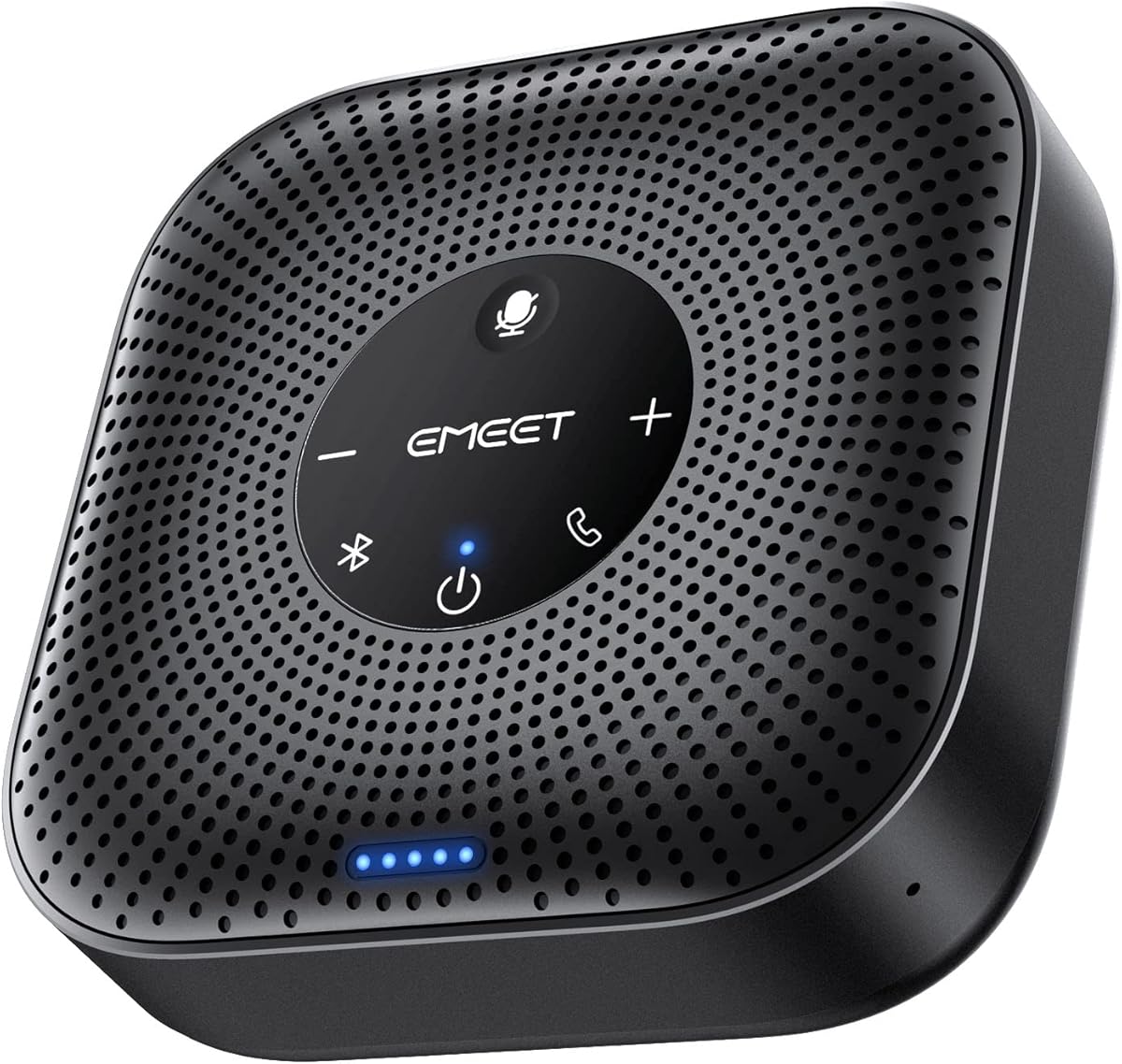
The EMEET M0 Plus combines a microphone and speaker in a premium package ideal for larger meeting rooms. Its 4.2 rating reflects strong performance in capturing clear audio and delivering sound evenly.
We may earn a commission when you buy through this link, at no additional cost to you.
Powered by VoiceIA technology, it filters out background noise and echoes while supporting up to 16 attendees. The ability to link two units via Daisy Chain extends coverage for even bigger spaces.
With over 10 hours of talk time and dual connection options, it offers flexibility for travel and office use. The only drawback is the reliance on battery power, which requires occasional recharging.
Best suited for professional environments needing high-quality conferencing, the M0 Plus excels in versatility. Its compatibility with major platforms like Teams and Slack adds to its broad appeal.
AI-driven noise filtering ensures crystal-clear audio even in noisy environments.
Link two devices seamlessly to double mic and speaker range for large rooms.
We may earn a commission when you buy through this link, at no additional cost to you.
The ZealSound K66 delivers studio-quality audio suitable for professional content creation and online meetings. With a 4.4 rating, it balances performance with user-friendly features like real-time monitoring.
We may earn a commission when you buy through this link, at no additional cost to you.
Its intelligent noise reduction mode helps eliminate keyboard clicks and fan noise for cleaner calls. Adjustable knobs for gain and echo allow you to fine-tune sound without needing external software.
While it lacks a built-in speaker, the zero-latency monitoring ensures you hear yourself clearly. The top-addressed design requires proper positioning but provides consistent voice pickup.
Ideal for creators needing reliable audio across multiple platforms, the K66 offers excellent value. Its plug-and-play setup and accessory kit make it ready to use right out of the box.
Activate with a button hold to suppress background noise during recording.
Use physical knobs for instant adjustments to gain, echo, and volume.
We may earn a commission when you buy through this link, at no additional cost to you.
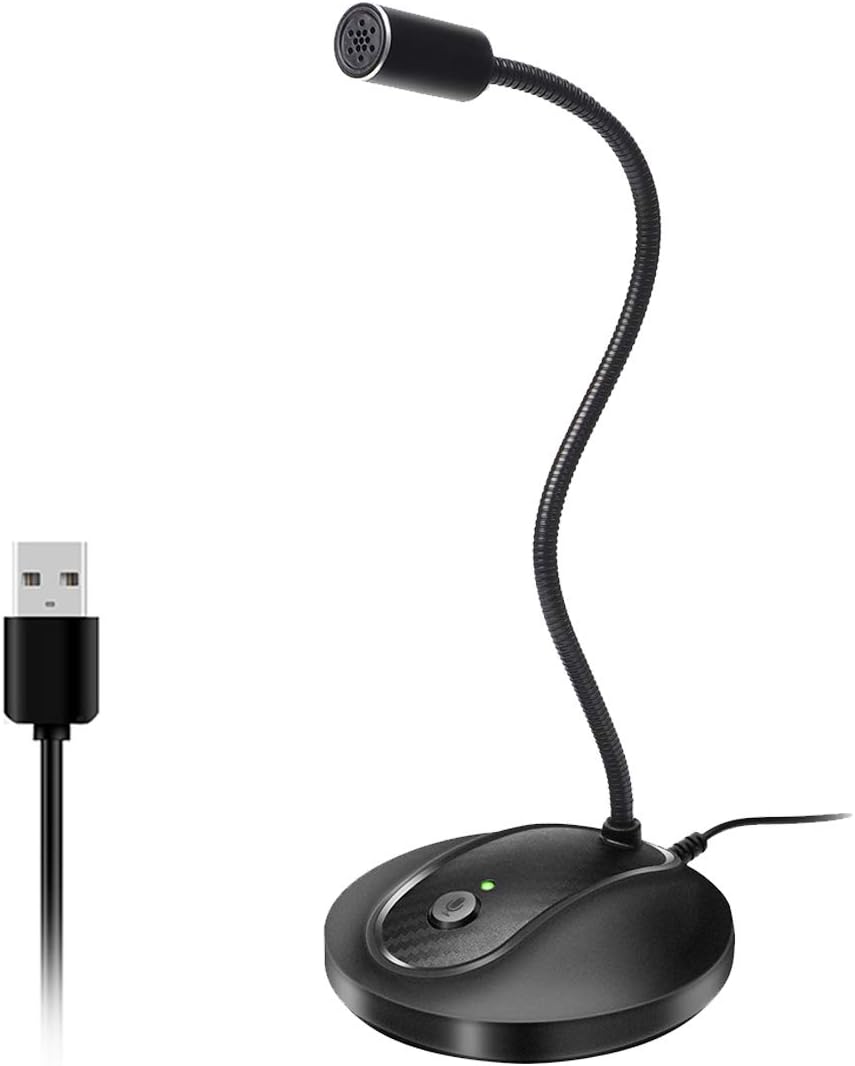
This USB Gooseneck Micro provides a flexible solution for personal Zoom calls with its adjustable design. Rated 4.4, it focuses on convenience and ease of use for everyday conferencing.
We may earn a commission when you buy through this link, at no additional cost to you.
The noise-canceling technology helps reduce background noise for clearer communication. Its LED indicator clearly shows mute status, ensuring you never accidentally transmit audio.
While the build is sturdy with a metal pipe, it is best suited for close-up use. The simple design makes it an affordable choice for users prioritizing functionality over premium features.
Perfect for individual workers needing a reliable and adjustable mic, it offers solid value. Its compatibility with Windows and macOS ensures broad support across different computing environments.
Adjust the gooseneck to optimize mic placement for your voice.
Built-in tech reduces background noise and echo for better clarity.
We may earn a commission when you buy through this link, at no additional cost to you.
The Amazon Basics Condenser Microphone offers reliable performance for Zoom calls at a budget-friendly price. With a 4.4 rating, it delivers clear sound with minimal noise and distortion.
We may earn a commission when you buy through this link, at no additional cost to you.
Its cardioid pattern isolates your voice from background noise, making it ideal for focused conversations. The adjustable stand and shock absorber help reduce vibrations during use.
While it lacks advanced software features, the one-tap mute function provides essential control. This simplicity makes it an excellent option for users who want a straightforward setup.
Best for casual users and home offices, the Amazon Basics mic provides great value. Its plug-and-play design ensures quick integration without requiring additional configuration steps.
Isolates background noise by focusing on sound from the front.
Rotate 360 degrees to track your voice in real-time during calls.
We may earn a commission when you buy through this link, at no additional cost to you.
The TONOR TM20 is designed for seamless online meetings with its wide omnidirectional pickup pattern. It achieves a 4.4 rating by balancing affordability with effective sound capture capabilities.
We may earn a commission when you buy through this link, at no additional cost to you.
It can pick up voices up to 16.4 feet away, making it suitable for small to medium meetings. The built-in noise reduction technology helps eliminate echo for clearer audio.
The one-button mute with LED indicator ensures easy status checks during calls. While it may not suit very large rooms, it is highly effective for standard home office setups.
Ideal for educators and small teams, the TM20 offers reliable performance without complexity. Its compatibility with major platforms and easy USB connection make it a practical choice.
Capture subtle sounds from 360 degrees up to 16.4 feet away.
Block noise and eliminate echo for clear sound during meetings.
We may earn a commission when you buy through this link, at no additional cost to you.
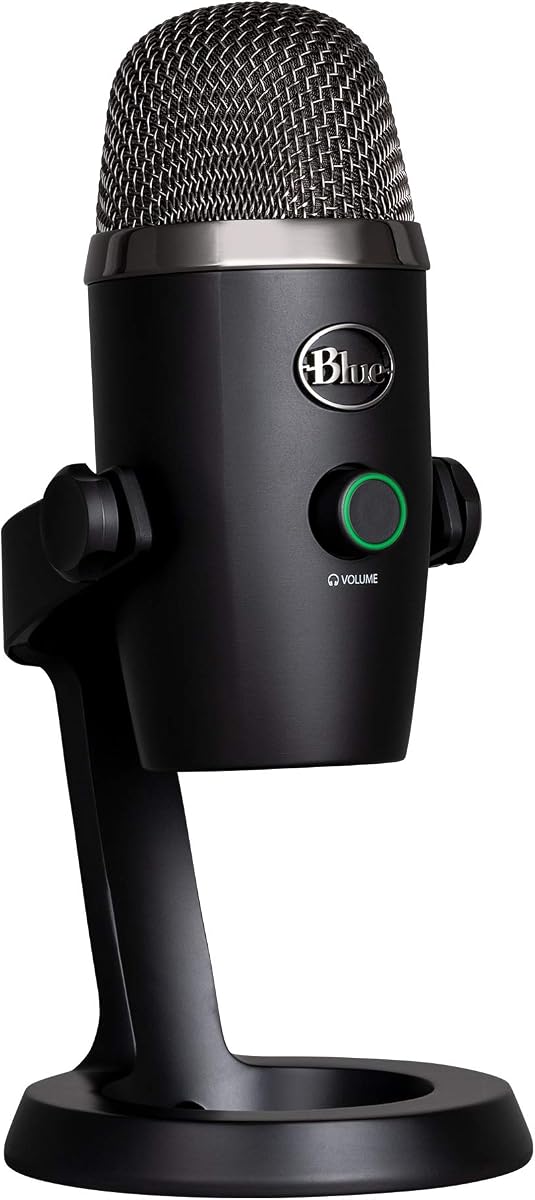
The Logitech Blue Yeti Nano delivers exceptional audio in a compact package, rated 4.6 for quality. It features two custom mic capsules that ensure professional-level voice presence and detail.
We may earn a commission when you buy through this link, at no additional cost to you.
With cardioid and omni pickup patterns, it adapts well to both solo and group scenarios. The Blue VO!CE software enhances recordings with advanced effects for a polished sound.
Its small footprint makes it perfect for desks with limited space without sacrificing performance. Onboard controls allow quick adjustments, though it may be pricier than standard mics.
Best for streamers and professionals needing portable high-fidelity audio, the Nano is a top choice. Its seamless integration with PC and Mac systems ensures a smooth setup process.
Exceptional presence and detail for professional recording and streaming.
Adjust headphone volume, mic mute, and pickup pattern quickly.
We may earn a commission when you buy through this link, at no additional cost to you.
This Lenovo USB Headset offers an all-in-one solution for clear meetings with crystal conversations. Rated 4.4, it is powered by software that enhances noise cancellation effectively.
We may earn a commission when you buy through this link, at no additional cost to you.
Its lightweight design ensures comfort during long calls while intuitive controls simplify functions. The double-sided boom mic captures voice clearly while minimizing background interference.
While wired connections may limit mobility, the direct USB-A plug ensures stable connectivity. It is designed specifically for business apps, making it a reliable tool for professionals.
Ideal for office workers prioritizing comfort and clarity, the headset provides practical value. Its compatibility with Teams and Zoom ensures it fits seamlessly into existing workflows.
LADM software ensures clarity even in the busiest environments.
At 140g, enjoy a featherlight embrace for every task.
We may earn a commission when you buy through this link, at no additional cost to you.
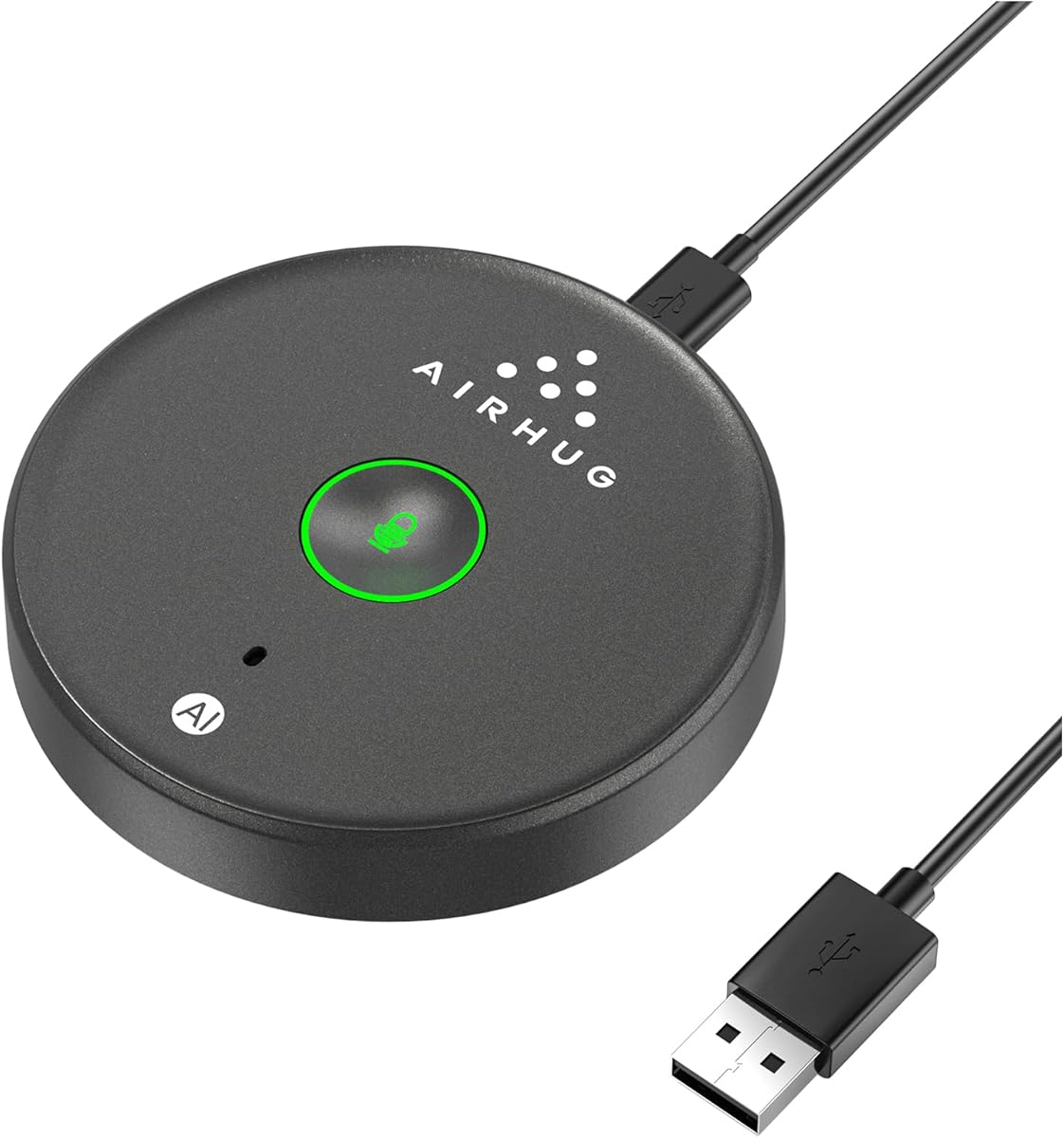
The AIRHUG USB Mic is a portable solution for small meetings with advanced noise cancellation. Rated 4.3, it captures clear voices within a 6-foot radius using AI technology.
We may earn a commission when you buy through this link, at no additional cost to you.
Its AI noise reduction mode eliminates background noise like fans and keyboard clicks for crisp calls. The smart memory function retains your preferred settings, ensuring consistent performance.
While it lacks speaker and echo cancellation, the compact design makes it ideal for travel. The indicator lights show modes clearly, preventing accidental mute during important discussions.
Best for remote workers needing a reliable travel mic, the AIRHUG offers solid performance. Its compatibility with Windows and macOS plus easy setup makes it a practical everyday tool.
Mini size allows you to take the microphone anywhere easily.
Eliminate background noise for clear and crisp online calls.
We may earn a commission when you buy through this link, at no additional cost to you.
Choosing the right microphone for Zoom calls involves considering several key factors to ensure clear communication. This guide breaks down the essential elements to help you make an informed decision.
The pickup pattern determines how the microphone captures sound from different directions. Cardioid mics focus on the front and are ideal for solo use, while omnidirectional ones capture audio from all around for group meetings. Consider your typical meeting setup to select the best pattern for your needs.
Select a pickup pattern that matches your environment to maximize voice clarity.
Effective noise cancellation is critical for professional meetings in home or shared spaces. Look for microphones with built-in filters or AI technology that can suppress background sounds like keyboard clicks or fan noise. This ensures that only your voice is transmitted clearly to participants.
Prioritize models with active noise cancellation to maintain professionalism in noisy environments.
USB microphones offer plug-and-play convenience and are widely compatible with most computers. Bluetooth models provide wireless flexibility but may require pairing and battery management. Choose the connection type that best fits your hardware and mobility requirements for seamless integration.
Ensure the connection type matches your device ports for reliable and stable connectivity.
For portable or wireless units, battery life is a crucial factor to consider. Look for models that offer at least 8 to 10 hours of continuous talk time to avoid interruptions during long meetings. Rechargeable options are generally more sustainable and cost-effective over time.
Check the talk time specifications to ensure your microphone lasts through your longest meetings.
A sturdy build ensures durability and resistance to accidental damage during daily use. Metal construction is preferred over plastic for better stability and longevity. Consider the weight and footprint to ensure it fits comfortably on your desk without taking up too much space.
Invest in a microphone with robust materials to maintain reliability over the long term.
Verify that the microphone works seamlessly with your preferred conferencing platforms like Zoom or Teams. Some models include proprietary software for audio enhancement which can improve sound quality significantly. Ensure these drivers or apps are available for your operating system.
Confirm software support to utilize all audio features and compatibility with your systems.
Onboard controls such as mute buttons, volume knobs, and gain settings provide quick access to adjustments. Physical buttons are often more convenient than software toggles during active calls. Look for indicators like LEDs to show status at a glance.
Choose a model with intuitive controls to manage audio settings efficiently during calls.
Determine your budget and compare features against the cost to find the best value. Higher-priced models may offer premium audio quality while budget options provide essential functionality. Balance your needs with the price to ensure you are getting the right investment.
Evaluate the cost against the features to ensure you get the best return on investment.
Start by connecting your microphone to the USB port or pairing via Bluetooth if applicable. Ensure your computer recognizes the device and select it as the default input in your system settings.
Position the microphone correctly to avoid distortion or poor audio quality. For cardioid mics, speak directly into the front while for omnidirectional ones place it centrally among participants.
Regularly clean the microphone with a soft dry cloth to remove dust and maintain performance. Keep it away from direct heat sources and store it in a safe place when not in use to prolong its life.
Yes, many gaming microphones are excellent for Zoom calls due to their high-quality audio capture. Ensure it is compatible with your computer and check if the software integrates well with conferencing platforms. Look for features like noise cancellation and mute buttons for added convenience.
Background noise can be picked up if the microphone is set to omnidirectional or has high gain. Adjust the gain settings to lower sensitivity and enable noise cancellation if available. Positioning the mic closer to your mouth also helps reduce ambient sound capture.
Most microphones are plug-and-play and do not require additional software. Some models come with optional software for enhanced features like EQ or effects. Install this software only if you need advanced audio customization capabilities.
Choose cardioid if you are the sole speaker to minimize background noise. Opt for omnidirectional if multiple people will be speaking around the mic. Bidirectional works well for face-to-face conversations between two people.
Many USB microphones work with smartphones if you have the correct adapter like USB-C or Lightning. Check product compatibility details to ensure your device supports external microphone input. Bluetooth models often offer easier connectivity options for mobile use.
Place the microphone about 6 to 12 inches away from your mouth for optimal clarity. Avoid being too close to prevent popping sounds or being too far which reduces volume. Adjust based on the specific sensitivity settings of your model.
Check for driver updates monthly or whenever you experience audio issues. Some manufacturers release updates to improve compatibility or fix bugs. Keeping software current ensures peak performance and security for your device.
Wireless microphones can be suitable but ensure they have low latency and strong connection stability. Battery life is also crucial to avoid interruptions during calls. High-quality models offer performance comparable to wired options.
Choosing the right microphone for Zoom calls can significantly impact your professional presence and communication clarity. The ten models highlighted in this guide offer a range of features to suit various needs and budgets.
Prioritize sound quality and ease of use to ensure seamless meetings. Consider factors like battery life and noise cancellation if you often meet in busy environments.
Remember that prices and availability may change, so check current listings before making your purchase. Investing in the right audio equipment now will pay dividends in smoother and more professional meetings.