
2×2 4k Video Wall Controller
4.6Editor score
HDMI or DVI 4K input
11 splicing modes available
180 degree screen rotation
This guide compares the top HDMI Video Wall Controllers for 2026 focusing on 4K support, splicing modes, and audio extraction features.
Finding the right HDMI Video Wall Controller can transform a single signal into a massive display array. These devices allow you to split one source across multiple screens for a seamless viewing experience.
We analyzed ten leading models based on resolution support, splicing flexibility, and ease of control. Our comparison covers everything from budget 2×2 setups to advanced matrix systems with web interfaces.
Each pick highlights key strengths like bezel adjustment and audio extraction. Prices fluctuate often so verify current availability and offers before making your final purchase decision today.
4.6Editor score

4.8Editor score

4.2Editor score
The following table provides a side-by-side view of technical specifications and key capabilities for each model reviewed in this comprehensive guide.

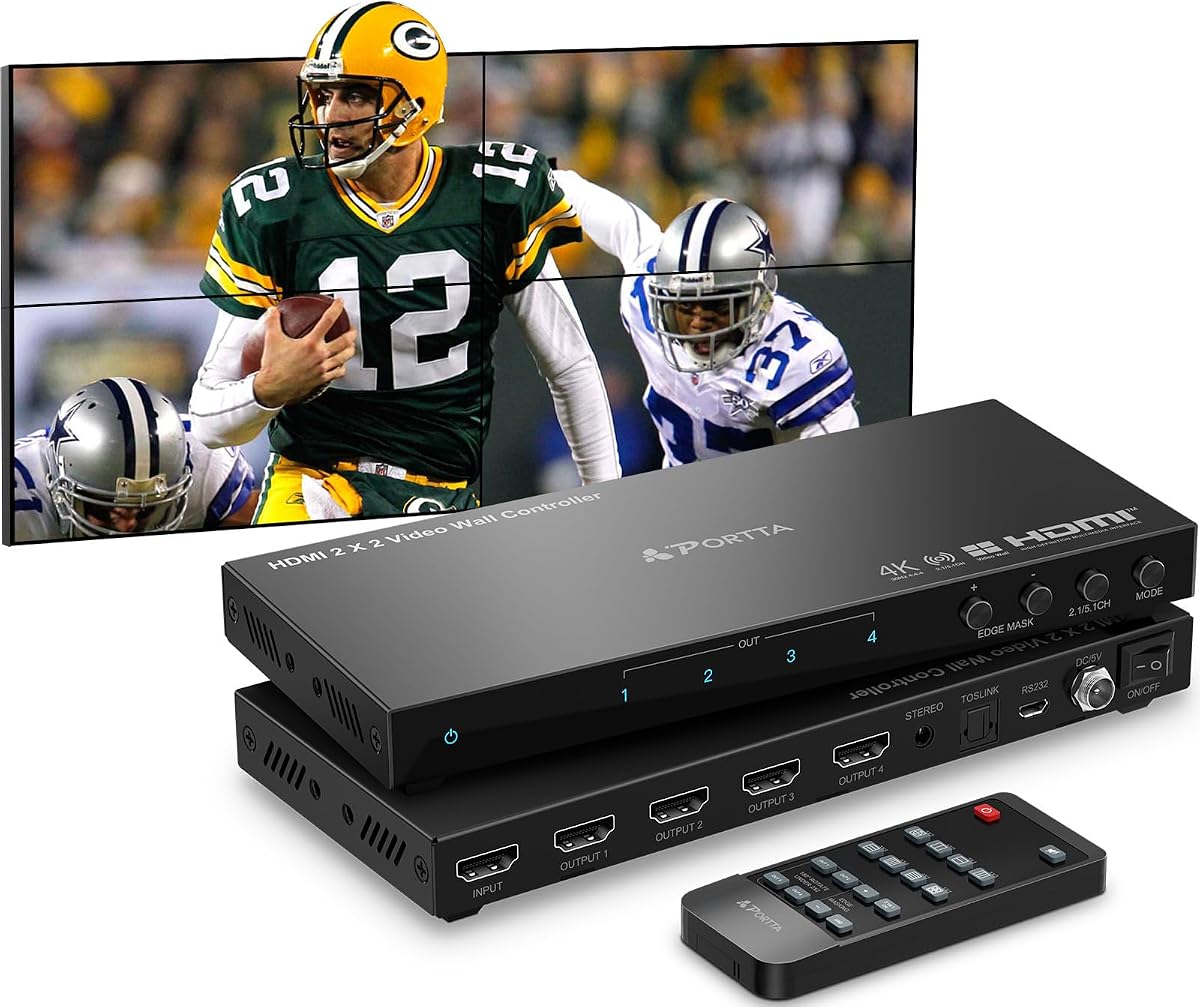


This processor offers excellent reliability with a 4.8 rating and supports 8 distinct display modes for flexible setups.
We may earn a commission when you buy through this link, at no additional cost to you.
It handles 4K 30Hz input signals well and provides optical audio extraction for external sound systems without extra hardware.
While it does not support higher refresh rates beyond 30Hz the stable performance and comprehensive support make it a safe choice.
Buyers looking for a balance of features and dependable support from a US based team will find this model highly suitable.
Edge masking allows you to adjust the picture edges by up to 8 pixels to reduce bezel gaps visually.
Customers get free lifetime technical support from a dedicated team in Texas ensuring long term assistance.
We may earn a commission when you buy through this link, at no additional cost to you.
This model provides an affordable entry into video wall setups with support for both HDMI and DVI source signals.
We may earn a commission when you buy through this link, at no additional cost to you.
It offers 11 splicing modes and allows you to rotate screens 180 degrees to fit custom mounting configurations easily.
The unit remembers your last settings when powered off so you do not need to reconfigure after every reboot.
Cost conscious users who need basic flexibility without advanced matrix features will find this controller very practical.
You can connect older DVI sources which is rare in modern budget controllers expanding device compatibility.
Control via remote, RS232, or physical buttons on the device ensures you can pick your preferred interface.
We may earn a commission when you buy through this link, at no additional cost to you.
This high end processor allows you to manage video walls through a web interface over LAN for remote administration.
We may earn a commission when you buy through this link, at no additional cost to you.
It accepts 4K 60Hz inputs and can route signals seamlessly across four displays without visible delays or picture loss.
The multiviewer presets let you view multiple source signals on a single screen which aids monitoring and debugging tasks.
For professional installations needing web control and high refresh rates this model justifies its premium cost effectively.
Web control enables facility managers to adjust layouts or switch sources without accessing the device physically.
Support for 60Hz input ensures smoother motion content which is critical for dynamic sports or video feeds.
We may earn a commission when you buy through this link, at no additional cost to you.
This unit accepts both HDMI and USB-C inputs making it ideal for modern laptops and mobile devices.
We may earn a commission when you buy through this link, at no additional cost to you.
It supports interlaced 4K 60Hz signals and offers RS-232 control for integration with professional automation systems.
The device includes a dual voltage power supply which is convenient for international travel or deployments.
Users requiring direct USB-C connectivity and professional control interfaces will appreciate these specific capabilities.
Direct USB-C input reduces cable clutter and supports modern devices like MacBooks without adapters.
Dual voltage support with an included adapter means you can use it in different regions easily.
We may earn a commission when you buy through this link, at no additional cost to you.
This controller combines HDMI and USB-C inputs with EDID management to optimize screen setups automatically.
We may earn a commission when you buy through this link, at no additional cost to you.
It supports 4K 60Hz input but downscale to 1080p outputs which reduces bandwidth requirements significantly.
RS-232 control allows integration with control systems while optical audio ensures clean sound separation.
If you need reliable input flexibility and system integration without full 4K output this is a strong option.
EDID management helps prevent handshake issues ensuring stable signal transmission across multiple displays.
Optical audio output provides a clean digital audio path separate from the video stream.
We may earn a commission when you buy through this link, at no additional cost to you.
This matrix model expands your options by supporting four independent HDMI inputs for routing flexibility.
We may earn a commission when you buy through this link, at no additional cost to you.
You can switch any source to any screen or combine them into a video wall for a unified display.
Web control simplifies management as you can access settings through a browser on a connected computer.
Installations needing multi source switching and a unified wall display will find this device very useful.
Four inputs mean you can have multiple computers or media players connected and switch between them easily.
Web control offers a graphical interface that is easier to use than remote commands or buttons.
We may earn a commission when you buy through this link, at no additional cost to you.
This processor offers 11 different splicing modes allowing you to configure the layout to match your room perfectly.
We may earn a commission when you buy through this link, at no additional cost to you.
It supports portrait mode settings and includes RS232 control for automated integration into larger control systems.
Edge masking prevents image distortion by trimming the output picture edges to align with your display bezels.
Installers who need specific layout options and automated control will find this model highly practical.
By adjusting PC display settings the controller supports vertical orientations for narrow or tall wall designs.
Trimming edges by up to 8 pixels helps hide bezels and improves the seamless look of the wall.
We may earn a commission when you buy through this link, at no additional cost to you.
This controller supports full 4K 60Hz output on all four ports ensuring high resolution and smooth motion.
We may earn a commission when you buy through this link, at no additional cost to you.
It works with HDMI and USB-C inputs and is designed for stable 24×7 operation in professional environments.
The setup is simple with remote control or button presses making it accessible for non technical users.
Users needing true 4K output without downscaling and simple controls should consider this model for reliability.
All four HDMI ports support 3840×2160 resolution which preserves detail for high definition content.
Designed for continuous 24×7 use it ensures minimal downtime in commercial or signage applications.
We may earn a commission when you buy through this link, at no additional cost to you.
This controller includes a USB input that lets you play media files directly from a flash drive without a computer.
We may earn a commission when you buy through this link, at no additional cost to you.
Auto display detects inserted media and plays videos or images immediately which is great for digital signage.
Image cropping and brightness controls allow you to adjust the look of the wall to suit your space.
If you want a standalone solution that plays files directly and offers fine tuning options this is ideal.
USB playback supports formats like MP4 and JPG making it easy to show custom content without a PC.
Adjustable brightness sharpness and contrast help you match the display to your lighting environment.
We may earn a commission when you buy through this link, at no additional cost to you.
This model expands to six HDMI outputs which lets you create larger video walls than standard four screen models.
We may earn a commission when you buy through this link, at no additional cost to you.
It supports 4K 60Hz input and multiple splice modes to cover larger spaces with one unified image.
The professional design ensures it runs stably for extended periods in commercial or public display scenarios.
Installations needing more than four screens will find this controller provides the necessary scale and flexibility.
Six HDMI outputs mean you can connect up to six TVs or monitors for a larger overall display.
Designed for 24×7 operation it minimizes heat and hardware failure risks in demanding environments.
We may earn a commission when you buy through this link, at no additional cost to you.
Selecting the right controller requires evaluating several key technical factors to ensure it fits your display goals.
You must check if the device supports your source resolution and your display resolution. Most budget models cap at 4K 30Hz while premium ones offer 4K 60Hz for smoother motion.
Ensure the outputs match your TVs to avoid downscaling which can reduce image clarity.
Different setups need different layouts. Look for units that support 2×2 1×4 or vertical orientations if your screens are mounted differently.
A controller with more modes gives you flexibility if you change your display configuration later.
Bezel gaps can ruin the seamless look of a video wall. Advanced controllers offer edge masking or cropping to hide these gaps visually.
This feature allows you to align the image so the bezels appear less prominent in the final view.
Many modern TVs have poor audio quality so check if the controller offers optical or analog audio extraction.
This feature lets you route sound to an external speaker system or soundbar easily without extra cables.
Consider how you plan to control the device. Some units rely only on IR remotes while others include RS232 or web control for automation.
RS232 or LAN control is essential if you need to integrate the wall into a larger building management system.
Some controllers allow direct USB playback or multiple HDMI inputs which adds versatility for standalone signage or switching between PCs.
If you need to play files from a drive or switch between two computers these inputs are critical for your workflow.
Check if the unit has dual voltage support if you plan to use it internationally and verify the warranty length for peace of mind.
Lifetime technical support from the manufacturer can save time if you encounter setup issues during installation.
Connect your source device like a PC or laptop to the input port and link the four displays to the output ports in order.
Use the remote or control interface to select your preferred splicing mode and adjust the screen rotation if needed.
Keep the device in a well ventilated area to prevent overheating and update any firmware if the manufacturer provides updates.
Standard HDMI cables work for most setups but for 4K content at 60Hz you should use high speed HDMI cables. Using high quality cables ensures stable signal transmission without flickering or loss.
It is best to use TVs with the same dimensions to avoid visible gaps or distortions. While some controllers support bezel adjustment mismatched sizes will still cause alignment issues in the final display.
If audio is missing use the optical or analog extraction ports on the controller to route sound to external speakers. Many displays do not carry audio back to the source so external audio helps.
RS232 control is essential if you plan to integrate the video wall with a centralized control system or automation platform. For basic use a remote control is usually sufficient and easier to set up.
4K 30Hz is fine for static content like images or text but 60Hz provides smoother motion for videos or games. Check your content type to decide if the higher refresh rate matters for your use case.
Many modern controllers allow you to rotate individual screens 180 degrees to match your physical mounting orientation. This feature ensures the image is upright even if the screens are mounted upside down.
The J-Tech Digital HDMI Video Wall Controller stands out as the top pick for its reliability and comprehensive support features.
Prioritize 4K 60Hz support and web control if you need advanced features or plan to manage the wall remotely.
Always verify the current model availability and features before buying to ensure it meets your specific project requirements.